
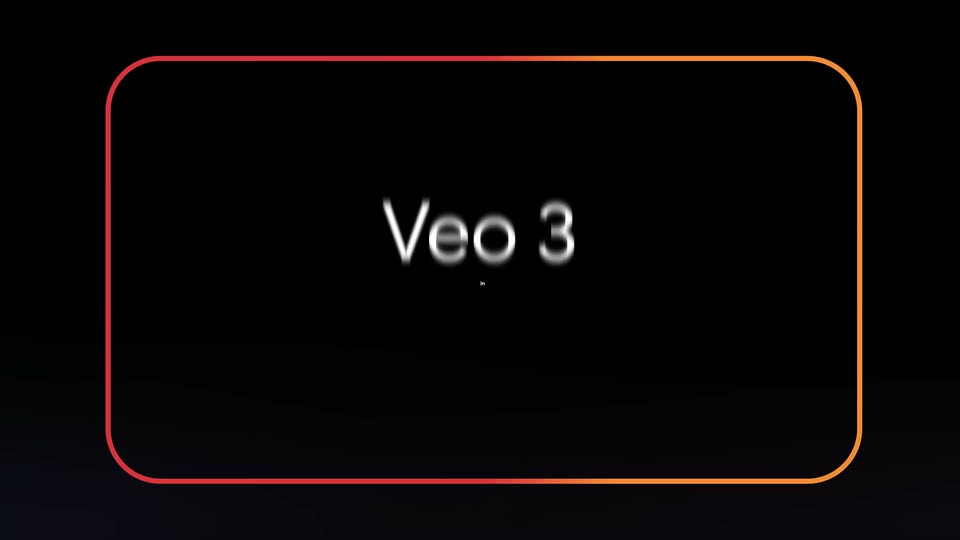
0:39
Explore
00:00:00 / 00:57:04
- Length
- 0:57
- Scenes
- 41 · 1.4 s avg
- Product on screen
- 0:00
- Features shown
- 2
- Call to action
- 0:52 · 92%
- Voiceover
- Yes
- Views
- 127K on YouTube
as of November 20, 2026
Google’s 0:57 launch film runs 41 scenes, about 1.4 s each. The product is on screen from the first frame and 2 features are revealed. The call to action lands at 0:52 (92% in), over a voiceover. Built on a black field with white sans type, the video alternates kinetic word-by-word title cards with full-screen generated clips, each feature (Veo 3, Flow) getting a gradient-framed announcement then a montage demo. Pacing is steady at about 122 bpm with quick cuts, anchored by a recurring multicolor gradient bar and shifting gradient frames that tie the beats together.
Footage neededEstimated needs: 1 capture group — your screens or recordings · 1 official logo — reused across the film · 10 filmed passages — shoot, supply or replace · 5 graphic passages — draw or supply · 5 3D passages — build or supply
Is this your launch? to your site or press kit.
More like this


1:00


Brex Launches Integrated Travel Solution
Brex · Mar 2023
2:36


MecAgent - Introducing MecAgent V2.0.0 - The Future of AI & CAD.
MecAgent · Oct 2026
Similar soundtrack
Films whose music sounds like this one, voice left out
0:35

3D Transforms are now in Figma
Figma · Eurodance / Italo House
0:57
Smart Commerce - Meet Stord AI
Stord · Electronic dance-pop
0:47

Present, engage, inspire | Logitech Spotlight 2
Logitech · Nu-disco, indie dance, funk
Introducing Google AI Ultra: The best of Google AI in one subscription, scene by scene
· 41 scenes as text
01 · Product intro · 0:00–0:01
A large gray word “Introducing” scrolls left across a black frame while a blurred multicolor gradient fades in along the bottom edge.
On-screen text: “Introducing”
Techniques: Kinetic type
Camera: Pan
02 · Product intro · 0:01–0:02
A young man in a white textured jacket walks toward camera on a sunlit rocky hillside. The shot sharpens from soft blur to clear focus as the centered title scales in over him.
On-screen text: “ducing”, “Google AI Ultra”
Techniques: Kinetic type
Camera: Push in
03 · Product intro · 0:02–0:02
A man's face emerges above a drifting white cloud against a blurred field at dusk. The white text Google AI Ultra holds centered in frame and scales in place as the cloud rolls across his chest.
On-screen text: “Google AI Ultra”
Techniques: Kinetic type
Camera: Static
04 · Product intro · 0:02–0:04
A model on a city street wears a gown of white paper cranes as the birds drift around her, then the frame morphs underwater into a jellyfish dress over a coral reef, the centered title held steady through the shift.
On-screen text: “Google AI Ultra”
Techniques: Morph
Camera: Push in
05 · Product intro · 0:04–0:04
A man in a coral suit floats in blue water as the white title scales up and blurs out of frame. The zoom resolves to a white screen with the word centered and a small disclaimer at the bottom.
On-screen text: “Google AI Ultra”, “new”, “Available in select countries. Terms Apply.”
Techniques: Kinetic type
Camera: Push in
06 · Demo · 0:04–0:06
A white headline scales up from the center of a black field, growing larger over the shot. A small disclaimer line stays fixed at the bottom edge.
On-screen text: “A new subscription”, “Available in select countries. Terms Apply.”
Techniques: Kinetic type
Camera: Static
07 · Demo · 0:06–0:06
A white flower bud against a dark blue background racks from soft blur into sharp focus while a warm yellow glow brightens at its base. Small disclaimer text stays fixed at the bottom edge.
On-screen text: “Available in select countries. Terms Apply.”
Camera: Static
08 · Demo · 0:06–0:07
A close-up white flower on a green stem unfurls its petals against a dark blue gradient background. The bloom opens from a folded bud to a wide spread, the base glowing softly.
Camera: Static
09 · Demo · 0:07–0:08
A thick pale-yellow liquid rises into tentacle-like columns, dripping long strands against a black background, then cuts to a black-tiled Japanese shrine framed by cherry blossoms with a figure in white inside the doorway.
Camera: Pull out
10 · Demo · 0:08–0:08
Aerial view of a small wooden hut on legs with a tiled roof, set in a grassy field among blooming cherry trees. A robed figure sits inside the open window as the camera slowly pulls back to reveal the structure and surrounding blossoms.
Camera: Pull out
11 · Demo · 0:08–0:09
An aerial view holds on a towering, pyramid-shaped mound of penguins packed on a snowfield, with a blue ice ridge and distant snow mountains under a pale sky. The camera drifts slowly, the birds mostly still.
Camera: Pull out
12 · Demo · 0:09–0:14
On black, white text phrases build a sentence one by one, each scaling or sliding into the center while a thin white progress bar fills beneath them. A small footnote line fades in at the bottom as the last phrase sharpens into place.
On-screen text: “for the highest level access”, “to”, “to the best of Google AI”, “and state-of-the-art”, “Based on evaluations across a variety of benchmarks”
Techniques: Kinetic type
Camera: Static
13 · Demo · 0:14–0:17
On a black background, rounded video clips of a beach, a robot, anime figures, a cat in space, a shark and a mouse drift at the frame edges while bold white type assembles word by word into “video generation models”.
On-screen text: “and state-of-the-art”, “video generation models”
Techniques: Kinetic type
Camera: Push in
14 · Feature reveal · 0:17–0:18
On a black field with a faint purple glow at the bottom, a centered rounded-rectangle frame with a red-to-orange gradient stroke and an inner box scale up. White text inside grows with them. Partial video thumbnails on the left edge disappear as the frame expands.
On-screen text: “Veo 3”
Techniques: Kinetic type
Camera: Static
15 · Feature reveal · 0:18–0:19
A black card with a rounded border that glows and shifts from red-orange to blue-purple holds the centered text 'Veo 3 in' above the Gemini wordmark; the words scale and slide in word by word beside a four-point sparkle icon.
On-screen text: “Veo 3”, “in”, “Gemini app”
Techniques: Kinetic type
Camera: Static
16 · Feature reveal · 0:19–0:20
On a black field, the stacked lines Veo 3, in, Gemini app sit beside a blue four-point sparkle inside two gradient rounded-rect outlines that drift left. The block fades out as Turn words into videos scales in, dim at first.
On-screen text: “Veo 3”, “in”, “Gemini app”, “Turn words into videos”
Techniques: Kinetic type
Camera: Static
17 · Feature reveal · 0:20–0:23
On a black background with a faint blue glow along the bottom, the headline appears word by word in bold white type, then the whole line scales down and holds centered.
On-screen text: “Turn words into videos”
Techniques: Kinetic type
Camera: Static
18 · Feature reveal · 0:23–0:26
A 3D-rendered night forest shows an owl and a badger facing each other, enclosed in a rounded orange-to-red gradient border. The framed render sharpens from a blurry flying owl and scales down on a black background as the camera pulls back.
On-screen text: “Turn words into videos”, “Generated with Veo”
Camera: Pull out
19 · Feature reveal · 0:26–0:27
Three bordered cards show dark forest renders of an owl and a badger, labeled Generated with Veo. The cards fade to black and the headline And for the creatives fades in centered.
On-screen text: “And for the creatives”
Camera: Static
20 · Feature reveal · 0:27–0:29
White bold sans lines read on a black field, swapping in quick succession: 'And for the creatives', 'And for the innovators', 'And for the filmmakers', each exiting with a horizontal blur, then thin orange, blue and purple curves bloom into an X.
On-screen text: “And for the creatives”, “And for the innovators”, “And for the filmmakers”
Techniques: Kinetic type
Camera: Static
21 · Feature reveal · 0:29–0:30
Thin rainbow gradient curves frame a black background while the word introducing sits centered in white. The word slides horizontally and exits, the curves holding still.
On-screen text: “introducing”
Techniques: Kinetic type
Camera: Static
22 · Feature reveal · 0:30–0:30
On black, the word introducing slides in from the left, then Flow scales up at center over a swirling dark-blue water vortex that fills the frame.
On-screen text: “introducing”, “Flow”, “Generated with Imagine”
Techniques: Kinetic type, Light sweep
Camera: Static
23 · Feature reveal · 0:30–0:31
A teal water whirlpool rotates in 3D, filling the frame, while the white title Flow scales up at its center. The foam spirals inward toward the bright core.
On-screen text: “Flow”
Techniques: Kinetic type
Camera: Push in
24 · Feature reveal · 0:31–0:32
A figure in a dark suit stands with their back to the camera at the foot of a vast, symmetrical staircase rising into a vaulted, fluorescent-lit hall. The camera drifts slowly forward, holding the centered composition.
Camera: Static
25 · Feature reveal · 0:32–0:33
A low 3D render dollies forward through a corridor of tall glass panels standing in a stormy sea. White waves and churning foam crash around the panel bases under a flat gray sky, with reflections rippling on the wet surface.
Camera: Push in
26 · Feature reveal · 0:33–0:33
A man in a white shirt sits centered on a stool in a cluttered workshop, reading a newspaper. The camera pushes in with heavy edge blur as the headline scales up over him.
On-screen text: “Ingredients to Video”
Techniques: Kinetic type
Camera: Static
27 · Feature reveal · 0:33–0:36
A blue-glowing 3D panel shows the tool's interface. A pill button sits above a prompt line that types out a taxi scene, with circular thumbnails of a taxi, jellyfish and sofa below. The camera pans right to a sliders icon and a round arrow button.
On-screen text: “Results for illustrative purposes and may vary. Sequences shortened. Available in select countries and languages. Subscription and internet required. Features, ”, “”, “may differ depending on subscription. Available to users 18+”
Techniques: Kinetic type, 3D mockup, UI zoom
Camera: Push in
28 · Feature reveal · 0:36–0:37
A blue gradient field with a glowing white circle holding a black right arrow centered. The circle scales down and slides to the right, the arrow lightening, until only a faint outline ring with a pale arrow remains at the right edge.
On-screen text: “Results for illustrative purposes and may vary. Sequences shortened. Available in select countries and languages.”, “Subscription and internet required. Features may differ depending on subscription. Available to users 18+”
Techniques: Masking
Camera: Static
29 · Feature reveal · 0:37–0:39
A cool blue car interior is shown from the front seats, the patterned back seat filling the lower frame. Translucent jellyfish drift through the cabin, floating from the rear window toward the camera. The camera holds still.
On-screen text: “Generated with Imagen”
Camera: Pull out
30 · Feature reveal · 0:39–0:40
A glowing rounded frame holds a generated image of a car rear seat with floating translucent jellyfish on a dark background. A white vertical line capped with triangles, marked by a hand cursor, slides from the center to the right edge of the frame.
On-screen text: “Generated with Imagen”
Techniques: Cursor demo
Camera: Pull out
31 · Feature reveal · 0:40–0:41
A video player window with a blue border expands horizontally on a dark background. Inside, a video shows a car interior with a translucent figure. A small thumbnail of the video appears below the main window as it widens.
On-screen text: “Extending...”
Techniques: UI zoom
Camera: Static
32 · Feature reveal · 0:41–0:42
A dark blue gradient field holds several rounded video cards that drift and reposition; the center card, outlined in blue, swaps from a jellyfish in a car seat to a figure with a glowing orange pack on a lantern street.
On-screen text: “Generated with Imagen”
Techniques: Parallax
Camera: Static
33 · Feature reveal · 0:42–0:43
A dark blue field of rounded video tiles, each looping a different generated clip, drifts across the screen as the camera glides through the collage. A glowing blue border marks the active tile while the layout shifts from a lantern-lit street to a desert dancer.
On-screen text: “Generated with Imagen”
Techniques: Parallax, Split screen, UI zoom
Camera: Pan
34 · Feature reveal · 0:43–0:44
A dark field of small rounded thumbnails frames a large central preview with a blue-to-teal border, showing a robed figure on a white floor before a brown rock. The preview slowly zooms in.
Techniques: UI zoom
Camera: Pan
35 · Feature reveal · 0:44–0:46
Rounded video clips float on a dark blue gradient field. The central clip scales up to fill the frame, shifting from an escalator to classical columns, while smaller clips drift at varying depths. A small caption reads 'Generated with Imagen' at the bottom.
On-screen text: “Generated with Imagen”
Techniques: Parallax, Masking
Camera: Push in
36 · Feature reveal · 0:46–0:46
A rendered classical colonnade plays inside a rounded card with a blue-cyan gradient border, ringed by small video thumbnails on a dark blue gradient. The view zooms into the card until the architecture fills the frame, with a small caption at the bottom.
On-screen text: “Generated with Imagen”
Camera: Push in
37 · Other · 0:46–0:47
White bold sans-serif text reads “All this and so much more”, centered on a black field with a soft multicolor gradient glow along the bottom edge. The line scales up into place over a locked-off frame.
On-screen text: “All this and so much more”
Techniques: Kinetic type
Camera: Static
38 · Other · 0:47–0:51
Feature labels with small icons cycle through the center of a black screen: 30 TB Storage, YouTube Premium, Gemini app, Veo 3, NotebookLM, Flow. Each line slides or scales up and fades as the next arrives, ending on All this and so much more.
On-screen text: “30 TB Storage”, “YouTube Premium”, “Gemini app”, “Veo 3”, “NotebookLM”, “Flow”, “All this and so much more”
Techniques: Kinetic type
Camera: Static
39 · Other · 0:51–0:52
Black frame, centered white sans-serif text. “Redefine” scales down as “what's” and “possible” slide in word by word, settling into the full line “Redefine what's possible”.
On-screen text: “NotebookLM”, “Flow”, “Redefine what's possible”
Techniques: Kinetic type
Camera: Static
40 · CTA · 0:52–0:55
Black background with a faint rainbow gradient strip along the bottom edge. White text “Redefine what’s possible” scales in at center, then blurs out as “Google AI Ultra” resolves sharp. The line then swaps to “Subscribe at one.google.com/ai”.
On-screen text: “Redefine what’s possible”, “Google AI Ultra”, “Subscribe at”, “one.google.com/ai”
Techniques: Kinetic type
Camera: Static
41 · CTA · 0:55–0:57
A black background holds two lines of white text, centered. The smaller line reads 'Subscribe at' above the larger bold URL 'one.google.com/ai'. The frame stays locked and static for the full duration.
On-screen text: “Subscribe at”, “one.google.com/ai”
Camera: Static