0:59
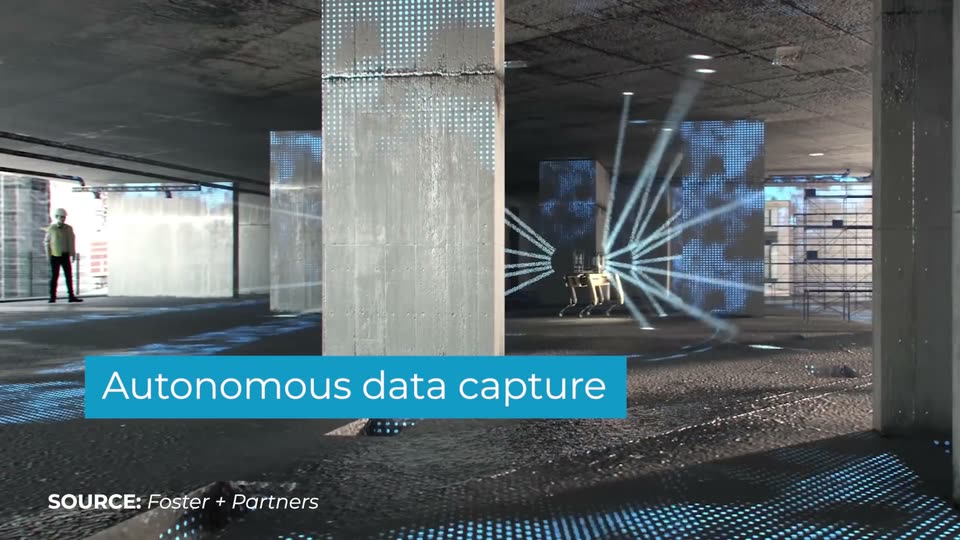

Spot on Site: Construction Solution
Spot · Aug 2021
Logitech’s 0:47 launch film runs 18 scenes, about 2.6 s each. The product is on screen from the first frame and 6 features are revealed. There is no explicit call to action. The video is built as a chain of short captioned vignettes: a brand wordmark, the product name over lifestyle stills, then one feature per segment rendered as a slow 3D turn or a blur-to-focus dashboard, closing with a three-color lineup and a drawn wordmark. Pacing is even and quick at 120 bpm, and the signature moves are the expanding ripple rings, the blur-to-focus UI reveals, and the macro 3D turns on flat neutral gradients.
Is this your launch? to your site or press kit.
Spot · Aug 2021
Commas · Jul 2026
Films whose music sounds like this one, voice left out
React Bits · Electronic pop, synth-pop
Adobe · Upbeat instrumental electronic music blending funk, soul, and retro synthwave elements.
Tesla · Modern funk, soul, and electronic dance music with synth-pop influences
A macro shot of a dark gray remote's textured surface with two round arrow buttons, the white logitech wordmark centered. The camera pulls back to reveal the full clicker on a wooden desk beside a laptop, a phone and a green pen, while the wordmark scales down.
On-screen text: “logitech”
Techniques: Kinetic type
Camera: Pull out
A lavender handheld scanner rests diagonally on a pale wood desk, framed by fabric and paper swatches, markers and a tablet. The white title “Spotlight 2” holds centered over the device in a static overhead shot.
On-screen text: “Spotlight 2”
Camera: Static
A white Logitech presentation remote rests on a wooden desk among round glasses, teal pencils and a handwritten notebook, with the title centered over it. A slow camera drift keeps the device in 3D perspective.
On-screen text: “Spotlight 2”
Techniques: 3D mockup
Camera: Pull out
A white presentation remote floats at an angle over a blurred desk, the title Spotlight 2 centered in white. The background then clears to plain gray and the title disappears, leaving the device isolated.
On-screen text: “Spotlight 2”
Camera: Static
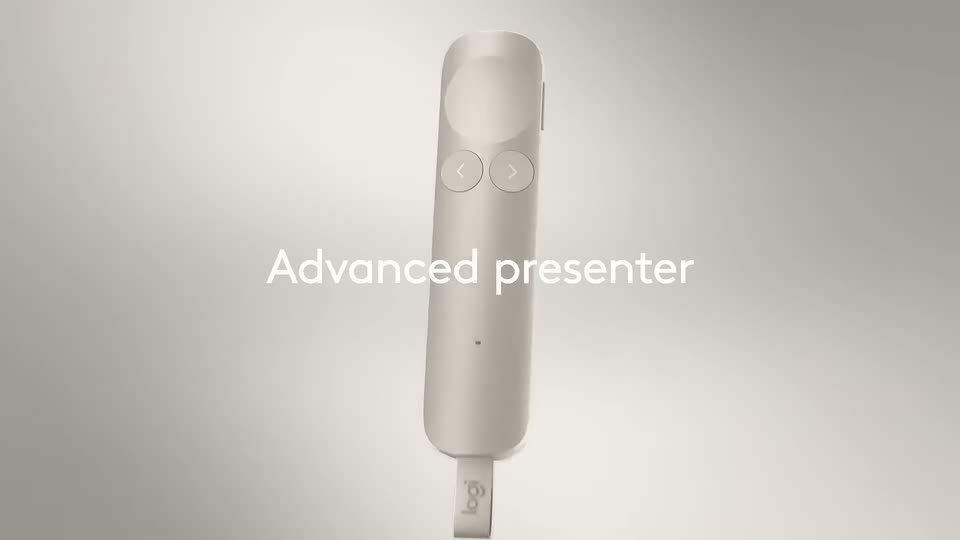
A cream presenter remote with a wrist strap floats and rotates on a soft beige gradient. The white title Advanced presenter slides in across the center, then the camera pushes in on the device as the title clears.
On-screen text: “Advanced presenter”
Techniques: 3D mockup, Kinetic type
Camera: Static
A black presenter remote stands in 3D perspective on a light gray gradient. Teal concentric rings pulse from its top sensor while white ripple rings expand outward. The white caption slides in and then extends with the added words.
On-screen text: “Advanced presenter”, “with haptics”
Techniques: 3D mockup, Kinetic type
Camera: Static
A beige dashboard graphic sharpens from soft blur into focus, revealing a wavy pink and maroon area chart with month labels and a white cursor gliding across it. A white headline sits above, flanked by a curved Q4 badge on the left and a leaf thumbnail on the right.
On-screen text: “Digital highlighting effects”
Techniques: Cursor demo
Camera: Pan
A dimmed analytics chart with wavy red, pink and orange area fills sits center frame, the title Squarelight above it. A cream rectangle highlights the February to March span, a cursor rests at its lower right corner, and the whole group brightens from a muted state.
On-screen text: “Squarelight”
Techniques: Cursor demo
Camera: Pan
A dimmed analytics dashboard sits behind the centered title Spotlight. A circular spotlight mask drifts down onto the Cost Efficiency donut, revealing it brightly as its value counts from 0% to 72%. The frame then blurs and fades to white.
On-screen text: “Spotlight”
Techniques: Masking
Camera: Pan
A flat beige dashboard resolves from motion blur, with
On-screen text: “Magnify”
Techniques: Masking
Camera: Pan
A silver 3D device head rotates against a pale gray backdrop as its round red laser button lights up and a red dot with a short trail appears at the right. White text is overlaid across the device.
On-screen text: “Digital and laser pointer”
Techniques: 3D mockup, Kinetic type
Camera: Push in
A close-up render of a silver device edge pans slowly along its side, revealing a long button. A white two-line headline holds left of center while five teal circular icons, each with a white glyph, pop into an arc on the left.
On-screen text: “Digital and laser pointer”, “Customizable actions”, “with Logi Options+”
Camera: Static
A lavender rounded device floats on a pale blue background as dotted cyan rings expand from its center like ripples, spilling past its edges. The white headline holds, then fades as the camera tilts to two round buttons.
On-screen text: “Guided breathing”, “with Logi Options+”, “Customizable actions”
Techniques: 3D mockup, Particles
Camera: Pan
A white USB-C receiver with a printed fabric loop turns in 3D against a pale gray backdrop as the camera pulls back from a macro shot, a green LED ring glowing at the connector end.
On-screen text: “Logi Bolt USB-C and Bluetooth®”
Techniques: 3D mockup
Camera: Pull out
A dark gray USB receiver with a logi tab turns in 3D against a light gray background, static white text centered below it.
On-screen text: “Logi Bolt USB-C and Bluetooth®”
Techniques: 3D mockup
Camera: Static
A black Logitech presentation clicker rotates from a diagonal tilt into an upright vertical stance, centered on a plain light gray backdrop. Its fabric strap dangles below. The white title stays fixed in the middle of the frame throughout the turn.
On-screen text: “Spotlight 2”
Techniques: 3D mockup
Camera: Static
Three presentation remotes in cream, gray, and lavender float in 3D against a light gray gradient, turning slightly as the white title 'Spotlight 2' crossfades to the tagline 'Present. Engage. Inspire.'
On-screen text: “Spotlight 2”, “Present. Engage. Inspire.”
Techniques: 3D mockup
Camera: Static
On a flat beige field, the lowercase logitech wordmark builds up in the center, letters drawing in from a gray partial form to a solid black wordmark. The tagline then settles in beneath the logo as the frame holds.
On-screen text: “Present. Engage. Inspire.”
Techniques: Kinetic type
Camera: Static