1:50

HABU Launch Video
HABU · Real Estate and Construction · Sep 2026
OpenAI’s 0:50 launch film runs 16 scenes, about 3.2 s each. The product is on screen from the first frame. The call to action lands at 0:45 (90% in). The video alternates flat cream title cards with 3D-tilted browser mockups over a soft blue-orange gradient, zooming into UI panels to follow one sales workflow from plugin install to HubSpot tasks. Signature moves are word-by-word headline builds, cursor-led UI zooms, and a locked-off card that cycles short orange benefit phrases.
Is this your launch? to your site or press kit.
HABU · Real Estate and Construction · Sep 2026
ElevenLabs · AI · Oct 2026
Help Scout · Oct 2026
Films whose music sounds like this one, voice left out
A light gray card holds a centered headline. 'Introducing' and the word 'for' with a small rounded handshake icon appear first, then 'ChatGPT' fills the top line and orange 'Sales' completes the bottom line.
On-screen text: “Introducing”, “for”, “ChatGPT”, “Sales”
Techniques: Kinetic type
Camera: Static
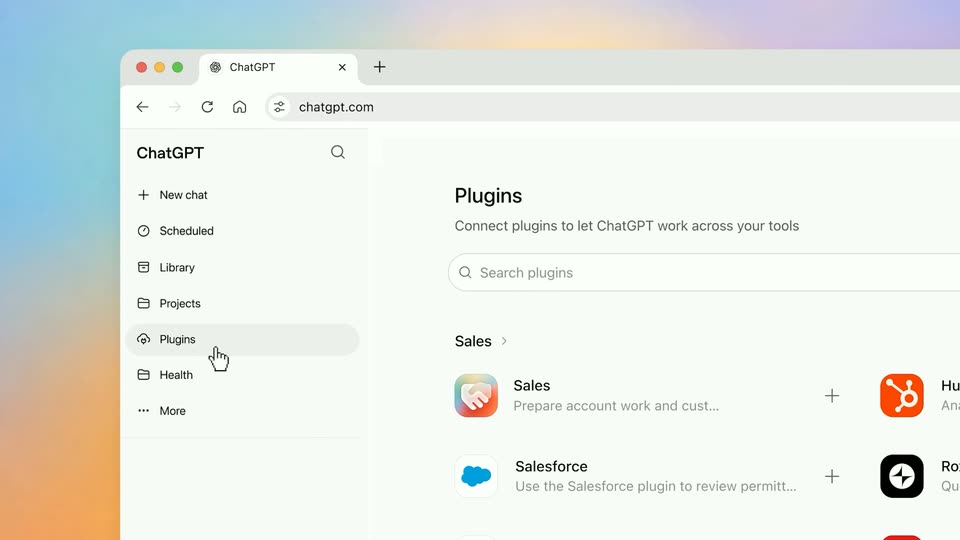
A flat ChatGPT browser mockup sits on a soft blue-orange-purple gradient, settling from a brief double-exposure into a clean view. A hand cursor hovers the Plugins item in the sidebar while a large headline reads Introducing ChatGPT for Sales.
On-screen text: “Introducing ChatGPT”, “for Sales”
Techniques: Cursor demo
Camera: Static
A tilted ChatGPT browser window floats over a soft gradient backdrop. The camera zooms into the main panel as a cursor hovers the Plugins item, and the plugin cards under the Sales heading fill the frame.
Techniques: 3D mockup, UI zoom, Cursor demo
Camera: Pan
A light-themed plugins directory fills the frame, listing Sales, HubSpot, Salesforce, Rox, Clay and ZoomInfo cards under a Sales heading. A hand cursor hovers on the Sales row as the heading scales into place.
Techniques: Kinetic type
Camera: Static
A white card with a gradient handshake icon and the word Sales sits centered on a light background, its status flipping from Installing to Installed with a checkmark. Colorful app icons pop in around it and drift at varying depths as the frame pulls back.
Techniques: Parallax
Camera: Push in
Floating app tiles (a Sales installed card, a green Pipedrive mark, a HEX tile) sit at the frame edges and scale out, clearing the off-white field. The bold black headline then resolves word by word, the trailing words fading from gray to black.
On-screen text: “Put customer context to work”
Techniques: Kinetic type
Camera: Static
A plain off-white background holds two centered lines of black text. The first line is static while the second line fades in from gray to black, word by word, completing the headline.
On-screen text: “Put customer context to work”, “across the sales cycle”
Techniques: Kinetic type
Camera: Static
A white prompt bar on a pale background types a sales instruction with orange app tags, the bar growing as it fills. It cuts to a centered gray Thinking label, then to a panel showing the task in progress.
Techniques: Kinetic type
Camera: Push in
A close-up of a chat assistant's reply lists three tasks, each with a small colored icon, the lines filling in one after another. The frame then zooms out to reveal the app's left sidebar and a bottom input bar.
Techniques: UI zoom
Camera: Pull out
A ChatGPT browser window mockup floats on a soft orange-to-blue gradient. The reply builds in place: a gray status line with three subtasks fades in, then a five-row table of accounts fills in row by row under the user's prompt.
Techniques: Kinetic type
Camera: Pull out
A browser window holding a ChatGPT and HubSpot view tilts from a 3D angle into a flat front view, then the frame zooms into the left column, settling on a list of review email tasks as a hand cursor appears at the edge.
Techniques: 3D mockup, UI zoom
Camera: Push in
A close-up of a task list in a web app; a cursor clicks the Start button on the first item, turning it into a checkmark. The camera then zooms out to reveal the full browser window on a colorful gradient background.
Techniques: Cursor demo, UI zoom
Camera: Pull out
A flat browser window sits on a blue-to-orange gradient. A deals and tasks list fills the left panel; an email draft fills the right. The draft fades from faint to full contrast as the first task's checkmark swaps for a Start button.
Camera: Static
On a plain cream background, the centered black line “Use ChatGPT to” stays fixed while the orange line below cycles through short phrases, each crossfading in over the previous. The frame remains locked and static the whole time.
On-screen text: “Use ChatGPT to”, “find the right buyers”, “personalize outreach”, “prep for meetings”, “build close plans”, “flag deals that could slip”
Techniques: Kinetic type
Camera: Static
A light gray card: the headline builds word by word, Install the in black, a rounded handshake app icon, Sales in orange, plugin, then to get started on a second line; the finished line holds static.
On-screen text: “Install the Sales plugin”, “to get started”
Techniques: Kinetic type
Camera: Static
A small dark dot at the center of a plain off-white field expands into a black ring, which morphs into the letter O as the wordmark OpenAI builds in letter by letter to its right, settling centered in the frame.
On-screen text: “OpenAI”
Techniques: Morph, Kinetic type
Camera: Static