
0:31
Explore
00:00:00 / 00:46:05
- Length
- 0:46
- Scenes
- 16 · 2.9 s avg
- Product on screen
- 0:00
- Call to action
- 0:40 · 87%
- Voiceover
- No
- Views
- 48K on YouTube
as of November 19, 2026
OpenAI’s 0:46 launch film runs 16 scenes, about 2.9 s each. The product is on screen from the first frame. The call to action lands at 0:40 (87% in). The film alternates flat word-by-word type cards with 2.5D browser mockups on warm gradients, moving from a quick install to one end-to-end invoicing workflow, then a use-case list and a closing CTA. Signature moves are the letter-by-letter text builds, push-in and pull-out camera moves on tight UI crops, and the ring of orbiting app icons around the plugin card.
No filming indicatedEstimated needs: 2 capture groups — your screens or recordings · 1 official logo — reused across the film · 1 graphic passage — draw or supply · 2 3D passages — build or supply
Is this your launch? to your site or press kit.
More like this


Similar soundtrack
Films whose music sounds like this one, voice left out
0:59

Descript - Never edit alone again. Underlord is now available in beta. Underlor
Descript · Modern electronic, cinematic
0:50

DeepReach AI - Everyone can run a data business
DeepReach Inc. · Upbeat commercial electronic
2:04
Marco Palladino - At Kong we run half a quadrillion AI tokens a year, and I kept seeing
Volcano · Upbeat corporate electronic
Introducing ChatGPT for Accounting, scene by scene
· 16 scenes as text
01 · Product intro · 0:00–0:02
On a pale gray background, bold black text reads Introducing ChatGPT, then a second line builds with for, a coral calculator app icon, and the word Accounting in coral. The text assembles in sequence and then holds still.
On-screen text: “Introducing ChatGPT for Accounting”
Techniques: Kinetic type
Camera: Static
02 · Demo · 0:02–0:03
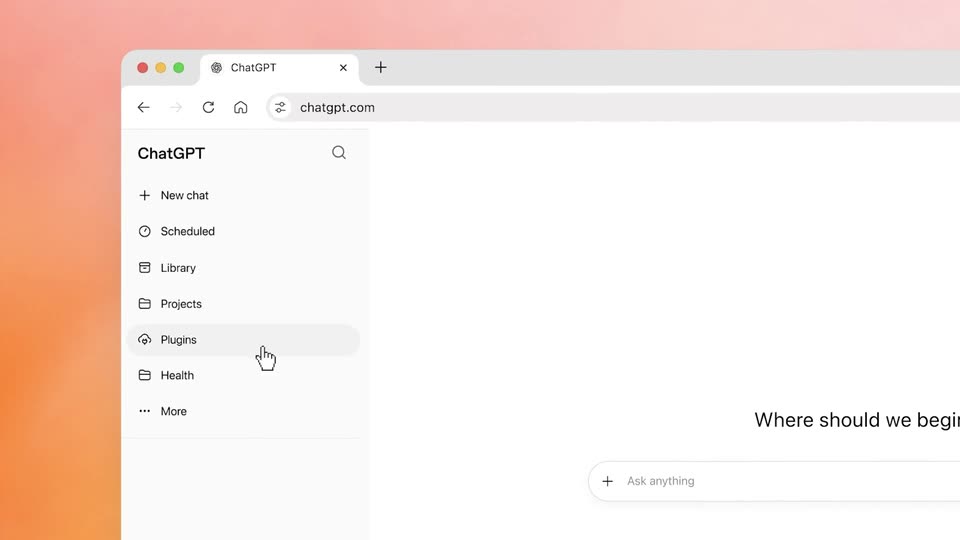
A ChatGPT browser window on a peach gradient settles from a ghosted double into a crisp frame, then a hand cursor glides to the Plugins item in the sidebar, which highlights in a gray pill.
On-screen text: “Introducing ChatGPT”, “for Accounting”
Techniques: Cursor demo
Camera: Static
03 · Demo · 0:03–0:04
A browser mockup of the ChatGPT plugins page sits in slight 3D perspective on an orange gradient. The window slides right and the plugin list scrolls as a hand cursor rests on the Plugins menu item.
Techniques: 3D mockup, Cursor demo
Camera: Pan
04 · Demo · 0:04–0:05
A light plugin directory screen shows a search bar above a two-column grid of accounting plugin cards. A hand cursor moves to the plus button on the Accounting card and clicks it.
Techniques: Cursor demo
Camera: Static
05 · Demo · 0:05–0:06
A white rounded card with a soft shadow pops into the center of a light gray field. It holds an orange-pink calculator icon, the bold black word Accounting, and a gray Installing label. A checkmark draws into the circle as the card settles and the text sharpens.
Camera: Static
06 · Demo · 0:06–0:08
A white pill card labeled Accounting with a calculator icon and an Installed checkmark stays fixed at the center while eight app icons orbit it in a ring, stepping clockwise.
Camera: Pull out
07 · Problem · 0:08–0:10
Centered on a plain white background, the two-line headline builds word by word, each word fading from light gray to solid black until the full sentence holds on a locked-off frame.
On-screen text: “Less manual work,”, “more time for clients”
Techniques: Kinetic type
Camera: Static
08 · Demo · 0:10–0:20
A tight crop on a chat input box fills word by word with a prompt to find billable jobs and draft invoices in QuickBooks. The text dissolves into a Thinking state listing two tasks, then the view pulls back to the full screen.
Techniques: UI zoom
Camera: Pull out
09 · Demo · 0:20–0:27
A flat browser window on a warm orange-pink gradient shows a ChatGPT chat. Three invoice cards expand into view one after another as the list scrolls, then the frame zooms into the interface.
Techniques: UI zoom
Camera: Push in
10 · Demo · 0:27–0:28
A light invoice card for Fallow Lantern Lodging sits above a three-row job table. The frame pans down to bring the table rows and the Ask anything chat bar into view.
Camera: Push in
11 · Demo · 0:28–0:30
A tight crop of an invoice table and three notes zooms out to frame the whole browser window, exposing the ChatGPT sidebar and top bar. The view then holds still on the full interface.
Techniques: UI zoom
Camera: Pull out
12 · Demo · 0:30–0:31
A browser window on a warm gradient background shows a QuickBooks invoices screen inside ChatGPT. The view shifts from a generated invoice summary to a full dashboard with totals and a table, while a cursor moves near the top right.
On-screen text: “chatgpt.com”
Techniques: Cursor demo
Camera: Static
13 · Demo · 0:31–0:33
A browser window showing an invoices dashboard floats in 3D perspective over a warm orange-to-pink gradient, tilted with a soft drop shadow. The frame holds steady on the unpaid and paid summary cards and the invoice table.
Techniques: 3D mockup
Camera: Static
14 · Other · 0:33–0:40
A light gray background holds a centered black line reading “Use ChatGPT to” while a pink line below it fades through four accounting phrases in sequence.
On-screen text: “Use ChatGPT to”, “Process invoices and receipts”, “Prepare month-end reports”, “Reconcile transactions and records”, “Finish audit documentation”
Camera: Static
15 · CTA · 0:40–0:42
On a plain white background, black bold text builds word by word: “Install” appears first, then “the” and “plugin to get started” follow, with an orange-to-pink rounded-square icon and the pink word “Accounting” filling the gap. The finished two-line headline holds still for the rest of the clip.
On-screen text: “Install the Accounting”, “plugin to get started”
Techniques: Kinetic type
Camera: Static
16 · Outro · 0:42–0:46
A small dark dot holds at the center of a white field, then the black OpenAI wordmark assembles letter by letter in the middle and settles still.
On-screen text: “OpenAI”
Techniques: Kinetic type
Camera: Static