0:28

Motion Graphics Promo Video | Ahrefs
Ahrefs · Aug 2026
Lindy · Aug 2025 · 1:01 · AI-annotated
Lindy’s 1:01 launch film runs 34 scenes, about 1.8 s each. The product shows up at 0:04 and 2 features are revealed. There is no explicit call to action. The video is built as a numbered step-by-step demo: a short pain list, a logo reveal, then Step 1 to Step 3 cards that each pair a blur-to-focus title with a 3D-tilted UI card where a typed prompt triggers an auto-completed action. Pacing is snappy and rhythmic at roughly 108 bpm, with hand-drawn marker accents, a recurring cream dot-grid backdrop, and the code-bracket logo bookending the cut.
Is this your launch? to your site or press kit.
Ahrefs · Aug 2026
Agentcard · Fintech · Nov 2026
The word “Hiring” in muted gold sits on a soft cream background with a warm side glow, scaling down from near full-frame to a small centered word.
On-screen text: “Hiring sucks”
Techniques: Kinetic type
Camera: Pull out
On a soft cream gradient, centered orange sans-serif phrases swap in place, each scaling in and out: “Hiring sucks”, “Training sucks”, “Managing sucks”. The final phrase, “Scaling sucked”, appears larger with a hand-drawn blue underline sweeping beneath the last word.
On-screen text: “Hiring sucks”, “Training sucks”, “Managing sucks”, “Scaling sucked”
Techniques: Kinetic type
Camera: Static
A warm gradient headline “Scaling sucked” holds on a soft cream backdrop, a dark marker circle looping the last two letters. It gives way to “Meet your first”, which scales up from a small size in the same gradient type on the locked-off frame.
On-screen text: “Scaling sucked”, “Meet your first”
Techniques: Kinetic type
Camera: Static
On a soft cream and peach gradient, a centered line of copper text reads “Meet your first” followed by a rounded orange sparkle icon and “Al employee”. The left phrase scales up into frame while the right phrase holds still.
On-screen text: “Meet your first”, “Al employee”
Techniques: Kinetic type
Camera: Static
A brown angle-bracket logo mark and the wordmark Lindy assemble on a cream background with soft orange corner glows. The mark slides left into place as the letters slide in from the right, then the full lockup locks off centered.
On-screen text: “Lindy”
Techniques: Kinetic type
Camera: Pull out
Soft cream gradient background. A blurred close-up of the word Step racks into focus and pulls back to reveal Step 1 centered. Below it the gray headline Tell it what to do fades in, then the frame locks off.
On-screen text: “Step 1”, “Tell it what to do”
Techniques: Kinetic type
Camera: Pull out
A centered title card on a warm cream background with a soft glow at the right edge. A small orange “Step 1” sits above a large dark-teal headline “Tell it what to do”; mid-scene the text blurs and slides right in a quick horizontal pass.
On-screen text: “Step 1”, “Tell it what to do”
Techniques: Kinetic type
Camera: Static
A white rounded prompt bar sits centered on a cream gradient with a faint dot grid, under the heading “How can I help?” A black cursor arrow glides toward the blue send button while the query “Find me 100 leads following this ICP” types out with a blinking caret.
Techniques: Cursor demo
Camera: Static
A chat input bar with a typed query and a cursor on the send button sits in sharp focus over a blurred orange Step 2 title. The bar fades out as the Step 2 text snaps into focus and scales up on a warm dotted background.
On-screen text: “Step 2”
Techniques: Kinetic type
Camera: Pull out
On a warm cream background, a large blurry Step 2 scales down to a small sharp orange label above the dark teal line It just does, which sharpens from blur. The word it slides in to complete the phrase as a hand-drawn black ellipse is sketched around does.
On-screen text: “Step 2”, “It just does”, “it”
Techniques: Kinetic type
Camera: Static
A white chat card on a peach gradient scrolls upward: an Ethan Behrends message asks for 100 leads, a Lead Enrich pill flips from blue Searching... to green Spreadsheet Created, and a leads table with names and job titles slides into view.
Techniques: Morph
Camera: Pan
A close-up of a pale interface panel labeled Lead Enrich, with a green-ringed Spreadsheet Created field above a table of names and job titles. The right-hand column dissolves into the edge as the frame drifts slowly downward.
Camera: Static
A white chat input box on a cream gradient with a faint dotted grid sits below the centered headline. The placeholder text types out a message while a black cursor glides from the lower right to hover the blue send button.
On-screen text: “How can I help?”
Techniques: Cursor demo
Camera: Static
On a pale peach gradient with a faint dotted grid, a chat input reads “Message them on Linkedin” while a black cursor hovers the blue send button. The box slides up and fades as a white “Lindy Agent” pill with a code glyph rises into the lower frame.
Techniques: Cursor demo
Camera: Static
A white LinkedIn message card floats tilted in 3D space as the note to Jack Jundanian types itself out, an orange Lindy Agent pill with a cursor hovering at its corner. The camera pushes in on the card, then blurs into a giant tan Step caption.
On-screen text: “Lindy Agent”, “Step”
Techniques: 3D mockup, Cursor demo, UI zoom
Camera: Pull out
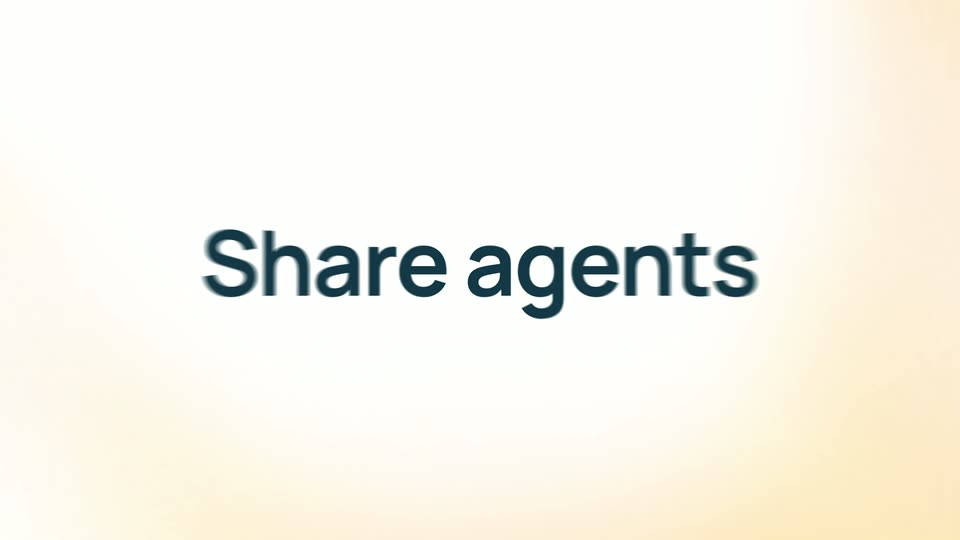
A huge orange “Step 3” fills a cream background, soft and out of focus, then the frame cuts to “Share agents” set in dark gray on white.
On-screen text: “Step 3”, “Share agents”
Camera: Pull out
On a soft cream gradient, the dark teal headline reads “Share agents”, then swaps to “with your team”. Below it, a row of five circular photo avatars on peach discs pops in from left to right.
On-screen text: “Share agents”, “with your team”
Camera: Static
A tilted 3D share dialog card floats on a soft cream gradient, listing three editors. The view zooms into the top row as the email [email protected] fills the input field as a blue pill beside a User dropdown and blue Share button.
Techniques: 3D mockup, UI zoom
Camera: Push in
A tilted 3D interface frames a blue Share button as a black cursor glides in and lands on it. The left edge, holding a user dropdown and an email chip, remains blurred by a shallow depth of field.
Techniques: 3D mockup, Cursor demo
Camera: Static
A white contact card tilted in 3D perspective sits on a cream backdrop, its list of names and square avatars scrolling upward so new entries slide in from below while the Share button at the top scales.
Techniques: 3D mockup
Camera: Static
On a soft cream gradient, the phrase 'What can Lindy do?' builds word by word in warm brown sans, then scales up and is replaced by a larger 'Anything.' that holds still, before blurring into 'Introducing'.
On-screen text: “What can Lindy do?”, “Anything.”, “Introducing”
Techniques: Kinetic type
Camera: Pull out
On a pale cream gradient, the amber word Introducing slides into the center. Then Autopilot scales in below it in dark teal, with an orange rounded square holding a white cursor arrow appearing to its left.
On-screen text: “Introducing”, “Autopilot”
Techniques: Kinetic type
Camera: Static
A white rounded prompt bar floats on a cream dotted background. The headline “How can I help?” slides into the center as the line “Fill out this contact form” types out letter by letter, then a black cursor glides to the blue send button and presses it.
On-screen text: “How can I help?”
Techniques: Kinetic type, Cursor demo
Camera: Static
A white chat input card on a cream dot-grid background shows the headline “How can I help?” and a placeholder line, with a cursor over the send button. The card then expands into a larger “Contact us” form with name, email, and city fields.
On-screen text: “How can I help?”
Techniques: Morph
Camera: Static
A white contact form tilts in 3D over a cream background with faint rings, its fields auto-filling top to bottom as the camera zooms down the page. A brown cursor tagged Lindy Agent hops from the email field to the city field and rests on the orange Submit button.
Techniques: Cursor demo, UI zoom, 3D mockup
Camera: Push in
On a soft cream card with rounded corners, the black sentence “Send cookies to their office” types out letter by letter behind an orange caret, scaling up as it grows. A gray “How can I help” line fades in above at the end.
On-screen text: “Send cookies to their office”, “How can I help”
Techniques: Kinetic type
Camera: Pull out
On a soft peach gradient with a faint dot grid, a white rounded chat field sits under the line “How can I help?” as the typed prompt “Send cookies to their office” fills in. A black cursor moves right and presses the blue up-arrow send button.
Techniques: Cursor demo
Camera: Static
A white card reading “Send cookies to their office” holds a blue button with a cursor on it, captioned “How can I help?” centered. The card slides up as a map card with a red pin enters from the left and a “Lindy Agent” pill appears at right.
On-screen text: “How can I help?”
Techniques: Cursor demo
Camera: Pan
A place card and a tilted city map fade from blur into focus. A cursor arrow taps a red pin on the map. The left card resolves to a team photo and company details. A glowing Lindy Agent pill hovers at the right.
On-screen text: “Lindy Agent”
Techniques: 3D mockup, Cursor demo
Camera: Pan
A tilted DoorDash food menu card on a soft cream gradient scales up slowly. A cream Lindy Agent pill with a brown cursor arrow hovers over the Add button of a pink Mini 3-Pack tile.
On-screen text: “Lindy Agent”
Techniques: 3D mockup, Cursor demo
Camera: Pan
A cream gradient background with a dotted grid holds a white chat input under the prompt “How can I help?”. The cursor types “Give them a phone call”, then the view zooms into the right edge of the field as the cursor presses the blue up-arrow button, which scales up.
Techniques: Cursor demo, UI zoom
Camera: Push in
A tilted phone mockup rotates to face the camera on a cream backdrop with a yellow audio waveform behind it. The screen shows an incoming call with a running timer. A white speech bubble then slides in from the right reading 'How were the cookies?' with a waving hand emoji.
On-screen text: “👋 How were the cookies?”
Techniques: 3D mockup
Camera: Push in
Centered gold metallic tagline on a soft cream background with a radial glow. The line reads “With Lindy, you can” while the last word blurs in and swaps between “grow” and “win” before settling on “can.”
On-screen text: “With Lindy, you can grow.”, “With Lindy, you can win.”, “With Lindy, you can.”
Techniques: Kinetic type
Camera: Static
On a white background with soft peach blurred shapes in the corners, the brown Lindy logo assembles in the center: the code-bracket mark scales down and the wordmark letters settle into place. The tagline Available now fades in above the logo, and a closing tagline scales in at the end.
On-screen text: “Lindy”, “Available now”, “With Lindy, you can.”
Techniques: Kinetic type
Camera: Static