0:38
Explore
HeyGen - Introducing frame.md, a spec built for videos & motion design.md
HeyGen · Jun 2026 · 1:01 · AI-annotated
- Length
- 1:01
- Scenes
- 34 · 1.8 s avg
- Product on screen
- 0:27
- Features shown
- 1
- Voiceover
- Yes
00:00:00 / 01:01:12
HeyGen’s 1:01 launch film runs 34 scenes, about 1.8 s each. The product shows up at 0:27 and 1 feature is revealed. There is no explicit call to action; a voiceover carries the film. The video is built as a run of short typographic beats on cream, interrupted by 3D-tilted browser windows that flatten into frame and black terminal cards, cut at roughly 13 cuts per minute. Signature moves include scramble-typing headlines, a cursor-driven app walkthrough, and pastel spheres drifting behind bold sans-serif captions.
Footage neededEstimated needs: 2 capture groups — your screens or recordings · 1 official logo — reused across the film · 1 filmed passage — shoot, supply or replace · 9 graphic passages — draw or supply · 3 3D passages — build or supply
Is this your launch? to your site or press kit.
More like this


HeyGen - Introducing frame.md, a spec built for videos & motion design.md, scene by scene
· 34 scenes as text
01 · Hook · 0:00–0:00
A black arrow cursor appears at the center of a plain off-white background and holds still. No interface, text or other element is present in the frame.
Camera: Static
02 · Hook · 0:00–0:04
A black arrow cursor drifts across a plain cream field. The bold word DESIGN.md is typed with a blinking caret, then its letters scramble and slide to reform as FRAME.md.
On-screen text: “DESIGN.md”, “FRAME.md”
Techniques: Kinetic type
Camera: Static
03 · Problem · 0:04–0:08
A black bold headline builds on a pale background, swapping lines to read “When you ask an agent”, “to make motion graphics”, “from a design.md”. A black rounded card slides up from the bottom as white “DESIGN.md” and “## Style Prompt” appear on it.
On-screen text: “When you ask an agent”, “to make motion graphics”, “from a design.md”
Techniques: Kinetic type
Camera: Static
04 · Problem · 0:08–0:10
A black rounded document card holds the DESIGN.md file on a pale gray field. Curved black text arcs around its top-left corner, reading Written for pages, then from a design.md, while the card zooms out to reveal the full Style Prompt body. Gray caption pills swap at the bottom: it often builds a presentation., ## Style Prompt, That's not random.
On-screen text: “Written”, “it often builds a presentation.”, “for pages”, “## Style Prompt”, “from a design.md”, “That's not random.”
Techniques: Kinetic type, UI zoom
Camera: Pull out
05 · Problem · 0:10–0:12
A black rounded code window on a light gray background shows white monospace markdown text scrolling upward through color and typography sections. A large white DESIGN.md title scales out at the top left, and a light caption pill at the bottom reads Most design specs were written.
On-screen text: “DESIGN.md”, “Most design specs were written”
Camera: Pull out
06 · Problem · 0:12–0:12
A dark spec-sheet card in 3D perspective rotates away as its white monospace text fades to black, while a gray caption pill reading for websites and products stays locked at the bottom.
On-screen text: “for websites and products.”
Techniques: 3D mockup
Camera: Static
07 · Problem · 0:12–0:14
A dark browser mockup rotates from a 3D tilt to a flat front view, revealing a black landing page with a large white heading, two buttons and three skeleton cards. A gray caption pill at the bottom swaps from “for websites and products.” to “They describe buttons,”.
On-screen text: “for websites and products.”, “They describe buttons,”
Techniques: 3D mockup
Camera: Static
08 · Problem · 0:14–0:16
A static black title card shows a left-aligned block: a small gray eyebrow, a bold white headline with the last word underlined, two lines of gray body copy, plus a centered bold white pill at the bottom and small corner labels.
On-screen text: “TRANSLATED FOR VIDEO”, “Interfaces, not videos”, “Hand an agent a screen-design spec and the brand arranges itself like slides — not frames.”, “DESIGN.md”, “cards, navs, grids, spacing.”, “01”
Camera: Static
09 · Problem · 0:16–0:17
A black title card holds a left-aligned block of white text: a small gray label, a bold headline with an underlined word, and a gray paragraph. A dim gray line of words fades in and out at the bottom center while the rest stays still.
On-screen text: “TRANSLATED FOR VIDEO”, “Interfaces, not videos”, “Hand an agent a screen-design spec and the brand arranges itself like slides — not frames.”, “DESIGN.md”, “01”, “cards, navs, grids, spacing.”
Camera: Static
10 · Problem · 0:17–0:19
A bold black two-line headline sits centered on a cream field. A purple 3D sphere drifts top-left and a gold one bottom-right. A blurred figure in white fades in behind the text at mid-scene, then softens out.
On-screen text: “But your agent needs”, “different instructions.”
Camera: Static
11 · Problem · 0:19–0:21
A presenter in a gray sweater stands in a grassy field, gesturing. A large pink rounded panel with bold black 16x9 type pops in behind him, with floating 3D spheres and capsules, while a pink pill caption reads use a 16:9 frame. The shot fades to white.
On-screen text: “But your agent needs”, “different instructions.”, “16x9”, “use a 16:9 frame”
Techniques: Kinetic type
Camera: Static
12 · Problem · 0:21–0:22
A lavender pill with bold black type sits centered on a cream field. The pill deepens from pale to solid as the type sharpens, while a green sphere appears top right and a peach knob marks a thin slider along the bottom.
On-screen text: “how long a message can live”
Camera: Static
13 · Problem · 0:22–0:24
A purple pill on a cream field holds the black title, a green sphere floats top right and a peach sphere sits at the left of a horizontal bar that fills left to right. The frame stays locked off.
On-screen text: “how long a message can live”
Camera: Static
14 · Problem · 0:24–0:25
Cream background holds three colored pill labels, yellow, green and pink, carrying the words what, should and move. The yellow pill slides left while thin guide lines stretch from each bar, and small spheres drift in the corners.
On-screen text: “what”, “should”, “move”
Techniques: Kinetic type
Camera: Static
15 · Problem · 0:25–0:26
On a cream field, the small gray caption “what needs” sits above a huge black word “scale” that scales up in the center. The pair is then replaced by the small gray line “what deserves silence” in the same position.
On-screen text: “what needs”, “scale”, “what deserves silence”
Techniques: Kinetic type
Camera: Static
16 · Problem · 0:26–0:27
A rounded cream card fills the frame, holding the gray phrase what deserves silence in the center. A pink sphere sits at the top right corner and a gold sphere at the bottom left. The frame is locked off with no motion.
On-screen text: “what deserves silence”
Camera: Static
17 · Product intro · 0:27–0:28
A cream card holds the gray lowercase phrase what deserves silence, with a pink sphere top right and a gold sphere bottom left; the card fades out and the bold rounded frame.md wordmark appears in blue with a pink offset ghost.
On-screen text: “what deserves silence”, “frame.md”
Techniques: Kinetic type
Camera: Static
18 · Product intro · 0:28–0:29
On a cream background, the frame.md wordmark snaps into place: white letters with a black outline, md in mint green, a gold dot, and offset pink and blue shadow layers. The letters begin blurred and shifted, then settle crisp as the layers align.
On-screen text: “frame.md”
Techniques: Kinetic type
Camera: Static
19 · Product intro · 0:29–0:29
The rounded wordmark frame.md, white with a black outline and pink and blue offset shadows, holds on a cream field. A white rounded panel slides up from the bottom edge, carrying a pink caption bar.
On-screen text: “frame.md”, “It takes the brand language from design.md”
Camera: Static
20 · Demo · 0:29–0:30
A browser window tilts from 3D into a flat view of the dark HyperFrames page headed Start with a design.md. A hand cursor hovers over the green upload box as a magenta caption bar sits at the bottom.
On-screen text: “It takes the brand language from design.md”
Techniques: 3D mockup, Cursor demo
Camera: Static
21 · Demo · 0:30–0:33
A dark macOS Finder window in a blue-bordered frame on cream. A large white and green headline, Start with a design.md, slides over the file list while a cursor picks DESIGN.md, then the view zooms onto the file row. A pink caption pill at the bottom carries the voiceover line.
On-screen text: “Start with a design.md”, “It takes the brand language from design.md”, “and translates it into video-native direction.”
Techniques: Kinetic type, Cursor demo, UI zoom
Camera: Push in
22 · Demo · 0:33–0:38
A blue-bordered browser of the HyperFrames app sharpens from blur on its Start with a design.md upload screen, a cursor hovering over the code box, against a cream backdrop. The view then shifts to the generated design spec document as pink caption bars narrate the steps.
On-screen text: “and translates it into video-native direction.”, “Paste a design spec.”, “HyperFrames reads it,”, “interprets it,”
Techniques: Cursor demo
Camera: Pull out
23 · Demo · 0:38–0:41
A 3D-tilted browser window on a blue gradient background displays the HyperFrames interface, where a cursor scrolls a storyboard contact sheet of design frames upward. A pink caption bar with white text runs along the bottom.
On-screen text: “and generates a frame language your agent can direct from.”
Techniques: 3D mockup, Cursor demo
Camera: Push in
24 · Demo · 0:41–0:46
A documentation page on white fades in: magenta monospace heading and body copy, while a pink vertical line grows down the left edge. A pink pill caption at the bottom highlights the phrase, then swaps to the next one.
On-screen text: “New video”, “A paragraph like hero band with spotlight and terminal”, “stops being documentation.”
Camera: Static
25 · Demo · 0:46–0:48
A pink-to-teal gradient card pops in on a cream background behind the outlined monospace headline. A dark 2x2 terminal grid of gray code lines rises beneath it, while flat circles and pills frame the corners.
On-screen text: “It becomes a scene”
Camera: Push in
26 · Feature reveal · 0:48–0:50
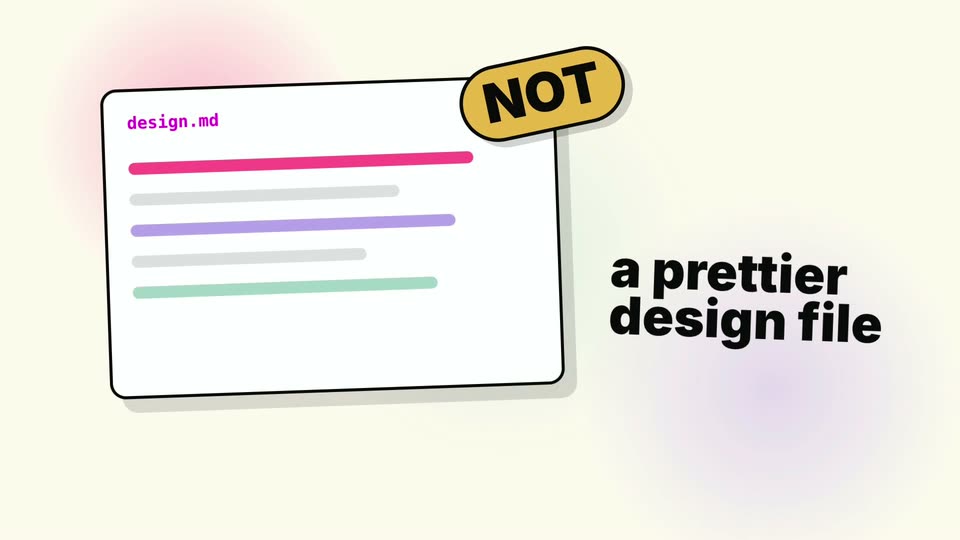
A hand-drawn white card with colored text lines sits tilted on a cream background with soft pink and purple glows. A yellow NOT sticker pops onto the card's top corner as bold black text reading a prettier design file sharpens in on the right.
On-screen text: “a prettier design file”, “NOT”
Camera: Pull out
27 · Feature reveal · 0:50–0:52
A rounded pink-to-teal gradient card sits on a cream background, its corners marked by four pastel blobs. The chunky black headline “NEW FORMAT” fades from gray to solid with a white outline, and a dark green pill badge reading “for agents” pops in beneath it.
On-screen text: “design.md”, “a prettier”, “design file”, “NOT”, “NEW”, “FORMAT”, “for agents”
Techniques: Kinetic type
Camera: Static
28 · Feature reveal · 0:52–0:53
A tilted white card labeled design.md sits on a soft pastel gradient background. Placeholder bars and three color dots fill in inside the card as a large headline NEW FORMAT for agents appears on the right.
On-screen text: “design.md”, “NEW”, “FORMAT”, “for agents”
Camera: Static
29 · Feature reveal · 0:53–0:54
A hand-drawn white card titled design.md with colored bars and dots tilts upright as a yellow plus badge pops in, then a second card titled frame.md slides in on the right and settles. The caption what the brand is sits below the first card.
On-screen text: “what the brand is”
Camera: Static
30 · Feature reveal · 0:54–0:55
Two hand-drawn cards on cream: a white design.md card with text bars and color dots, plus a gradient frame.md card where a green pill, orange circle and magenta wavy line draw in. A yellow plus sits between them, captions below read what the brand is and how it moves.
On-screen text: “design.md”, “what the brand is”, “frame.md”, “how it moves”
Camera: Static
31 · Feature reveal · 0:55–0:56
Two hand-drawn file cards, design.md with color bars and swatches and frame.md with motion shapes, sit side by side around a yellow plus sign. The cards dim as the gray headline with magenta offset fades in at center.
On-screen text: “what the brand is”, “how it moves”, “Your brand,”, “translated for motion.”
Techniques: Kinetic type
Camera: Static
32 · Feature reveal · 0:56–0:59
Black “Your brand,” and outlined pink “translated for motion.” hold on a cream background with soft pastel blobs. The pink line slides in from the right with motion blur, settling by 0.8s; near the end a small green and gray shape peeks out behind the text.
On-screen text: “Your brand,”, “translated for motion.”
Techniques: Kinetic type
Camera: Static
33 · Outro · 0:59–1:00
A blurred two-line tagline, “Your brand translated for motion,” fades out of focus while the black HeyGen HyperFrames wordmark, with the HeyGen line scaling in, and a teal-green double-triangle mark hold center on a cream field.
On-screen text: “Your brand,”, “translated for motion.”
Camera: Static
34 · Outro · 1:00–1:01
A black background holds the closing lockup. The HeyGen wordmark scales up while the still label HyperFrames holds in place, forming the sign-off.
On-screen text: “HeyGen”, “HyperFrames”
Techniques: Kinetic type
Camera: Static