2:51

ClickUp Release 4.08: Meetings Hub, Super Agent Cloning, and more!
ClickUp · Productivity · Sep 2026
Vendo · Oct 2026 · 1:06 · AI-annotated
studio Unveil Studio
The video frames the launch as a race between a 40 second coffee brew and a 14 month old feature request, cutting between locked off kitchen shots and floating 3D UI mockups. Its signature moves are word by word caption assembly, purple italic accent words, and a circular timer that keeps the demo synced to the brew.
ClickUp · Productivity · Sep 2026
Pitch · Productivity · Mar 2020
Pitch · Productivity · Oct 2020
A man in a brown leather jacket stands behind a white kitchen counter beside a black drip coffee machine. He gestures and points right as caption blocks appear in sequence. A purple dot and line connect to a rounded rectangle. The camera stays locked off.
On-screen text: “this is a”, “coffee”, “machine”, “it”, “40”, “seconds”, “to brew”
Camera: Push in
Two men sit at a kitchen counter behind a closed laptop, talking to camera. A rounded feature-request card with an upvote badge floats at the bottom, then a white headline assembles word by word over the left side.
On-screen text: “Missing documents dashboard”, “14 months ago”, “342”, “UPVOTES”, “we are going to race them”
Techniques: Kinetic type
Camera: Pull out
A tilted 3D browser window of the cadence dashboard zooms in toward the center. A dark rounded caption pill at the bottom shows the first line, then swaps to the second line in sync with the voiceover.
On-screen text: “It sits inside your product”, “and lets your users build their own features.”
Techniques: 3D mockup, UI zoom
Camera: Push in
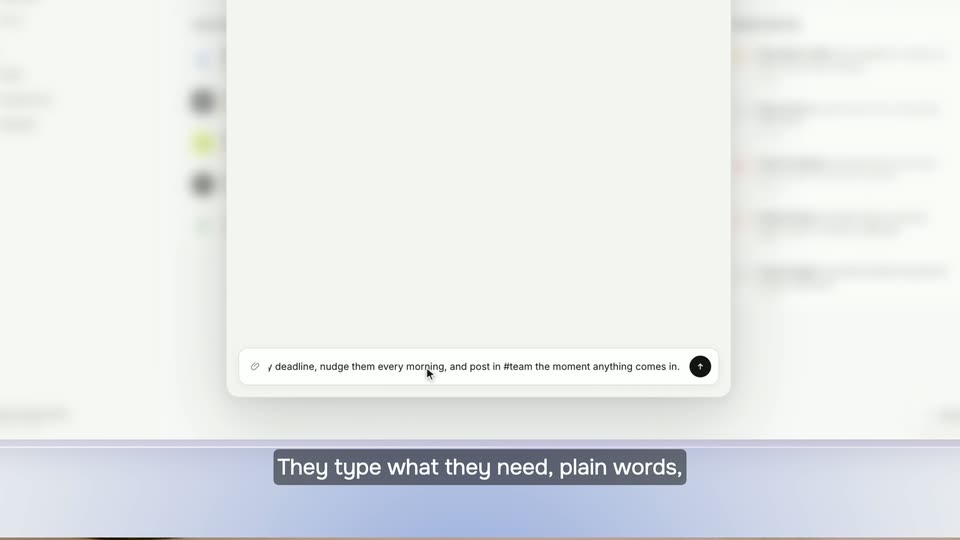
A white modal card floats over a blurred product board. A cursor types a prompt into the input bar at the card's base, then the frame zooms out as the prompt slides up into a dark pill. Subtitle captions sit along the bottom.
On-screen text: “and lets your users build their own features.”, “They type what they need, plain words,”
Techniques: UI zoom, Cursor demo
Camera: Pull out
A tilted browser mockup floats on a soft gradient. A prompt bubble sits above a checklist that ticks off, then a card assembles with stat tiles and a client list as the view zooms in. White captions on grey bars swap at the bottom.
On-screen text: “They type what they need, plain words,”, “no code.”, “Vendo builds from your real components,”, “so it looks like you shipped it.”, “It gets its own logic, its own data,”, “even its own schedule”
Techniques: 3D mockup, UI zoom
Camera: Push in
A light product panel scrolls upward, clearing a client list and arrivals feed to reveal a Slack approval card with Approve and Deny buttons. A cursor rests near the input field. A dark bottom bar carries the caption “and they can pull in outside tools.”
On-screen text: “and they can pull in outside tools.”
Camera: Static
A chat interface close-up shows an automation card titled Post to #team in Slack with Approve and Deny buttons, a cursor hovering at right. The view zooms in gently while a caption bar reads and they can pull in outside tools at the bottom.
On-screen text: “and they can pull in outside tools.”
Techniques: UI zoom
Camera: Pull out
Two men sit at a kitchen counter with a coffee maker and a laptop. A circular timer counts 28 to 36 seconds above the machine, a caption pops in right, and a Slack panel floats top right. The man on the left lifts the carafe as the camera pushes in.
On-screen text: “28 seconds”, “29 seconds”, “30 seconds”, “31 seconds”, “they just”, “asked”, “32 seconds”, “33 seconds”, “34 seconds”, “35 seconds”
Techniques: Kinetic type, 3D mockup
Camera: Push in
A man sits on a cream sofa while a tilted 3D terminal window floats at left. The npm command types out, a purple icon with a cursor pops in, the window swaps to a code block with a padlock over it, then it cuts to two men in armchairs.
Techniques: 3D mockup, Cursor demo
Camera: Push in
Two presenters sit in armchairs among potted plants. A frosted browser window scales in overhead, expands to show a terminal running an install command, then clears. A glowing purple pill with the URL slides in over the left man's lap.
On-screen text: “vendo.run”
Camera: Pull out
A man in a gray sweater holds a glass coffee carafe at a kitchen counter, talking and gesturing, then pours coffee into a white cup. Caption text appears on the right as he pours, and a second man in a leather jacket enters from the right.
On-screen text: “vendo.run”, “shaping it to”, “every customer”
Camera: Pull out
In a bright kitchen, a man in a leather jacket holds a white mug and smiles at the camera while a friend pours coffee behind a closed laptop on the counter. The camera pushes in, blurring the background, as a small caption slides in.
On-screen text: “日”
Camera: Push in
A man in a gray sweater works at a kitchen counter with a laptop and coffee maker, softly out of focus, while a purple rounded badge reading vendo.run with a small icon floats centered in frame.
On-screen text: “vendo.run”
Camera: Push in
A purple gradient pill with white “vendo.run” text sits beside a white pixel icon tile, centered over a washed-out shot of a man at a kitchen table. Below, a two-line black tagline appears, the second line scaling in.
On-screen text: “vendo.run”, “Let your users build their own features”, “on top of your product”
Techniques: Kinetic type
Camera: Static
A purple “vendo.run” logo lockup sits centered on a light lavender grid. The black two-line tagline scales in below it, then two pill buttons, a purple “vendo.run” and a dark “npm i @vendoai/vendo”, pop in underneath.
On-screen text: “Let your users build their own features”, “on top of your product”, “vendo.run”, “npm i @vendoai/vendo”
Techniques: Kinetic type
Camera: Static