0:25
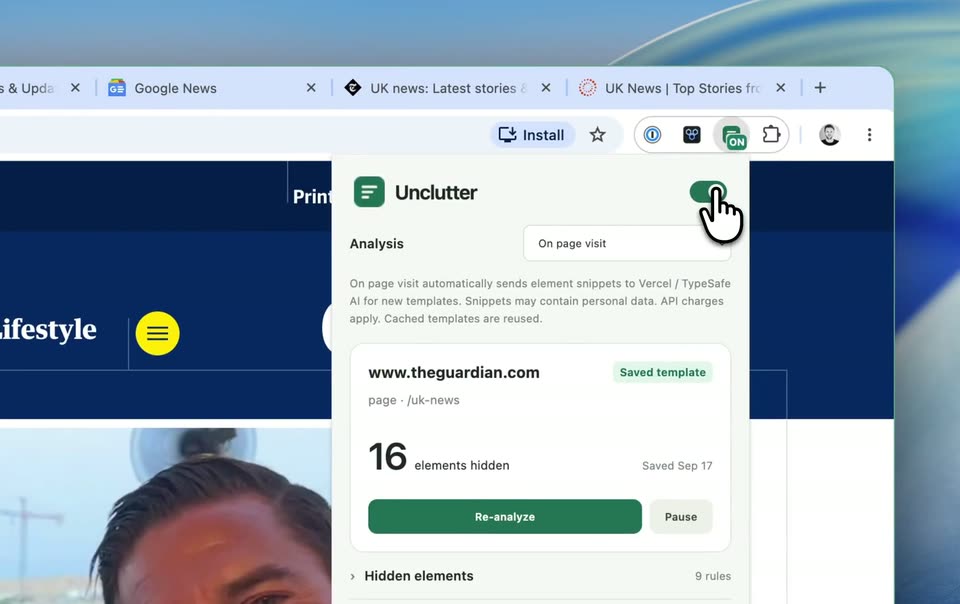
Dr. Kitze ❤️ healthmaxx.app - introducing Unclutter: a smart ad + slop blocker with Jev 🤓 it auto
Unclutter (by Kitze) · Sep 2026
Salvy · Oct 2023 · 1:08 · Full motion · AI-annotated
Salvy’s 1:08 launch film runs 17 scenes, about 4.0 s each. The product is on screen from the first frame and 5 features are revealed. There is no explicit call to action. The video is one continuous screen-recording tour of the Salvy app, cut into feature beats (sign in, lines, reports, ordering a chip, orders, collaborators) and stitched with 3D tilts, zoom-ins and blur reframes that reset the framing at every screen change. A single cartoon hand cursor performs every click, the palette stays on off white with indigo accents over a green-blue gradient, and the pace is steady at about seven cuts per minute, so the signature move is the cursor-led zoom that pulls,
Is this your launch? to your site or press kit.
Unclutter (by Kitze) · Sep 2026
Dreamscale Labs · Industrials · Nov 2026
Trata · B2B · Feb 2025
A tilted browser window of the Salvy sign-in page floats over a green and blue gradient. The view zooms into the form, and a cursor clicks the Google button; a spinner appears while the rest of the form fades to grey.
Techniques: 3D mockup, UI zoom, Cursor demo
Camera: Push in
A white hand cursor glides in from the left and hovers over the first account row of a Google sign-in dialog, highlighting it blue. It clicks, then the whole dialog scales down and blurs as a transition.
Techniques: Cursor demo
Camera: Pan
A browser window over a green and blue gradient logs into the Salvy dashboard. A hand cursor taps an account, then an arrow cursor hovers the home cards and opens the phone lines table.
Techniques: Cursor demo
Camera: Pull out
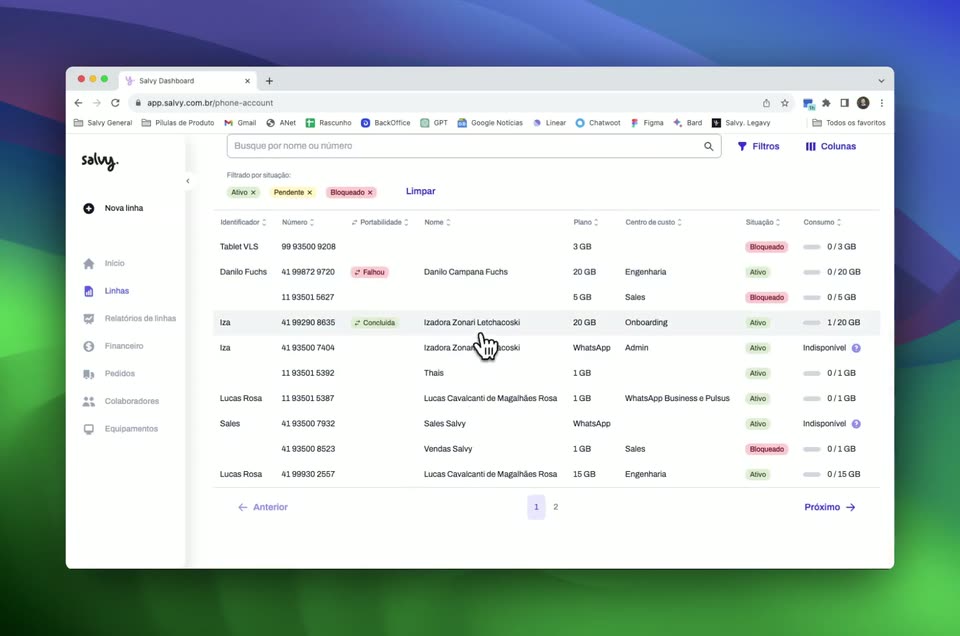
A flat browser window on a soft green-blue gradient shows a dashboard table of phone lines. The page title slides in as the view settles, then a cursor moves down the rows and hovers one, highlighting it.
Techniques: Cursor demo
Camera: Static
A tilted browser mockup of the Salvy dashboard floats on a green and blue gradient. A cursor hovers a consumption chart, triggering a value tooltip, then the view zooms into the chart and back out, scrolling to the user data cards.
Techniques: 3D mockup, Cursor demo, UI zoom
Camera: Push in
A white 'Alterar centro de custo' modal floats over a blurred user profile screen. A cursor selects the field text, types 'Vendas', a toast confirms the new cost center, then the cursor clicks 'Salvar alterações' and the modal slides away as the screen blurs out.
Techniques: Cursor demo
Camera: Push in
A dashboard screen fills the frame. A cursor drifts from the data panel to the left sidebar, the pointer becomes a hand, and clicks the highlighted Relatórios de linhas item while the right panel scrolls up.
Techniques: Cursor demo
Camera: Pan
A close-up of the Salvy dashboard sidebar pulls back to a full browser window on a green desktop. Skeleton cards fill in with numbers and charts as the cursor hovers the donut chart, opening a cost-center tooltip.
Techniques: UI zoom, Cursor demo
Camera: Pull out
A browser dashboard blurs and reframes from the home view to the Nova linha page, a cursor hovering the highlighted menu item beside the heading Você já tem um chip? and a SIM card icon with a red X.
Techniques: UI zoom, Cursor demo
Camera: Push in
A blurred, zoomed-in view of a two-card selection screen pulls back and sharpens into focus. The left card, a SIM chip with a red cross, gains a purple highlight border as a hand pointer appears over it, while an arrow cursor rests beside the right card with a green check.
Techniques: UI zoom, Cursor demo
Camera: Pan
A white form titled Pedir Chip fills the frame. A cursor moves from the plan dropdown to the DDD dropdown, then to the collaborator toggle, while the view pans and zooms right to land on the blue submit button, which the cursor clicks.
Techniques: UI zoom, Cursor demo
Camera: Pan
A close-up of a Portuguese checkout form. A cursor arrow moves across the fields while a hand pointer icon hovers over the 'Enviar para o colaborador' toggle and the purple 'Confirmar pedido' button, and the form scrolls up a few lines.
Techniques: Cursor demo
Camera: Pan
A white shipping form fills in as a cursor clicks the CEP field, picks a saved address from a dropdown, and the city, state and number fields populate. The view reframes right to the purple Confirmar pedido button, which the cursor presses, showing a loading ring.
Techniques: Cursor demo, UI zoom
Camera: Pan
A close-up of a white order-confirmation panel zooms out to reveal a tilted browser window mockup of the Salvy dashboard. A line illustration of a cyclist sits above the confirmation text, and a hand cursor rests at the lower right.
Techniques: UI zoom, 3D mockup
Camera: Pull out
A browser window on a green-blue desktop shows the Salvy dashboard. The order-confirmed page with a cyclist line drawing gives way to the Pedidos table; a cursor hovers a status badge, clicks Colaboradores, and the frame zooms into the integration column.
Techniques: Cursor demo, UI zoom
Camera: Push in
A blurred close-up of a collaborator detail form pulls back to reveal a full browser window of the Saily dashboard on a green gradient background, a hand cursor resting on the right panel.
Techniques: UI zoom
Camera: Pull out
A flat browser window displays an employee profile page in a dashboard, with a left sidebar and detail cards. A hand cursor glides up to point at the equipment value figure in the right column. The window sits centered on a blue and green gradient background.
Techniques: Cursor demo
Camera: Static