
0:38
Explore
Meet Rippling Spend. Everything you need to run your company spend in one place.
Rippling · Jan 2025 · 2:33 · Full motion · AI-annotated
- Length
- 2:33
- Scenes
- 57 · 2.7 s avg
- Product on screen
- 0:00
- Features shown
- 6
- Call to action
- 2:22 · 93%
- Voiceover
- Yes
- Views
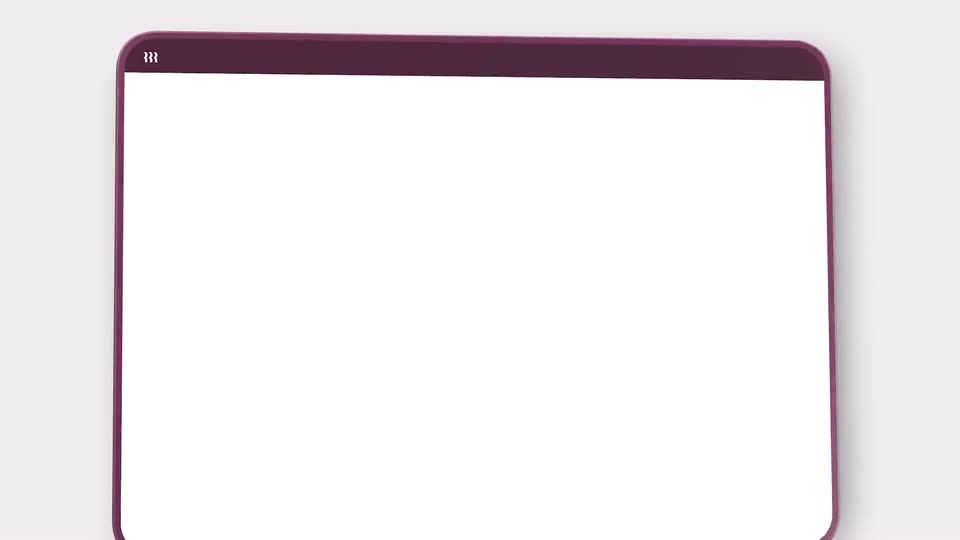
- 567K on YouTube
as of November 22, 2026
00:00:00 / 02:33:17
- Length
- 2:33
- Scenes
- 57 · 2.7 s avg
- Product on screen
- 0:00
- Features shown
- 6
- Call to action
- 2:22 · 93%
- Voiceover
- Yes
- Views
- 567K on YouTube
as of November 22, 2026
Rippling’s 2:33 launch film runs 57 scenes, about 2.7 s each. The product is on screen from the first frame and 6 features are revealed. The call to action lands at 2:22 (93% in), over a voiceover. The video alternates maroon 3D icon-arc title cards with pale UI mockups, introducing each feature before showing a clear screen demo. Signature moves are tiles rotating into arcs, device mockups tilting from perspective to flat, and headlines sliding or scaling in with yellow and teal accents.
No filming indicatedEstimated needs: 4 capture groups — your screens or recordings · 1 official logo — reused across the film · 2 graphic passages — draw or supply · 40 3D passages — build or supply
Is this your launch? to your site or press kit.
More like this

Similar soundtrack
Films whose music sounds like this one, voice left out
1:07

SaaS Product Explainer Video Energy Management Software | Arcus Power x MotionCue
Arcus Power · Electronic
1:57

Nim Ravid - Introducing Aidan, your newest AI employee Aidan is the first comput
Sable · Upbeat electronic
3:07

Baseten - Inference, training, routing, governance, and sandboxes are the build
Baseten · Upbeat electronic
Meet Rippling Spend. Everything you need to run your company spend in one place., scene by scene
· 57 scenes as text
01 · Product intro · 0:00–0:01
A yellow rounded-square icon bearing a dark maroon three-bar ripple mark sits centered on a deep maroon background. The icon begins small and scales up smoothly, growing to a larger size while a soft drop shadow follows it.
Camera: Static
02 · Product intro · 0:01–0:02
On a flat maroon field, the yellow Rippling wave icon sits centered, then slides down to the bottom edge as the white headline “Run your company on” fades in at the top and holds still.
On-screen text: “Run your company on”
Camera: Static
03 · Product intro · 0:02–0:05
A flat dark maroon background holds two centered lines of white text reading “Run your company on one platform.” The lines sit still and centered for the full shot, with no movement or reveal.
On-screen text: “Run your company on one platform”
Camera: Static
04 · Product intro · 0:05–0:05
A white two-line headline sits centered on a dark plum field. The layout scrolls upward as a yellow rounded tile carrying the dark wavy brand mark rises from the bottom edge into the center.
On-screen text: “Run your company on one platform”
Camera: Pan
05 · Product intro · 0:05–0:08
A fanned stack of dark maroon rounded tiles rotates and spreads in 3D, revealing yellow and white icons: a logo mark, a pie chart with a hand, a card, a document, a hand holding a dollar, and an airplane. The camera pushes in as the tiles separate.
Techniques: 3D mockup
Camera: Pan
06 · Product intro · 0:08–0:12
On a dark maroon field, 3D app tiles (hand holding a dollar, dollar ring, credit card) float in an arc under a white headline that reads in. The arc rotates and pushes in, then the scene cuts to a tilted 3D phone mockup on a pale lavender background.
On-screen text: “Take control of every”, “dollar”
Techniques: Kinetic type, 3D mockup
Camera: Push in
07 · Feature reveal · 0:12–0:12
A maroon tablet floats in 3D perspective on a pale pink background, then rotates flat to face the camera. Its white screen fills the frame, revealing a faint expense form with a plus icon and the heading Expense details.
Techniques: 3D mockup
Camera: Static
08 · Feature reveal · 0:12–0:14
A tablet mockup in 3D perspective on a pale background displays an expense form. The screen splits as a right panel opens, revealing a yellow receipt icon and a scanning state with three circular action icons.
Techniques: 3D mockup
Camera: Static
09 · Feature reveal · 0:14–0:18
A maroon headline fades in above a front-facing tablet showing an expense form. The right panel switches from a scanning-receipt state to an Uber trips card, the amount 29.95 is typed in, and the view scrolls down to the memo and categories.
On-screen text: “Submit expenses from anywhere instantly”
Techniques: UI zoom
Camera: Pan
10 · Feature reveal · 0:18–0:18
A tilted tablet mockup on a gray background displays an expense form beside a map of past trips. The screen scrolls downward, moving from the date and memo fields to the accounting details and a yellow submit button, while the trip list on the right shifts up.
Techniques: 3D mockup
Camera: Pan
11 · Feature reveal · 0:18–0:21
A tablet with a maroon bezel floats in 3D perspective on a pale pink background, slowly tilting side to side. Its screen shows an expense form with category and accounting fields on the left and a map listing two ride fares on the right.
Techniques: 3D mockup
Camera: Static
12 · Feature reveal · 0:21–0:27
A maroon tablet mockup tilts into a front view as an Uber expense card lifts out of the screen to float in the foreground. Its three status labels switch from pending to approved, processed, and complete with teal checkmarks, then the card slides back into the screen.
On-screen text: “Save time with automated routing”
Techniques: 3D mockup, UI zoom
Camera: Static
13 · Feature reveal · 0:27–0:28
A tablet mockup in 3D perspective displays an Uber expense email and receipt cards beneath the gray headline “Save time with automated routing.” The camera reframes right, revealing 3D props: a white water bottle, a yellow gas pump nozzle, and an orange cup.
On-screen text: “Save time with automated routing”
Techniques: 3D mockup
Camera: Pull out
14 · Feature reveal · 0:28–0:29
3D app icons float in an arc on a dark maroon field. The central tile, a white dollar sign above a yellow hand, settles to the middle as a white invoice card slides out behind it. Neighboring tiles show a circled dollar sign and a yellow wallet, tilting into place.
Techniques: 3D mockup
Camera: Pull out
15 · Feature reveal · 0:29–0:30
Five 3D app-icon tiles (coin, hand with dollar, credit card, phone, airplane) rotate along a shallow arc on a maroon backdrop, the card tile sliding into the center. A white headline slides down into view above the arc.
On-screen text: “Proactively control”
Techniques: 3D mockup, Kinetic type
Camera: Pan
16 · Feature reveal · 0:30–0:33
A dark maroon field shows the white headline Proactively control card spending above tilted 3D icon tiles, a yellow card icon at center. It cuts to a maroon-framed tablet with a blank white screen, angled in 3D on light gray.
On-screen text: “Proactively control”, “card spending”
Techniques: Kinetic type, 3D mockup
Camera: Push in
17 · Feature reveal · 0:33–0:34
A maroon tablet floats in 3D perspective, rotating from a tilted angle to a flat front view against a light gray backdrop. A white top bar slides in across the blank screen, showing a left-aligned title and a right-aligned button.
Techniques: 3D mockup
Camera: Static
18 · Feature reveal · 0:34–0:35
A tablet mockup in 3D perspective, framed by a dark maroon bezel, shows a white settings page. The heading, body copy and the Add physical card rule button fade in from pale gray to solid black on the locked-off frame.
Techniques: 3D mockup
Camera: Static
19 · Feature reveal · 0:35–0:39
A maroon-bezeled mockup of the issue-cards screen slides up beneath a fixed maroon headline. A white rule modal pops over the dimmed interface, then shrinks away.
On-screen text: “Automatically issue and manage corporate cards”
Techniques: 3D mockup
Camera: Static
20 · Feature reveal · 0:39–0:42
A flat browser mockup of the card-issuing screen sits on a light gray field, framed by a maroon bar. The bold maroon headline Control and review spending fades in above it while the interface stays static.
On-screen text: “Control and review spending”
Camera: Static
21 · Feature reveal · 0:42–0:45
A rounded app window with a maroon header shows the Spend dashboard; the view cuts from a card-issuing form to a card table listing cardholders, limits and utilization bars. Above it, the maroon headline fades in and out on a light gray background.
On-screen text: “Control and review spending”
Camera: Static
22 · Feature reveal · 0:45–0:48
A maroon-bezeled tablet mockup sits centered on a light gray background, its screen showing the Spend app's Insights view. The statement balance card and a progress bar fill in with figures, a Total spend panel slides up, and a bold maroon headline swaps in above the device.
On-screen text: “Earn rewards on every purchase”
Techniques: Kinetic type, 3D mockup
Camera: Static
23 · Feature reveal · 0:48–0:52
A bold maroon headline sits above a floating browser window on a pale gray field. The window slides upward, revealing a rewards dashboard: a card with point totals and a Redeem button, then a half donut chart and a category legend fade in below.
On-screen text: “Earn rewards on every purchase”
Camera: Static
24 · Feature reveal · 0:52–0:52
A dark maroon headline sits above a tablet mockup in 3D perspective. The tablet, showing a rewards dashboard with a donut chart, tilts and rotates to the right, angling away from the camera against a light gray background.
On-screen text: “Earn rewards on every purchase”
Techniques: 3D mockup
Camera: Pull out
25 · Feature reveal · 0:52–0:53
A phone mockup showing a rewards interface floats in 3D among maroon icon tiles with yellow and white symbols. The view pulls back to center a maroon tile with extruded yellow card shapes, flanked by a dollar-hand tile and an airplane tile on a plain maroon background.
Techniques: 3D mockup
Camera: Pull out
26 · Feature reveal · 0:53–0:57
A ring of glossy 3D icon tiles rotates on a dark plum background, bringing the airplane, credit card, and receipt icons to the front in turn. The white headline “Your ticket to business” slides in at the top, then “travel savings” scales in below it.
On-screen text: “Your ticket to business”, “travel savings”
Techniques: 3D mockup, Kinetic type
Camera: Pan
27 · Feature reveal · 0:57–0:57
A white headline slides up and out on a maroon background as a 3D tile with an airplane icon rotates and morphs into a phone mockup showing a Travel screen, flanked by tilted tiles with a card and an expense icon.
On-screen text: “Your ticket to business travel savings”
Techniques: Kinetic type, Morph, 3D mockup
Camera: Push in
28 · Feature reveal · 0:57–1:01
A maroon tablet rises into frame in 3D perspective on a light gray backdrop, showing a travel app. Destination rows fade in, the London row highlights, then the screen slides sideways to a trip detail page with a flight option.
Techniques: 3D mockup
Camera: Static
29 · Feature reveal · 1:01–1:12
A tilted tablet mockup on a light background plays out a trip booking: a flight list collapses into one flight, a map pops a hotel card, then approver avatars and a price breakdown appear. The total counter rolls up and a green confirmation banner slides in.
Techniques: 3D mockup
Camera: Pull out
30 · Feature reveal · 1:12–1:12
A maroon-bezeled tablet floats in 3D perspective showing a London trip booking screen. It rotates aside to reveal a matching phone and a white card with the R logo, all on a pale background.
Techniques: 3D mockup
Camera: Pull out
31 · Feature reveal · 1:12–1:13
Glossy rounded 3D tiles float over a maroon field. The camera pulls back from a close flight icon to reveal a row: a credit card tile on the left, an invoice tile with a dollar sign on the right. Each tile tilts in 3D perspective.
Techniques: 3D mockup, Parallax
Camera: Pull out
32 · Feature reveal · 1:13–1:16
3D app icon tiles (airplane, card, dollar document, receipt) glide along a curved arc on a dark plum background, the dollar document moving to the center. Above them, a two-line white headline slides and scales in.
On-screen text: “Streamline procurement”, “from intake to payment”
Techniques: 3D mockup, Kinetic type
Camera: Pan
33 · Feature reveal · 1:16–1:17
A white headline sits over a row of 3D icon tiles on a maroon field. The camera pushes in and tilts into perspective as the tiles rotate and separate, the center document tile growing large while the headline slides off the top.
On-screen text: “Streamline procurement from intake to payment”
Techniques: Kinetic type, 3D mockup, Parallax
Camera: Push in
34 · Feature reveal · 1:17–1:30
A maroon-framed browser window tilts in 3D, then flattens as a purchase form builds itself: a category list appears, Vendor request gets a teal check, the page advances and scrolls to a How much? section, and a teal submitted toast pops in. A maroon headline fades in above.
On-screen text: “Customize your purchasing workflow”
Techniques: 3D mockup
Camera: Pan
35 · Feature reveal · 1:30–1:30
A tablet mockup in 3D perspective displays a purchase request form. A teal notification pops up in the center as a yellow robot arm slides in from the right edge.
Techniques: 3D mockup
Camera: Pull out
36 · Feature reveal · 1:30–1:35
Maroon 3D tiles with flat icons (invoice, airplane, pie chart) swing into a curved arc on a dark plum background. A white form card recedes, the white headline wipes in at the top, then the camera pushes into the central invoice tile.
On-screen text: “Bill payments without”, “busy work”
Techniques: 3D mockup, Masking
Camera: Pull out
37 · Feature reveal · 1:35–1:36
A tablet mockup with a maroon frame and white screen tilts from a 3D angle toward the camera, then settles flat to reveal a billing interface with a left-hand menu and a blank canvas.
Techniques: 3D mockup
Camera: Static
38 · Feature reveal · 1:36–1:37
A tablet tilted in 3D perspective on a pale background shows a bill editor form. The device rotates to face forward as a second panel slides in on the right, displaying a scanning invoice message with a yellow document icon.
Techniques: 3D mockup
Camera: Static
39 · Feature reveal · 1:37–1:42
A maroon-framed bill editor mockup sits on a pale background under a bold headline that slides in. The right panel swaps from a scanning placeholder with a receipt icon to a populated invoice, while the Matching PO and Invoice number fields fill in, then the whole frame fades to white.
On-screen text: “Invoice capture and data extraction”
Techniques: Kinetic type
Camera: Static
40 · Feature reveal · 1:42–1:50
A maroon headline wipes in above a tablet-framed bill approval screen. The view scrolls down to the invoice table and the red Reject and yellow Approve buttons, a green approval toast slides in at the bottom left, then it scrolls back up as the status badge switches to Paid.
On-screen text: “Automate routing based on company policies”
Techniques: Masking, UI zoom
Camera: Static
41 · Feature reveal · 1:50–1:50
A tablet mockup in 3D perspective shows an invoice approval screen. The device rotates to expose its dark side edge while a 3D illustration of a building with a yellow robot arm enters from the right.
Techniques: 3D mockup
Camera: Pull out
42 · Feature reveal · 1:50–1:51
On a dark maroon background, three glossy 3D tiles float in perspective, each holding a white icon: a line chart with a pencil, an invoice with a dollar sign, and a yellow puzzle piece. The tiles rotate and scale into place around the center invoice tile.
Techniques: 3D mockup
Camera: Pull out
43 · Feature reveal · 1:51–1:55
3D app icon tiles revolve along an arc on a dark plum background, the puzzle piece icon settling at the center. The headline slides in from above while the second line scales in below it.
On-screen text: “Integrate with 600+”, “applications”
Techniques: Kinetic type, 3D mockup
Camera: Pan
44 · Feature reveal · 1:55–1:56
On a dark plum background, a bold white headline reads 'Integrate with 600+ applications' above a central 3D puzzle-piece app icon ringed by other 3D app icons. The ring drifts outward while the center icon flips to a white face and the headline slides up.
On-screen text: “Integrate with 600+”, “applications”
Techniques: Kinetic type, 3D mockup
Camera: Push in
45 · Feature reveal · 1:56–2:00
A row of partner logo cards scrolls left across a light gray background, the center card enlarged on a dark maroon panel while the neighbors fade. The headline fades in above as Xero, Sage Intacct, and NetSuite pass through the center in turn.
On-screen text: “Integrate seamlessly with your GL”
Camera: Pan
46 · Feature reveal · 2:00–2:01
A dark maroon card with the white Netsuite logo sits below a maroon headline on a light gray field. The card scales up and morphs into a full browser window, its faint Spend screen fading in.
On-screen text: “Integrate seamlessly with your GL”
Techniques: Morph
Camera: Static
47 · Feature reveal · 2:01–2:06
A maroon laptop mockup sits in 3D perspective on a light gray background, showing the Spend app on its Accounting tab. The integrations list crossfades into a NetSuite sync page, and a dark maroon headline drops in above the device.
On-screen text: “Native integrations with accounting software”
Techniques: 3D mockup
Camera: Static
48 · Feature reveal · 2:06–2:07
A maroon headline sits above a 3D laptop mockup. The NetSuite interface on its screen scrolls down, moving from integration tabs and stat cards to a card transactions table with a search bar.
On-screen text: “Native integrations with accounting software”
Techniques: 3D mockup, UI zoom
Camera: Static
49 · Feature reveal · 2:07–2:09
A tablet in 3D perspective shows a NetSuite accounting integration screen with a left icon sidebar, tabs and three stat cards. The view zooms in and scrolls up to frame the stat cards and the card transactions table header.
Techniques: 3D mockup, UI zoom
Camera: Pan
50 · Feature reveal · 2:09–2:13
A maroon-framed browser mockup in 3D perspective shows a NetSuite sync screen. A coin icon sits above a counter that drops from 6 to 5 of 3,000, then a checkmark appears with synced text as the frame tilts and pulls back.
Techniques: 3D mockup
Camera: Pull out
51 · Other · 2:13–2:14
A 3D ring of dark maroon app icons floats on a burgundy field. The camera pulls back from a close-up of a white card showing a payments list, the card's content swapping to a 3D coin, to reveal the full circle of yellow and white glyphs.
Techniques: 3D mockup
Camera: Pull out
52 · Other · 2:14–2:22
A ring of 3D icon tiles (airplane, card, dollar, globe, document) rotates on a dark plum field. The camera pushes into the center as the white three-line headline fades in while the tiles drift to the frame edges.
On-screen text: “Everything you need to run your company spend in one place”
Techniques: 3D mockup, Kinetic type
Camera: Push in
53 · CTA · 2:22–2:25
On a flat dark plum background, the Rippling logo mark and the wordmark RIPPLING SPEND reveal from a left edge wipe, the rounded card borders at the frame edges sliding out. RIPPLING is white, SPEND is muted mauve; the lockup then holds locked-off in the center.
Techniques: Masking
Camera: Static
54 · Outro · 2:25–2:26
On a flat maroon field, the white RIPPLING SPEND wordmark and three-arc mark sit centered while 3D icon tiles gather at the frame edges. The wordmark fades and the extruded tiles (dollar, globe, plane, document, plus) snap into a tilted ring orbiting the empty center.
On-screen text: “RIPPLING SPEND”
Camera: Static
55 · Outro · 2:26–2:27
A yellow rounded-square icon bearing a dark maroon three-wave mark rides in on a curved ribbon of payment symbols, then the ribbon clears and the icon rotates flat to sit centered on a plain maroon background.
Techniques: 3D mockup
Camera: Static
56 · Outro · 2:27–2:28
A yellow rounded app icon bearing three dark maroon wave marks sits centered on a dark maroon field, then scales up until the wave marks fill the frame.
Camera: Static
57 · Outro · 2:28–2:33
On a flat yellow field, the dark purple RIPPLING lockup, three curved bars plus wordmark, sits centered. The wordmark fades up and the bars settle into place within the first second, then the mark holds static.
Camera: Static