1:12
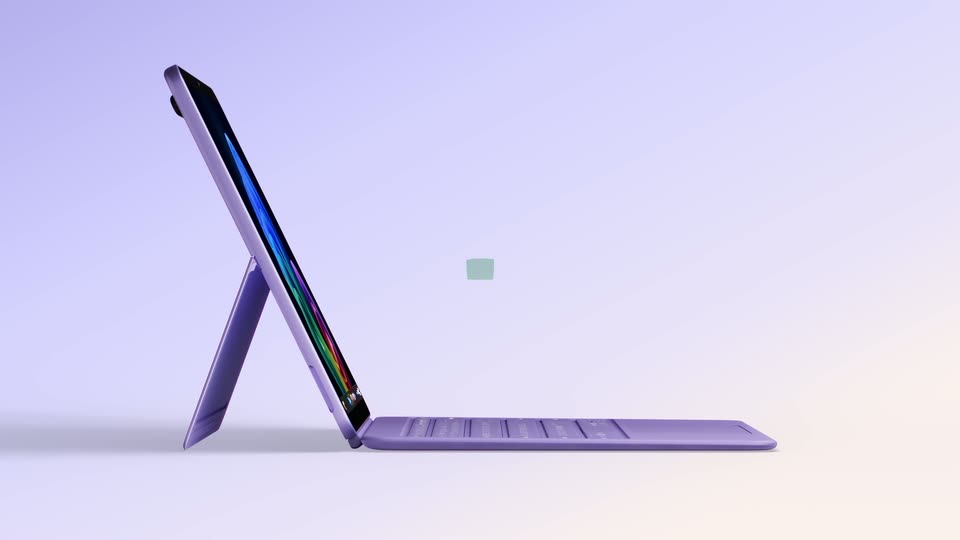

Meet the new Surface Copilot+ PCs
Microsoft · AI · May 2025
Pitch · Oct 2020 · 1:24 · Full motion · AI-annotated
Pitch’s 1:24 launch film runs 28 scenes, about 3.0 s each. The product shows up at 0:03 and 5 features are revealed. The call to action lands at 1:20 (95% in), over a voiceover. The video is built as a chain of short beats: a locked-off gradient headline card names each feature, then a 3D glass-and-clay scene demos it, with whip-pan motion-blur transitions between beats. Signature moves include the frosted glass logo card, tumbling torus and sphere shapes, and a scrolling strip of slide thumbnails that anchors the demos.
Is this your launch? to your site or press kit.
Microsoft · AI · May 2025
Loom · Productivity · Jan 2024
Films whose music sounds like this one, voice left out
Windsurf · Cinematic electronic, lo-fi hip-hop, chillwave
Teenage Engineering · Electronic, IDM, Glitch
Phylo · Electronic dance music with house and trap elements
On a blue-to-purple gradient, white text scales up from small to full size and holds centered, reading “How do you pitch an idea?”. The frame stays locked off while the text finishes its scale-in.
On-screen text: “How do you pitch an idea?”
Techniques: Kinetic type
Camera: Static
A blue 3D field holds a frosted glass card with the white Pitch wordmark, ringed by a pink plus tile, a torus, a speech bubble and a checkmark. The camera rushes into the card with heavy motion blur, the shapes scatter, and the headline scales up over the clearing blue space.
On-screen text: “How do you pitch an idea?”
Techniques: 3D mockup, Speed ramp, Kinetic type
Camera: Static
Translucent pink and blue panels, rings, and spheres drift across a blue field. The question scales into the center as the abstract shapes pass around it.
On-screen text: “How do you pitch an idea?”
Techniques: Kinetic type
Camera: Static
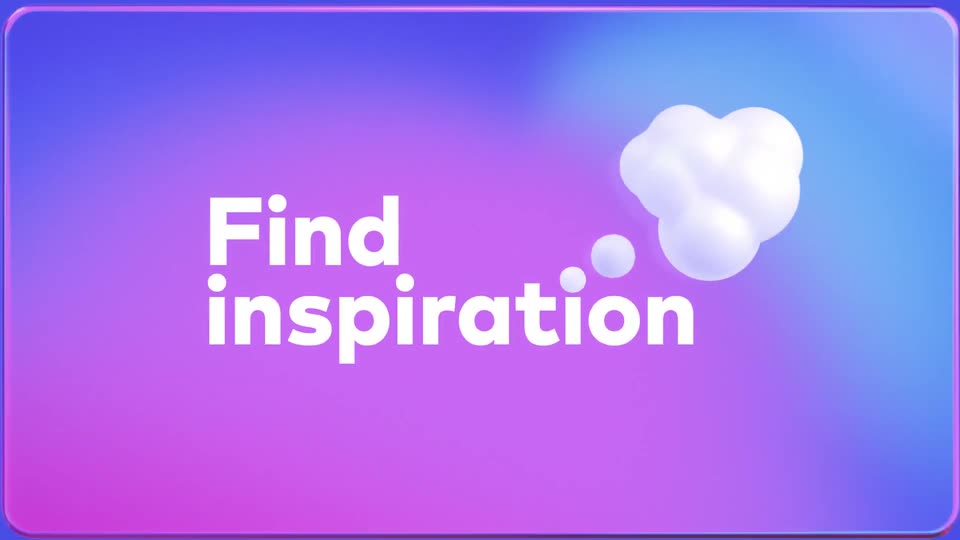
Two tilted gradient cards rotate flat in 3D, merging into one pink-to-blue panel where white bold text scales up to read Find inspiration beside a soft white blob. The view then slides right onto a blurred pink-orange card carrying text lines and a blue ring.
On-screen text: “Find inspiration”
Techniques: Kinetic type, 3D mockup
Camera: Push in
A 3D orange pie chart on a white rounded card snaps into focus against a flat orange backdrop, framed by thin white circle outlines and stacked card borders. The frame then pulls back to reveal a row of small dashboard cards along the bottom edge.
Techniques: Speed ramp, 3D mockup
Camera: Static
A translucent glass panel with a 3D orange pie chart and thin annotation lines floats on an orange backdrop ringed by pale circle outlines. A strip of small design cards scrolls left along the bottom, one showing a cursor over an orange 12K badge. The shot opens soft and blurred, then sharpens.
Techniques: 3D mockup, Parallax
Camera: Static
A translucent glass panel bearing a white geometric cutout logo floats in 3D against black, surrounded by rotating purple torus shapes and rings. A horizontal strip of presentation slide thumbnails runs along the bottom edge.
Techniques: 3D mockup
Camera: Static
A stack of frosted glass panels with 3D brand elements, a type specimen and logo tile, assembles on a dark background. A row of presentation slides scrolls left along the bottom, then a white panel wipes in from the right and turns blue.
Techniques: 3D mockup, Masking
Camera: Static
On a flat violet background, the two-line headline “Showcase your brand” slides in from the right into center, while a black arrow cursor drifts up and around the letters. The frame stays locked off.
On-screen text: “Showcase”, “your brand”
Techniques: Kinetic type
Camera: Static
A 3D glassy mockup of a design tool sits on a dark panel at left, with tilted color swatches and an orange tile beside it. On the right, a light settings panel shows a cursor picking a color dot as the headline slides across.
On-screen text: “Showcase”, “your brand”
Techniques: 3D mockup, Cursor demo
Camera: Static
A split view pairs a 3D glass mockup on the left with a settings panel on the right. A cursor taps swatches, recoloring the mockup orange to purple, then picks a serif font, changing the sample Abc; the view scrolls to reveal a blue headline.
On-screen text: “Bring people”
Techniques: Cursor demo, Split screen, 3D mockup
Camera: Pan
A plain light-blue background holds the two-line blue tagline “Bring people together” in a bold rounded sans, locked in place. A small glossy purple sphere floats and gently bobs above the letter B.
On-screen text: “Bring people together”
Camera: Static
A light blue card holds the blue headline “Bring people together” while a glossy purple sphere rolls down the left edge of the words. A white Comments panel with a close icon slides up from the bottom edge, pushing the headline up and larger.
On-screen text: “Bring people together”
Camera: Static
Floating 3D shapes, capsules, discs and rings, rotate and morph over a light blue field while blurred embossed icons drift behind. A white comments panel on the right fills with a reply thread, and a small nav lists Workflow, Comments, Reaction. The tagline Bring people together appears at the end.
On-screen text: “Bring people”, “together”
Techniques: Parallax, Morph
Camera: Pull out
A white comments panel remains fixed on the right while a translucent 3D tube on the left morphs into a yellow cone, then releases purple and blue balloons with pink streamers.
Techniques: Morph
Camera: Static
A 3D yellow and orange cone shoots upward a burst of purple, blue and pink ellipses, ribbons and pills on a light blue field. On the right, a white Comments panel with two threaded comments fades out as large gray letters of the word Easiest slide in.
On-screen text: “Easiest”
Techniques: Kinetic type, 3D mockup
Camera: Static
Bold black text reads 'Easily edit slides' in three staggered lines on a white background. Colored shapes drift off as the text sharpens, then a blue selection box with white handles draws around the word 'edit'.
On-screen text: “Easily edit slides”
Techniques: Kinetic type
Camera: Static
A white text-editing card floats at the center of a 3D scene of rounded tiles holding blue and purple geometric shapes. The card shows a formatting toolbar and the words easily, edit, slides with edit boxed in a blue selection, while a cursor glides in toward the toolbar.
On-screen text: “easily edit slides”
Techniques: 3D mockup, Cursor demo
Camera: Static
A white text editor card with a toolbar floats in 3D among rounded white panels holding blue and purple shapes. A black cursor drifts across the card, hovers over the toolbar, and the camera pulls back, ending in a fast move.
On-screen text: “easily”, “edit”, “slides”
Techniques: 3D mockup, Cursor demo, Parallax, Speed ramp
Camera: Static
Soft clay 3D panels frame a white formatting bar on a lavender background. A black cursor clicks the color dot, recoloring the selected words pink, then drags the word boxes to reorder them. The shot cuts to white 3D letters reading “come alive” on white.
On-screen text: “come alive”
Techniques: 3D mockup, Cursor demo
Camera: Static
On a flat purple field, bold white sans-serif text reads Make it / come alive. The first line holds still while the second slides into place, then a thin white ring expands around the letter o in come.
On-screen text: “Make it”, “come alive”
Techniques: Kinetic type
Camera: Static
Bold white headline “Make it come alive” holds over a violet field while 3D cylinders, rings and prisms tumble down around it. The type exits and the floating shapes keep drifting.
On-screen text: “Make it”, “come alive”
Techniques: Kinetic type, Particles
Camera: Pan
A violet void filled with floating 3D shapes: a glossy blue torus spins at center, ringed by small white and blue rings and spheres. A pink rounded cube, a glass prism and blue bars drift at the edges, blurred by depth of field, in a slow ambient float.
Camera: Static
A three-segment 3D ring in blue, purple and white spins at the center of a flat violet field. Rounded cubes, a blue sphere and translucent triangles drift past it at different depths, the whole group floating slowly.
Techniques: Parallax
Camera: Pan
A blurred close-up of a purple slide with a 3D donut chart zooms out to reveal a full presentation software interface. A cursor moves to the bottom left and hovers over the Add slide button.
Techniques: UI zoom, Cursor demo
Camera: Pull out
A presentation app window shows a blue slide reading “Don't just present...” beside a thumbnail strip. A cursor glides from the slide list to the play button, then the view zooms into the slide, cropping the text at the edges.
Techniques: Cursor demo, UI zoom
Camera: Push in
A frosted glass card holding the white Pitch wordmark sits in 3D space on a purple gradient. A bright lens flare sweeps across it, then playful 3D shapes, a ring, cone, cube, plus button and check disc, pop in and float around the card.
On-screen text: “Pitch”
Techniques: Light sweep
Camera: Push in
A blue gradient background with a soft pink glow along the bottom edge. The white line “Sign up at pitch.com” appears centered and holds in a locked-off frame.
On-screen text: “Sign up at pitch.com”
Techniques: Kinetic type
Camera: Static