1:07

SaaS Product Explainer Video Energy Management Software | Arcus Power x MotionCue
Arcus Power · Jul 2026
Microsoft’s 1:12 launch film runs 73 scenes, about 1.0 s each. The product shows up at 0:08 and 5 features are revealed. The call to action lands at 1:09 (95% in), over a voiceover. The ad is a fast meme cut-up: a problem monologue, then product and feature reveals snapped to 128 BPM with one big word flipping per cut. Signature moves are fisheye live action, slow 3D product turns on lavender gradients, and pixel, emoji and animal gags that interrupt the polish.
Is this your launch? to your site or press kit.
Films whose music sounds like this one, voice left out
Google · Modern electronic
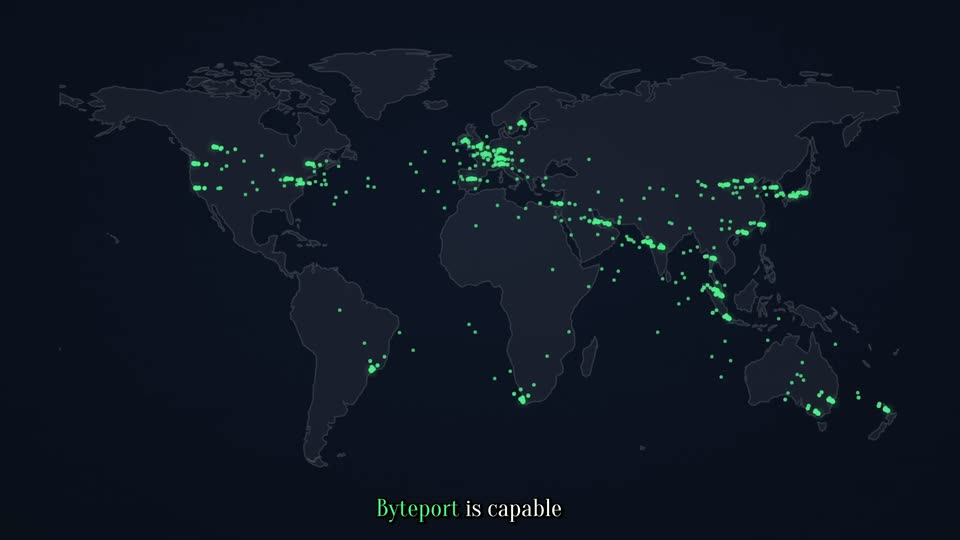
Byteport · Modern electronic, techno/trance
Xiaomi · Modern electronic
A bold yellow “Okay” sits on a lavender field, ringed by scattered purple “Okay” words in serif and sans. The background flips to yellow as the center word swaps to dark “can we”, the smaller words shifting to muted purple.
On-screen text: “Okay”, “can we”
Techniques: Kinetic type
Camera: Pull out
A bright green field holds one centered line of bold black lowercase text that flips from “talk” to “about it?”.
On-screen text: “talk”, “about it?”
Techniques: Kinetic type
Camera: Static
On a lavender field, a mosaic of short video clips of different people talking to camera scales in one by one, overlapping into a grid. The central clip shows a woman with pink eye makeup holding a blue magnifying glass to her eye.
Techniques: Split screen
Camera: Push in
A beige vintage portable computer sits in 3D perspective on a black card against a light blue field. The word laptop in white bold type scales up across the device while rainbow copies of laptop scatter around the frame.
On-screen text: “laptop”
Techniques: Kinetic type, 3D mockup
Camera: Push in
A person in a yellow furry costume with red gloves and tights tumbles through a clear blue sky, centered behind huge yellow SLOW lettering that stays fixed while the figure drifts and rotates slowly.
On-screen text: “SLOW”
Camera: Static
A runner sprints left to right past blue and yellow buildings while the word LAGGY glitches with RGB displacement across the center. Cut to a man in a green jacket and red sunglasses spreading his arms wide against an open sky.
On-screen text: “LAGGY”
Techniques: Kinetic type
Camera: Static
A man in pink sunglasses and an olive vest leans into a low, wide-angle camera at an outdoor skate park, grinning and waving his hands. The locked-off frame holds against a bright blue sky with scattered clouds.
On-screen text: “LA”
Camera: Static
A grey stone laptop with a cracked screen sits open on a wooden desk, a stack of papers and pen to the left, a white mug to the right, and a blurred office with a seated figure behind.
Techniques: 3D mockup
Camera: Static
A grey stone laptop with a cracked screen sits open on a wooden desk in a blurred office. It folds flat into a crumpled slab while a multicolored abstract burst flares out behind it, exposing a silver laptop on the right.
Techniques: 3D mockup, Morph
Camera: Static
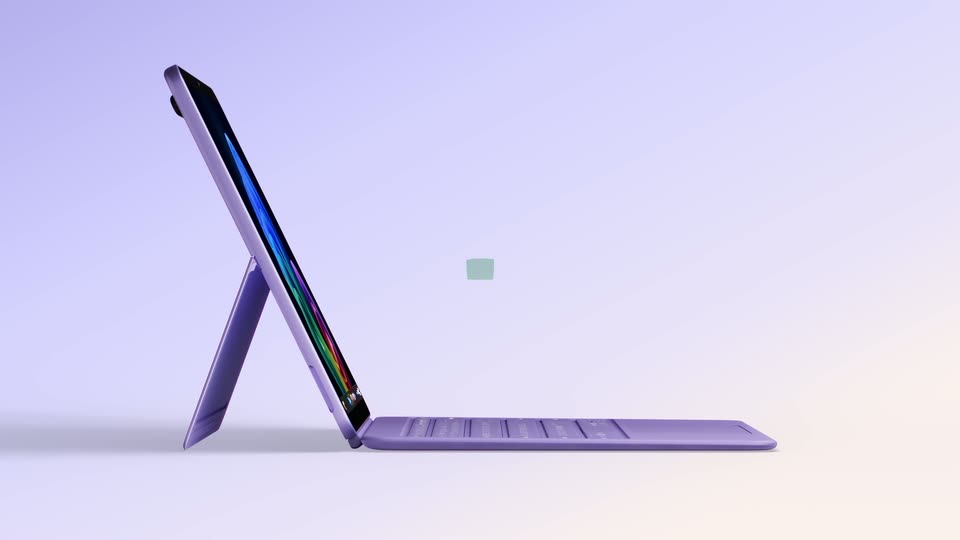
A purple tablet with a kickstand and a silver laptop float side by side on a soft lavender gradient, each screen showing a vivid blue-and-orange swirl wallpaper. Both devices turn slowly in 3D to reveal their profiles as a large number 2 scales into view.
On-screen text: “2”
Techniques: 3D mockup
Camera: Pull out
A 3D close-up of a purple laptop keyboard at an angle. A center key glows white, then a bright yellow beam sweeps across it as the key presses down.
Techniques: 3D mockup, Light sweep
Camera: Pull out
A 3D keyboard glows as white beams burst from a purple Copilot icon, then a flash cuts to the Microsoft logo and a swirl of green, blue and orange shapes that spin and morph into the Copilot ribbon logo on a pale gradient.
Techniques: 3D mockup, Light sweep, Morph
Camera: Static
A woman at a cluttered desk with a laptop, shot on a fisheye lens, runs her hands through her hair while the large white text Admit it! sits over her. The frame zooms in fast with heavy motion blur.
On-screen text: “Admit it!”
Camera: Push in
A 360 fisheye shot of a person in a yellow hoodie sitting cross-legged with a silver laptop, framed by curving city buildings. Yellow uppercase text reads TIME then swaps to UPGRADE, with a perforated yellow ring around the first frame.
On-screen text: “TIME”, “UPGRADE”
Techniques: Kinetic type, Masking
Camera: Push in
Two Surface devices float in 3D against a soft lavender gradient, their corners meeting at the center to form a diamond. The upper unit shows a pale mint back, the lower a dark screen with a lavender edge. They drift and rotate slowly.
Techniques: 3D mockup
Camera: Static
A tilted macro of the laptop's left keyboard edge, dark keys on a silver chassis, a USB-C port at the side. The frame carries motion blur as the angle shifts and the silver body sweeps across the right.
Camera: Pull out
A tilted close-up of a lavender Surface laptop lid bearing the Windows emblem, set against a pale background. A dark stylus slides diagonally into position across the lid. The device sits in 3D perspective.
Techniques: 3D mockup
Camera: Static
Two Surface laptops and two stylus pens float and rotate in a light purple gradient space. A white light streak passes horizontally across the frame.
Techniques: 3D mockup, Light sweep
Camera: Static
A 3D laptop keyboard fills the frame at a steep angle, dark teal keys on a silver chassis. The camera drifts slowly across the right side, revealing the hinge and a sliver of the screen against a pale blue background.
Techniques: 3D mockup
Camera: Static
A silver laptop floats in 3D perspective on a pale blue gradient, its screen showing the colorful Windows 11 bloom wallpaper. The device rotates slowly, drifting as the viewing angle shifts.
Techniques: 3D mockup
Camera: Static
A purple tablet props up on its kickstand in a 3D space, then cuts to a white laptop. A hand enters from the right to lift the laptop lid.
Techniques: 3D mockup
Camera: Static
A silver laptop floats in 3D perspective on a pale blue gradient. A hand reaches in to touch the screen, then the device rotates to reveal its side profile.
Techniques: 3D mockup
Camera: Push in
A pale blue background holds a collage of Surface Laptop product shots. The central angled laptop, showing a colorful abstract wallpaper, sharpens and scales up from a soft blur, while four close-up panels of the keyboard, ports and Windows lid stay fixed around it.
Techniques: 3D mockup
Camera: Pull out
A light-blue 3D collage presents the Surface laptop from four angles, its screen glowing with a colorful abstract wallpaper. The view cuts to a macro close-up of the dark keyboard, keys crisp in focus, a spreadsheet blurred across the screen behind.
Techniques: 3D mockup
Camera: Pull out
Low angle on a silver laptop, the dark keyboard dominating the foreground, the lid tilted back over a light blue backdrop. The camera drifts and levels as the screen's red serif headline 'Redefining Color' and a column of body copy settle into clear focus.
Techniques: 3D mockup
Camera: Static
A teal laptop mockup in 3D perspective opens from a closed lid bearing the Windows logo to a full open view showing a document on screen, while pixelated white and green shapes fade in across the pale blue background.
Techniques: 3D mockup
Camera: Static
A silver Surface laptop with keyboard sits centered on a pale blue gradient, screen showing the colorful Windows bloom wallpaper. Large white pixel letters spell GORGEOUS in three rows behind and in front of the laptop, the bottom row overlapping the base. The frame stays locked and still.
On-screen text: “GORGEOUS”
Camera: Static
A magenta field holds a row of glossy coil springs, green to yellow to orange, that ripple and stretch like a wave. White bold lowercase words sit centered over them, swapping from a fragment to “flexibility” as the springs pulse.
On-screen text: “thst”, “flexibility”
Techniques: Kinetic type, Morph
Camera: Static
A purple tablet with a black stylus floats in 3D space, angled toward the camera. Two more tablets, cream and teal, fan out behind it. A bright glint flashes across the logo on the back as the group rotates slightly.
Techniques: 3D mockup, Light sweep
Camera: Pull out
A purple laptop hybrid floats in 3D on a soft lavender-to-cream gradient. The shot opens tight on its top edge with a black pen hovering above a thin white ring, then pulls back to reveal the full device with a detachable keyboard and a green stylus on the lid.
Techniques: 3D mockup
Camera: Static
A purple Surface Pro with keyboard rotates into a three-quarter 3D view on a pale lavender backdrop, its screen glowing with a multicolor swirl wallpaper. The white word laptop fades in large across the front of the device.
On-screen text: “laptop”
Techniques: 3D mockup, Kinetic type
Camera: Static
A purple Surface Pro with detachable keyboard rotates in 3D against a pale lavender background, the keyboard lifting away as the screen shows a colorful abstract wallpaper. A light flare streaks across the screen and the white text it's a pops in over the device.
On-screen text: “it's a”
Techniques: 3D mockup, Light sweep
Camera: Pull out
A 3D tablet mockup on a pale lavender background tilts from a slanted to an upright angle, its screen showing a colorful 2025 illustration. The white word tablet flashes across the device at the start, and a stylus appears at the lower right.
On-screen text: “tablet”
Techniques: Kinetic type, 3D mockup
Camera: Static
A low-angle close-up of a lavender tablet with a matching keyboard sits on a pale surface, its screen showing a colorful wallpaper and a weather readout. Large white words swap from “it's” to “whatever” across the center of the frame.
On-screen text: “it's”, “whatever”
Techniques: Kinetic type, 3D mockup
Camera: Static
A purple tablet with a stylus in its slot is shown in macro close-up, then the view pulls back to a 3D perspective of the device on its kickstand as the words need, to, be flash across the screen in sequence.
On-screen text: “need”, “to”, “be”
Techniques: Kinetic type, 3D mockup
Camera: Static
An extreme close-up of a dark device edge sits on a soft lavender to cream gradient. A bright white-blue beam of light sweeps along the seam between two rounded surfaces, glinting as it travels.
Techniques: 3D mockup, Light sweep
Camera: Static
A vertical clip of a pug in a beret, gold chain and orange gloves sits at a kitchen table, licking its nose. Around it, huge black 3D extruded letters spell PRETTY on a white field, sliding in perspective from both edges.
On-screen text: “PREES”
Techniques: Kinetic type, Parallax
Camera: Static
A vertical clip of a pug in a tan cap, pixelated sunglasses, black sweater, gold chain, and orange gloves holds a phone at a kitchen table. Large black letters FA and CE flank the clip on a white field, spelling FACE.
On-screen text: “FACE”
Camera: Static
A repeating grid of pixel-art hearts in pink and red drifts slowly downward across a flat lavender background, the pattern scrolling like a wallpaper.
On-screen text: “PUG LIFE”
Camera: Static
A 3D cartoon turtle on wheels, a red rocket strapped to its shell, rolls right across a blurred grass field, then cuts to a red bear lifting a barbell in a white rounded card, surrounded by the gray word POWER.
On-screen text: “POWER”
Camera: Static
A cartoon cat lifting a pink barbell sits in a white rounded square at center. Concentric rainbow rounded squares pulse outward from the icon, expanding to fill the frame and push the stacked white POWER text off the edges while the cat scales down.
On-screen text: “POWER”
Camera: Static
A low-angle close-up of a laptop screen shows the dark browser tab strip; tabs with icons (YouTube, Instagram, Netflix, a spreadsheet) slide left past the frame as the camera pans, the pixel grid and shallow focus softening the edges against a blue wallpaper.
Camera: Static
A smiling young man in a green hoodie and headset grips a game controller in a green-lit room with shelves and a white vertical light bar. A semi-transparent game overlay of a red creature in a voxel forest dissolves away over his face.
Camera: Static
Static side view of a black and white cat in a plaid sweater walking right on a wooden railing, soft green hills behind. A cut swaps the sweater to an orange knit as the cat keeps stepping.
Camera: Static
A tabby cat head is superimposed on a dancing body in a teal sweatshirt and purple pants. The figure bounces and is repeated into several copies that shift across a bright yellow radial burst background.
Camera: Pan
A silver laptop in 3D perspective displays a slide with an orange flower as a hand taps its touchscreen. The view tightens on the slide, then the scene cuts to a split screen: a purple tablet on the left and a close-up of the tapping hand on the right.
Techniques: 3D mockup, UI zoom, Split screen
Camera: Push in
A 3D field of Surface tablets and keyboard covers tiles the frame on a pale lavender backdrop. The camera glides and rotates across the array; some units face up showing the Windows wallpaper, others show the back with a stylus.
On-screen text: “Design isn't truly”, “H”
Techniques: 3D mockup, Parallax
Camera: Push in
A 3D emoji man in an orange shirt shrugs with raised hands on a pink-to-peach gradient. A horizontal scanline glitch then rips across him, slicing his body into shifted color bands.
Camera: Static
A blue 3D character shrugs with raised hands on a cream background. A defocused rainbow ribbon sweeps past the camera and lands as the Copilot logo, centered over a large white Copilot wordmark.
On-screen text: “Copilot”
Techniques: Masking
Camera: Static
A tight crop of a white rounded card on a beige background shows a text caret before “Message Copilot,” with a gradient Copilot icon and “Think Deeper” below. The camera slowly zooms out to reveal the full line.
Techniques: UI zoom
Camera: Pull out
A file list with a white Copilot card sliding in, showing a Summarize option and a preview line. It cuts to highlighted document text beside a menu listing Ask Copilot and Summarize.
Camera: Pull out
A Word document with a green heading and a Copilot draft panel on the right blurs into a design screen showing a color palette, a Copilot tab and a Layers tab.
Camera: Pull out
A blue-to-pink gradient pill button labeled Generate sits centered on a cream background. A pixelated 3D hand cursor slides up and presses the button, which pops slightly larger with a soft glow.
On-screen text: “Draft with Copilot”
Techniques: Cursor demo, Light sweep
Camera: Static
A framed illustration of a horned highland cow in a hilly, cloudy landscape sits centered on a cream background. A cowboy hat, red bandana, dark sunglasses, and a steaming coffee cup pop onto the cow in quick succession.
Camera: Static
A meme card of a cowboy Highland cow in round sunglasses holding a coffee mug, set against a volcano, falling meteor and hugging quokkas, sits on a peach field ringed by flame emojis. The white headline BOO and STER! scales across the cow's face as the card zooms out.
On-screen text: “BOOSTER!”
Techniques: Kinetic type
Camera: Pull out
A hand holds a clear cup of iced coffee against a blue sky with soft clouds. A white rounded caption box sits to the right, reading the question in black sans-serif type. The framing stays locked off with a slow drift.
On-screen text: “Is iced coffee an”, “accessory or drink?”
Camera: Static
A hand holds a plastic iced coffee cup with a red straw against a blue sky. A maroon bubble with the answer sits left of the cup while a white question bubble slides in from the right edge, and the camera slowly pulls back, shrinking the cup and bubbles in frame.
On-screen text: “Both—it's a lifestyle.”, “Is iced coffee an accessory or drink?”
Techniques: Kinetic type
Camera: Pull out
A 3D yellow emoji with wide white eyes and a small dark mouth floats on a lavender gradient, its pupils darting sideways. Headline text about iced coffee slides in line by line, then a closing line scales up.
On-screen text: “Is iced coffee an”, “accessory or drink?”, “Both—it's a lifestyle.”
Techniques: Kinetic type
Camera: Static
A glossy 3D yellow emoji fills the frame on a lavender gradient. Its closed eyes pop open into white circles, a wavy white blob flickers onto its forehead and vanishes, and the small dark mouth holds still.
Techniques: Morph
Camera: Static
Abstract colored blobs on a pale blue card cut to a low-angle shot of a woman floating in a clear sky, holding a silver laptop on her lap, with a backpack, pencil, papers and a coffee cup suspended around her.
On-screen text: “8”
Camera: Push in
A suited figure with a vintage television for a head types on a white keyboard against a black backdrop. The portrait shot clones into three side-by-side panels that tilt and rotate, the outer panels fading to white.
Techniques: Split screen
Camera: Static
A red-haired woman in a teal sweater types on a laptop at a dim desk, warm light on her face. The word Creating sits in large white type across the center of the frame. The camera drifts slowly around the setup.
On-screen text: “Creating”
Camera: Static
Locked-off live action cuts from a woman lying in bed with a purple laptop to her sitting on a beige sofa with it on her lap. Large white text stays static across the center, swapping from Creating to Streaming.
On-screen text: “Creating”, “Streaming”
Camera: Static
A woman reclines on a tan leather sofa with a lavender laptop balanced on her lap, looking at the screen. A large white word, first “Streaming” then “Studying,” sits static across the center of the locked-off frame.
On-screen text: “Streaming”, “Studying”
Camera: Static
A low-angle shot shows a man in a coral shirt doing pushups on a mat in a brick loft, beside an open purple Surface laptop and green dumbbells. The word Grinding sits in large white letters across the center as the camera drifts slowly right.
On-screen text: “Grinding”
Camera: Push in
A laptop taskbar sits in extreme close-up on a desk, with a notebook and white speaker blurred behind. The shot pushes in on the green battery icon, and the word Grinding sits large and still over the frame.
On-screen text: “Grinding”
Techniques: UI zoom
Camera: Pull out
A close-up of a phone status bar on a white background. The camera zooms into the green battery icon, which stretches across the frame, while a glowing green crack pulses around it. The time and date sit at the right.
Techniques: UI zoom
Camera: Pull out
A silver Surface laptop spins fast in 3D space against a pale blue gradient, motion-blurred, then decelerates as the lid closes. A white ring swoosh sweeps around its base as it settles into a closed, angled position.
Techniques: Speed ramp, 3D mockup
Camera: Static
A gray Surface 2-in-1 with a detachable keyboard floats in 3D against a pale blue gradient, rotating from a steep side angle toward a flatter, face-on view. The screen shows the colorful Windows bloom wallpaper, the kickstand stands open behind.
Techniques: 3D mockup
Camera: Static
A pale lavender Surface laptop spins in 3D against a soft pink gradient, its lid opening to show a colorful abstract wallpaper. A thin blue light beam arcs around the device and glints across the hinge and keyboard as it turns.
Techniques: 3D mockup, Light sweep
Camera: Push in
A lavender Surface tablet lies face-down on a soft blue-to-cream gradient, a black stylus resting on its back. The camera arcs around the device, motion blur streaking the edges as the Windows logo glints on the lid.
Techniques: 3D mockup
Camera: Static
A purple Surface tablet with keyboard and a teal closed laptop sit in 3D perspective on a pale lavender backdrop. A bright glint with a circular reticle sweeps across the laptop lid, then fades, leaving the two devices static.
Techniques: Light sweep, 3D mockup
Camera: Static
On a soft periwinkle to warm gradient, the Copilot+PC lockup holds center. The colorful icon and gray wordmark morph into the Microsoft Surface logo, then a small URL scales in beneath it.
On-screen text: “microsoft.com/surface”
Techniques: Morph
Camera: Static