2:41
Explore
Lindy - We started Lindy Build to make building apps effortless. Side effect:
Lindy · Sep 2025 · 0:45 · AI-annotated
- Length
- 0:45
- Scenes
- 27 · 1.7 s avg
- Product on screen
- 0:09
- Features shown
- 1
- Call to action
- 0:38 · 84%
- Voiceover
- No
00:00:00 / 00:45:07
Lindy’s 0:45 launch film runs 27 scenes, about 1.7 s each. The product shows up at 0:09 and 1 feature is revealed. The call to action lands at 0:38 (84% in). The video is built as a problem-to-solution arc, alternating full-bleed blur-to-sharp text cards on a cream gradient with 3D-tilted product mockups that push in on glowing buttons. Its signature moves are the oversized black cursor, hand-drawn circles around keywords, and the recurring bronze code-bracket logo.
No filming indicatedEstimated needs: 5 capture groups — your screens or recordings · 1 official logo — reused across the film · 8 3D passages — build or supply
Is this your launch? to your site or press kit.
More like this

0:43
0:38

Loom - It’s a new year — and it’s easier than ever to embrace new ways of wo
Loom · Productivity · Jan 2024
Lindy - We started Lindy Build to make building apps effortless. Side effect:, scene by scene
· 27 scenes as text
01 · Hook · 0:00–0:01
A huge, blurred tan word fills the frame and zooms out, sharpening into the centered tagline on a soft cream gradient. The text settles in the middle of a locked-off frame.
On-screen text: “Vibe coding rocks”
Techniques: Kinetic type
Camera: Pull out
02 · Hook · 0:01–0:02
A white rounded prompt bar with a dark teal Build button sits on a warm cream gradient. The prompt Build me a CRM app types out letter by letter with a caret, while a black arrow cursor hovers at the button's lower corner.
Techniques: Cursor demo
Camera: Static
03 · Hook · 0:02–0:04
A tablet in 3D perspective on a warm gradient rotates to face the camera. A large black headline 'Build me a CRM app' overlays the left and scales into a chat bubble as a cursor rests on a dark Build button. A pale peach 'When' fades in at the bottom.
On-screen text: “Build me a CRM app”, “When”
Techniques: 3D mockup, Kinetic type
Camera: Push in
04 · Problem · 0:04–0:05
A warm cream background with a faint diagonal seam. The phrase “When it works” in brown sans-serif fades in word by word, then a dark blue hand-drawn oval sketches around the word “works”.
On-screen text: “When it works”
Techniques: Kinetic type
Camera: Push in
05 · Problem · 0:05–0:06
A code editor interface displays a file tree and a CRM kanban board. The view scales up slightly as the file selection moves.
Techniques: UI zoom
Camera: Push in
06 · Problem · 0:06–0:08
A 3D-angled tablet screen shows a CRM pipeline board. The camera pushes in on the red Add new button as it glows, and a black cursor slides in to hover over it.
Techniques: 3D mockup, UI zoom, Cursor demo
Camera: Push in
07 · Problem · 0:08–0:09
A close-up of a CRM board shows a black cursor arrow hovering over a red-glowing Add new button. The interface blurs and fades out as a large pale-peach word Introducing fades in behind it.
On-screen text: “Introducing”
Techniques: Cursor demo
Camera: Pull out
08 · Product intro · 0:09–0:10
A bronze “Introducing” headline holds centered on a soft cream gradient with warm radial glows. The word sharpens from a brief blur, then gives way to a two-bracket bronze logo that scales in at the center.
On-screen text: “Introducing”
Camera: Static
09 · Product intro · 0:10–0:12
A brown diamond logo mark with code brackets sits left of the wordmark Lindy Build on a white field with soft peach glows in the corners. The wordmark scales up into place while the frame stays locked off.
On-screen text: “Lindy Build”
Techniques: Kinetic type
Camera: Static
10 · Demo · 0:12–0:12
A cream gradient field with a faint dot grid holds the black headline centered. The line sharpens into focus, then a white input bar with a pink Build button and a blue send icon scales in below it, followed by two suggestion chips.
On-screen text: “It's time to build.”
Camera: Static
11 · Demo · 0:12–0:16
On a warm cream gradient, a prompt card sits below the headline 'It's time to build.' with a row of suggestion chips. The camera zooms into the input field as the typed prompt cycles through examples, ending on 'Build a CRM'.
Techniques: UI zoom
Camera: Push in
12 · Demo · 0:16–0:17
A close-up of a white input bar on a cream background shows a paperclip and mic icon beside a blue send button. A black cursor arrow glides in from the right and rests on the button, which scales up on hover.
Techniques: Cursor demo
Camera: Static
13 · Demo · 0:17–0:19
A 3D mockup of an AI workspace app floats on a pale background, angled in perspective. The left panel shows an agent checklist; the right shows a Kanban board with Backlog, To-Do, In Progress and Review columns. Faint duplicate panels trail behind as the camera drifts slowly.
Techniques: 3D mockup
Camera: Static
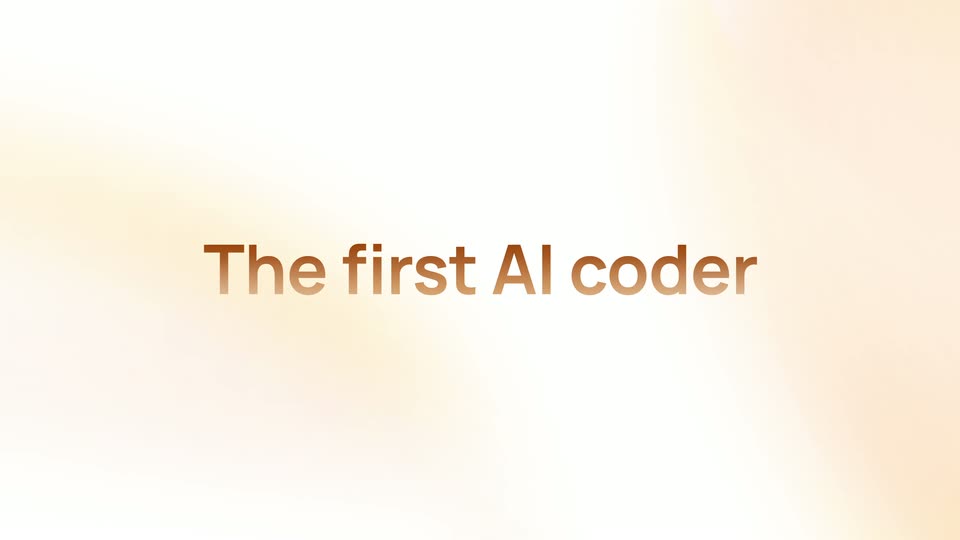
14 · Feature reveal · 0:19–0:20
A soft cream and peach gradient fills the frame while a centered headline assembles word by word, “The first” then “AI” then “coder” fading in. The camera stays locked off throughout.
On-screen text: “The first AI coder”
Techniques: Kinetic type
Camera: Static
15 · Feature reveal · 0:20–0:21
A soft cream gradient fills the frame as warm brown gradient text swaps from “The first AI coder that” to “that tests its work.” A hand-drawn dark teal oval is sketched around the word “tests.”
On-screen text: “The first AI coder”, “that tests its work”
Techniques: Kinetic type
Camera: Static
16 · Feature reveal · 0:21–0:22
The phrase that tests its work sits on a white ground with soft warm glows, the word tests circled in a hand-drawn blue oval. It fades out as a tilted project-management interface rises into 3D perspective.
On-screen text: “that tests its work”
Techniques: 3D mockup
Camera: Push in
17 · Feature reveal · 0:22–0:24
A tilted 3D task-board mockup rests on a desk beside a pencil. The camera zooms into the board, reframing on an Add new button that a 3D cursor points at, with a Lindy Agent chip at the corner. A bold caption labels the Edutech Academy project.
On-screen text: “Edutech Academy”, “Learning management system implementation”
Techniques: 3D mockup, UI zoom, Cursor demo
Camera: Push in
18 · Feature reveal · 0:24–0:27
A product UI in soft focus sharpens into view: on the left, an assistant chat lists steps as green checkmarks appear one by one, ending with a Computer use card sliding in, while a blurred CRM kanban board sits on the right.
Techniques: Split screen
Camera: Push in
19 · Feature reveal · 0:27–0:30
A 3D-tilted project board on a soft peach background scrolls down past white task cards, while a rounded white Lindy Agent pill with a brown cursor arrow hovers at the right edge.
On-screen text: “Lindy Agent”
Techniques: 3D mockup
Camera: Pull out
20 · Demo · 0:30–0:33
On a soft cream background with warm peach glows, the bold orange phrase 'Build apps in minutes' scales down from a large 'Build apps', then crossfades to 'that actually work' as a dark blue underline draws beneath it.
On-screen text: “Build apps in minutes”, “that actually work”
Techniques: Kinetic type
Camera: Static
21 · Demo · 0:33–0:34
A white grid of nine invoicing app panels, including a dashboard, an uploading card, a stats bar, a calendar, an income chart and a time tracker, sits above a 3D phone mockup. The frame pulls back to reveal the full layout and a centered caption.
On-screen text: “The Future”
Techniques: 3D mockup
Camera: Pull out
22 · Demo · 0:34–0:35
A tiled wall of app interface mockups, including dashboards, invoices, and a time tracker, drifts slowly as the center column scrolls up and the RAUL landing page with orange 3D shapes settles into the middle.
Techniques: Parallax
Camera: Push in
23 · Demo · 0:35–0:36
A white consulting landing page for Raul tilts in 3D, rotating from a flat front view to a right-angled perspective. The orange headline, stat cards and a swirling red-orange abstract graphic stay fixed on the page as the whole mockup turns.
Techniques: 3D mockup
Camera: Pull out
24 · Demo · 0:36–0:38
A desktop monitor mockup in 3D perspective displays a white website with an orange headline and an abstract 3D shape, set on an orange desk against a cream backdrop. The shot settles from a ghosted duplicate into a clean angled view.
Techniques: 3D mockup
Camera: Pull out
25 · CTA · 0:38–0:41
On a soft cream-to-white gradient, the phrase “With Lindy, you can.” sits centered in metallic copper type. The words start soft and out of focus, then sharpen and scale up gently while the frame stays locked off.
On-screen text: “With Lindy, you can.”
Techniques: Kinetic type
Camera: Static
26 · CTA · 0:41–0:42
Two large, out-of-focus brown angle brackets frame the edges of a white background, then scale down and sharpen into a small centered diamond code mark, flanked by a soft warm glow. The frame stays locked off.
Camera: Static
27 · CTA · 0:42–0:45
The Lindy logo, a brown angle-bracket mark beside a bold wordmark, sits centered on a white field with a soft warm glow in the corners. The mark scales into place while the wordmark sharpens, then the caption Available now fades in above. The frame stays locked off.
On-screen text: “Available now”
Camera: Static