1:03
Trellis | AI Agents for Vacation Rentals | Motion Design Video
Trellis · Oct 2026
Trellis · Nov 2026 · 1:03 · Full motion · AI-annotated
Trellis’s 1:03 launch film runs 33 scenes, about 1.9 s each. The product shows up at 0:22 and 6 features are revealed, with social proof. The call to action lands at 0:57 (90% in), over a voiceover. A direct, conversational tone that flips from a dark teal grid for the problem to a light gray grid for the product, with a candid, no-nonsense voice. Built on a steady beat near 140 BPM, the video alternates oversized kinetic type with floating UI cards, and its signature moves are the hard color flip at the logo reveal, giant lowercase green feature words, and scrolling card timelines that resolve each step in turn.
Is this your launch? to your site or press kit.
A green grid background holds the white word Okay at center while rounded app icons with red numbered badges float around it. The shot opens tight on the letters, then pulls back to reveal the full word and the drifting icons.
On-screen text: “Okay”, “7.”
Camera: Pull out
On a dark green grid, a row of app icons with red notification badges snaps into a straight line, the rightmost icons rotating into place, while the white lowercase text “be honest” sits centered above.
On-screen text: “be honest”
Camera: Static
White chat notification cards with guest names and messages drift in from the edges over a green grid background. The centered white headline “How many problems do you handle every week” holds, then wipes into “as a property manager ?”.
On-screen text: “How many problems do you handle every week”, “as a property manager ?”
Techniques: Kinetic type, Parallax, Masking
Camera: Pull out
On a dark green grid, notification cards with avatars and names float at the edges while a large white number in the center counts from 10 to 30 to 100. As the number grows, the cards blur and recede into the background.
On-screen text: “10”, “30”, “100”
Techniques: Kinetic type, Parallax
Camera: Pull out
Blurred UI cards streak across a teal grid as the caption scales in above a dark folder with a red badge counting up to 99. A cursor clicks the folder, a small menu with Options and Delete pops up, then all but the folder fade away.
On-screen text: “And how many actually get..”, “resolved?”
Techniques: Kinetic type, Cursor demo
Camera: Pull out
The single word Yeah in oversized white sans slides horizontally into the center of a dark green grid background, settling flat. A small tilted dark shape trails beneath the letters during the move.
On-screen text: “Yeah”
Techniques: Kinetic type
Camera: Pull out
On a dark teal grid background, a white headline fades in at center above two chat bubbles that settle into place: a short customer message on the left and a longer reply on the right, joined by a dashed connector line.
On-screen text: “Not because you didn't reply”
Techniques: Kinetic type
Camera: Pull out
On a green grid, a white headline scrolls left past two chat cards showing a customer complaint and a reply, while small notification tiles slide in from the right at a faster speed.
On-screen text: “Not because you didn't reply problems you're replying to just”
Techniques: Parallax
Camera: Pan
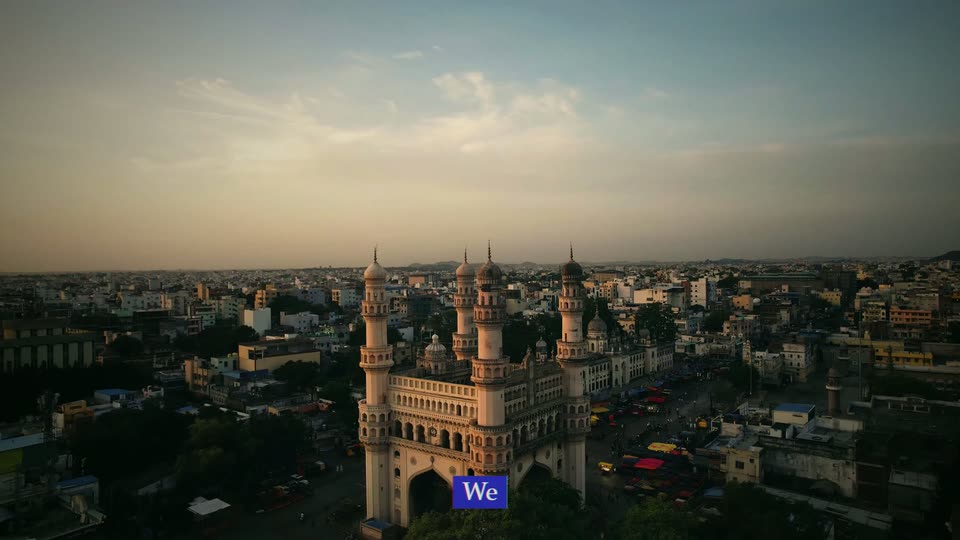
On a green grid background, a white chat card sits left while a web of notification cards drifts right. The white headline builds in sequence to “problems you're replying to just... don't move”, then the cards clear and the word “We” fades in centered.
On-screen text: “problems you're replying to just... don't move”, “We”
Techniques: Kinetic type
Camera: Pull out
A teal perspective grid holds the white word Well. which is replaced by You're not in control as a dotted 3D globe with red map pins rises and rotates into the lower frame.
On-screen text: “Well.”, “You're not in control”
Camera: Static
On a teal grid, a dotted globe with floating photo cards, each tagged with a red dot, drifts apart and fades out. Text lines appear in sequence, ending with a giant “Stop” filling the frame.
On-screen text: “You're not in control anymore”, “Things are slipping”, “you don't even see it”, “Stop”
Techniques: Kinetic type, Parallax
Camera: Push in
On a light gray grid background, the dark green Trellis logo holds center as the gray tagline “the agent that gets sh*t” appears above it, then a tilted app interface with a sidebar rises from the bottom edge.
On-screen text: “the agent that gets sh*t”
Techniques: 3D mockup
Camera: Static
A tilted 3D view of the Trellis dashboard sits under a black headline. The panel scales up and settles as the headline slides toward the top of the frame.
On-screen text: “the agent that gets sh*t done”
Techniques: 3D mockup
Camera: Push in
A pale grid background holds a teal logo tile at the bottom edge. Five white pill tags with green icons fan out on dashed lines from the tile, while a gray headline types in word by word across the top.
On-screen text: “It runs operations with you”
Techniques: Kinetic type
Camera: Static
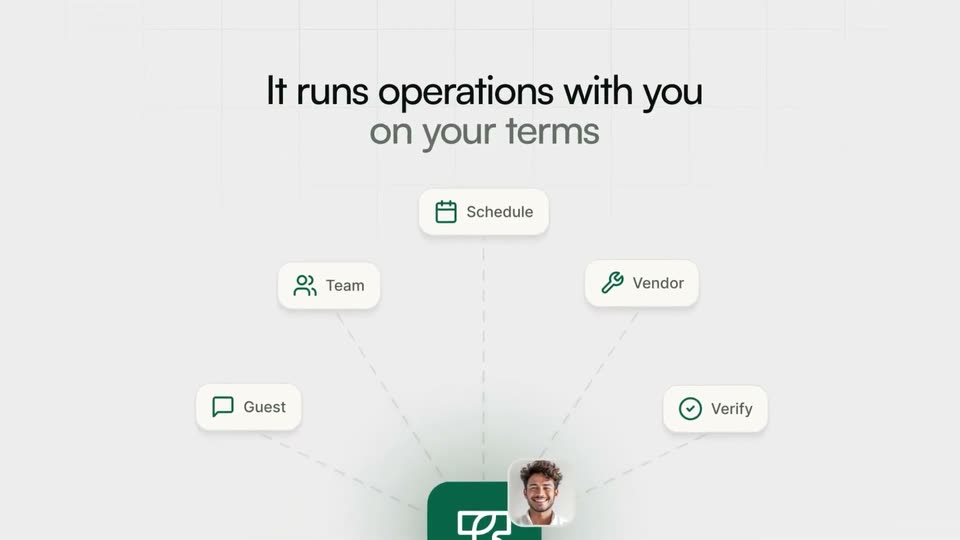
Five white feature chips with green icons link by dashed lines to a central green app tile topped by a small circular portrait. The headline warps into place, then a gray second line fades in below as the camera slowly pushes in.
On-screen text: “It runs operations with you”, “on your terms”
Techniques: Kinetic type
Camera: Push in
On a light grid background, the outgoing headline and floating chips fade away as a centered dark-gray headline scales in, and a row of colorful app icons rises from the bottom edge.
On-screen text: “It runs operations with you on your terms”, “Plugged into everything you”
Techniques: Kinetic type
Camera: Static
A row of colorful app icons streams across a light gray grid background beneath the headline “Plugged into everything you already use”. The icons curve into a smile-shaped arc around the center as the text swaps to “all in one unified platform” and settles sharp.
On-screen text: “Plugged into everything you already use”, “all in one unified platform”
Techniques: Kinetic type, Speed ramp
Camera: Pull out
A curved band of colorful app icons in 3D perspective arcs across a light gray grid, a small gray caption sliding beneath it. The band then clears, leaving centered gray text on the plain grid background.
On-screen text: “all in one unified platform”, “Your guest has”
Techniques: 3D mockup, Kinetic type
Camera: Static
On a light gray grid, the small dark line 'Your guest has' sits above the large green word 'an issue'. The text scales up and blurs as the clip ends.
On-screen text: “Your guest has”, “an issue”
Techniques: Kinetic type
Camera: Pull out
Split layout: left shows a large green 'an issue' headline with four numbered captions fading in line by line; right shows a white panel holding a vertical timeline of chat and action cards that scrolls up as each step appears.
On-screen text: “an issue”, “The agent picks it up”, “Calls the handyman”, “Schedules it”, “Updates the guest”
Techniques: Kinetic type, Split screen
Camera: Push in
A previous UI panel fades out, leaving a plain light gray background with a faint grid at the top. The gray headline Damage after scales in at the center of the frame.
On-screen text: “Damage after”
Techniques: Kinetic type
Camera: Static
On a light gray grid, the green word checkout scales up beside smaller gray text Damage after, then both slide left and shrink as a white notification card with an avatar, address and photo slides up from the bottom right.
On-screen text: “Damage after checkout”, “Receives photos”
Techniques: Kinetic type
Camera: Pull out
White workflow cards scroll upward in a column on the right, linked by a green dotted line, while a numbered step list fades in line by line under the green checkout title on the left.
On-screen text: “checkout”, “Receives photos from inspection”, “Opens the browser”, “Files the claim on Airbnb”, “Orders replacement on Amazon”
Techniques: Kinetic type
Camera: Push in
A large green word 'checkout' sits left of a white UI panel of task cards, with a numbered four-step list beside it. The list and word fade out as the word types into 'message' and the panel crossfades to a conversations list and a chat thread.
On-screen text: “checkout”, “Receives photos from inspection”, “Orders replacement on Amazon”, “Files the claim on Airbnb”, “Orders replacement on Amazon”, “message”
Techniques: Kinetic type, Split screen
Camera: Pan
A light background holds a large dark green lowercase word messages while a white conversation-list card, showing a search bar and three contacts, scales up and sharpens in front of it, the headline blurring and receding in parallax.
On-screen text: “messages”
Techniques: Parallax
Camera: Pan
A stretched green word resolves into a clean lowercase headline over a faint grid. Two tilted app interface panels fade in below, set in 3D perspective, as the type settles into place.
On-screen text: “tasks”
Techniques: Kinetic type, 3D mockup
Camera: Static
A white app card floats at an angle in 3D over a light grid, its view switching from a tasks list to a workforce screen. Behind it, large green lowercase words change from tasks to people.
On-screen text: “tasks”, “people”
Techniques: 3D mockup, Kinetic type
Camera: Pan
A 3D mockup of the Trellis Team screen sits tilted in front of a large green word people on a pale grid background. The mockup rotates flat toward the camera while a dark rounded card bearing a cursor icon slides in from the right edge.
On-screen text: “people”
Techniques: 3D mockup
Camera: Static
A desktop monitor, tablet and two phones show the app interface, set in 3D around a circle of thin lines. The device group orbits slowly while the centered headline stays fixed.
On-screen text: “Connected”, “around you”
Techniques: 3D mockup
Camera: Push in
A light gray field with a faint grid at the top holds the center. The phrase types out letter by letter in dark gray, settling on the full line while the camera stays locked off.
On-screen text: “Same business”
Techniques: Kinetic type
Camera: Static
A faint gray grid fills the frame as the word just forms in the center, then resolves into finally running in dark sans. Three white checkmark pills pop in around it at the top, left and bottom right.
On-screen text: “just”, “finally running”, “Direct bookings up 34%”, “3 hrs saved today”, “100% response rate”
Techniques: Kinetic type
Camera: Static
On a pale grid background, the dark headline “finally running” and three white checkmark stat pills drift apart and blur out, while a green angular mark, the light-gray letters “re” and a green arrow pill fade in on the right.
On-screen text: “finally running”, “Direct bookings up 34%”, “3 hrs saved today”, “100% response rate”, “re”
Techniques: Kinetic type
Camera: Pan
The green Trellis logo and a dark green pill button read 'Try Trellis today' sit centered on a pale grid background. The pair eases down in scale to settle, then a pale cursor arrow glides in and rests at the button's right edge.
On-screen text: “Try Trellis today →”
Techniques: Cursor demo
Camera: Static