1:52

Phone (3a) Series: Power in Perspective
Nothing · Hardware · Mar 2025
Zaro’s 1:08 launch film runs 39 scenes, about 1.8 s each. The product shows up at 0:05 and 7 features are revealed. The call to action lands at 1:05 (96% in), over a voiceover. The video is chaptered by two-line title cards, a static white headline over a typed gray subline, that alternate near-black and cream fields and each hand off to a flat UI demo. Signature moves are the typing-caret reveal, the dot-matrix pixel type, the split-screen headline-over-interface layout and the dashed orbital rings, all cut briskly to a steady 130 bpm pulse.
Is this your launch? to your site or press kit.
Nothing · Hardware · Mar 2025
CrowdReply · Jun 2026
A white sans-serif headline builds on a near-black background: “Apps” and “agents” appear with an orange app icon and a small orange pill inserted between the words, then the line swaps to “with one prompt.” over a faint field of small dots.
On-screen text: “Apps and agents”, “with one prompt.”
Techniques: Kinetic type, Particles
Camera: Static
A large white word “Meet” with a thin vertical cursor bar sits centered on a soft lavender gradient. The frame is locked off and the type holds still, reading like a typing prompt. A smaller line “with one prompt.” accompanies it.
On-screen text: “Meet”, “with one prompt.”
Camera: Static
A dark purple flower mark of oval petals around a center dot sharpens from a soft blur into a crisp logo on a light gray field. Faint purple pixel squares in the corners dissolve as the mark locks into focus.
Camera: Static
A dark paw-shaped dot icon and the word Zaro sit centered on a plain beige background. The mark starts squashed and rotated, then eases into its clean final form.
On-screen text: “Zaro”
Techniques: Morph
Camera: Static
The Zaro logo and wordmark are centered on a plain light beige background.
On-screen text: “Zaro”
Camera: Static
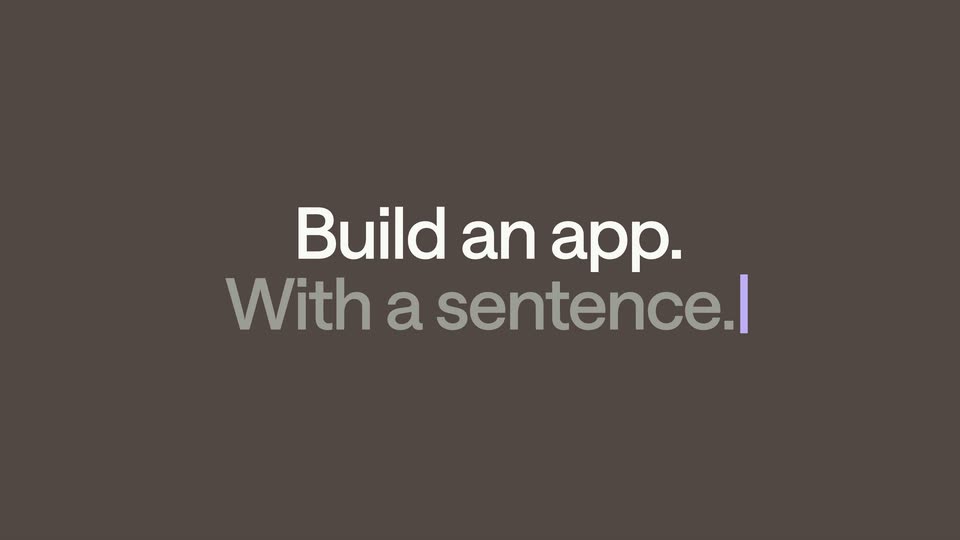
Centered on a dark brown field, the white line “Build an app.” holds still while a gray line types out below it, letter by letter, behind a purple cursor. The frame stays locked off throughout.
On-screen text: “Build an app.”, “With a sentence.”
Techniques: Kinetic type
Camera: Static
A white rounded input bar sits centered on a flat cream background. A plus icon marks the left edge and a row of small app icons with a dark send button sits at the right. The prompt “Build a tracker for my clients and deals” types out left to right behind a blinking caret.
On-screen text: “Build an app.”, “With a sentence.”
Camera: Static
A beige backdrop holds the Deal Tracker interface, which fades in from a dim state to full color, revealing a pipeline board with stat cards and four deal columns. The view then zooms in slightly as an “Open full app” tooltip pops in at the top left.
On-screen text: “Build a tracker for my clients and dealsl”
Techniques: UI zoom
Camera: Static
A chat card fills as a cursor types a prompt into the input box, the word agents turning into a purple chip. The cursor clicks the send button, the message slides in as a bubble, and a dotted Planning status fades in on the left.
Techniques: Cursor demo
Camera: Static
A white headline, Add in agents., holds on a dark brown field while a gray second line types itself out behind a purple caret. Small purple, yellow, green and teal dot-matrix clusters drift and shrink around the text.
On-screen text: “Add in agents.”, “They keep it running.”
Techniques: Kinetic type
Camera: Static
A flat rounded UI card titled Deal Tracker agents lists four agent rows with colored square icons on a cream background. The whole card scales down slowly while faint concentric rounded outlines stay fixed behind it.
On-screen text: “Add in agents.”, “They keep it running.”
Camera: Static
A white chat card listing four CRM agents with colored square icons sits in sharp focus on the right, while the dashboard behind it on the left stays blurred out of focus. The panel holds steady with no movement.
Camera: Static
A CRM pipeline board fills the frame. A hand cursor grabs the Harbour Logistics card in the Discovery column and drags it right into the Qualification column, leaving a faded ghost behind, while a yellow Deal Monitor callout sits below.
On-screen text: “Deal Monitor”
Techniques: Cursor demo
Camera: Static
A light CRM pipeline board fills the frame, three columns of deal cards under a left navigation. A hand cursor hovers over the Harbour Logistics card while a yellow highlighted tag reads Deal Monitor beside it.
On-screen text: “Deal Monitor”
Techniques: Cursor demo
Camera: Static
Two white dashboard cards sit side by side on a pale gray field. The left card shows purple bars for Proposal, Negotiation and Won rising, while the right card's donut chart and legend values animate upward under the title Open Pipeline by Stage.
Camera: Static
Split screen: a dark taupe left half holds the headline “Simple to start.” as it eases into place, “start.” in lavender; a cream right half shows a white agent card titled Weekly Digest with an input field reading “Send me the digest on Slack too.” settling upward.
On-screen text: “Simple to start.”
Techniques: Kinetic type, Split screen
Camera: Static
A dark brown left panel holds the white headline “Powerful to scale.”, which scales up until only “scale.” remains, while the right panel shows a workflow diagram that scrolls and zooms out to reveal a tree of Agent, Merge and Trigger nodes.
On-screen text: “Powerful to scale.”
Techniques: Kinetic type, Split screen, UI zoom
Camera: Pan
On a pale beige field with faint app fragments drifting at the edges, a black headline types out letter by letter behind a lavender cursor, reaching 'Connect your' by the end of the clip.
On-screen text: “Connect your”
Techniques: Kinetic type, Parallax
Camera: Static
On a cream field, a centered black headline types “Connect your mess.”, then the last word swaps to “files” and “tools” behind a blinking cursor. Colorful app icons and file cards drift around the edges, then dissolve into dashed wireframe outlines.
On-screen text: “Connect your mess.”, “Connect your files.”, “Connect your tools.”
Techniques: Kinetic type, Morph
Camera: Static
On a plain cream background, the three-line phrase “Chaos becomes context” renders in a pixelated dot-matrix style. Scattered gray squares resolve into sharp letterforms as “Chaos” and “becomes” scale, while “context” holds still.
On-screen text: “Chaos becomes context”
Techniques: Kinetic type
Camera: Pull out
A grid of small lavender dots on a cream background; the words Chaos becomes context emerge from the dots in three centered lines, each word scaling up into place.
On-screen text: “Chaos”, “becomes”, “context”
Techniques: Kinetic type
Camera: Pull out
A wide view of the Files dashboard zooms into the folder grid. A cursor glides to the data folder, and a popover fades in listing four markdown files with their sizes.
Techniques: UI zoom, Cursor demo
Camera: Static
A grid of pastel folder tiles with an open popup panel listing files reframes into a vertical list of document names on the left side of the screen.
Techniques: UI zoom
Camera: Pan
A white rounded card on a beige background shows the heading Connections above a row of five overlapping app icons. The rightmost icon fades in, followed by the + 12 more label appearing beside it.
On-screen text: “Connections”, “+ 12 more”
Camera: Static
On a flat dark taupe background, the white line Ask anything. holds steady while a second line types out letter by letter behind a purple text cursor. The pacing is quick, the typed line building under the static headline.
On-screen text: “Ask anything.”, “Your f”
Techniques: Kinetic type
Camera: Static
A flat dark taupe field holds the static white headline 'Ask anything.' while the line below types out letter by letter in gray, capped by a lavender text cursor.
On-screen text: “Ask anything.”, “Your files answer.”
Techniques: Kinetic type
Camera: Static
A white ask bar on a beige field types a question about FluxCo's contract while an oversized W hovers center-frame. The pixel cursor clicks send, the bar shrinks into a right-aligned bubble tagged just now, and a TL;DR answer line types itself in below.
On-screen text: “Ask anything.”, “Your files answer.”, “What did we actually agree to deliver for FluxCo?”, “just now”
Techniques: Kinetic type, Cursor demo, Morph
Camera: Static
On a plain off-white chat screen, a right-aligned message bubble scales in with the FluxCo question, a just now timestamp slides beneath it, and a two-line TL;DR summary slides up at the bottom left.
Techniques: Kinetic type
Camera: Static
The full chat interface zooms in on the top-right toolbar as a cursor glides to the paperclip icon and clicks it, sliding open a Chat assets panel of referenced files and links, with a large gray line reading Checking Google Docs on the left.
Techniques: UI zoom, Cursor demo
Camera: Static
A light split screen shows the product interface. On the left, a gray status list scrolls upward as new lines enter, one word flashing dark. On the right, a white card rises over the Chat assets panel to reveal a Slack message with an orange logo.
Camera: Static
A split layout pairs a muted-gray headline on cream with a white chat card on olive. The headline reflows from a stacked state into “Works where you work” with three app icons inline, while the card gains a second message from Zaro.
On-screen text: “Works where you work.”
Techniques: Kinetic type, Split screen
Camera: Static
A white chat card centered on a beige background scales up from a smaller size. A second message from the app Zaro fades in beneath the first, revealing a reply line, a PDF chip, and a blue link.
Camera: Static
A flat phone mockup sits center on a dark brown field, cycling through app screens while slowly scaling up, flanked by the static lines “You didn't just” and “build an app.” The phone then fades out and a ring of small app icons materializes in two dashed concentric circles around the empty center.
On-screen text: “You didn't just”, “build an app.”
Camera: Static
A white card holding a pipeline board and the title Deal Tracker sits at the center of a dark field. Two dashed orbit rings carry small app icons that rotate slowly around it, with vertical label panels at the left and right edges.
On-screen text: “Deal Tracker”, “A dashboard that tracks every deal, its stage, and what needs doing...”, “Today 22 2”, “Deal Risk Monitor”, “Weekly Pipeline Digest”
Camera: Static
A flat orbital diagram on a dark taupe field: dashed concentric circles ring a white Deal Tracker template card, with small app icons scattered along the rings. The camera pulls back to reveal two more orbit clusters, each anchored by its own template card (Mission Control Centre on the left, Weekly Pipeline Digest on the right).
On-screen text: “Deal Tracker”, “its stage, and what needs doing...”, “Today 22 2”
Camera: Pull out
A dark 3D field of UI cards and dotted node clusters sits in perspective, then the whole composition blurs out of focus. The caption holds static over the defocused background.
On-screen text: “You grew a system.”
Techniques: 3D mockup
Camera: Pull out
A centered caption builds word by word, 'You grew a system.', over a dark blurred field of tiny colored dots and soft squares. The background closes into a dark circular vignette as the sentence completes.
On-screen text: “You grew a system.”
Techniques: Kinetic type
Camera: Pull out
On a flat cream field, a soft dark circle at the center contracts and sharpens into a small solid dot while the caption holds still.
On-screen text: “You grew a system.”
Camera: Static
On a cream background, the black Zaro mark builds at center: the icon morphs from one blob into a cluster of ovals while the wordmark completes. A lavender tagline box then appears below.
On-screen text: “TRY FOR FREE AT ZARO.AI”
Techniques: Morph
Camera: Static