0:21
Stability AI - Today, we’re thrilled to announce the open weights for Stable Diffusi
Stability AI · Jun 2024
Firecrawl · Oct 2026 · 0:25 · Full motion · AI-annotated
Firecrawl’s 0:25 launch film runs 15 scenes, about 1.7 s each. The product is on screen from the first frame and 3 features are revealed. There is no explicit call to action. A rapid-fire launch cut built from centered title cards over a faint grid, each capability announced and then proven with a kinetic graphic. Signature moves are the pulsing dot grid, the bursting tile ring, and hard color flips between white, orange and black.
Is this your launch? to your site or press kit.
A grid of pale orange squares on a white background tightens into a frame around a central white cutout. The word Introducing then scales in at the center in bold black type.
On-screen text: “Introducing”
Techniques: Masking, Kinetic type
Camera: Static
A white card sits centered on a faint gray grid. Bold orange text “Universal Scrape” with a soft offset shadow holds in the middle, then is swapped for eight orange squares in two rows of four.
On-screen text: “Universal Scrape”
Camera: Static
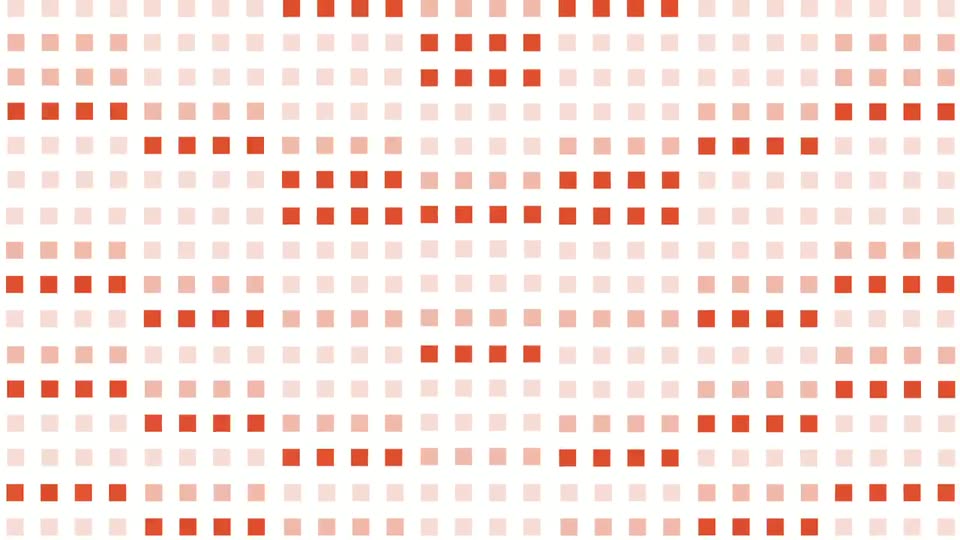
On a white field, a grid of small red squares pulses inside a central panel marked by thin gray lines and corner diamonds. The panel opens and the dot grid expands to fill the whole frame, cells flickering between saturated red and pale pink.
Techniques: Masking
Camera: Pull out
A red square with radiating lines at the center bursts open into a spinning ring of small square tiles, which then scatter outward across a light gray background. The tiles carry assorted icons and images.
Techniques: Morph, Particles
Camera: Static
A ring of small square tiles, file icons, logos and photos, rotates slowly around a centered black headline on a pale background. The headline reads Get data from, then swaps to anywhere on the web while the tiles keep orbiting.
On-screen text: “Get data from”, “anywhere on the web”
Camera: Push in
On a light gray field of concentric radar rings, a black headline sits at center as pill badges with provider logos pop in one by one around it. Near the end the background dims to gray and the right-side badges fade out.
On-screen text: “plus popular providers”, “anywhere on the web”
Camera: Pan
A rounded square card sits centered on a black grid. It starts dark, then brightens into a white-to-orange gradient filled with a matrix of binary digits, a faint logo mark at the center. The digits slide subtly while the frame stays locked off.
Camera: Static
An orange rounded card filled with a binary digit grid and a faint person silhouette slides left across a black grid background. As it moves, a black profile panel with white data fields and red skill dots is revealed on the right, while thin orange bars drift along the frame edges.
Techniques: Masking
Camera: Static
A dark profile card lists a name, seniority bar, company and contact tags beside an orange panel of binary digits forming a standing figure. The frame holds static.
Camera: Static
A dark profile card sits on a black grid, framed by orange blocks. The left half is an orange field of binary digits forming a head silhouette; the right half lists contact fields, a small map, and three tags in white type.
Camera: Static
A black bold sans-serif headline reads “In every format you need”, centered on a white panel over a faint gray grid. The frame stays locked off; only a grid node at the top-left corner shifts from gray to coral.
On-screen text: “In every format you need”
Camera: Static
A white card over a faint grid holds a vertical list of file types that scrolls, the centered label solid black, the rest light gray. A left icon chip with orange handles swaps to match the active row, showing code, link and video glyphs.
Techniques: Kinetic type
Camera: Static
On a solid orange background, the white line “All with one” slides in from the left, then “endpoint.” slides in beneath it. The frame stays locked off while both lines settle into place.
On-screen text: “All with one”, “endpoint.”
Techniques: Kinetic type
Camera: Static
Concentric orange and white squares ripple outward from the center on a white field, the rings thickening as they expand. A headline slides across the pattern on a locked-off frame.
On-screen text: “All with one”, “endpoint.”
Techniques: Kinetic type
Camera: Static
An orange title card holds a bold white headline over a thin white line-drawn flame. The title reads Universal Scrape, then swaps to is live now at about 2.5s, with the Firecrawl logo fixed below. A faint dot texture fills the flame outline mid-scene.
On-screen text: “Universal Scrape”, “is live now”
Camera: Static