
0:30
Explore
Trellis: Autonomous Agents for Short Term Rentals
Trellis · Apr 2026 · 1:03 · Full motion · AI-annotated
- Length
- 1:03
- Scenes
- 32 · 2.0 s avg
- Product on screen
- 0:22
- Features shown
- 8
- Call to action
- 0:57 · 91%
- Voiceover
- Yes
- Views
- 1.5K on YouTube
as of November 20, 2026
00:00:00 / 01:03:28
- Length
- 1:03
- Scenes
- 32 · 2.0 s avg
- Product on screen
- 0:22
- Features shown
- 8
- Call to action
- 0:57 · 91%
- Voiceover
- Yes
- Views
- 1.5K on YouTube
as of November 20, 2026
Trellis’s 1:03 launch film runs 32 scenes, about 2.0 s each. The product shows up at 0:22 and 8 features are revealed, with social proof. The call to action lands at 0:57 (91% in), over a voiceover. The video flips from a dark teal problem act to a pale gray product act at the logo reveal, then runs a rapid montage of single lowercase feature words paired with 3D tilted UI mockups that rotate flat into view. Signature moves: oversized words that scale or slide in, orbiting icon rings, dashed line hub diagrams, and a final stat pill payoff before the button CTA.
No filming indicatedEstimated needs: 4 capture groups — your screens or recordings · 1 official logo — reused across the film · 11 graphic passages — draw or supply · 9 3D passages — build or supply
Is this your launch? to your site or press kit.
More like this

1:15
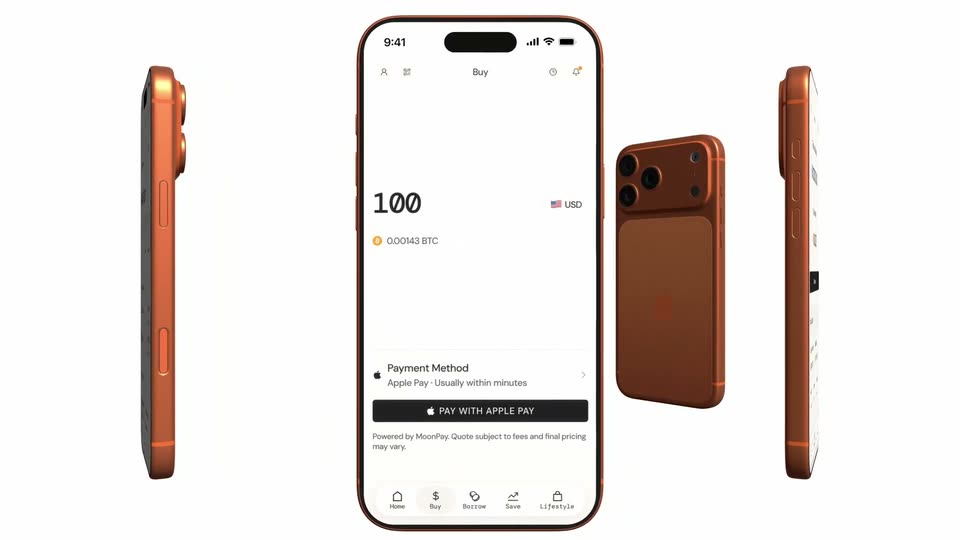
Sats Terminal - Sats Terminal is LIVE on the App Store 🟠 Buy Bitcoin, Borrow against
Sats Terminal · Sep 2026
1:15
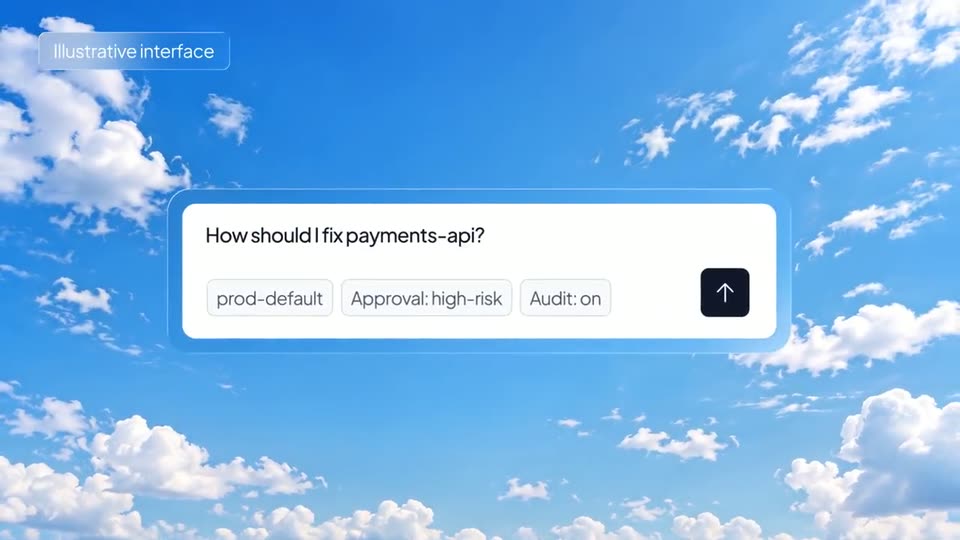
Ctrl+Z for AI: the motion design video we made for Aokumo
Aokumo · Nov 2026
Similar soundtrack
Films whose music sounds like this one, voice left out
2:09

See Judgment Labs’ activity on LinkedIn
Judgment Labs · Upbeat, modern electronic
1:37
Neil Tewari - Today, I'm excited to launch @tryconversion Mosaic! Apparently the CE
Conversion · Upbeat electronic and jazz
2:43

Rishard Rameez - Introducing Zoro, your AI real estate agent Find homes, book showing
Zoro · Upbeat electronic
Trellis: Autonomous Agents for Short Term Rentals, scene by scene
· 32 scenes as text
01 · Hook · 0:00–0:01
On a green grid background, app icons with red badges drift around the word Okay in huge white type. The text starts out of focus, snaps sharp, then shrinks left as be honest fades in beside it.
On-screen text: “Okay”, “be honest”
Techniques: Kinetic type
Camera: Pull out
02 · Hook · 0:01–0:02
On a dark green grid, centered white text reads 'be honest', then swaps to 'How many problems do you' as a horizontal row of colorful app icons with red notification badges blurs and scatters downward.
On-screen text: “be honest”, “How many problems do you”
Techniques: Kinetic type
Camera: Static
03 · Hook · 0:02–0:07
White notification cards with guest messages drift over a dark green grid background. Centered white text poses the question, then huge numbers 10 and 30 draw in while the cards keep floating.
On-screen text: “How many problems do you handle every week”, “as a property manager ?”, “10”, “30”
Techniques: Kinetic type, Parallax
Camera: Pull out
04 · Problem · 0:07–0:11
On a teal grid, blurred white cards scatter away as the line “And how many actually get resolved?” builds above a folder icon with a red badge counting to 99. A context menu with a tap ring pops up, then the folder shrinks beneath a large “Yeah”.
On-screen text: “And how many actually get resolved?”, “Yeah”
Techniques: Kinetic type, Cursor demo
Camera: Pull out
05 · Problem · 0:11–0:11
The word Yeah in large white serif type slides left across a flat green background marked with a faint grid.
On-screen text: “Yeah”
Techniques: Kinetic type
Camera: Pull out
06 · Problem · 0:11–0:14
On a teal grid background, a guest message card sits left while a reply card and a notification card slide in from the right, linked by dashed lines. A white headline builds word by word across the top as the frame pans right.
On-screen text: “Not because you didn't reply”, “problems you”
Techniques: Kinetic type
Camera: Pan
07 · Problem · 0:14–0:15
A white chat reply card and a cluster of green notification cards sit in 3D perspective on a teal grid. The camera pans left across the layout, the cards drifting at different depths, while the headline text runs along the top.
On-screen text: “but the problems you're replying to just...”
Techniques: 3D mockup, Parallax
Camera: Pan
08 · Problem · 0:15–0:17
On a dark green grid, five notification cards linked by dashed lines drift slowly left while a white chat card slides out of frame. The centered white headline completes as “don’t move” fades in after “problems you’re replying to just...”.
On-screen text: “problems you’re replying to just... don’t move”
Techniques: Kinetic type
Camera: Pull out
09 · Problem · 0:17–0:18
On a teal grid background, the word 'Well...' sits centered in white. It is replaced by the smaller line 'You're not in control anymore' as a dotted 3D globe with floating app icons rises from the bottom of the frame.
On-screen text: “Well...”, “You're not in control anymore”
Techniques: Kinetic type, 3D mockup
Camera: Static
10 · Problem · 0:18–0:20
A teal grid background holds a dotted wireframe globe that dissolves as small house photo tiles with red pins scatter across the frame. White lines of text fade in at top, bottom and center while the tiles drift and the camera holds still.
On-screen text: “You're not in control anymore”, “Things are slipping”, “you don't even”
Techniques: Kinetic type, Morph
Camera: Push in
11 · Problem · 0:20–0:22
White lowercase text 'you don't even see it' holds over a teal grid as blurred thumbnail chips with red dots drift across the lower frame. The line exits and a giant white 'Stop' scales up to fill the screen.
On-screen text: “you don't even see it”, “Stop”
Techniques: Kinetic type
Camera: Pull out
12 · Product intro · 0:22–0:24
A dark green Trellis wordmark sits centered on a pale gray grid as the tagline types in above it, word by word. A tilted 3D mockup of the Trellis interface rises from the bottom edge of the frame.
On-screen text: “Stop”, “the agent that gets sh*t”
Techniques: Kinetic type, 3D mockup
Camera: Static
13 · Product intro · 0:24–0:25
A tilted 3D mockup of the Trellis dashboard rotates upright and scales up as the dark headline slides up behind its top edge on a pale grid background.
On-screen text: “the agent that gets sh*t done”
Techniques: 3D mockup
Camera: Pan
14 · Feature reveal · 0:25–0:26
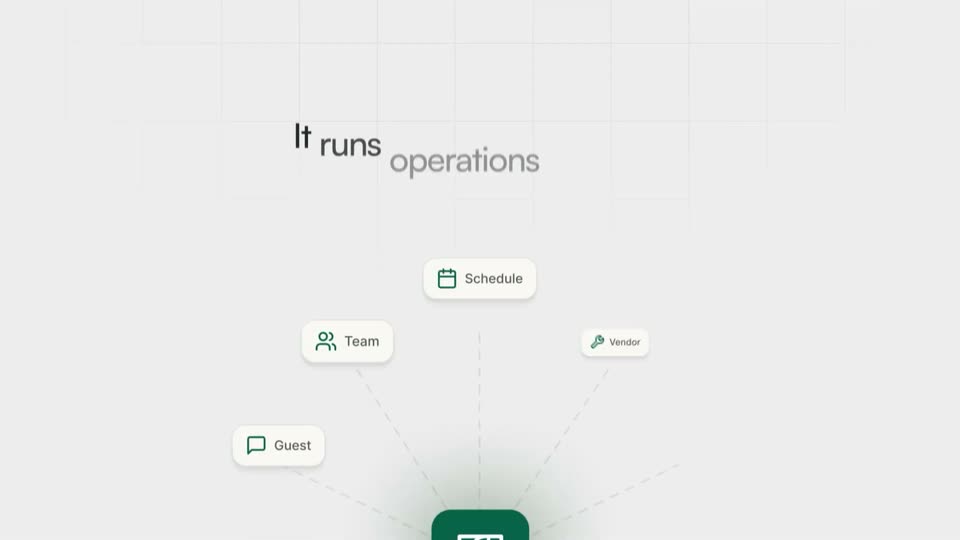
The frame opens washed out in white, then sharpens into a radial diagram on a faint grid. The words 'It runs operations' sit at left while five labeled chips, Schedule, Team, Vendor, Guest and Verify, hang on dashed lines that radiate from a green node at the bottom.
On-screen text: “It runs operations”
Camera: Pan
15 · Feature reveal · 0:26–0:29
On a pale grid background, a headline builds word by word above a hub diagram: five white chips with green icons link by dashed lines to a green app tile, where a smiling person's photo sits. The word Plugged fades in beside the top chip.
On-screen text: “It runs operations with you”, “on your terms”, “Plugged”
Techniques: Kinetic type
Camera: Push in
16 · Feature reveal · 0:29–0:31
A centered gray headline sharpens and scales into place over a faint grid, while a horizontal row of colorful third-party app icons scrolls steadily leftward along the bottom edge.
On-screen text: “Plugged into everything you already use”
Techniques: Kinetic type
Camera: Pan
17 · Feature reveal · 0:31–0:33
A loop of colorful app icons orbits the centered headline on a light gray grid background. The line “already use” scales in under “Plugged into everything you”, then the block swaps to “all in one unified platform” while the icon ring keeps rotating.
On-screen text: “Plugged into everything you already use”, “all in one unified platform”
Techniques: Kinetic type
Camera: Pull out
18 · Feature reveal · 0:33–0:34
A curved arc of colorful app icons with soft shadows spans a light gray grid, framing the centered line “all in one unified platform.” The icons and line exit, replaced by “Your guest has” while a huge blurred teal word slides up from the bottom left.
On-screen text: “all in one unified platform”, “Your guest has”, “an”
Techniques: Kinetic type, 3D mockup
Camera: Static
19 · Feature reveal · 0:34–0:35
On a light gray grid, the small gray line 'Your guest has' sits above a large dark green 'an issue'. The line scales and the green word slides as the block drifts up, while a white document card blurs in from the lower right.
On-screen text: “Your guest has”, “an issue”
Techniques: Kinetic type
Camera: Pull out
20 · Feature reveal · 0:35–0:40
Left of a white UI panel, a green serif headline 'an issue' anchors a numbered list that fades in line by line. The panel's timeline scrolls up, revealing agent steps like intent analysis, a vendor call and a calendar entry, then the scene fades to the word 'Damage'.
On-screen text: “an issue”, “1 The agent picks it up”, “2 Calls the handyman”, “3 Schedules it”, “4 Updates the guest”, “Damage”
Techniques: Kinetic type
Camera: Push in
21 · Feature reveal · 0:40–0:41
On a pale gray grid, the gray label 'Damage after' shrinks and lifts as the word 'checkout' scales up beneath it in large green lowercase letters.
On-screen text: “Damage after”, “checkout”
Techniques: Kinetic type
Camera: Pull out
22 · Feature reveal · 0:41–0:47
On the left, a green “checkout” wordmark and four numbered step captions fade in one by one; on the right, a white panel of workflow task cards scrolls upward along a vertical green timeline, showing inspection photos, an Airbnb claim, an Amazon order, and a bank sync.
On-screen text: “checkout”, “Receives photos from inspection”, “Opens the browser”, “Files the claim on Airbnb”, “Orders replacement on Amazon”
Techniques: Kinetic type, Split screen
Camera: Push in
23 · Feature reveal · 0:47–0:48
The outgoing checkout headline and numbered step list fade out on the left while a task panel dissolves on the right. On a light grid, the teal word message types in letter by letter as a conversations list panel rises into view below.
On-screen text: “checkout”, “Receives photos from inspection”, “Files the claim on Airbnb”, “Orders replacement on Amazon”, “message”
Techniques: Kinetic type
Camera: Pan
24 · Feature reveal · 0:48–0:49
A large green word 'messages' sits over a faint grid as a phone mockup of a conversation list fades in behind it. The word then slides off to the left, leaving the messaging interface centered.
On-screen text: “messages”
Techniques: Kinetic type
Camera: Pan
25 · Feature reveal · 0:49–0:50
A large green lowercase word 'tasks' rotates flat in the background while a 3D-tilted mockup of a tasks board eases into a near-frontal view in the foreground. The board lists property maintenance rows with avatars and status tags.
On-screen text: “tasks”
Techniques: Kinetic type, 3D mockup
Camera: Static
26 · Feature reveal · 0:50–0:50
A giant green word reads tasks behind a 3D-tilted app screen on a faint grid. As the word slides into people, the screen swings around in perspective to a Team and Departments view.
On-screen text: “tasks”, “people”
Techniques: 3D mockup, Kinetic type
Camera: Pan
27 · Feature reveal · 0:50–0:51
A white product interface in 3D perspective scales up and rotates toward the camera against a pale grid backdrop. A large green people wordmark sits behind the top edge. The panel displays a Team dashboard with department and skill tags.
Techniques: 3D mockup
Camera: Static
28 · Feature reveal · 0:51–0:52
A flat product interface lifts into 3D as the camera pulls back, revealing a monitor, tablet and phone arranged around a centered word on a light grid.
On-screen text: “Connected”
Techniques: 3D mockup
Camera: Pull out
29 · Feature reveal · 0:52–0:53
A faint grid and thin ring sit on a pale background. The tagline 'Connected around you' anchors the center while a monitor, laptop, phone and tablet float in 3D around it, drifting slowly inward toward the words.
On-screen text: “Connected”, “around you”
Techniques: Kinetic type, 3D mockup
Camera: Push in
30 · Social proof · 0:53–0:56
Blurry 3D documents drift off a light gray grid as “Connected around you” fades, then dark gray lines cycle in the center: “Same business,” “Just...,” “finally running.” A white pill with a green check types “3 hrs saved today” on the left.
On-screen text: “Connected around you”, “Same business”, “Just...”, “finally running”, “3 hrs saved today”
Techniques: Kinetic type
Camera: Push in
31 · Social proof · 0:56–0:57
On a pale grid background, three white pill badges with green checkmarks hold still at the top, left and bottom right. The black headline finally running scales up from a soft blur in the center while the frame stays locked off.
On-screen text: “finally running”, “3 hrs saved today”, “Direct bookings up 34%”, “100% response rate”
Techniques: Kinetic type
Camera: Pan
32 · CTA · 0:57–1:03
On a pale grid background, the green Trellis logo and a dark green 'Try Trellis today' pill sit centered. A light green cursor slides in from the bottom right and hovers the button, which compresses slightly.
On-screen text: “Try Trellis today”
Techniques: Cursor demo
Camera: Static