
2:59
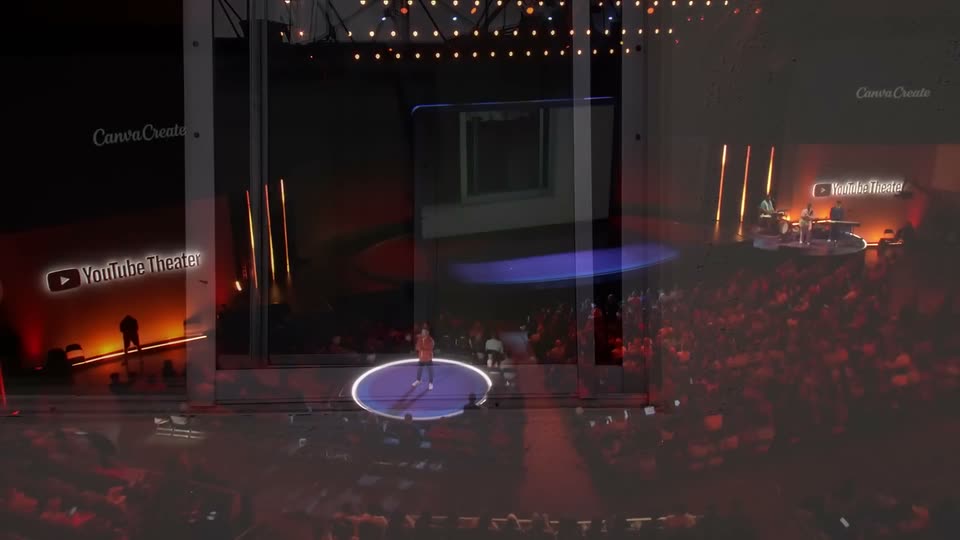

Introducing Canva Offline | Canva Create 2026
Canva · Design · Apr 2026
Pitch · Nov 2024 · 1:13 · AI-annotated
Pitch’s 1:13 launch film runs 22 scenes, about 3.3 s each. The product shows up at 0:01 and 2 features are revealed. The call to action lands at 1:08 (94% in), over a voiceover. The video is built as a rapid montage of cursor-driven micro-interactions that zooms out from a single deck into a wall of decks to frame the problem, then settles into calm, blur-to-focus UI demos on a violet gradient. Signature moves are the continuous zoom in/out transitions, letter-by-letter type reveals, and the recurring ringed magenta planet.
Is this your launch? to your site or press kit.
Canva · Design · Apr 2026
Palisade · B2B · Aug 2026
Eccasion · Nov 2026
A white formatting toolbar floats over a purple slide; a cursor clicks the Bold button and the white 'Company Overview' heading snaps from thin to heavy weight, while a thin out-of-focus strip of desk footage runs down the right edge.
Techniques: Cursor demo
Camera: Static
A flat coral field holds the word Sales in large white type while proposal types itself in letter by letter, a black arrow cursor resting at the word's start and a thin caret trailing the newest letter.
On-screen text: “Sales”, “proposal”
Techniques: Kinetic type
Camera: Static
A white slide holds a row of profile cards, each a photo in a colored frame with a role label and a name beneath. A black cursor glides right across the row, hovering over a name as the cards shift left to reveal the next card.
Techniques: Cursor demo
Camera: Pan
A close-up of a text editor toolbar sits over a large black heading on a white-to-green gradient. A cursor clicks the style dropdown and the text-styles menu expands, the cursor hovering over the highlighted option.
Techniques: Cursor demo
Camera: Static
A beige slide canvas shows a case study document with dashed selection outlines and colored comment tags. The large blue serif title scales down and shifts up-left while the dashed date box below expands, reflowing the layout. Small colored pointer markers sit beside the text blocks.
Techniques: Kinetic type
Camera: Static
A close-up of a white builder panel shows a large cursor resting on a variable input field while the digits 2025 are typed in one by one. To the left, a phone preview displays a For you card with two colored thumbnails.
Techniques: Cursor demo
Camera: Static
A pale purple interface frames a glossy blue nozzle in a selection box with a thirds grid and corner handles. A white cursor drags a top slider, labeled Done, to the right, then the control disappears; a side panel shows a map over a MAY 2025 caption.
Techniques: Cursor demo
Camera: Static
A violet title card: the Spacework logo holds top left while “Sales proposal” sits large and “Vertiq” reveals letter by letter through a grid mask. The block then shrinks left as the frame pulls back, exposing a ringed magenta planet and a purple torus in 3D space.
On-screen text: “Sales proposal”, “Vertiq”
Techniques: Masking, Kinetic type, Parallax
Camera: Pull out
A zoomed-in purple card labeled 'Sales proposal Vertiq' fills the frame, then the view pulls back to a 'Presentations' grid of matching cards, each with a rendered purple sphere and a client name. The continuous zoom-out reveals the full list.
Techniques: UI zoom
Camera: Pull out
A dense grid of purple presentation thumbnails, each reading “Sales proposal” with a company name, scrolls upward while the view zooms in, accelerating until the cards dissolve into vertical purple streaks.
Techniques: UI zoom, Speed ramp
Camera: Static
Five vertical strips of purple and magenta horizontal bands drift upward on a pale lavender background. The bands carry a fine scanline texture and shift at a steady pace, giving the columns a shimmering, blurred motion.
Camera: Static
A blurred purple backdrop sharpens into glossy 3D shapes: a magenta sphere with white markings in a purple ring, flanked by purple spheres. White “Sales proposal” and “Omnexis” fade in at left, then the frame pulls back to show the scene as a page in a browser window.
On-screen text: “SPACEWORK”, “Sales proposal”, “Omnexis”
Techniques: UI zoom
Camera: Pull out
A purple browser window shows a SpaceWork pitch room. A cursor renames the room, types a welcome message, adds resource links, then drops in rocket and company-overview presentation cards, with the view zooming into each section as it fills.
Techniques: Cursor demo, UI zoom
Camera: Pull out
A white Add custom domain modal sharpens from blur on a purple gradient. A black cursor types slides.spacework.com into the input field, then glides to the purple Continue button and clicks, as the modal blurs back out.
Techniques: Cursor demo
Camera: Static
A purple gradient fills the frame while a blurred, light-purple interface panel scales up from the center. A sharp black-and-white cursor arrow sits at the panel's lower right, staying fixed as the panel grows.
Techniques: UI zoom
Camera: Static
A browser window on a solid purple field starts out of focus and snaps sharp, revealing a Rooms admin screen with a left sidebar and a table of link rows. A large black cursor arrow with a white outline hovers over the date column.
Camera: Static
A flat browser window on a purple field shows the Rooms page, a table of room names, visit counts, creators, and dates. The view holds still while a black cursor glides from the Redwood row to the Stratiform row, and the row highlight follows.
Techniques: Cursor demo
Camera: Static
A browser window showing a resumes list on a purple gradient background blurs and scales down until it fades away, while a black cursor arrow stays sharp in the center of the frame.
Camera: Static
A white activity list panel on a purple gradient background begins blurred and snaps into focus, a black cursor arrow resting at its center.
Camera: Static
A white activity panel sits on a purple gradient. A cursor clicks a visitor row, which expands to reveal a file table and a grid of purple slide thumbnails. The view zooms in, then blurs as the headline appears.
On-screen text: “The complete pitching platform”
Techniques: Cursor demo, UI zoom, Kinetic type
Camera: Pan
A purple gradient field holds the centered white headline, locked and still, then the frame switches to the white Pitch logomark and wordmark with the thin URL set beneath.
On-screen text: “The complete pitching platform”, “pitch.com”
Camera: Static
On a purple gradient background, the white Pitch icon and wordmark sit centered while the wordmark slides into place. The URL pitch.com rests small beneath the logo in a locked-off frame.
On-screen text: “Pitch”, “pitch.com”
Techniques: Kinetic type
Camera: Static