0:31
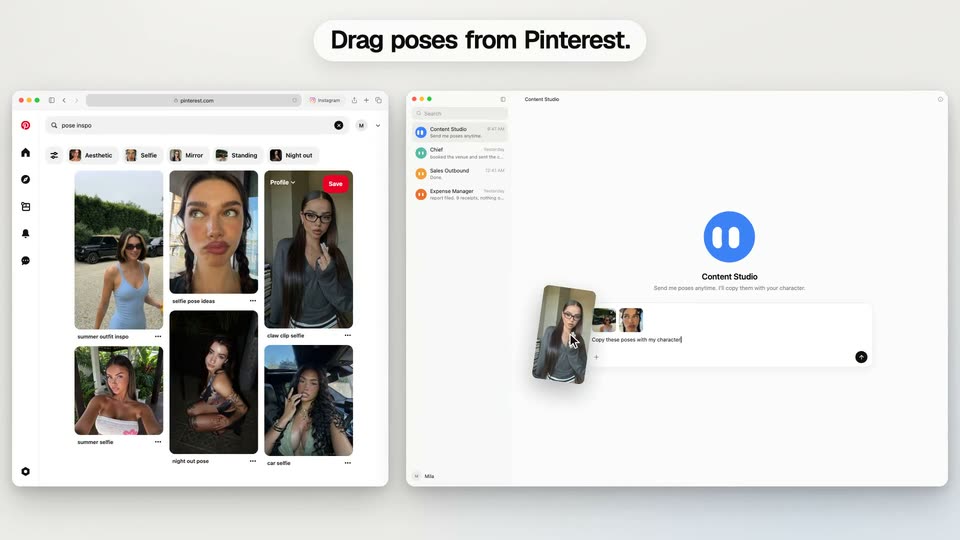
Orior - Introducing Orior in Grok Bot. Any pose you find, recreated with you
Orior AI · AI · Oct 2026
Notion · Sep 2024 · 0:56 · Full motion
Notion’s 0:56 launch film runs 20 scenes, about 2.8 s each. The product is on screen from the first frame and 4 features are revealed. The call to action lands at 0:50 (89% in). A feature-by-feature launch film: a flat cream title card names each capability, then a short UI demo on a bright color field shows a typed prompt and a bulleted answer, ending on a URL card and the tagline. Pacing is fast with hard cuts on the beat, and the signature moves are the swapping solid color blocks, the hand-drawn mascot that morphs and sways, and letter-by-letter typing with mask reveals.
Is this your launch? to your site or press kit.
Orior AI · AI · Oct 2026
Trellis · Nov 2026
Films whose music sounds like this one, voice left out
Moonshot AI · Funky, upbeat instrumental blend of electronic, jazz, and Latin elements
Runway · Latin jazz, mambo, salsa
ClickUp · Upbeat funk, rock, and electronic
A black 3D cube logo with a serif N sits centered on a light gray field as a cursor drifts near it. The cube shrinks into a flat circular icon with a tan ring while a light blue panel fades in behind, and the cursor points at the icon.
Techniques: Morph, Cursor demo
Camera: Static
A white circle outlined in black holds a small line-drawn figure with an arc, two dots, and a diagonal stroke, centered on a solid blue field. The whole icon scales down and fades to gray as the blue lightens.
Camera: Static
A centered black headline reads “Meet the new Notion AI” on a cream background. A hand-drawn black line animates across the word “new”, striking it through.
On-screen text: “Meet the new Notion AI”
Camera: Static
A cream card holds the static black heading “One AI tool to” on the left. On the right, a vertical column of pill chips with small icons scrolls upward, sharp at center and blurred at the edges, cycling through “Ask a question”, “Find in Google Drive”, “Summarize”, “Draft a meeting agenda”, “Improve writing”. The column fades and the heading completes to “One AI tool to do it all.”
On-screen text: “One AI tool to”, “Ask a question”, “Find in Google Drive”, “Summarize”, “Draft a meeting agenda”, “Improve writing”, “One AI tool to do it all.”
Techniques: Kinetic type
Camera: Static
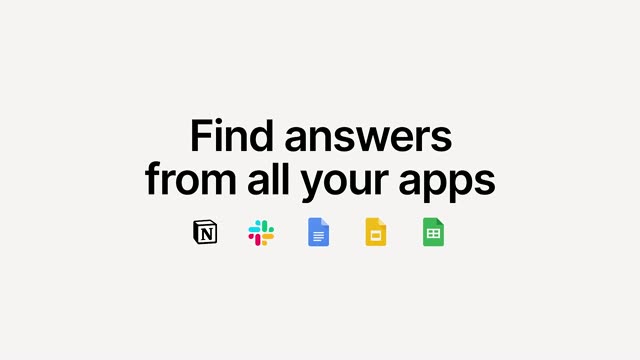
Five app icons (Notion, Slack, Google Doc, Google Slides, Google Sheet) sit in a row on a light gray field, then shrink and drop below the bold black headline 'Find answers from all your apps'. A blue panel with a white line-face logo wipes in from the left, covering part of the text.
On-screen text: “Find answers from all your apps”, “One AI tool to”
Techniques: Masking
Camera: Pan
A white AI chat panel floats over a faint dashboard on the left; a white circular logo with a stylized face sits on a blue field at right. In the input box, the query “Any updates on the mobile improvements project?!” types out letter by letter.
Techniques: Split screen
Camera: Static
A white chat panel shows a question bubble and a scanning status cycling from Notion to Google Drive with animated dots. The view zooms out to reveal the panel over a dashboard on the left and a large circular face logo on the blue field to the right.
Techniques: UI zoom
Camera: Static
Split screen: left, an AI chat panel over a dashboard scrolls as a bulleted answer with sources fills in; right, a black hand-drawn mark inside a white circle on a blue field continuously morphs its strokes into new shapes.
Techniques: Split screen, Morph
Camera: Static
A two-line headline fades in from light gray to black on a cream background, then cuts to a document editor screen on a red field showing a Podcast Release page with a backpack icon and a bulleted English copy list.
On-screen text: “Write smarter, with AI that knows your style”
Camera: Static
A flat document editor window sits on a red field while a static two line headline holds the frame. A cursor drags across the three bullet points to select them, then an AI prompt bar with two suggested prompts slides in beneath the list.
On-screen text: “Write smarter, with Al”, “that knows your style”
Techniques: Cursor demo
Camera: Static
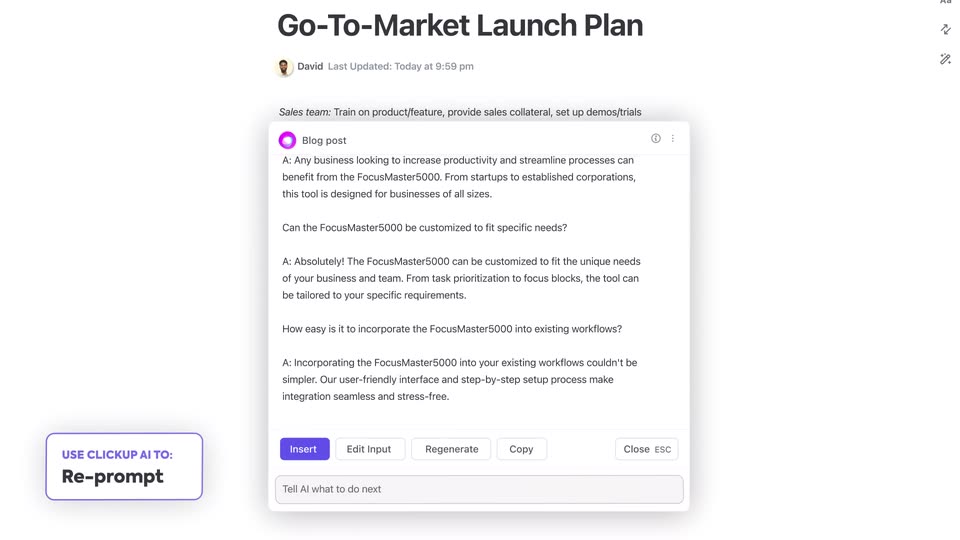
A document page shows a red backpack icon, a Podcast Release heading and three blue-highlighted bullets over a prompt bar. A cursor types a query, selects a tone-guideline link from a dropdown, and clicks send. The written paragraph fills in and an Accept, Discard, Insert below menu appears.
Techniques: Cursor demo
Camera: Static
On a flat cream field, two centered lines read “Analyze PDFs” and “and images.” The lower line scales up while a horizontal mask uncovers both, the gray type snapping to solid black by the end.
On-screen text: “Analyze PDFs”, “and images”
Techniques: Kinetic type, Masking
Camera: Static
Flat dashboard view with an AI chat panel. A hand cursor drags a PDF into the input, the prompt is typed and sent, and a bulleted answer appears. The scene fades to a cream card where the headline scales in.
On-screen text: “Analyze PDFs”, “and images”
Techniques: Cursor demo, Kinetic type
Camera: Static
A pale cream field holds the centered headline “Chat about anything,” with the GPT-4 and Claude wordmarks and their small icons in a line below. The type and icons fade from pale gray to full black and terracotta over the first second, then hold still.
On-screen text: “Chat about anything”, “GPT-4”, “Claude”
Camera: Static
Close-up of a phone screen on a yellow background. In the command field, “Give me 5 ice breakers for a team event” is typed out letter by letter above the keyboard, with suggestion rows and a mic icon above.
Camera: Static
A front-facing phone on a solid orange background shows a chat screen. A user bubble asks for five ice breakers; a Thinking indicator with pulsing dots sits below, then a bulleted list types in line by line, and action icons appear.
Techniques: Kinetic type
Camera: Static
On a cream background, two lines of black text reveal through a vertical wipe, top line first, then hold centered and static for the remainder of the shot.
On-screen text: “Try Notion AI for free”, “at Notion.com”
Techniques: Masking
Camera: Static
A black-outlined circle on a light gray field holds a stick-figure character with two curly tufts of hair. The head and hair sway left and right while a static CTA headline and URL stay fixed in frame.
On-screen text: “Try Notion Al for free”, “at Notion.com”
Camera: Static
A pale cream field holds a centered black line. It first reads “Think it.” then “Make it.” appears to the right, completing the tagline. The frame stays locked off throughout.
On-screen text: “Think it. Make it.”
Techniques: Kinetic type
Camera: Static
The Notion logo, a black cube with a serif 'N' inside, is centered next to the word 'Notion' on a plain off-white background. The frame is static.
Camera: Static