0:26

Granola - Notes in. Video out. @HeyGen now connects with Granola.
Granola · Productivity · Apr 2026
Notion · Sep 2026 · 0:18 · AI-annotated
Notion’s 0:18 launch film runs 24 scenes, about 0.8 s each. The product is on screen from the first frame. There is no explicit call to action. An 18 second brand film built as one beat synced montage: a frosted glass dock shuffles app icons over hard cut backdrops while the Notion cube stays pinned dead center, then the bar dissolves to white, the tagline types out word by word, and the hand drawn logo lands with a cursor click. Signature moves are the center pinned cube, sub second hard cuts on the beat, and the word by word type build.
Is this your launch? to your site or press kit.
Granola · Productivity · Apr 2026
Manus AI · Sep 2026
Apple · Hardware · Aug 2026
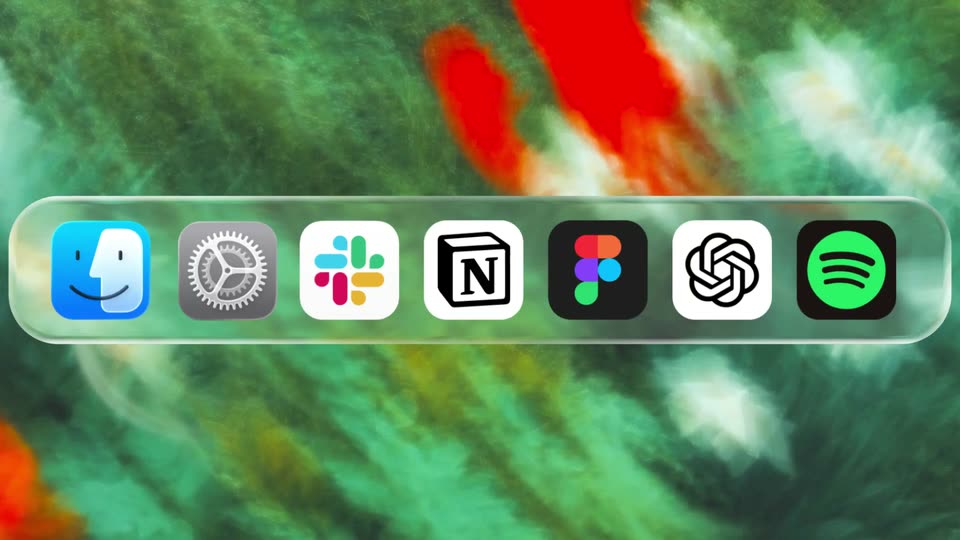
A frosted glass dock bar holding seven app icons sits centered over a blurred green and red macro background. The bar and its icons stay static through the short clip, with no motion or camera move.
Camera: Static
A glassy pill-shaped app dock with seven icons is overlaid across the center of a live-action shot of two sheep standing in a grassy field under a pale lavender sky.
Camera: Static
A frosted-glass dock of seven app icons floats over rippling turquoise water, then the background cuts to a cratered moon in black space as several icons swap and reorder. The dock stays centered and static while the backdrop and icon set change.
Camera: Static
A translucent glass dock bar holding a row of app icons floats across the lower frame over live-action footage of two white goats rearing up on their hind legs in a grassy field. The icon set shifts between frames as the background cuts from a painted still life to the goats.
Camera: Static
A frosted-glass macOS Dock bar floats over a rippling water wallpaper, then the background crossfades to a soft multicolor gradient as the row of app icons shifts right, the gear sliding to the right edge while two new icons enter from the left.
Camera: Static
A translucent horizontal bar of rounded app icons slides left across the frame. The backdrop behind it cuts from a watercolor flower painting to a motion-blurred overhead shot of a crowded crosswalk.
Camera: Static
A frosted dock bar of app icons spans the frame; icons shuffle around a centered NotebookLM cube while the background cuts from a black-and-white cow in a field to rolling green hills under a cloudy sky.
Camera: Static
A dock of rounded app icons runs across the middle of the frame. The background swaps from a close-up of vertical stripes to a classical portrait of a child in red, while the icons shuffle to a new set.
Camera: Static
A horizontal bar of colorful app icons slides across the frame, set over a green hillside that cuts to an overhead view of a crosswalk with pedestrians. The Notion icon holds the center while the icons around it change.
Camera: Static
A horizontal dock of colorful app icons scrolls left across the screen, set over a textured impressionist wallpaper that shifts from green foliage to a warm orange gradient.
Camera: Static
A translucent horizontal dock of app icons hovers over a wallpaper that crossfades from a cloudy blue sky over a green hill to a glittering silver surface. The icons shuffle in place while a white cube icon with a black N holds the center of the bar.
Camera: Static
A horizontal dock of app icons scrolls left across the frame. The background crossfades from a starry moon to a warm golden wood texture while the icon row keeps moving.
Camera: Static
A gray 3D toolbar with five rounded app icons floats over scrolling vintage artwork. The background slides left while the icon set swaps, adding a green Spotify disc and a terminal glyph.
Techniques: Parallax
Camera: Static
A frosted horizontal dock with five app icons sits across a blurred grassy hill background. The icons stay in place while the frame holds, presenting the interface as a static close-up.
Camera: Static
A horizontal frosted-glass band carries five app icons, Apple Music, a white starburst, the Notion cube, Figma and Finder, laid over a multicolor crayon-scribble background. The composition holds static with no motion.
Camera: Static
A static row of five app icons floats over a dark floral tapestry depicting a pale horse behind a wooden fence. The icons read left to right: a black circle with a slash, a white stone face, a white cube marked N, a multicolor petal burst, and a multicolor F.
Camera: Static
A frosted glass Dock bar runs across the middle of the frame, holding five app icons in a row. Behind it, a soft blue sky with white clouds fills the background. The icons and the bar remain static throughout the short hold.
Camera: Static
Overhead footage of pedestrians on a crosswalk fills the frame. A reflective glass bar across the middle holds five icons: gray gear, black tile with white prompt, white cube with black N, black tile with gray cube, white tile with gradient ribbon. Static.
Techniques: 3D mockup
Camera: Static
A frosted glass dock bar spans the frame, holding five app icons including a red music note, a multicolor mark, a white Notion cube, a black star, and a black circular S. The blurred pink and green background stays still behind the static row.
Camera: Static
A white rounded-square icon holding a black cube with a serif N sits centered over a swirled pink and green ink background. Faint app icons inside horizontal bands on either side fade out during the shot.
On-screen text: “N”
Camera: Static
On a plain white background, the black phrase “Any tool.” sits left of center as “Any agent.” fades in from gray beside it, then “Any stack.” completes the centered line. The frame stays locked off throughout.
On-screen text: “Any tool.”, “Any agent.”, “Any stack.”
Techniques: Kinetic type
Camera: Static
On a plain white field, a bold black headline builds word by word, opening with “Works” and completing as “with everything.”, the final word set in a lighter gray. The frame stays locked off throughout.
On-screen text: “Works with everything.”
Techniques: Kinetic type
Camera: Static
A centered black headline, Works with everything., holds still on a plain off-white field. The line then gives way to the brand logo, a 3D cube with a serif N on its front face, which settles in the center of the frame.
On-screen text: “Works with everything.”
Camera: Static
A hand-drawn black Notion logo sits centered on a plain off-white field. A gray cursor glides in from the lower right and settles at the logo's bottom-right corner, poised to click.
Techniques: Cursor demo
Camera: Static