1:15
Character.ai - Classics, now playable. 📚
Character.ai · Apr 2026
Notion’s 1:20 launch film runs 34 scenes, about 2.4 s each. The product is on screen from the first frame and 4 features are revealed. The call to action lands at 1:14 (93% in). The video opens with the logo and a promise, lists four features, then demos each one in turn using a doodle title card followed by tight zooms into the interface, and closes with a brand statement, a URL, and the logo. Its style is built on a cream palette, bold sans-serif type, and playful line-drawn face avatars that bookend the brand.
Is this your launch? to your site or press kit.
Character.ai · Apr 2026
Pika · AI · Sep 2026
Films whose music sounds like this one, voice left out
A black 3D cube with a white front face and a serif letter N sits centered on a cream field. The N scales gently while a gray cursor arrow glides in from the bottom right and rests at the cube's lower right corner.
Techniques: Kinetic type
Camera: Static
Five circular line-drawn faces sit in a row on a cream background, one wearing a yellow hard hat, one red glasses, one a blue headset. Below them the headline appears in two lines, with a hand-drawn underline under the word work.
On-screen text: “A new AI team”, “to help you work”
Camera: Static
On a cream background, a four-line feature list sits left of a hand-drawn face logo in a thin circle. The highlight runs down the list, each line turning black in turn, and by the end all four lines are black while the face logo shifts pose.
On-screen text: “AI Meeting Notes”, “Enterprise Search”, “Research Mode”, “Chat with AI Models”
Camera: Static
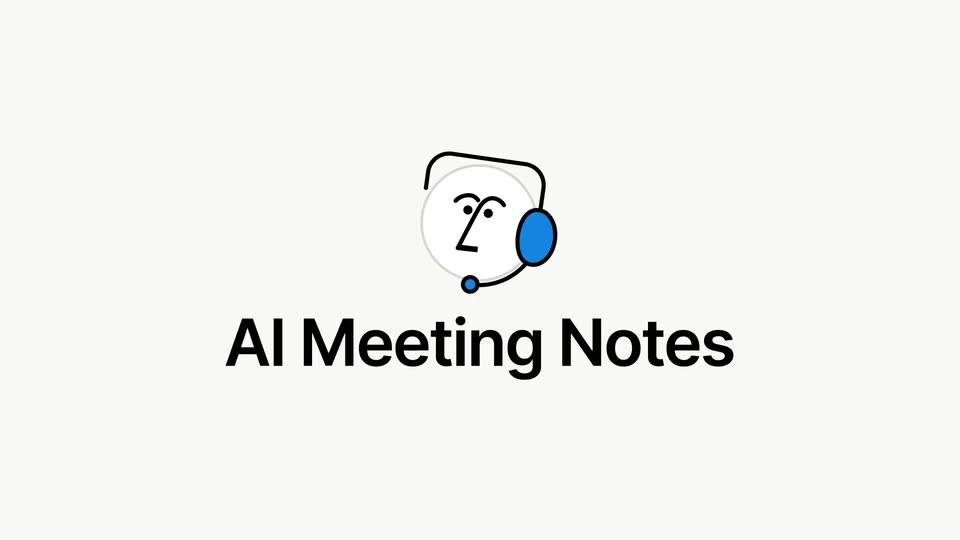
A line-drawn face with a blue headset blinks and shifts expression above the static title Al Meeting Notes on an off-white background. The frame stays locked while the icon's eyes and nose move slightly.
On-screen text: “Al Meeting Notes”
Camera: Static
A product window titled Acme Labs sits centered on a pale blue desktop, its document showing a palette icon and a project brief. A notification card in the top-right corner scales up, its logo and the line In a meeting? growing as the window drifts slightly.
Camera: Push in
A white Notion prompt card with the N cube icon and the lines “In a meeting?” and “Start AI Meeting Notes for this meeting” eases down from the top over a pale blue and white panel. A black arrow cursor drifts to the card’s lower edge while a large bold “launch” headline sits cut off at the bottom left.
On-screen text: “launch”
Techniques: Cursor demo
Camera: Static
A gray audio waveform on white gives way to a white card with three tabs. The transcript types out, a cursor clicks the AI Summary tab, status lines check off, and the summary appears. The view pulls back to show the app frame.
Techniques: Kinetic type, Cursor demo, UI zoom
Camera: Pull out
A light notes-app interface fills the frame: left sidebar lists Acme Labs sections, the main pane shows a meeting note with the AI Summary tab open. The view slides in from the left with horizontal motion blur that eases to a crisp stop.
Techniques: Speed ramp
Camera: Pull out
A flat notes-app interface fills the frame: a left sidebar of workspaces and a document titled 'User feedback call @Today' with summary, key points and action items. A cursor rests at right as the view sharpens from soft blur to focus.
Camera: Static
A circle of colorful app logos, including Dropbox, Box, GitHub, Slack, Google Drive, Teams, Salesforce, Gmail and Microsoft, assembles on a light gray field. Each mark scales or slides into its spot around an empty center.
Camera: Static
On a cream background, a ring of colorful third-party app icons converges into a tight overlapping cluster at the center, then dissolves, leaving a small circular badge with a hand-drawn face above the centered headline.
On-screen text: “Enterprise Search”
Camera: Pull out
A bold black title, Enterprise Search, is centered on a cream background. Above it, a small black line doodle with two dots sits inside a thin gray circle, and its strokes shift and reorient over the shot.
On-screen text: “Enterprise Search”
Techniques: Morph
Camera: Static
A workspace search interface fills the frame, showing a greeting, a search bar and recent project cards. The view then zooms into the search bar as a cursor moves into the field, enlarging the placeholder text and the Ask, Research, Build tabs.
Techniques: UI zoom, Cursor demo
Camera: Push in
The word Dashboard builds letter by letter on a white background as a thin vertical bar wipes rightward, turning each gray glyph black as it passes. Locked-off frame, even pace.
On-screen text: “Dashboard”
Techniques: Kinetic type, Masking
Camera: Static
A single line of large black text on white reads 'Dashboard launch' and scrolls left past a fixed vertical cursor bar at the right edge, as if being typed. The camera stays locked off while the text drifts horizontally.
On-screen text: “Dashboard launch”
Techniques: Kinetic type
Camera: Static
A flat white product home screen shows a greeting and a command bar with the words Dashboard launch typed in. A cursor glides from the center of the bar to the right edge and presses the send button, which turns blue, while four recent cards sit below.
Techniques: Cursor demo
Camera: Static
On a white field, the Zapier logo and the word Thinking sit beside three small colored dots; the line swaps to Searching across with app icons and All sources, then a results panel for Dashboard launch fills the frame as the count ticks up.
Camera: Push in
A flat search results panel on a white background shows the query Dashboard launch above a row of source tabs. The cursor clicks each tab in turn, sliding the underline indicator and swapping the two result rows beneath it.
Techniques: Cursor demo
Camera: Push in
A plain off-white card centers a thin circular icon with red glasses and a black Z mark above the static bold black title Research Mode.
On-screen text: “Research Mode”
Camera: Static
A workspace home screen with a greeting, search bar and recent cards zooms into the search field, where the Research tab highlights white as the cursor hovers below.
Techniques: UI zoom, Cursor demo
Camera: Push in
A two-line black headline sits centered on a plain off-white background and holds still for the full shot. The text reads “Research and draft detailed docs in minutes”.
On-screen text: “Research and draft detailed docs in minutes”
Camera: Static
A dashboard home screen greets Shannon above a prompt bar. The phrase Create a report on dashboard competitors types out letter by letter, then a cursor slides to the blue up-arrow button and clicks it. Recent report cards with emoji sit below.
On-screen text: “detailed docs in minutes”
Techniques: Cursor demo
Camera: Static
A close-up of a light UI card pulls back as step and source counters tick up. Related page items list in one by one, then a blue check marks the task complete. The card zooms out to a Final report page with Copy and Save buttons.
Techniques: UI zoom
Camera: Pull out
A white report screen scrolls downward, opening on the title and a three-column competitor table, then continuing past a market trends paragraph to a checklist of recommendations with empty checkboxes.
Camera: Pan
A document interface scrolls up briefly, the top paragraph sliding into place above a bold heading and a four-item checkbox list. A mouse cursor hovers over the Save as page button at the bottom of the frame.
Techniques: Cursor demo
Camera: Static
The document interface fills the frame, then the view zooms into the top-right toolbar. A cursor glides to the Share button and hovers, raising a gray highlight box around the label.
Techniques: UI zoom, Cursor demo
Camera: Push in
A black cursor types “Product Leads” into a share field and clicks the blue Invite button. The panel slides away, revealing a row of five illustrated avatars and a +8 counter beside the Share button.
Techniques: Cursor demo
Camera: Static
A plain off-white background holds a single line of centered black text reading “Last but not least...” The text stays locked in place for the full shot, with no movement or additional elements.
On-screen text: “Last but not least...”
Camera: Static
A centered black headline on a plain off-white background, with a rough hand-drawn underline beneath the first word. The text holds still, then crossfades out as a rounded search-bar card with three pill buttons fades in and a cursor appears below it.
On-screen text: “Unlimited access”, “to the latest AI models”
Camera: Static
A light search field shows placeholder text above a segmented control reading Ask, Research, Build. A black cursor arrow drifts up to the chevron beside the Ask button. The frame stays locked off on the white interface.
Techniques: Cursor demo
Camera: Static
A light dashboard greets the user with a header and a search bar. An open dropdown lists three AI models; a cursor slides down from the Notion AI row to the OpenAI GPT-4.1 row, the checkmark and the model icon in the Ask tab switching to match.
Techniques: Cursor demo
Camera: Static
Five circular line-drawn face avatars, one with a yellow hard hat, one with red glasses, one with a blue headset, shift subtly in a row on a cream background above the static headline “Notion AI for work,” underlined by a hand-drawn stroke beneath “work.”
On-screen text: “Notion AI for work”
Camera: Static
A plain off-white end card holds two centered lines of black text, 'Get started at' above 'notion.com'. The frame is locked off and static for the full duration, with no animation or camera movement.
On-screen text: “Get started at”, “notion.com”
Camera: Static
The Notion lockup, a black 3D cube with a serif N beside the wordmark, sits centered on a pale gray field. The frame stays locked off and static for the full duration.
On-screen text: “Notion”
Camera: Static