0:45
Explore
Character.ai - Classics, now playable. 📚
Character.ai · Apr 2026 · 1:15 · AI-annotated
- Length
- 1:15
- Scenes
- 25 · 3.0 s avg
- Product on screen
- 0:03
- Features shown
- 6
- Call to action
- 1:09 · 93%
- Voiceover
- No
00:00:00 / 01:15:03
Character.ai’s 1:15 launch film runs 25 scenes, about 3.0 s each. The product shows up at 0:03 and 6 features are revealed. The call to action lands at 1:09 (93% in). The video is built as a chain of flat cream text cards, each holding one short line, that hand off to 3D book shelf renders and close-up UI walkthroughs, one feature at a time. Pacing is slow and deliberate, with letter-by-letter text reveals, steady shelf rotations, and cursor-driven demos as the signature moves.
No filming indicatedEstimated needs: 5 capture groups — your screens or recordings · 1 official logo — reused across the film · 2 graphic passages — draw or supply · 6 3D passages — build or supply
Is this your launch? to your site or press kit.
More like this
0:38

Ideogram 4.5 on Pika
Pika · AI · Sep 2026
0:39


Replit ⠕ - Can you build a real business for free with a single prompt? Startin
Replit · Developer tools · Jun 2026
Character.ai - Classics, now playable. 📚, scene by scene
· 25 scenes as text
01 · Hook · 0:00–0:03
On a flat cream background, the line “Don’t read books.” fades in centered in a dark gray sans-serif. “Play them.” joins it with the letters briefly overlapping, then the whole line shrinks, drifts left, and fades out.
On-screen text: “Don’t read books.”, “Don’t read books. Play them.”
Techniques: Kinetic type
Camera: Static
02 · Product intro · 0:03–0:04
A cream backdrop holds a fanned row of 3D classic book spines that rotate open into a curved shelf, while a serif headline and subline fade in above and a tab bar with a search icon sits at the bottom.
On-screen text: “Classics, now playable.”, “Play as any character in the classics, or remix a story of your own.”
Techniques: 3D mockup
Camera: Pan
03 · Product intro · 0:04–0:05
A row of classic book spines stands in 3D perspective on a cream backdrop, the shelf slowly rotating so the front cover shifts from The Wonderful Wizard of Oz to Hamlet. A serif headline reads above and a product tab bar sits below.
On-screen text: “(c.ai) books”, “Classics, now playable.”, “Play as any character in the classics, or remix a story of your own.”
Techniques: 3D mockup
Camera: Static
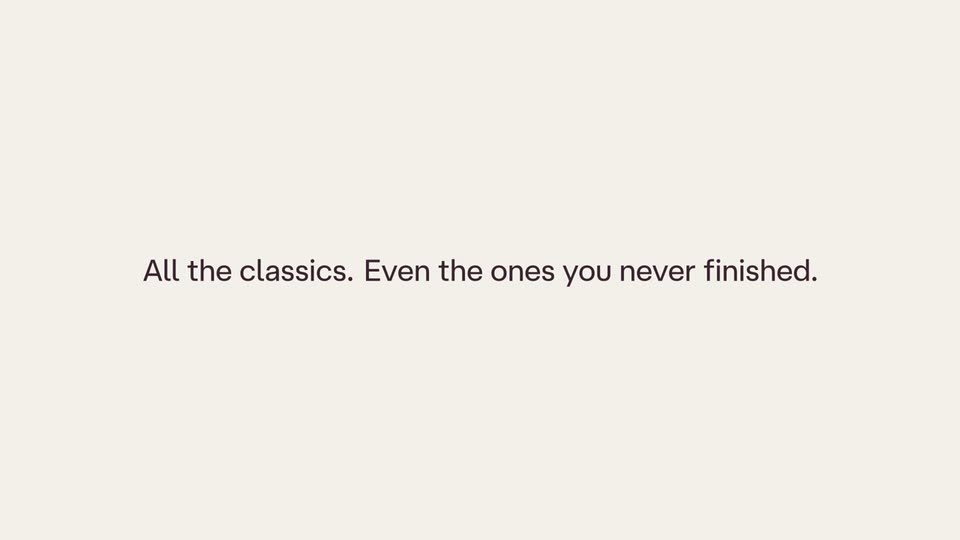
04 · Feature reveal · 0:05–0:09
On a plain cream background, the gray line “All the classics.” darkens to black as the second sentence reveals from left to right beside it, then the full line holds still.
On-screen text: “All the classics. Even the ones you never finished.”
Techniques: Masking
Camera: Static
05 · Feature reveal · 0:09–0:10
A plain cream background holds one centered line of faint gray text that fades out across the shot. The frame stays locked off and the line holds its position while its opacity drops to nothing.
On-screen text: “All the classics. Even the ones you never finished.”
Camera: Static
06 · Feature reveal · 0:10–0:11
A dark blue Gatsby cover faces the camera on a cream background and brightens from dim to full color, while three angled book spines stand to its right in 3D perspective.
Techniques: 3D mockup
Camera: Static
07 · Feature reveal · 0:11–0:12
A row of 3D hardcover books settles into alignment on a cream background. The yellow Dracula cover by Bram Stoker faces the camera at center, flanked by angled spines of The Great Gatsby, Pride and Prejudice, and Moby Dick.
Techniques: 3D mockup
Camera: Pan
08 · Feature reveal · 0:12–0:15
A row of hardcover books stands in 3D perspective on a plain off-white background, center cover facing the camera, side spines angled away. The shelf rotates left at a steady pace, bringing each title from The Great Gatsby to The Wonderful Wizard of Oz to the front.
Techniques: 3D mockup
Camera: Push in
09 · Feature reveal · 0:15–0:19
A flat cream field holds a centered line of gray text reading 'Play the story as your favorite character.' A second clause, 'Or create your own,' slides into the line and the whole sentence darkens to near-black, holds, then fades back to gray.
On-screen text: “Play the story as your favorite character. Or create your own.”
Techniques: Kinetic type
Camera: Static
10 · Feature reveal · 0:19–0:20
A row of 3D hardcover books stands on a plain cream background. The front cover of The Wonderful Wizard of Oz faces the viewer at center, while spines of Pride and Prejudice, Moby Dick, Hamlet and Jane Eyre angle away into perspective on either side. The row shifts slightly.
Techniques: 3D mockup
Camera: Pull out
11 · Feature reveal · 0:20–0:28
Full page shows the Oz book cover left and a persona picker right. The view zooms to the persona row; a cursor taps Dorothy Gale, a green ring and check confirm. It slides down, the cursor picks Book arc, and the Dive in! button fills solid green.
Techniques: UI zoom, Cursor demo
Camera: Push in
12 · Feature reveal · 0:28–0:36
A green 'Dive in!' button slides off a cream screen, then the tagline 'Stick to the canon.' fades in and out while a chat view builds: a 'Playing as Dorothy' header, Glinda and Tin Woodman bubbles, and an input bar scroll into view.
On-screen text: “Stick to the canon.”
Camera: Push in
13 · Feature reveal · 0:36–0:37
A single line of dark text sits centered on a plain cream background. The frame is static with no motion or animation.
On-screen text: “Or flip the script.”
Camera: Static
14 · Feature reveal · 0:37–0:45
A cream chat screen shows Tin Woodman's message above an input field. The user types a reply, sends it, and the thread scrolls up as an italic narrative line and Glinda's answer stream in word by word.
Techniques: Cursor demo, Kinetic type
Camera: Push in
15 · Feature reveal · 0:45–0:46
A cream chat interface with a message bubble and input field fades out as a centered gray tagline builds in word by word over the plain background.
On-screen text: “Story over? Why stop at this universe?”
Techniques: Kinetic type
Camera: Pull out
16 · Feature reveal · 0:46–0:50
On a flat cream background, the dark line “Story over?” holds center, then a lighter gray clause fades in beside it and the pair fades out. Two options slide in: a purple pill “Play book” and a plain “Alt Universes”, and the purple pill slides across to wrap the second option.
On-screen text: “Story over?”, “Why stop at this universe?”, “Play book”, “Alt Universes”
Techniques: Morph
Camera: Static
17 · Feature reveal · 0:50–0:59
A writing app screen with a purple Alt Universes pill beside a Play book label. The placeholder in the text box fades as a sentence types itself, then the view slides down to reveal italic story text and a chat thread between Toto and the Scarecrow.
Techniques: Cursor demo
Camera: Pan
18 · Feature reveal · 0:59–0:59
A cream chat interface scrolls vertically through a story conversation. Serif narrative paragraphs and rounded dialogue bubbles with small round avatars for Toto and Scarecrow drift past, the view settling on a highlighted line about the dog.
Camera: Pan
19 · Feature reveal · 0:59–1:01
A static close-up of a writing app interface: a header with an avatar and the name Dorothy sits left of a pill-shaped Publish AU button, above a white chat bubble and a block of serif story text. A dark circular click ripple pulses over the button.
Techniques: Cursor demo
Camera: Static
20 · Feature reveal · 1:01–1:02
A flat product feed screen, with a header, a publish button, a speech bubble and an italic paragraph, fades out to a plain cream background where a centered tagline remains.
On-screen text: “Get inside the community's headcanon.”
Camera: Static
21 · Feature reveal · 1:02–1:04
On a cream background, the dark gray sans-serif line “Get inside the community's headcanon.” sits centered. A light gray serif heading “Community AUs” slides in above it as a vertical illustration fades in below: two men on steps, a street lamp, and a floating figure in a white dress.
On-screen text: “Get inside the community's headcanon.”, “Community AUs”
Techniques: Kinetic type
Camera: Static
22 · Feature reveal · 1:04–1:09
A cream background holds a vertical feed of fan-art illustrations that scrolls upward at a steady pace. Each card pairs a painted scene with a serif caption, beginning under the heading Community AUs and passing through the Romeo and Juliet, Moby Dick and Alice in Wonderland entries.
On-screen text: “Community AUs”, “Romeo and Juliet”, “but... he never got over his last situationship”, “Moby Dick”, “but... Ishmael gets pulled over by the coast guard”, “Alice in Wonderland”, “but... Alice went to Wonderland for content”
Camera: Static
23 · CTA · 1:09–1:10
A cream card shows a small 3D render of a white rabbit over a glowing hole, with a four-line gray caption beneath. The render and caption slide out as the gray line “Your story starts here.” slides in at center.
On-screen text: “Alice in Wonderland”, “but... Alice went to”, “Wonderland for”, “content”, “Your story starts here.”
Techniques: Kinetic type
Camera: Static
24 · CTA · 1:10–1:12
A single line of dark gray text sits centered on a plain cream background and slides gently across the locked-off frame.
On-screen text: “Your story starts here.”
Techniques: Kinetic type
Camera: Static
25 · Outro · 1:12–1:15
On a plain cream background, the dark reddish-brown serif wordmark (c.ai) books sits centered, with the gray sans URL c.ai/books beneath it. The frame is locked off and the type holds still for the duration.
On-screen text: “(c.ai) books”, “c.ai/books”
Camera: Static