1:28
Introducing Cofia
Cofia · B2B · Feb 2026
Miro’s 0:57 launch film runs 27 scenes, about 2.1 s each. The product is on screen from the first frame. The call to action lands at 0:53 (93% in). The video is built as one continuous hands-on session: the Miro logo gives way to a hand with a white stylus working a tablet board, with the camera alternating between macro pen close-ups and full-board pans that follow the hand. Cuts run at about 21 per minute to a light 130 bpm track, and the piece ends by sliding the tablet out of frame to a static download card.
Is this your launch? to your site or press kit.
Cofia · B2B · Feb 2026
Gooseworks · Oct 2026
Films whose music sounds like this one, voice left out
RivianOS · Funk
Figma · Modern funk and synth-pop
Replicas · Instrumental funk, soul, and hip-hop
A yellow rounded square carrying a dark navy chevron mark holds centered on a plain off-white field. The mark stays static and unchanged for the full duration.
Camera: Static
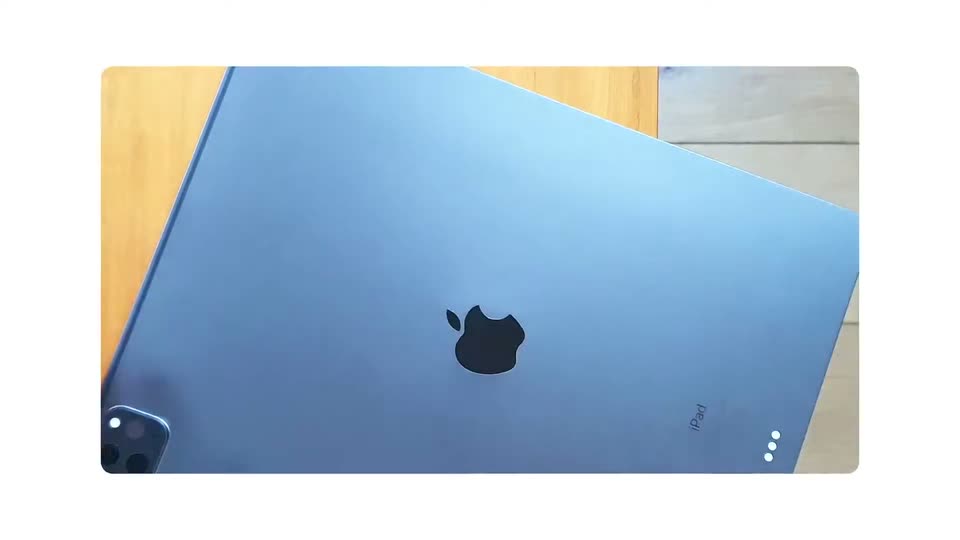
A blue rounded app icon on a white field cuts to a blue iPad lying on a wooden table, a hand with purple nails resting on its left edge, the Apple logo and camera bump visible.
Camera: Static
A hand tilts a tablet toward the camera, flipping it from an angled view to face-on, then the frame cuts to a top-down shot of the tablet lying flat on a wooden table with a stylus on its top edge, the 15:28 lock screen filling the frame.
Camera: Pull out
A hand holds a white stylus over a tablet on a wooden desk, taps the screen, and a yellow app icon pops up and scales on the colorful gradient wallpaper.
Camera: Pull out
A close-up of a tablet on a wooden desk displays a Miro board. A finger with dark nail polish taps the screen near a blue user cursor labeled “Lara”. The board features colorful text and graphics, including “Virtual Event” and “ICE BREAKER”.
Camera: Push in
A close-up of a hand holding a white stylus taps the toolbar of a drawing app on a tablet, then drags a thickness slider and selects a color swatch. A pink outlined 'Virtual Event' label sits at the top right over the white canvas.
On-screen text: “Virtual Event”
Techniques: Cursor demo
Camera: Static
A hand holding a white stylus writes “Welcome!” on a Miro board on a tablet lying on an orange wooden table, while the camera pans right to reveal the pink “Virtual Event Workshop” title and named participant cursors.
Camera: Pan
A hand holds a white stylus over a tablet on an orange desk. The index finger drags the Miro board downward, panning from the welcome banner to the ice breaker section with its rows of alien parts.
Camera: Push in
Close-up of a tablet screen with a children's monster worksheet. A hand guides a white stylus dragging a three-eyed blue monster with yellow antlers and purple wings as the camera pans and pushes in to follow.
Techniques: UI zoom
Camera: Pan
Top-down view of a tablet on an orange surface showing the Miro whiteboard. A finger with red nail polish drags the canvas, panning from a green To-do List to a Speaker Outreach Flow diagram of pink and yellow sticky notes linked by arrows.
Techniques: UI zoom
Camera: Push in
A hand holds a white stylus and writes the words same day in purple script on a digital whiteboard, beside a yellow sticky note labeled Speaker Welcome Pack and gray arrows. The close-up frame stays locked off as the pen completes the second word and draws a curved arrow.
Camera: Static
Locked-off close-up at a tilted angle of a hand holding a white stylus over a tablet screen. The pen taps icons in a floating toolbar next to yellow and pink sticky notes, and the toolbar icons update as tools are selected.
Camera: Static
A hand with a white stylus sketches a diamond on the right of a whiteboard laid out with yellow and pink sticky notes linked by arrows. The shot pulls back to reveal the board's rounded corners against a white wall.
Camera: Static
A white stylus draws a lime green square on a white canvas beside a black box labeled promo. A cut shifts to a hand with red nails writing To-do on a yellow sticky note, with the app toolbar at the top.
Camera: Static
Close-up of a tablet whiteboard app: a hand with red nails holds a white stylus, writing cursive on a yellow sticky note. The screen clears, then a text box with a blue caret and gray placeholder text appears in the center.
Techniques: Cursor demo
Camera: Static
A hand holding a white stylus writes the word socials in cursive on a yellow sticky note inside a tablet whiteboard app. The handwriting is replaced by clean typed text in the same box as the stylus lifts away.
Techniques: Morph
Camera: Static
A hand holding a white marker draws an arrow from a central diamond labeled promo to a green Email sticky note on a whiteboard flowchart. The hand exits and the camera pulls back to reveal the full diagram with socials and Email notes.
Camera: Static
Close-up of a tablet drawing toolbar on a wooden desk. A hand holding a white stylus taps the color swatches in turn, selecting blue, red and black, then lifts the pen away from the screen.
Techniques: Cursor demo
Camera: Static
A hand holds a white stylus over a tablet showing an angled handwritten to-do list. Green checkmarks mark the first three items, a red line strikes through the fourth, and the stylus draws a blue highlight along the final item.
Camera: Static
Tight top-down close-up of a hand with dark purple nails holding a white stylus, drawing a thin blue line down a white surface. A green handwritten to-do list with a pencil doodle sits at the left edge as the pen moves along the page.
Camera: Push in
A hand grips a light blue stylus above a white surface scattered with yellow and blue sticky notes and red handwritten Brainstorm lettering. The stylus draws a curving blue line while the hand shifts slightly. Top-down close-up, steady pace.
Camera: Push in
Close-up of a hand holding a white stylus above a tablet whiteboard. The pen tool highlights in the left toolbar as the hand shifts, with a yellow and an orange sticky note at the right edge.
Camera: Static
Close-up of a hand holding a white marker sketches on a white whiteboard. The hand moves fast with motion blur while handwritten words and yellow, blue sticky notes slide into place around a dashed circle.
Camera: Push in
A hand holding a white stylus drags a yellow sticky note to the right on a tablet whiteboard, separating it from a second note. Other colored notes and handwritten words sit on the canvas beneath a top toolbar.
Camera: Pan
A hand holding a white stylus slides yellow and blue sticky notes across a whiteboard, dropping them into a column under the handwritten Entertain heading. A blue selection box with handles then surrounds three notes, a cursor arrow hovering beside.
Techniques: Cursor demo
Camera: Static
A hand holding a white stylus draws yellow sparkle strokes on a tablet's Miro whiteboard, which shows black handwritten text reading Thank You Team, on a wooden desk. The hand then lifts the pen and rests it on the tablet's top edge as the shot pulls back.
Camera: Pan
A cropped tablet on a wooden surface at the top edge slides up out of frame, leaving the Miro logo and a centered headline on white. The blue URL sits below. All text stays locked and static for the rest of the clip.
On-screen text: “Download Miro app for your tablet”, “miro.com/apps”
Camera: Static