0:38


Maayan Albert - I was shocked that 3/4s of designers work in coding agents rather tha
Proto · B2B · Nov 2026
Cofia’s 1:28 launch film runs 28 scenes, about 3.1 s each. The product is on screen from the first frame. The call to action lands at 1:10 (80% in), over a voiceover. The video opens with a direct-to-camera host naming the product, then runs three use case demos (sales, recruiting, marketing) that each follow the same beat: manual work, a pop-up offer, a one-click launch, and the finished result, closing on a download call to action. Pacing is brisk at about 13 cuts per minute, with the host's video-call inset and a black caption bar anchoring almost every shot while screen recordings zoom and pan to follow the cursor.
Is this your launch? to your site or press kit.
Proto · B2B · Nov 2026
Posthog · Jul 2026
Films whose music sounds like this one, voice left out
Andco · Corporate software tutorial and product demonstration
Confident AI · Voiceover
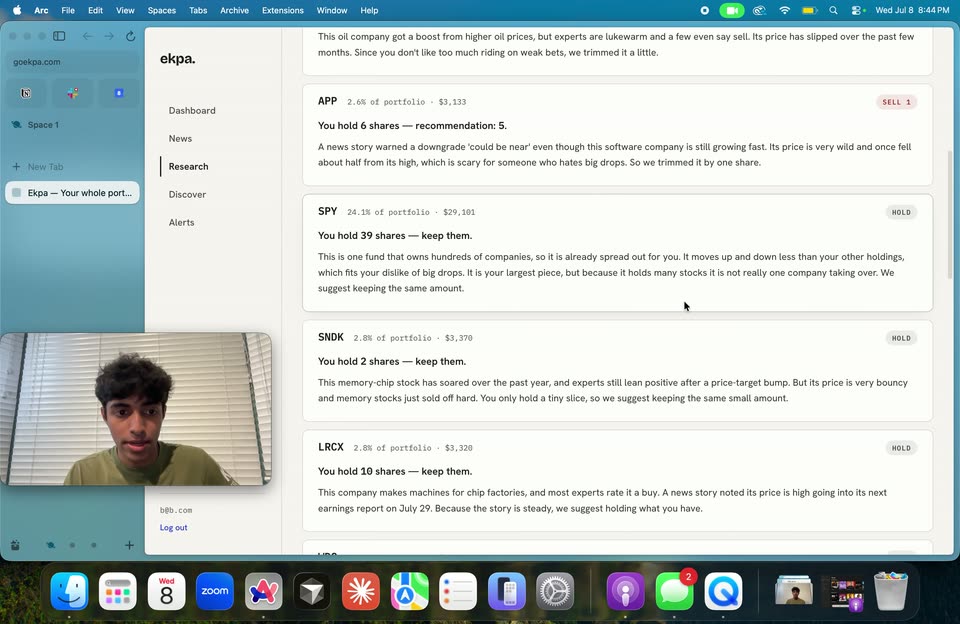
Ekpa · Spoken word / Tech tutorial
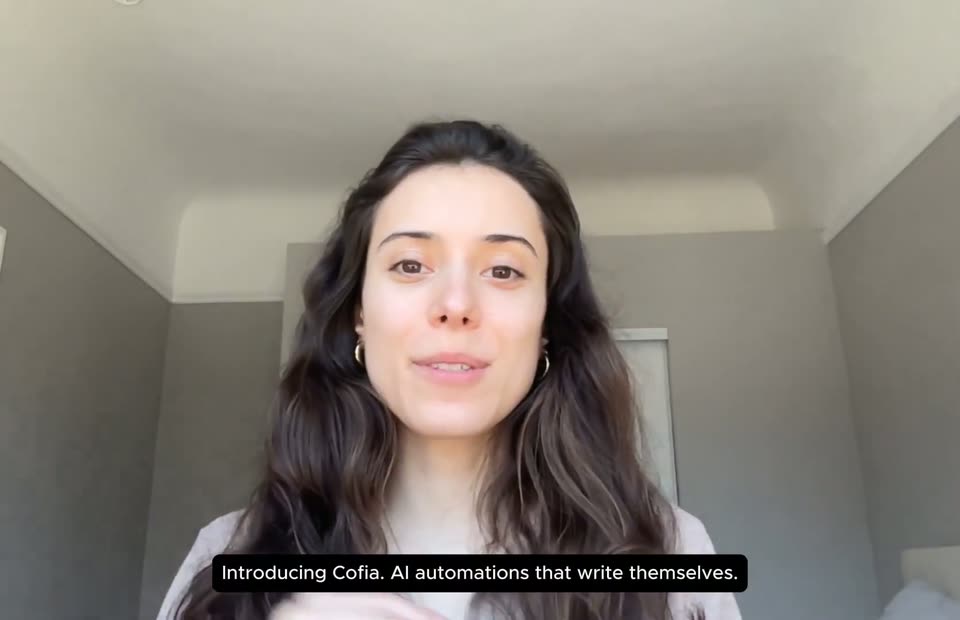
A woman with long dark hair faces the camera in a room with gray walls, speaking and raising her hands to gesture. A black caption bar with white text sits at the bottom of the frame.
On-screen text: “Introducing Cofia. AI automations that write themselves.”
Camera: Pull out
A woman talks to camera in a gray room, then the shot pulls back so her video becomes a small window on the left while a desktop screen with a notification dropdown fills the rest. A cursor hovers over the dropdown.
On-screen text: “Introducing Cofia. Al automations that write themselves.”
Techniques: Morph, Cursor demo
Camera: Pull out
A macOS menu bar shows the app icon's open dropdown; the cursor hovers the highlighted data-collection item, then moves to the icon and the menu closes as a white panel slides up from the bottom left. A presenter speaks in a small inset, and a caption sits at the bottom.
On-screen text: “It securely learns how you work”, “and proactively builds personalized automations”
Techniques: Cursor demo
Camera: Static
A blue macOS desktop fills the frame as a white automation panel, tilted in 3D, slides in from the left with app icons and text lines. A small live video feed of a woman sits in the lower-left corner above a black caption bar.
On-screen text: “and proactively builds personalized automations”
Techniques: 3D mockup
Camera: Static
A macOS desktop shows the Henry's Agents window, a grid of workflow cards, pulling back from a zoomed card to full view. A small video-call window of a woman sits bottom left while a black caption bar at the bottom swaps lines of subtitle text.
On-screen text: “and proactively builds personalized automations”, “that take work off your plate”, “and do tasks just like you would. Take a sales rep,”
Techniques: UI zoom
Camera: Pull out
A Google Sheets restaurant list fills the screen, with a small video-call inset of a woman at the lower left. A cursor moves from a cell to the top menu, and a black caption bar appears at the bottom.
On-screen text: “Henry's Agents”, “and do tasks just like you would. Take a sales rep,”
Techniques: Cursor demo
Camera: Static
A screen recording of Google Maps shows a restaurant list and a place detail panel beside a map. A small webcam video of a woman sits in the bottom left corner. A black caption box at the bottom swaps its text as the cursor moves over the place name.
On-screen text: “building prospecting lists,”, “copying from the internet,”
Techniques: Cursor demo
Camera: Static
A screen recording of a Google Sheets table of restaurants fills the frame, with a woman on a video call in the lower-left corner. A cursor hovers over the sheet as white captions on black bars appear at the bottom.
On-screen text: “copying from the internet,”, “pasting into a spreadsheet,”
Techniques: Cursor demo
Camera: Static
A Google Maps screen shows the New Thai Elephant details panel beside a results list, with a presenter in a small webcam box at lower left. A cursor hovers the phone row and copies it. Black caption pills at the bottom carry the narration.
On-screen text: “pasting into a spreadsheet,”, “enriching with search and Salesforce data”
Techniques: Cursor demo
Camera: Static
A Google Sheets spreadsheet of a restaurant list fills the screen, a small video call of a woman sits in the lower left, and a black caption bar cycles lines at the bottom. A cursor moves between cells as a Cofia popup slides in lower right.
On-screen text: “enriching with search and Salesforce data”, “again and again. Cofia comes to the rescue”
Techniques: Cursor demo
Camera: Static
A static spreadsheet view with a small webcam inset of a woman speaking in the bottom left corner. A white card with app icons and an Automate Now button sits in the bottom right; a cursor drifts across the screen and rests on the button. Black caption bars swap lines at bottom center.
On-screen text: “again and again. Cofia comes to the rescue”, “when you're doing it manually.”, “It knows how you've done this in the past”, “and is now offering you a custom built automation”, “for this use case. Review it.”
Techniques: Cursor demo
Camera: Static
Locked-off screen of a Google Sheets restaurant list, with a video-call inset of a woman lower left and a Cofia automation popup lower right. A black caption bar reads the subtitle at bottom center, a cursor rests on the Automate Now button.
On-screen text: “for this use case. Review it.”
Techniques: Cursor demo
Camera: Static
A light dotted-grid workflow canvas shows a row of circular step icons linked by arrows, with a detail card sliding from the left icon to the right icon as a cursor moves to the Run Test button. A small webcam of a woman sits in the lower-left corner and a black subtitle bar holds at the bottom.
On-screen text: “for this use case. Review it.”, “Launch it. Your automation now handles it”
Techniques: Cursor demo
Camera: Static
A Google Sheets spreadsheet of restaurant leads fills the screen and scrolls down row by row. A small video-call window of a speaking woman sits in the bottom-left corner. A black caption pill with white text updates in the lower right as the sheet scrolls.
On-screen text: “You'll get a list of 400 leads”, “all. 400 leads found”, “with the exact process you usually follow.”
Techniques: UI zoom
Camera: Static
A LinkedIn job posting page fills the screen, with a small webcam inset of a woman in the lower left. The cursor enters the job title field, types Software Engineer, and the view switches to an AI-drafted description. Black caption boxes appear at the bottom.
On-screen text: “Now”, “take a recruiter posting the same job to five boards.”
Techniques: Cursor demo
Camera: Static
A browser shows a LinkedIn job posting behind a Google Docs window, where an AI drafts a job description with lines highlighted in blue. The view reframes onto the document as it scales to fill the frame. A small presenter video sits in the lower-left corner.
On-screen text: “take a recruiter posting the same job to five boards.”
Techniques: UI zoom
Camera: Static
A LinkedIn job-posting editor fills the screen with a small video-call window of a woman in the lower-left corner. The job description text rewrites itself in place as its sections crossfade, and a black caption pill sits at the bottom.
On-screen text: “Copy, paste, format, repeat.”
Techniques: Morph
Camera: Static
A screen capture of a browser shows a job description document beside a small webcam feed of a woman. A black caption sits at the bottom. The view zooms into the document as a cursor hovers and an automation popup appears at the lower right.
On-screen text: “Cofia says hey,”
Techniques: UI zoom, Cursor demo
Camera: Push in
A screen capture of a job posting form; a white card on the right offers to automate posting, with a small webcam video of a woman in the lower left. The cursor glides to the black Automate Now button and clicks it as captions swap at the bottom.
On-screen text: “Cofia says hey,”, “I know you wanna post this in all boards,”, “I can take over, all you need is one click. Review. Launch.”
Techniques: Cursor demo
Camera: Push in
A dotted workflow canvas shows a row of platform icons linked by arrows. A cursor moves along the row, and step cards like Pull job description and Sync to Lever pop in beneath each icon. A chat window then opens over the canvas, with a presenter in a corner video.
On-screen text: “I can take over, all you need is one click. Review. Launch.”
Techniques: Cursor demo
Camera: Static
A dark Slack channel shows a video call tile top-left with a woman talking, a message thread with a reminders table, and a typing box. A cursor moves over the messages and to the top menu bar. Black caption boxes appear at the bottom center.
On-screen text: “Thirty minutes safe per posting.”, “Post job descriptions across platforms”, “Or a marketer,”
Techniques: Cursor demo
Camera: Static
A Google Ads dashboard fills the screen, with a campaigns table, performance cards and a line chart, while a small webcam feed of a woman sits in the top-left corner. A black caption box at the bottom carries the line, and a cursor hovers on the right.
On-screen text: “stitching together Monday morning reports from Google Ads,”
Camera: Static
A dark chat workspace fills the frame with a video call inset of a speaking woman in the top-left corner. A black caption bar sits at the bottom while the interface stays static.
On-screen text: “stitching together Monday morning reports from Google Ads,”
Camera: Static
A dark chat app fills the frame, its marketing channel showing message history and a compose box. A small video call window with a woman speaking sits in the top-left corner. A white caption in a black box at the bottom names the report task.
On-screen text: “stitching together Monday morning reports from Google Ads,”
Camera: Static
A presenter's webcam sits in the top-left corner over a Google Ads dashboard. The view zooms out to reveal the full campaigns table and side navigation, while a black caption reading 'Facebook, Hubspot.' holds at the bottom.
On-screen text: “Facebook, Hubspot.”
Techniques: Cursor demo, UI zoom
Camera: Static
A dark chat app fills the screen, its marketing channel showing a weekly report draft and links, while a small video-call window of a gesturing woman sits in the top-left. Bottom captions read out the data sources.
On-screen text: “Facebook, HubSpot.”, “Cofia knows you do this every morning,”
Camera: Static
A dark interface screen with a small webcam feed of a woman in the top left. A white card listing app icons and an Automate Now button sits at bottom right, a cursor rests on the button, and black caption boxes read across the bottom.
On-screen text: “Cofia knows you do this every morning,”, “and offers to help.”
Techniques: Cursor demo
Camera: Static
A dark chat app displays a weekly marketing report with a small video tile, then cuts to a woman in a gray room who talks to the camera and gestures, while short captions swap at the bottom.
On-screen text: “Now you can enjoy your coffee instead.”, “The magic? You never wrote a prompt.”, “You never described your workflow.”, “Cofia never asked.”, “It learned and built agents tailored to your work.”, “Ready to see what it can take off your plate?”, “Download Cofia today!”
Camera: Push in