1:35

Introducing Confetti — Build hardware from a single prompt
Confetti · Consumer · Oct 2026
Proto · Nov 2026 · 0:38 · AI-annotated · YC Fall 2026
The video alternates white tagline cards with flat-color demo blocks, each feature opened by a centered headline and then shown on a tilted UI card driven by a colored arrow cursor. Signature moves are the solid color fields per section, the flat 3D-tilted interface cards, and the wireframe shapes that bookend the title cards.
Confetti · Consumer · Oct 2026
Tana · Productivity · Nov 2026
Noodle Seed · Oct 2026
The headline “Introducing the Designer's IDE” scales up in the center, the last three words in pink, while colorful 3D wireframe shapes scale in along the top edge on a white background.
On-screen text: “Introducing the Designer's IDE”
Techniques: Kinetic type
Camera: Static
The word Proto sits centered in black on a white background as colorful 3D wireframe pyramids and prisms with dotted vertices rise from the bottom edge of the frame.
On-screen text: “Proto”
Techniques: Kinetic type
Camera: Static
The word Proto in black slides into the center of a white frame as colorful wireframe solids in pink, cyan, green and purple rise along the bottom edge.
On-screen text: “Proto”
Techniques: Kinetic type
Camera: Static
On a plain white background, the phrase The shape of scales in at center, with the word shape in yellow. The Cursor cube icon and the wordmark CURSOR then slide in from the right to complete the lockup.
On-screen text: “The shape of”, “CURSOR”
Techniques: Kinetic type
Camera: Static
A flat calendar app screen on a yellow field zooms in and pans up to the October 2026 week grid, while a white card slides in at the lower right and the Codex chip in the sidebar input scales up.
Techniques: UI zoom
Camera: Push in
Locked-off close-up of a white input field on a pale yellow background. A yellow pointer cursor slides into the field, types the prompt over the placeholder, then rests on the black round send button.
Techniques: Cursor demo
Camera: Static
A chat window and a calendar window sit side by side on a flat yellow background, the chat in front. The chat holds a prompt bubble and types a response word by word while the calendar view stays fixed.
Techniques: Kinetic type
Camera: Pull out
A white calendar app window on a yellow background shows a week view (Oct 26-30, 2026) beside a notes panel on the left. The event cards resolve from empty outlines into labeled blocks as the view settles.
On-screen text: “and creative exploration of Midjourney”
Camera: Pull out
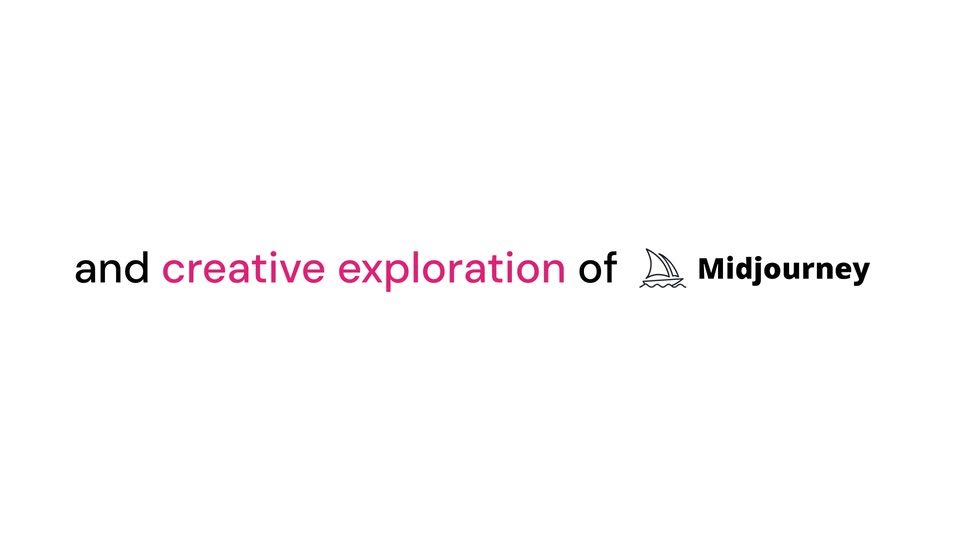
On a plain white background, a sentence assembles word by word: “and” and “of” in black, “creative exploration” in pink, then the Midjourney sailboat mark and wordmark appear at the end of the line.
On-screen text: “and creative exploration of Midjourney”
Techniques: Kinetic type
Camera: Static
A tilted 3D calendar showing the week of October 2026 sits on a solid magenta field, a pink cursor arrow pointing at the left sidebar. The frame zooms in a touch so the event blocks read larger.
On-screen text: “and creative exploration of Midjourney”
Techniques: 3D mockup, UI zoom
Camera: Push in
A flat calendar interface fills the frame with a centered prompt bar. A pink cursor moves from a calendar event to the send button while the prompt text types into the field.
Techniques: Cursor demo, UI zoom
Camera: Pull out
A white calendar week view for October 2026 floats as a card on a solid pink background, with a layout-alternates panel to its right and a large pink arrow cursor hovering over it. The two cards ease slightly apart as the scene holds.
Camera: Pull out
A white interface card on a magenta field shows a calendar week view beside a layout selector with three thumbnails, a pink arrow cursor resting on the first. The left panel slides right, revealing a grid of colored outline boxes as the cursor shifts between panels.
Techniques: 3D mockup, Cursor demo
Camera: Static
A tilted white interface window on a pink background shows a wireframe layout morphing into a detailed calendar. A pink cursor points to a layout thumbnail in the right panel.
Techniques: 3D mockup, Cursor demo, Morph
Camera: Push in
A white panel titled Calendar layout shows calendar mockups in a grid beside a solid pink band. A pink cursor hops between cards; each selected card fills pink with a dashed outline as thin pink lines link it to the options below. The grid scrolls to the next row.
Techniques: Cursor demo
Camera: Push in
A design tool screen opens on a calendar layout panel with six calendar thumbnails, then pulls back to reveal a top toolbar and a state map of orange and green boxes on the left. A large pink cursor hovers over the panel.
Techniques: UI zoom
Camera: Pull out
A white app frame on a pink background shows a calendar view on the left and a grid of design variants on the right. The left panel fills in from wireframe outlines to a colored week calendar while a pink cursor hovers over it.
Techniques: Morph
Camera: Pull out
A centered headline reads on a plain white background, with the word states in blue. A blue paper-plane icon with a white outline and soft drop shadow slides in from the left edge and settles below the text.
On-screen text: “See all the states”
Camera: Static
A weekly calendar view for October 2026 sits on a flat blue field. A translucent duplicate of the panel trails behind it and slides off to the left as the main view eases into the center, while a blue cursor arrow hovers over the time grid and fades out.
Camera: Push in
A tilted calendar window on a blue field. A blue cursor clicks state-map nodes: Home, Loading, Error, Selected Event. The background flips from week to month view, shows a red error banner, then fills with events and opens a Project Review card.
Techniques: 3D mockup, Cursor demo
Camera: Pull out
On a white background, the black headline “and share instantly” slides in as the word “share” gains a purple selection box. Green, purple, and teal collaborator tags with arrow cursors drift around the text.
On-screen text: “and share instantly”
Techniques: Kinetic type, Cursor demo
Camera: Pull out
Close-up of a white interface card on a purple field; the toolbar reads Alternates, Comments, PRs with share and delete icons. A purple cursor glides to the share icon and a black Copy link tooltip pops above it as the panel slides.
On-screen text: “and share instantly”
Techniques: Cursor demo
Camera: Pan
A 3D-tilted browser window on a purple field; a large purple cursor arrow slides toward the address bar and clicks, the URL field flashing purple as the window drifts slightly right.
Techniques: 3D mockup, Cursor demo
Camera: Static
A weekly calendar grid inside a tilted browser window on a purple backdrop opens as a tight close-up, then pulls back to the full window. Colored name tags and pointer cursors slide in around the edges as a large URL caption clears from the center.
On-screen text: “https://prototypes.fun/calendar-redesign”
Techniques: UI zoom, 3D mockup
Camera: Pull out
On a white background, the centered line reads “Get early access at” in black and “prototypes.fun” in magenta, the URL resolving from a horizontal glitch. Colorful 3D wireframe pyramids and spheres in pink, cyan, green, yellow and purple rise along the bottom edge.
On-screen text: “Get early access at prototypes.fun”
Techniques: Kinetic type
Camera: Static