0:38
Maayan Albert - I was shocked that 3/4s of designers work in coding agents rather tha
Proto · B2B · Nov 2026
Gooseworks · Oct 2026 · 0:52 · AI-annotated
Gooseworks’s 0:52 launch film runs 16 scenes, about 3.3 s each. The product is on screen from the first frame and 8 features are revealed. The call to action lands at 0:46 (89% in). A single chat window carries the whole video: each feature is introduced by a bold headline in the right pane while a typed prompt, a loading beat and a result card play out in the left pane, with the pastel background shifting hue to mark each new task. Pacing is slow and even at roughly one cut per eight seconds, built on crossfades, self-typing input loops and the felt goose as the recurring signature move.
Is this your launch? to your site or press kit.
On a plain off-white background a small dark dot pops in, then the two-line headline slides in as the dot expands into a lavender ring. A Dots by Gooseworks logo lockup fades in beneath.
On-screen text: “This skill turns Dots”, “into an AI CMO”, “Dots × Gooseworks”
Techniques: Kinetic type, Morph
Camera: Push in
A locked-off close-up of a white chat input bar on a light card. The gray placeholder fades as a command is typed left to right, ending with a full URL, while the blue send button holds on the right.
Camera: Static
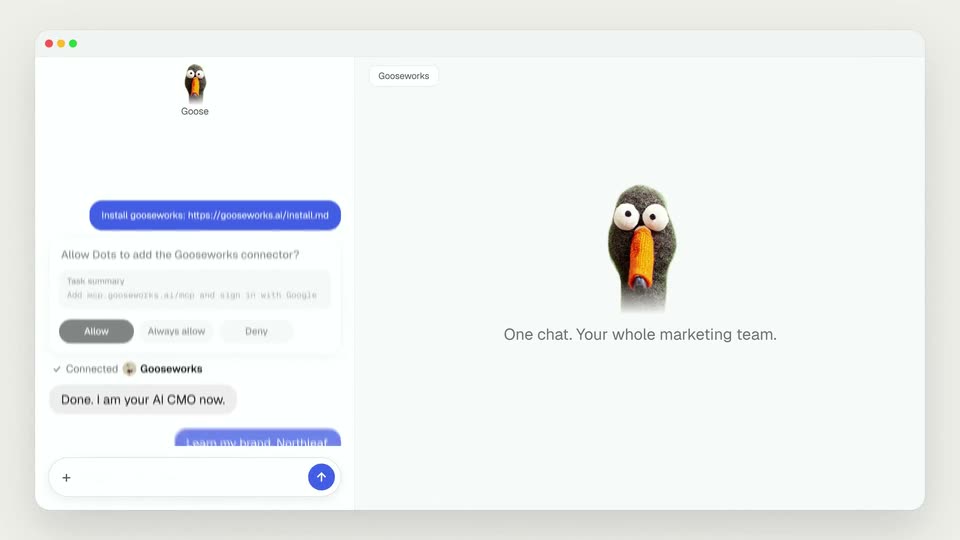
A focused chat view shows a blue install bubble above a connector permission card. A cursor clicks the Allow button, then the view scrolls up to reveal a goose logo, a Connected Gooseworks line, and a reply bubble. A 3D goose slides in from the right edge.
Techniques: Cursor demo, UI zoom
Camera: Pull out
A light chat window shows a Goose conversation on the left and a 3D goose head on the right. New message bubbles slide into the chat as a brand name is typed, and the right panel tagline crossfades to the headline Understand your brand deeply.
Camera: Static
A flat chat window on a green field. The left pane types a question letter by letter while the right pane crossfades from a Northleaf brand kit card to a research loading state, the message list scrolling up as a new task card appears.
Camera: Static
A flat browser window shows a two-pane chat interface. Left: message bubbles and status cards appear in sequence as the input field types a new prompt. Right: a trends card fades in under the headline, revealing the search term and four hashtag pills.
On-screen text: “Research social posts and trends”
Camera: Pan
A chat window sits on a pink gradient. In the left pane, message bubbles appear in sequence; in the right pane, a loading spinner gives way to three Northleaf ad cards. The input field types a new prompt, then the whole window blurs out.
Camera: Static
A two-panel chat interface on a cream background: the left message list scrolls up as new bubbles appear, while the right panel's loading spinner is replaced by a vertical greens-product video that scales into place.
On-screen text: “Make videos from images”
Camera: Static
A flat browser window shows a chat with the Goose assistant on the left and a feature panel on the right. The right card crossfades from a dark product video into a light Instagram post mockup as the background shifts from peach to lavender.
On-screen text: “Make organic social media posts”
Camera: Static
A chat window shows prompts to Gooseworks and its replies fading in, ending with a new prompt typed into the message box, beside a northleaf Instagram post card under the headline Make organic social media posts.
On-screen text: “Make organic social media posts”
Camera: Pan
A product chat window on a pale blue background. The right panel switches from a loading spinner to four product photos, a ready card and a new line appear in the chat, then a question types itself into the input box.
Techniques: Cursor demo
Camera: Static
A flat browser window frames the Goose chat on the left and a results panel on the right. The panel swaps from a product-photos layout to an ad-library research layout with a spinning loader, as the chat list scrolls to a new reply.
Camera: Static
A browser window on a pink background shows a chat with the Goose assistant on the left, messages appearing one by one as the input box types a new prompt. On the right, a strikethrough crosses out “ad library” in the headline while a sponsored AG1 ad card fades in.
On-screen text: “Research competitor ads from the ad library”
Camera: Static
A chat panel scrolls down as new messages appear, and the right panel cross-fades from an ad library card to a blank influencers view with a loading spinner; the tab label switches from Ad library to Influencers.
Camera: Static
A chat panel with a goose assistant scrolls new messages while the right panel, headed Research influencers, swaps a loading spinner for three portrait cards tagged Shortlisted. The frame then dissolves into a blurred map view.
Camera: Static
A Dots x Gooseworks logo lockup sits over a hazy 3D city map as the Dots icon cycles through character faces. A caption and a white pill with the install URL fade in, then a felt goose puppet rises from the bottom.
On-screen text: “Installation prompt below”, “Install gooseworks: https://gooseworks.ai/install.md”
Techniques: Morph
Camera: Static