2:26

Inkeep - Copilot for Support Teams
Inkeep · B2B · Nov 2024
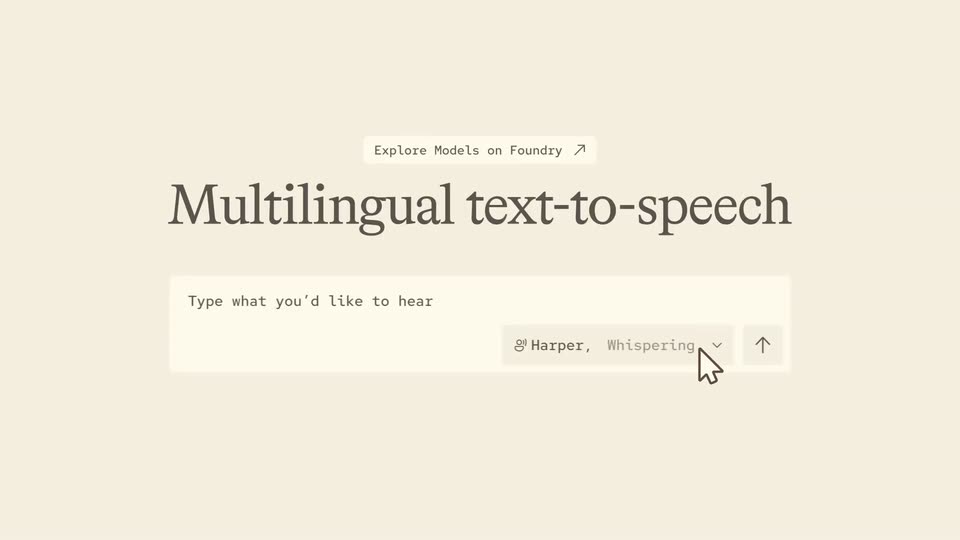
Microsoft’s 0:23 launch film runs 5 scenes, about 4.6 s each. The product is on screen from the first frame and 1 feature is revealed. There is no explicit call to action; a voiceover carries the film. The video is a single unbroken cursor driven walkthrough of one text to speech task, moving from the model picker to voice and style selection, then to a generated audio card with a Spanish voiceover. Its style is a flat cream palette, monospace interface text, a serif feature headline, and hand drawn brown arrows that annotate the UI like a tutorial.
Is this your launch? to your site or press kit.
Films whose music sounds like this one, voice left out
Figma · Electronic, Funk
A flat product screen lists three MAI models; a hand-drawn brown arrow draws itself across the top and points at the plus button beside MAI-Voice-2, where a cursor hovers. The screen then fades to a text-to-speech page with an input field.
Techniques: Cursor demo
Camera: Static
A cream product page centers a large serif headline with an offset gray shadow above a white input field. The field holds a placeholder line and a model chip with a dropdown, while a cursor arrow drifts down along the chip's right edge.
Camera: Push in
A cream interface shows a voice pill beside a dropdown panel. A cursor scrolls the voice list, selects Valeria, then picks Excited from the Style list, updating the pill. The view shifts to a text field typing a Spanish transcript, then a hand-drawn arrow points to the up-arrow button.
Techniques: Cursor demo
Camera: Pull out
A cream rounded panel holds a white pill with a spinning loader and the status text Generating audio...; the view settles from a blur into a clean, locked-off frame.
Camera: Pull out
A cream card shows a spinning loader with the label “Generating audio...”, then resolves into an audio player with a pause button, a progress bar that advances from 00:00 to 00:07, and an italic Spanish transcript with action icons.
Camera: Static