
2:45
Explore
00:00:00 / 02:05:16
- Length
- 2:05
- Scenes
- 50 · 2.5 s avg
- Product on screen
- 0:45
- Features shown
- 1
- Call to action
- 1:57 · 94%
- Voiceover
- Yes
- Views
- 7.4M on X
as of November 18, 2026
HeyGen’s 2:05 launch film runs 50 scenes, about 2.5 s each. The product shows up at 0:45 and 1 feature is revealed, with social proof. The call to action lands at 1:57 (94% in), over a voiceover. The video alternates a live presenter in a sunlit loft with clean white UI motion graphics, using a recurring gradient pause orb and a teal You tag to mark the agent's and the user's actions. Pacing is quick at about 17 cuts per minute, with large white kinetic type for keywords and soft pastel gradients plus purple scan bars to visualize the AI thinking.
Footage neededEstimated needs: 3 capture groups — your screens or recordings · 27 filmed passages — shoot, supply or replace
Is this your launch? to your site or press kit.
More like this

Similar soundtrack
Films whose music sounds like this one, voice left out
0:48

Wispr Flow - We launched Notetaker today, and there's a few key features we're exc
Wispr Flow · Upbeat electronic
1:41


Exploring the Latest Release for Adobe Illustrator and InDesign | The Update | Adobe Creative Cloud
Adobe · Upbeat electronic
1:13


BioStack Platforms launch film
BioStack Platforms · Electronic
Joshua Xu - Today we’re introducing you to the future of video. The world’s firs, scene by scene
· 50 scenes as text
01 · Hook · 0:00–0:01
A man in a white sweater sits at a desk with an open laptop in a bright, windowed room. He looks at the camera, then looks down and starts typing, and the shot cuts to a black screen where a cursor hovers over a teal dot labeled You.
On-screen text: “Watch this.”
Techniques: Cursor demo
Camera: Push in
02 · Demo · 0:01–0:04
A light prompt field types a request as media thumbnails load beneath it, then the view zooms onto a purple Generate button. A teal cursor tagged You moves across the controls and hovers the button.
On-screen text: “Make a UGC style ad promoting Poppi.”
Techniques: Cursor demo, UI zoom
Camera: Static
03 · Demo · 0:04–0:05
Close-up of a light UI panel with a purple Generate button. A white cursor arrow glides in from the right and rests on the button, which scales up. A teal You badge slides up beside it. A pink tagline floats above and a gray caption bar sits below.
On-screen text: “Turn An Idea Into A Video.”, “Make a UGC style ad promoting Poppi.”
Techniques: Cursor demo
Camera: Static
04 · Demo · 0:05–0:08
Three vertical video cards blur into focus on white: the left shows a man talking, the others show green Generating placeholders. A bottom caption reads 'Tired of sugary sodas that leave you feeling sluggish?' and the left card ends on a purple soda can.
On-screen text: “HEYGEN TECHNOLOGY INC VIDEO AGENT LAUNCH”, “Tired of sugary sodas that leave you feeling sluggish?”
Techniques: Split screen
Camera: Static
05 · Demo · 0:08–0:11
Three phone cards sit side by side on white. The left and middle cards play clips of a hand pouring a red drink and a woman holding an orange can; the right stays a green-to-yellow gradient marked Generating. A gray caption bar at the bottom updates mid-scene.
On-screen text: “What if I told you....”, “Deliciouse this bubbly drink that's actually good for your gut?”
Techniques: Split screen
Camera: Static
06 · Demo · 0:11–0:13
Three vertical video cards sit side by side on white: soda cans on the left, a woman with a can in the middle. The right card fills in from a green 'Generating' gradient to a man holding a can, as a bottom caption bar changes text.
On-screen text: “Delicious this bubbly drink that's actually good for your gut?”, “Say hello to Poppi!”
Camera: Static
07 · Demo · 0:13–0:14
Three vertical video panels sit side by side on a pale background, each showing people holding Poppi soda cans. White pill labels read Poppi Video 1, 2, 3 beneath them, and a gray caption reads Say hello to Poppi! at the bottom.
On-screen text: “Poppi Video 1”, “Poppi Video 2”, “Poppi Video 3”, “Say hello to Poppi!”, “HEYYEN TECH VIDEO AGENT LAUNCH”
Techniques: Split screen
Camera: Static
08 · Demo · 0:14–0:17
Three vertical video panels play side by side on a light background, labeled Poppi Video 1, 2 and 3. They show hands holding orange and purple Poppi cans, a woman presenting a can, and a man talking while grape soda pours into a glass of ice.
On-screen text: “So, it's just a Poppi soda.”, “Poppi Video 1”, “Poppi Video 2”, “Poppi Video 3”, “It's packed with prebiotics and apples.”
Techniques: Split screen
Camera: Static
09 · Demo · 0:17–0:18
A man in a cream sweater stands before floor-to-ceiling windows, gesturing with both hands. Clear shelves behind him hold a VR headset, drone, and accessories, while an open laptop sits on the desk to his right. The shot is framed in a rounded-corner card with bottom subtitles.
On-screen text: “These three”, “videos were all made from the footage.”
Camera: Static
10 · Demo · 0:18–0:19
A man in a white sweater stands in a sunlit room with floor-to-ceiling windows, gesturing with both hands as he speaks. Acrylic shelves of gadgets and an open laptop sit beside him; a dark subtitle bar with a small palm icon reads at the bottom.
On-screen text: “These three videos were all made from the footage.”
Camera: Pan
11 · Demo · 0:19–0:21
A split screen pairs a presenter in a cream sweater gesturing on the left with a close-up of hands holding a phone on the right, filming juice cans on a table. A red record dot sits in the corner as captions swap at the bottom.
On-screen text: “These three”, “videos were all made from the footage.”, “I just recorded”, “and it took only a few minutes to create.”
Techniques: Split screen
Camera: Push in
12 · Demo · 0:21–0:23
A man in a cream sweater talks and gestures on the left of a split screen; the right shows hands holding a phone that records cans on a table. A red record icon sits bottom right. The right panel drops away, leaving the man full frame with captions.
On-screen text: “I just recorded”, “and it took only a few minutes to create.”
Techniques: Split screen
Camera: Pan
13 · Problem · 0:23–0:27
A presenter in a cream sweater walks toward the camera in an empty high-rise room with floor-to-ceiling windows and a city view. A large white headline 'So how does it work?' spans the frame, then slides away as white captions in dark boxes appear at the bottom.
On-screen text: “I just recorded”, “and it took only a few minutes to create.”, “So how does it work?”, “So how does it work? I'll show you.”, “But first, let's talk about what's really been stopping you from creating videos.”
Techniques: Kinetic type
Camera: Static
14 · Problem · 0:27–0:31
A man in a cream sweater stands before a large window with a soft-focus city skyline, speaking and gesturing with both hands as the camera drifts slowly sideways. Two-line white subtitles hold at the bottom of the frame.
On-screen text: “But first, let's talk about what's really”, “been stopping you from creating videos.”
Camera: Pull out
15 · Problem · 0:31–0:33
A presenter in a cream sweater stands center frame in a bright loft with floor-to-ceiling windows and a city view. Large blurred white words, Time then Budget, scale in behind him to match his speech while he gestures.
On-screen text: “Time.”, “Budget.”
Techniques: Kinetic type
Camera: Static
16 · Problem · 0:33–0:35
A man in a cream sweater stands center in a bright empty loft with floor-to-ceiling windows and a city view. Large white words like Tools. and People. scale in behind him while small captions sit at the bottom. He gestures as he talks.
On-screen text: “Budget.”, “Tools.”, “The people.”, “People.”
Techniques: Kinetic type
Camera: Static
17 · Problem · 0:35–0:38
A man in a cream sweater stands in a sunlit room lined with shelves of gadgets and luxury goods, a laptop on the desk beside him, talking to camera and gesturing; the frame tightens to a close-up as he continues. White subtitles on dark bars appear at the bottom.
On-screen text: “The people.”, “Or just not knowing”, “how to turn the idea”, “in your head into something real.”
Camera: Push in
18 · Problem · 0:38–0:45
A man in a cream sweatshirt talks to camera. A white document card and a video card slide in around him in 3D, then the video card rotates into a cube. The shot cuts to a wider locked-off frame of him at a desk with a laptop.
On-screen text: “how to turn the idea in your head into something real.”, “There is always has been something in the way.”, “That's how it has always been.”
Techniques: 3D mockup, Morph
Camera: Pull out
19 · Product intro · 0:45–0:46
A man in a cream sweater stands center-frame in an empty high-rise room with floor-to-ceiling windows over a city skyline, gesturing with both hands as he speaks. A translucent white GUCCI wordmark hovers behind him while captions swap at the bottom.
On-screen text: “GUCCI”, “That's how it has always been.”, “Until now.”
Camera: Static
20 · Product intro · 0:46–0:49
A man in a cream sweater stands in a bright room with city-view windows, gesturing as he talks. Glass display cases of gadgets, handbags and perfume sit behind him; a laptop rests on a desk to his right. White subtitles appear at the bottom.
On-screen text: “Until now.”, “I want to introduce you to the Worlds first creative operating system,”
Camera: Static
21 · Product intro · 0:49–0:51
A man in a cream sweater talks and gestures inside a rounded video frame on the left. On the white right panel, the headline Creative Operating System wipes in beside a floating gradient orb with a pause icon and a purple cursor.
On-screen text: “I want to introduce you to the Worlds first”, “creative operating system,”, “Creative Operating System”
Techniques: Kinetic type
Camera: Static
22 · Product intro · 0:51–0:53
A man in a white sweater gestures in a left card. A gradient circle with a pause icon and purple cursor sits right above the headline. A purple chat bubble pops in, then the frame reframes, duplicating the man and pushing the headline behind the icon.
On-screen text: “Creative Operating System”, “the HeyGen Video Agent.”, “What would you like to create?”
Camera: Static
23 · Product intro · 0:53–0:57
A man in a cream sweater speaks and gestures inside a rounded video card centered on a white canvas. Small video clips drift in around the card from the edges, a faint company watermark sits at the lower left, and a bottom caption switches from the first line to the second.
On-screen text: “the HeyGen Video Agent.”, “This isn't an editing tool with Al inside.”
Camera: Push in
24 · Product intro · 0:57–0:59
A man in a cream sweater speaks inside a rounded video card, gesturing with both hands. Small video thumbnails drift around it on a light grid background. Feature labels “Casting Talent” and “Picking Music” pop in on the right as the subtitle bar updates.
On-screen text: “HEYGENTECHNOLOGYINC VIDEO AGENT LAUNCH”, “This isn't an editing tool with Al inside.”, “This is Al that”, “Casting Talent”, “thinks like a creative team and works like a production or crew.”, “Picking Music”
Techniques: Parallax
Camera: Pan
25 · Product intro · 0:59–1:01
A vertical clip of a man in a white sweater talking in a bright room scales up from the left until it fills the frame, while a list of task labels with circular arrow icons slides out to the right. A two-line caption stays fixed at the bottom.
On-screen text: “Casting Talent”, “Picking Music”, “Writing Script”, “thinks like a creative team and works like a production or crew.”
Techniques: Split screen
Camera: Pan
26 · Social proof · 1:01–1:04
A man in a cream sweater stands in a bright studio lined with acrylic display cases holding gadgets and a laptop on a desk, gesturing while he speaks to camera. The locked-off shot holds as subtitles swap at the bottom.
On-screen text: “thinks like a creative team”, “and works like a production or crew.”, “Before Agent, most people”, “couldn't make a single video in a week.”
Camera: Static
27 · Social proof · 1:04–1:06
A man in a cream sweater stands in a sunlit room with a city skyline behind floor-to-ceiling windows, gesturing with both hands as he speaks. A shelf holds a patterned handbag, a microphone, and a mannequin head with goggles. A caption bar sits at the bottom.
On-screen text: “Before Agent, most people couldn't make a single video in a week.”
Camera: Static
28 · Social proof · 1:06–1:10
A man in a cream sweater stands center frame in a sunlit high-rise room, gesturing with both hands while speaking. Acrylic boxes of gadgets and designer goods line the windows behind him; an open laptop rests on a desk to his right. Lower-third subtitles swap mid-scene.
On-screen text: “Before Agent, most people”, “couldn't make a single video in a week.”, “Now we can make an entire campaign”, “in minutes.”
Camera: Static
29 · Demo · 1:10–1:13
A man in a cream sweater speaks to camera in a bright loft, gesturing with both hands; behind him a clear shelf holds a patterned handbag, a small microphone and a mannequin head with goggles. The shot is framed in a white rounded border, and a caption reads at the bottom: “Use your own footage or use existing footage.”
On-screen text: “Use your own footage”, “or use existing footage.”
Camera: Pan
30 · Demo · 1:13–1:16
Split screen: a white upload grid with a heading fills with drink images and a brief document on the left while a man in a cream sweater gestures on the right. A cursor and a blue You badge pop in below the grid as captions change at the bottom.
On-screen text: “Use your own footage or use existing footage.”, “Even start with a document.”, “HEYGENTECHNOLOGY INC”, “VIDEO AGENT LAUNCH”, “HEYGEN.COM”
Techniques: Split screen, Cursor demo
Camera: Pan
31 · Demo · 1:16–1:16
A light prompt card fills the frame as a row of control icons fades in beneath the placeholder line. A video file chip labeled video002.mp4 with a blue You badge slides in from the right, and a man's face rises into the bottom left corner.
On-screen text: “Just upload your file, type a prompt and our Video Agent takes care of the rest.”, “HEYGENTECHNOLOGY INC”, “VIDEO AGENT LAUNCH”
Camera: Static
32 · Demo · 1:16–1:21
A light interface shows a prompt bar with two uploaded video thumbnails. A teal cursor tagged “You” moves to the duration control and opens a dropdown, hovering over 60s. A circular clip of a man talking sits bottom left, with a caption line below.
On-screen text: “You”, “Just upload your file, type a prompt and our Video Agent takes care of the rest.”, “It doesn't just generate a video.”
Techniques: Cursor demo, UI zoom
Camera: Static
33 · Demo · 1:21–1:22
A man in a cream sweater stands before a floor-to-ceiling window with a blurred city skyline behind him, gesturing with both hands as he speaks. The locked-off frame holds steady while a caption sits at the bottom.
On-screen text: “It doesn't just generate a video.”
Camera: Static
34 · Demo · 1:22–1:24
On a white field, a dark Thinking pill with a dotted icon scales up as a row of blue dots stretches out on both sides. A purple cursor hovers beside it and a gradient pause button sits at the bottom right, while the bottom caption swaps to a new sentence.
On-screen text: “HEYGENTECHNOLOGYINC”, “VIDEO AGENT LAUNCH”, “It doesn't just generate a video.”, “It analyze your footage and then it plans your story around that footage.”
Camera: Static
35 · Demo · 1:24–1:25
A rounded video window shows a hand turning a purple can as a purple scan line sweeps left to right across it. A cursor and a pink pause button sit at its lower right, rows of blue dots flank the window, and a gray caption bar carries the voiceover line.
On-screen text: “HEYGENTECHNOLOGYINC”, “VIDEO AGENT LAUNCH”, “It analyze your footage and then it plans your story around that footage.”
Techniques: Light sweep
Camera: Static
36 · Demo · 1:25–1:26
A rounded video preview switches from soda cans to a glass of red drink as a purple selection bar sweeps across. A cursor arrow hovers, a pink pause orb floats at the bottom right, and a bottom caption says the agent plans the story around the footage.
On-screen text: “HEYGENTECHNOLOGYINC”, “VIDEO AGENT LAUNCH”, “It analyze your footage and then it plans your story around that footage.”
Techniques: Cursor demo
Camera: Static
37 · Demo · 1:26–1:27
A rounded clip of a drink being poured sits center frame as a purple playhead bar sweeps left to right across it. A glowing orb with a pause icon rests below, a blurred Analyzing Videos label sits right, and a gray caption bar holds the voiceover line at the bottom.
On-screen text: “HEYGENTECHNOLOGYINC”, “VIDEO AGENT LAUNCH”, “It analyze your footage and then it plans your story around that footage.”
Camera: Static
38 · Demo · 1:27–1:28
A rounded video thumbnail of a hand holding a soda can sits centered on a pale background, with a purple scan bar sweeping across it from left to right. A purple cursor and a gradient pause button hover at its corner beside the label “Analyzing Videos,” while a bottom caption swaps from one line to the next.
On-screen text: “HEYGENTECHNOLOGYINC”, “VIDEO AGENT LAUNCH”, “It analyze your footage and then it plans your story around that footage.”, “It builds the visual.”
Camera: Static
39 · Demo · 1:28–1:28
A locked-off near-white grid frame shows a purple cursor arrow above a circular purple-to-teal pause button, a blurred gray status pill to the right, and a gray caption pill at the bottom center. All elements hold still.
On-screen text: “HEYGENTECHNOLOGYINC”, “VIDEO AGENT LAUNCH”, “It builds the visual.”
Techniques: Cursor demo
Camera: Static
40 · Demo · 1:28–1:28
A near-white field with a soft pastel glow. A purple cursor arrow hovers above a round gradient pause button, while a white pill card labeled Agent Selecting Clips fades in at the bottom right. A dark caption pill reads It builds the visual. at the bottom center.
On-screen text: “It builds the visual.”
Camera: Static
41 · Demo · 1:28–1:34
Thumbnails of soda-can footage tile the frame. A purple cursor glides across as glowing pink-purple orbs with a pause glyph pop over chosen clips, the rest fading to washed-out white. A bottom caption bar cycles the script text; a right-side card reads Agent, Selecting Clips.
On-screen text: “It builds the visual.”, “Agent”, “Selecting Clips”, “HEYGENTECHNOLOGYINC”, “VIDEO AGENT LAUNCH”, “Select the shots and write a script, delivering a full edited,”, “Ready to publish your video in just minutes.”
Techniques: Cursor demo
Camera: Static
42 · Demo · 1:34–1:36
A centered grid of clips showing people holding soda cans and red drinks fills the frame. Purple vertical bars slide in to segment the selected clips, then the grid dissolves to white. Two gradient pause orbs with purple arrow cursors float at the edges as the bottom caption changes.
On-screen text: “Ready to publish your video in just minutes.”, “The most realistic, expressive AI performer available, all powered”
Camera: Pull out
43 · Feature reveal · 1:36–1:39
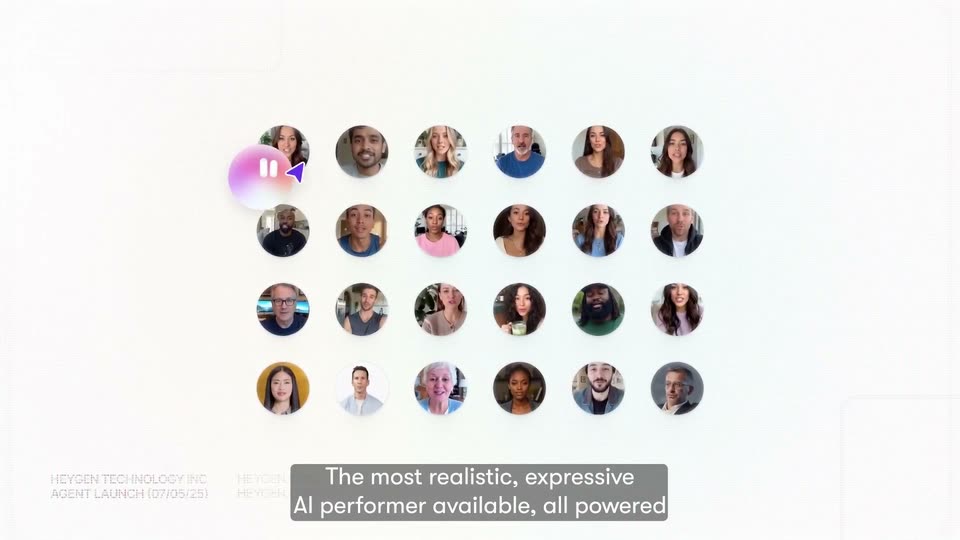
A 4-by-6 grid of circular face photos appears on a pale background, lower rows fading in from blur. A purple gradient circular button with a pause icon and a purple cursor arrow moves across the grid. A gray caption strip holds the voiceover line at the bottom.
On-screen text: “HEYGGEN TECHNOLOGY INC”, “AGENT LAUNCH (07/05/25)”, “The most realistic, expressive AI performer available, all powered”, “Ready to publish your video in just minutes.”, “1”
Techniques: Cursor demo
Camera: Static
44 · Feature reveal · 1:39–1:49
Three columns of a video-agent interface scroll down: footage of hands pouring soda, then Analyze, Plan and Generate cards with scripts and final clips. A purple pause orb with a cursor rides the right column, and the view pulls back to a grid of repeated columns.
On-screen text: “HEYGEN TECHNOLOGY INC VIDEO AGENT LAUNCH (07/05/25)”, “The most realistic, expressive AI performer available, all powered”, “by our Avatar 4 model.”, “Designed for marketing, storytelling and scale.”, “Our video agent isn't just a tool, it's a team.”
Techniques: UI zoom
Camera: Pull out
45 · Feature reveal · 1:49–1:50
A wide grid of workflow cards (Footage, Analyze, Plan, Generate) scrolls slowly left across a light background while a gradient pause orb and a blue cursor hover over the top row. A gray caption bar at the bottom swaps from the first line to a new two-line caption, the second line scaling in.
On-screen text: “Our video agent isn't just a tool, it's a team.”, “It's your director, scriptwriter, editor,”, “and your editor.”
Techniques: Kinetic type
Camera: Pull out
46 · Other · 1:50–1:53
A man in a cream sweater stands in a sunlit room lined with shelves of gadgets, a laptop on the desk to his right. He gestures with both hands while speaking to camera, and subtitle lines swap in at the bottom of the frame.
On-screen text: “It's your director, scriptwriter, editor,”, “and your editor.”, “All you need is an idea”, “and our video agent bring it to life.”
Camera: Static
47 · Other · 1:53–1:57
A man in a cream sweatshirt stands in a bright room with floor-to-ceiling windows, gesturing with both hands while speaking. Behind him, clear display cases hold a microphone on a tripod and a black head wearing goggles. Static white subtitles sit in a dark bar at the bottom.
On-screen text: “All you need is an idea”, “and our video agent bring it to life.”, “Join the waitlist.”
Camera: Static
48 · CTA · 1:57–2:01
A man in a cream sweater stands in a bright high-rise room with floor-to-ceiling windows, speaking and gesturing to the camera while subtitles run at the bottom. The shot then defocuses and a large black headline with a gray URL appears centered over the blurred figure.
On-screen text: “Join the waitlist.”, “Being a part of our future of video.”, “Join the waitlist.”, “heygen.com/agent”, “HEYGEN TECHNOLOGY INC”, “VIDEO AGENT LAUNCH”
Camera: Static
49 · CTA · 2:01–2:03
A blurred figure in a bright room fades out to a plain off-white background behind centered black text that stays locked. The call-to-action headline and URL hold still as the backdrop clears, with small credit lines fixed in the lower corners.
On-screen text: “Join the waitlist.”, “heygen.com/agent”, “HEYGENTECHNOLOGY INC”, “VIDEO AGENT LAUNCH”
Camera: Static
50 · CTA · 2:03–2:05
A locked-off end card on a near-white background. The bold black headline sits centered with the gray URL directly below it, and two lines of faint gray uppercase footer text anchor the bottom-left corner. Nothing moves.
On-screen text: “Join the waitlist.”, “heygen.com/agent”, “HEYGENTECHNOLOGY INC”, “VIDEO AGENT LAUNCH”
Camera: Static