1:57

Introducing ElevenLabs Conversational Agents
ElevenLabs · AI · Dec 2024
Userlens · Nov 2026 · 1:22 · AI-annotated
Userlens’s 1:22 launch film runs 31 scenes, about 2.7 s each. The product shows up at 0:19 and 4 features are revealed. The call to action lands at 1:16 (92% in), over a voiceover. The video alternates park talking-head shots with flat UI demos on off-white, bridging the two modes with pixel-mosaic wipes and the recurring orange square mascot. Pacing is brisk at about 11 cuts per minute with yellow outlined captions carrying the voiceover, and each feature step is announced in monospace UI then demoed through typed-out cards and tiling grids.
Is this your launch? to your site or press kit.
ElevenLabs · AI · Dec 2024
Ecovadis · Nov 2020
Pomerado · B2B · Oct 2026
A man in a white T-shirt stands in a sunlit park in a static medium shot, speaking and gesturing. Dark callout cards with pointer lines appear at his shoulders, and a large translucent 20,000+ fades in behind him. Yellow subtitles caption the speech at the bottom.
On-screen text: “As YC founders,”, “backed by”, “Y Combinator”, “we have built”, “HAI TA”, “Co-founder at Userlens”, “software products adopted by over”, “20,000+”, “20,000 professionals and teams.”, “Today,, we're taking what we've learned to solve the biggest bottleneck”
Camera: Push in
A textured 3D desk scene with a vintage computer, lamp, plants and mug. The camera zooms onto the monitor; a grid of dots appears with a few turning red and the stat '<5% of users fully adopt a product' scales in. Yellow captions run along the bottom.
On-screen text: “we're taking what we've learned”, “to solve the biggest bottleneck”, “in software: Product Adoption.”, “<5% of users fully adopt a product”
Techniques: UI zoom, Kinetic type
Camera: Push in
A beige retro monitor on a teal wall displays a pixelated statistic over a dot grid. A blue-and-white pixel mosaic transition dissolves the 3D scene into a presenter in a white T-shirt gesturing outdoors.
On-screen text: “In software: Product Adoption.”, “Currently, companies are spending”
Techniques: 3D mockup, Morph
Camera: Static
A man in a white T-shirt stands in a park, speaking to the camera and gesturing with both hands. A large gray '$100 billion+' overlay appears across the frame while yellow subtitles caption his words along the bottom.
On-screen text: “Currently, companies are spending”, “$100 billion+”, “billions on rigid onboarding,”
Camera: Push in
A spreadsheet tracker, a Notion projects table, a Gmail pane and two welcome cards form a static collage over a pink, blue and orange wave background, with a yellow caption along the bottom.
On-screen text: “billions on rigid onboarding,”
Camera: Static
A horizontal montage of app windows (a spreadsheet, a Notion project board, a Slack channel list) slides across a wavy blue-and-orange gradient, while a vertical stack of Gmail notification cards scrolls on the right. A yellow caption reads “automated drip campaigns,” along the bottom.
On-screen text: “automated drip campaigns,”
Techniques: Parallax
Camera: Pan
A purple Slack browser window settles over a spreadsheet task list, showing a channel sidebar and a customer-channel message thread. A yellow caption reads at bottom center.
On-screen text: “feature update blasts”
Camera: Static
A flat purple Slack window sits centered over a spreadsheet, its channel list filling with repeated “New feature shipped” messages that stack upward. A yellow caption with a black shadow lines the bottom edge.
On-screen text: “that are so generic users ignore them.”
Camera: Static
A Slack browser window floats over a red and blue gradient, its chat pane stacked with identical 'New feature shipped' messages. The window then blurs and ghosts as it fades, the cursor drifting to the top-left corner.
On-screen text: “that are so generic users ignore them.”
Camera: Static
A Marketing Tracker spreadsheet fills the frame over a blue desktop, its task rows and colored status pills held still. A black cursor hovers by the top menu, then a yellow caption appears centered at the bottom.
On-screen text: “that are so generic users ignore them.”, “To solve this,”
Camera: Static
A macOS browser window sits in front of a spreadsheet app. Inside the blank page, the red U logo and the word Userlens wipe in from the left, while a yellow outlined caption updates at the bottom.
On-screen text: “To solve this,”, “we add Userlens, have built”
Techniques: Masking
Camera: Pan
A pixel-style orange square face assembles in the center, its eyes and smile sharpening, then the orange Lumni wordmark and gray tagline scale in below it. The logo slides left as a flat list panel with a yourproduct header slides in on the right.
On-screen text: “we add Userlens, have built”, “an expert on your product”, “and your every customer's usage behavior”
Techniques: Kinetic type, Morph
Camera: Static
A flat mockup of a browser window with skeleton rows and a bar chart fills a light gray frame, an orange square character with white eyes tilting at the left. A cursor tagged “your user” hovers the rows, then the chart, where a question-mark box pops up.
On-screen text: “and your every customer's usage behavior”, “so it can send thoughtful”
Techniques: Cursor demo
Camera: Push in
A flat product-website mockup with placeholder rows; an orange square sits left and a cursor hovers over the rows. A 'your user' tag and a '?' box mark the top row, then a Slack message card from Lumi slides in from the right, with a yellow caption at the bottom.
On-screen text: “so it can send thoughtful”, “your user”, “?”, “not just to improve adoption.”
Techniques: Cursor demo
Camera: Static
A flat website mockup with gray placeholder bars sits on a light background, an orange square character with white eyes at left. A cursor hovers a peach row as a green FOUND IT tag and a Slack direct message card from Lumi appear above the page.
On-screen text: “not just to improve adoption.”
Techniques: Cursor demo
Camera: Static
A flat browser mockup with a Slack direct-message annotation dissolves into a teal-and-purple pixel mosaic that wipes open to reveal a presenter in a white shirt against a forest backdrop. The orange brand square curves away on the left as the bottom caption swaps.
On-screen text: “not just to improve adoption.”, “Here's how Lumi works.”
Techniques: Masking
Camera: Static
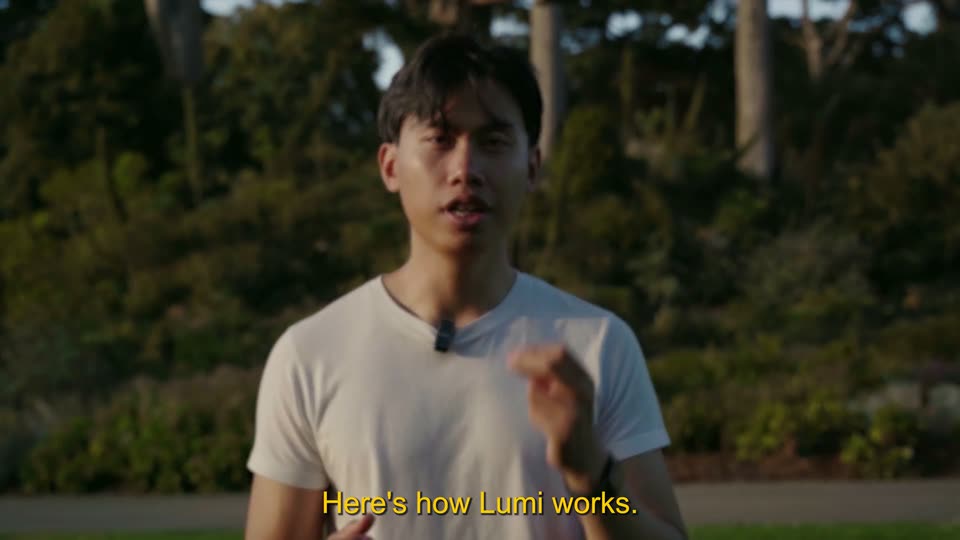
A man in a white t-shirt with a clipped lavalier mic stands centered against a blurred backdrop of trees and shrubs in warm evening light. He speaks to camera and gestures with both hands as yellow captions appear at the bottom of the frame.
On-screen text: “Here's how Lumi works.”, “You set a goal to improve adoption.”
Camera: Static
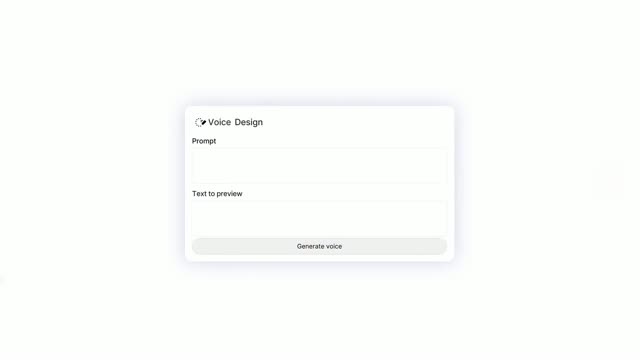
A white 'Create a goal' panel appears over a blurred man in a park, holding a prompt line, a Search chip and a red Create button, with a cursor resting in the field. A yellow caption sits at the bottom.
On-screen text: “You set a goal to improve adoption.”
Techniques: Cursor demo
Camera: Static
On a plain white field, a large black serif sentence is typed out behind a blinking caret, the line scrolling left as it grows. A small yellow caption with a dark outline at the bottom switches from “It can be to nudge” to “to prompt smarter questions”.
On-screen text: “It can be to nudge”, “I want to nudge users to try plan”, “to prompt smarter questions”
Techniques: Kinetic type
Camera: Pan
A white Create a goal input panel floats over a blurred park shot of a man and child. A mouse cursor types a sentence into the field, and a yellow caption holds at the bottom.
On-screen text: “to prompt smarter questions”
Techniques: Cursor demo
Camera: Static
A white input field types a sentence letter by letter while a yellow caption sits at the bottom; a black cursor then glides up to press the red Create button, all over a blurred dark backdrop.
On-screen text: “to prompt smarter questions”, “to your Al agent.”
Techniques: Cursor demo
Camera: Static
A monospace prompt box slides from center to the top right while a loading line and Sources label appear, then returns to center as a usage stats line fades in. A data table with three columns slides in below it. Yellow captions at the bottom narrate the steps.
On-screen text: “to your AI agent.”, “Lumi ingests raw usage data to understand”, “every single one of your users”, “behavior profile.”
Camera: Static
A product table with User, Matched behavior and Lumi action columns scrolls down through rows, while a large gray monospace caption and a yellow 'behavior profile.' label overlay the top and bottom before the caption clears.
On-screen text: “I want to nudge users to try plan mode if the”, “1460 users have sent prompt. 1266 have only sent single message conversation.”, “behavior profile.”
Camera: Pan
A pale data table of email addresses, task types, and action notes fills the frame, its rows shifting between frames. A yellow caption at the bottom reads 'behavior profile.' then swaps to 'With the goal in mind.'
On-screen text: “behavior profile.”, “With the goal in mind.”
Camera: Pan
A flat product screen on a light background: a summary line and a user table sit above a typed instruction line, the table collapses to two rows, then an orange square with two white n-shapes and a build_procedure button pop in at right. Yellow outlined captions cycle at the bottom.
On-screen text: “With the goal in mind.”, “Lumi knows what's the best way”, “to bring every user to that goal.”
Camera: Static
A light-gray product screen cross-dissolves between two layouts: a monospace stat line above a user-behavior table and a code prompt box, while a red square holding two white pixel icons slides from the right edge up to the top. A yellow outlined caption sits at the bottom.
On-screen text: “to bring every user to that goal.”
Camera: Static
A white Procedure card with monospace steps sits beside an orange pixel icon; an email plan card slides in on the right and types out, then a user-match table joins on the left. The trio duplicates into a scrolling grid tiling the screen while yellow captions roll below.
On-screen text: “to bring every user to that goal.”, “That includes conditions for outreach.”, “What to say”, “depending on the exact pattern”, “of the user behavior,”, “whether it has 10 users or 10,000.”, “They get the tailored attention”, “throughout their adoption journey.”, “Lumi will then brief back to you”
Techniques: Split screen
Camera: Pull out
A white line chart fills with three jagged lines in red, green and gold as the view pans right across the date grid. Yellow caption lines with black outlines swap in at the bottom, matching the voiceover about proactive conversations and adoptions.
On-screen text: “Lumi will then brief back to you”, “how their proactive conversations”, “with the users have led”, “to more adoptions,”
Camera: Pan
A red line chart card labeled as of 7 hours ago sits on a pale background, then an orange circle wipes over it. The shot cuts to a man in a white tee speaking in a park, with two white stat cards showing 60 and 28 floating at the right.
On-screen text: “to more adoptions,”, “new features”
Techniques: Masking
Camera: Static
A man in a white T-shirt stands in a sunlit park, speaking to camera and gesturing. Translucent stat cards reading 60, 28 and +31% float at right, an orange square with two white icons at left, yellow subtitles run along the bottom.
On-screen text: “new features”, “used, better questions”, “that the users prompt to your product.”
Camera: Static
An orange pixel-art square with white eye glyphs slides to center on a light gray field as yellow outlined subtitles run along the bottom. Then a pixel headline 'Try Lumi today', a gray subline and an orange 'Userlens.io' button appear below the mark.
On-screen text: “If you care about maximizing”, “your users adoption of the product,”, “Try Lumi today”, “Maximise your users' adoption of the product”, “you can try Lumi today at Userlens.io”, “you already built.”, “Userlens.io”
Camera: Static