2:34

DatologyAI - Today, we’re excited to launch the Datology Curation Studio, customiz
Datalogy AI · Oct 2026
PromptQL · Jul 2026 · 2:45 · AI-annotated
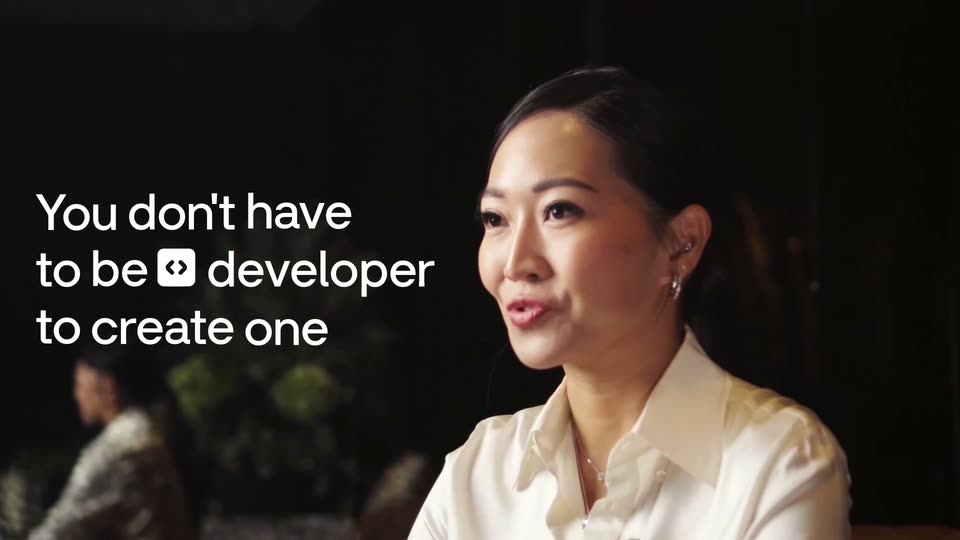
PromptQL’s 2:45 launch film runs 95 scenes, about 1.7 s each. The product shows up at 0:02 and 5 features are revealed, with social proof. The call to action lands at 2:37 (95% in), over a voiceover. The video is built as a rapid chain of short beats that alternate live action host shots, 3D node graph animations, and flat UI close-ups, moving from a provocative hook through five feature demos to a giveaway call to action. Its signature moves are the glowing ql mark firing light beams, horizontal green light sweeps across interfaces, and fast zooms that flatten 3D scenes into clean white cards.
Is this your launch? to your site or press kit.
Datalogy AI · Oct 2026
ChatAndBuild · Nov 2026
Luma AI · Jun 2024
Two people sit at a wooden table in an office. A network diagram of app icons and avatars links to a central brain icon, with the headline World's First Agentic Workspace below. The overlay fades out as a large glowing $100,000,000 appears across the bottom.
On-screen text: “World's First Agentic Workspace”, “$100,000,000”
Camera: Pull out
A blowtorch flame strikes a laptop on a wooden table, the screen flaring into a fireball as a Slack app icon pops in at the top. Cut to a hand holding a black device in front of a code editor, the caption Introducing PromptQL, sliding in.
On-screen text: “$100,000,000”, “to kill Slack.”, “Introducing PromptQL,”
Camera: Static
A glowing lowercase promptql wordmark on a dark grid background scales and drifts to the top of the frame as a horizontal light beam sweeps across it. A bottom caption switches from Introducing PromptQL to the world's first.
On-screen text: “Introducing PromptQL,”, “the world's first”
Techniques: Kinetic type, Light sweep
Camera: Pull out
A white chat card fades in and settles over a dark starry field. A green promptql tag with a cursor arrow trails down the card as messages from Maya, Team AI and Sam appear in sequence. A bottom caption pill swaps from agentic workspace to where humans and agents work together.
On-screen text: “agentic workspace”, “where humans and agents work together.”, “the world's first”
Techniques: Masking
Camera: Pan
A white chat card listing a Team AI summary sits on a dark background. A cursor rests on the purple Add to wiki button while the card zooms forward and a soft yellow glow blooms behind it.
On-screen text: “where humans and agents work together.”
Techniques: Cursor demo, UI zoom
Camera: Static
A bright lime-green rounded tile with the black promptql wordmark glows at the center of a dark green field of dim, blurred company-logo tiles. A black caption box at the bottom shows a phrase that changes while the frame holds.
On-screen text: “The world's biggest companies”, “like Instacart,”
Camera: Static
A dark starfield background holds the Instacart app icon, a green arrow over an orange semicircle, which slides in from the right and sharpens into focus at center. A white subtitle reads “like Instacart,” at the bottom.
On-screen text: “like Instacart,”
Camera: Static
Rounded brand tiles for Instacart, McDonald's and Cisco drift horizontally across a dark starfield in a locked-off frame. A white caption at the bottom reads 'McDonald's and Cisco', then 'already use PromptQL.'
On-screen text: “McDonald's and Cisco”, “already use PromptQL.”
Camera: Static
Two people sit at a wooden table in a bright office, a MacBook open in front of them, both facing the camera in a locked-off frame. The bottom caption bar swaps from “already use PromptQL.” to “Let me show you how it works.” as the man rests his hands on the table.
On-screen text: “already use PromptQL.”, “Let me show you how it works.”
Camera: Pull out
A red bell icon in a thin ring collapses into a flat gray disc as red particles burst upward, then the frame pulls back to a tilted 3D dashboard showing a founder's photo, name, and a revenue growth chart. Captions swap at the bottom.
On-screen text: “Let me show you how it works.”, “Let's say you're a startup founder”
Techniques: Morph, Particles, 3D mockup
Camera: Static
A white profile card floats in 3D perspective, tilting and scaling up. Inside, a circular portrait of a woman in a pink sweater sits beside her name and a green revenue-growth line that draws itself across the chart. A dark caption box holds text at the bottom.
On-screen text: “looking to 10X your revenue.”
Techniques: 3D mockup
Camera: Static
A white dashboard card floats in 3D perspective, tilted against a white background. A green line chart labeled Revenue growth climbs to a 1000% marker while a blurred profile photo sits at left. A dark caption pill at the bottom reads looking to 10X your revenue.
On-screen text: “looking to 10X your revenue.”
Techniques: 3D mockup
Camera: Static
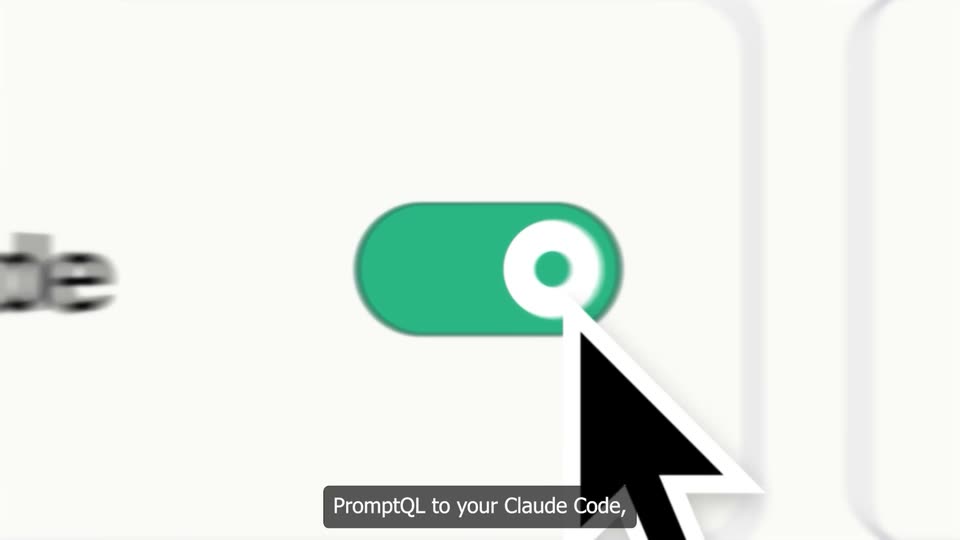
A light integration panel with a grid of app cards. The view zooms onto the Claude Code row as a cursor flips its toggle to green, blurring the surrounding cards. A dark caption box at the bottom reads the line.
On-screen text: “We'll connect”, “PromptQL to your Claude Code,”
Techniques: UI zoom, Cursor demo
Camera: Push in
Dark Claude Code chat windows float at varying depths over a faint grid, some sharp, some blurred, as the camera drifts forward through the field. A white caption sits on a black bar at the bottom.
On-screen text: “PromptQL to your Claude Code,”
Techniques: 3D mockup, Parallax
Camera: Push in
Green Slack-style message cards float at varying depths over a dark grid backdrop, some soft-focused, while a dotted green band sweeps across them. A black caption pill at the bottom updates from “PromptQL to your Claude Code,” to “Slack,” in step with the voiceover.
On-screen text: “PromptQL to your Claude Code,”, “Slack,”
Techniques: 3D mockup, Light sweep, Parallax
Camera: Push in
A dark chat interface fills a laptop screen tilted in 3D perspective against a starfield. A column of video call tiles with participant names runs down the right edge. A bright green light band sweeps horizontally across the screen while the caption holds at the bottom.
On-screen text: “and meeting recorders.”
Techniques: 3D mockup, Light sweep
Camera: Push in
A lime-green 'Add to wiki' button with a document icon floats over a blurred app screen. A white cursor hovers over it as a white 'Maya' chip slides in from the lower right, and the background switches from a video call grid to a document page.
Techniques: Cursor demo
Camera: Static
A dark starry backdrop holds a top year timeline whose green highlight window slides from 2016 to 2023. Left, a glowing green PromptQL logo anchors an expanding node network; right, a 3D Gmail inbox crossfades into a 3D video-call grid, both edged with a green light sweep.
On-screen text: “In 30 seconds, PromptQL maps”
Techniques: 3D mockup, Light sweep
Camera: Static
A 3D node network with the qL logo at its center rotates on the left against a starfield. On the right, an angled product panel switches from a video-call grid to a scrolling conversation list while a top timeline scrubs from 2020 to 2024. Bottom captions read the voiceover.
On-screen text: “In 30 seconds, PromQL maps”, “years of conversations”
Techniques: 3D mockup
Camera: Static
A 3D web of glowing white and green nodes spins on the left, the ql mark centered. Right, a terminal streams code beneath a 2016 to 2026 timeline while a green scan line sweeps the pane. A subtitle reads and sessions as raw context.
On-screen text: “and sessions as raw context.”
Techniques: 3D mockup, Light sweep
Camera: Push in
A glowing network of yellow and white nodes linked by thin lines forms a slowly rotating cluster on a dark starfield. A small black rounded square with a green ql mark sits at the center. A white caption on a black box reads which it starts at the bottom.
On-screen text: “which it starts”
Camera: Push in
A light-themed wiki interface fills the screen, a left sidebar lists rooms and threads while the main panel shows a network graph of linked pages and people. The view eases into a tighter crop on the graph as the bottom caption switches.
On-screen text: “shaping into a company brain.”, “Right now, I'm curious”
Techniques: UI zoom
Camera: Pull out
Two people sit at a wooden table in a loft office; a closed MacBook faces the woman on the left. The man on the right speaks to the camera, hands clasped. The shot opens through a hazy glass pane that sharpens, with subtitles at the bottom.
On-screen text: “Right now, I'm curious”, “what our top developer Alex is working on.”
Camera: Static
A MacBook on a desk shows a dark code editor; the camera pushes into the screen as a Slack notification banner drops in at the top. An arrow cursor and a hand pointer hover near the banner while an 'Alex' avatar chip rests below.
On-screen text: “what our top developer Alex is working on.”, “Normally,”, “I would have to ping him in Slack”, “and interrupt his flow”, “or wait for him to respond.”, “But instead, I'm just going to ask about him.”
Techniques: UI zoom, Cursor demo
Camera: Push in
A split view pairs a dark tablet UI angled in 3D on the left with a light web app on the right, showing a greeting and input field. A white caption anchors the bottom, and a Tanmai badge with a face emoji slides in from the right.
On-screen text: “But instead, I'm just going to ask PromptQL.”, “Tanmai”
Techniques: Split screen, 3D mockup
Camera: Push in
A close-up of a chat interface types the question after an @PromptQL tag, then the cursor moves to the green send button. A dark bottom caption changes from the PromptQL line to the question.
On-screen text: “But instead, I'm just going to ask PromptQL.”, “what is Alex working on right now?”
Techniques: UI zoom, Cursor demo
Camera: Pan
A white chat card with a yellow-shirted avatar and a message tagging @PromptQL scales up from blur to sharp over a faint grid and curved network lines. A dark caption pill at the bottom swaps from the question to a new line.
On-screen text: “what is Alex working on right now?”, “Because PromptQL holds”
Camera: Pull out
A dark rounded square with a green 'ql' logo sits in the center, connected by glowing green lines to user profile cards on the left and right. A black text box at the bottom displays a caption.
On-screen text: “Because PromptQL holds”, “your team's shared context”
Techniques: Kinetic type, 3D mockup
Camera: Pull out
A light chat card scrolls up over a faint grid, showing a user query and a PromptQL reply that types out. A green PM Agent badge slides in from the left. A dark caption bar at the bottom updates with the voiceover.
On-screen text: “it spins up a project management agent that reads every chat message”
Camera: Static
Faded chat cards fill a white board behind three highlighted messages. A green arrow tagged PM Agent hops between them, drawing a thin green line that links each message. A dark bottom caption switches from “agent that reads every chat message” to “exactly where to follow up”.
On-screen text: “PM Agent”, “agent that reads every chat message”, “exactly where to follow up”
Techniques: Cursor demo
Camera: Pull out
A chat interface starts out of focus, sharpens on the message box as a reply types out, then blurs again to show the sent thread. A dark caption box at the bottom swaps text to match the voiceover.
On-screen text: “exactly where to follow up”, “to chase down deliverables.”
Camera: Pull out
A blurred GitHub pull-requests list snaps into focus while a white notification card with a green icon hovers at the top center. A dark lower-third caption at the bottom swaps from one line to the next over the static interface.
On-screen text: “to chase down deliverables.”, “It checks Alex's PRs,”
Camera: Pull out
A pull requests list in a project interface scrolls upward past a centered dark AI badge with a pulsing green halo. A dark caption pill at the bottom reads “It checks Alex's PRs,”.
On-screen text: “It checks Alex's PRs,”
Camera: Pull out
A tilted Slack-style workspace window sits in 3D perspective while a bright green gradient washes across it and the thread list scrolls upward. A white pill labeled Analyzing Alex's Threads hovers at the top, and a dark caption bar at the bottom reads his dozens of recent Slack.
On-screen text: “his dozens of recent Slack”
Techniques: 3D mockup
Camera: Static
A tilted 3D app workspace, mixing a thread list and calendar grid, flattens into a weekly calendar of colored blocks. A black rounded 'ql' mark hovers at center, casting a green light cone over the screen, while the view zooms into the grid. A caption sits at the bottom.
On-screen text: “threads, and today's meetings.”
Techniques: 3D mockup, UI zoom
Camera: Push in
A light backdrop frames a dark video-call screen with three tiles: a woman waving at left, a red avatar tile at right, and a man in a car below. The whole screen scales up gently as the clip opens.
Camera: Push in
A dark code editor with a green glowing border fills the frame; a white analysis card on the right updates its status text, then the view zooms into the code lines as a caption appears at the bottom.
On-screen text: “It finds that”, “Alex is building the new onboarding flow,”, “but there's an issue.”
Techniques: UI zoom
Camera: Push in
A dark code editor with a glowing green border fills the frame, a white status card sits top right and the line 'Session stopped' shows in the middle; the view then zooms in on the code while the caption 'He's blocked' holds at the bottom.
On-screen text: “He's blocked”
Techniques: UI zoom
Camera: Push in
On a dark background, a code panel of JSON login copy hovers over a blurred login form, with an Assigned to Emily card and Log in page done pill above. The view pulls back to reveal a second code panel with red warnings while captions run along the bottom.
On-screen text: “He's blocked”, “because he needs the latest onboarding”, “copy and designs to move forward.”
Techniques: UI zoom
Camera: Pan
A flat dotted-grid canvas shows stacked artboards: a login wireframe, a dark phone screen, a dark texture panel and a form. Colored collaborator tags with cursor icons slide in beside each frame under an Assigned to David header, while a bottom caption reads copy and designs to move forward.
On-screen text: “copy and designs to move forward.”
Camera: Pan
A green rounded-square logo with the letters ql glows at center over a faint grid, then the glow fades and a light beam shoots out to the right as the mark scales slightly. A bottom caption states the line.
On-screen text: “Here's what makes PromptQL different.”
Techniques: Light sweep
Camera: Static
A green 'ql' tile sits large at the center of a dark grid of horizontal timeline lines and nodes, then shrinks and drifts up as a red asterisk tile enlarges on the left. A red dashed line draws across the nodes while the bottom caption swaps.
On-screen text: “Here's what makes PromptQL different.”, “Instead of stopping here”
Techniques: Particles
Camera: Pull out
A dark grid diagram pans upward. A green rounded tile marked ql with a checkmark circle on a green line sits at the top; a red dashed line with a warning triangle lies below. The frame scrolls up, pushing the green tile off the top edge.
On-screen text: “Instead of stopping here”, “and delaying this project,”
Camera: Push in
A white chat card on a pale grid background scales up, then new message bubbles from Emily and PromptQL slide in. The list scrolls upward as a blurred reply card fades in at the bottom, while a dark caption box updates along the lower edge.
On-screen text: “and delaying this project,”, “the agent pings”, “copy guidelines and shares it with Alex.”
Techniques: UI zoom
Camera: Push in
A light chat thread shows a PromptQL bot message cc-ing @Alex, and Alex's thank-you reply fades in. Then the Slack logo scales in at the center over the dimmed messages while a dark caption bar states the action.
On-screen text: “copy guidelines and shares it with Alex.”
Camera: Static
A white chat window with a Claude agent conversation floats on a dark grid, tilted in 3D. A multicolor app icon on the left slides off-screen left as the window recenters and flattens, while a black caption bar at the bottom swaps its text.
On-screen text: “copy guidelines and latest”, “Unlike Slack bots”
Techniques: 3D mockup
Camera: Push in
A Slack-style chat view zooms in on a Claude agent message, framing the phrase “this information” inside a pink highlight box just above the message input bar, while a dark caption card sits at the bottom center.
On-screen text: “like Claude Tag”, “this memory in the background,”
Techniques: UI zoom
Camera: Push in
A white document card with a red sparkle icon and the title '#Olha - chat summary.md' sits centered on black. Its body text fills in, then the whole card shrinks to a tiny thumbnail. A black caption box at the bottom changes from 'this memory in the background,' to 'I'm the backgrou'.
On-screen text: “this memory in the background,”, “I'm the backgrou”
Camera: Pull out
A white notification card with the PromptQL logo sits on a pale field. The camera pans across it to the purple Add to wiki button as the cursor clicks. The shot zooms into the button, then pulls back to a wiki page of small cards.
On-screen text: “explicitly captures”, “this new process context”
Techniques: Cursor demo, UI zoom
Camera: Static
A whiteboard grid holds a central white card that scales up as lime-green rays pulse outward from it, linking to smaller team cards scattered around the edges, while a dark caption pill rests at the bottom.
On-screen text: “this new process context”
Camera: Push in
A grid of floating note cards with green ribbon links spreads across a graph-paper space, then the view pushes in on one card. The selected card, ringed by a glowing green border, fills the frame to reveal its bullet list and update rows.
On-screen text: “this new process context”, “and adds it to your team wiki.”
Techniques: 3D mockup, UI zoom
Camera: Pull out
A close-up of the PromptQL thinking card counts up to 5s as the model pill cycles DeepSeek v5 Pro, GPT-5.1 Pro Preview, Minimax M3. The frame then widens to a two-panel layout: chat panel left, dark onboarding workspace window with form and toggles right.
On-screen text: “It also orchestrates the right”, “AI tools for the job, generates”, “the onboarding assets, and unblocks Alex”
Techniques: UI zoom, Split screen
Camera: Pull out
Two interface views sit side by side: left, a light document log lists PromptQL steps and generated code; right, a dark onboarding form titled “Let's set up your workspace” fills in its fields while green “prompt” tags with arrows point at elements. A dark caption bar sits at the bottom.
On-screen text: “the onboarding assets, and unblocks Alex”
Techniques: Split screen
Camera: Pull out
A chat interface reframes from a blurred close-up to a clear view, revealing a 'Workspace Setup Onboarding UI' card and a follow-up question, with a dark caption pill pinned at the bottom.
On-screen text: “so that he keeps building”
Techniques: UI zoom
Camera: Pull out
A chat thread scrolls down through a conversation with PromptQL, revealing a workspace onboarding card, a wants-to-learn wiki panel with bullet points and an Add to Wiki button, and a reply from Alex, while a dark caption bar stays fixed at the bottom.
On-screen text: “all with security and privacy respected.”
Camera: Pull out
A close-up of a chat app card titled PromptQL wants to learn zooms in on the bulleted summary, then a cursor slides in and clicks the purple Add to wiki button, collapsing the card into a compact summary above the message field.
On-screen text: “all with security and privacy respected.”
Techniques: UI zoom, Cursor demo
Camera: Pull out
The glossy green wordmark promptql opens large and out of focus, then scales down and sharpens to the center of a dark field of drifting white specks. A horizontal green light streak flares behind it as it settles.
On-screen text: “promptql”, “But PromptQL doesn't stop there.”
Techniques: Kinetic type, Particles, Light sweep
Camera: Pull out
A glossy green and white promptql logo glows at the center of a dark starfield as it scales up. White UI mockup cards drift in from the edges, framing the logo in 3D perspective.
On-screen text: “Here's the real power of PromptQL.”
Techniques: 3D mockup
Camera: Pull out
A dark 3D field of floating UI cards, blurred at the edges, surrounds a glowing green promptql wordmark in the center. Small dust dots drift in the background. A white subtitle, 'Here's the real power of PromptQL.', sits at the bottom as the frame slowly zooms.
On-screen text: “promptql”, “Here's the real power of PromptQL.”
Techniques: 3D mockup, Particles
Camera: Pull out
A blurred stack of product panels and the green promptql wordmark fade as the frame zooms into a single email thread, sharpening the subject line and body copy. A dark caption pill reading “It sees that your biggest customer” stays locked at the bottom.
On-screen text: “It sees that your biggest customer”
Techniques: UI zoom
Camera: Static
An email client view pushes in on the subject line and opening sentence of a partnership email, the rest of the body blurred, then scrolls down to a reply from Maya Stone. A dark caption pill at the bottom cycles through phrases.
On-screen text: “It sees that your biggest customer”, “will 4X their contract”, “if you can ship them”, “a custom Salesforce integration”
Techniques: UI zoom
Camera: Pan
A light email client shows a thread titled Vexa × TheEdge with two messages, and a dark caption pill reading “by next week.” sits at the bottom. The interface fades to a ghost as a second pill “So next week” and a cursor arrow appear.
On-screen text: “by next week.”, “So next week”
Camera: Static
A white chat input panel sits in 3D tilt over a faint grid. A 3D cursor types a prompt beside the PromptQL tag while the view zooms in, then reframes on the green send button as the cursor clicks it. Bottom captions read the prompt aloud.
On-screen text: “So we'll ask”, “can you build this integration”, “and close this deal?”
Techniques: 3D mockup, UI zoom, Cursor demo
Camera: Push in
A glowing green and white node graph floats in dark 3D space, centered on a Company overview hub wrapped in orbital rings. A green ql icon detaches and travels right along dashed lines linking labeled nodes, while the camera pans through the depth-of-field network.
On-screen text: “Right now,”, “PromptQL is searching your shared brain”, “and finding relevant skills”, “and close this deal?”
Techniques: Parallax
Camera: Pull out
A dark network graph of glowing nodes joined by dashed lines, each tagged with a skill name, frames a green app icon and the white title Engineers' Claude Sessions. The view zooms in on the central title while the caption for this task. holds at the bottom.
On-screen text: “Engineers' Claude Sessions”, “for this task.”
Camera: Push in
A blurred green pixel block at center sharpens into a dark interface card listing a Salesforce integration task. Name and timestamp pills slide into the top corners. A white caption on a black bar holds the bottom edge.
On-screen text: “Here, it finds an integration”, “Joe - Senior Developer”, “2 months ago”
Camera: Push in
A dark chat card listing a Salesforce integration skill floats over a green wireframe mesh. A green 'ql' tile with a round avatar slides from the left to the center while the frame zooms into the card's code panel. A white caption sits in a black box at the bottom.
On-screen text: “Here, it finds an integration”, “skill previously learned from your senior”
Techniques: UI zoom
Camera: Push in
A dark code editor fills the frame, showing Salesforce integration notes with line numbers. The view zooms out from a tight crop to reveal a glowing file icon labeled Integration Skill at center. A white caption on a black box sits at the bottom.
On-screen text: “developer's work in Claude months ago,”
Techniques: UI zoom
Camera: Pull out
A white file icon labeled Integration Skill drops into a dashed drop zone as the green Drop file label slides away, while a blurred document panel on the left falls out of focus behind a green sweep. A white caption sits at the bottom.
On-screen text: “developer's work in Claude months ago,”
Techniques: Parallax
Camera: Pull out
A Slack-style chat interface is shown in 3D perspective, angled against a dark background with green network lines. The chat list scrolls upward as a file card labeled 'Integration Skill' slides in from the right. A white subtitle sits at the bottom of the frame.
On-screen text: “developer's work in Claude months ago,”
Techniques: 3D mockup, UI zoom
Camera: Static
A tilted chat panel floats in a dark 3D space threaded with green network lines. A green ql badge fires a beam across the panel, then a glowing .md file icon pops out and rises from the skill.md attachment.
On-screen text: “and a review skill around Salesforce”, “between your CTO and dev.”
Techniques: 3D mockup, Light sweep
Camera: Static
On a dark background with faint green curves, a dashed yellow box holds a white Markdown file icon labeled Integration Skill. A yellow file icon labeled Review Skill slides in beside it, and the dashed box brightens and scales up. A subtitle reads between your CTO and dev.
On-screen text: “Integration Skill”, “between your CTO and dev.”, “Review Skill”
Camera: Pull out
A light interface shows a task card titled PromQL with a thinking timer counting up and a list of wiki and skill lines. The view is a tight close-up with softly blurred edges. A dark caption pill at the bottom reads PromQL invokes each skill.
On-screen text: “PromQL invokes each skill”
Camera: Pull out
A light task log and a dark VEXA dashboard sit side by side. Green arrowhead markers pop up across the dashboard cards and chart as the frame reframes toward the dashboard, while a caption sits at the bottom.
On-screen text: “PromptQL invokes each skill”, “and develops the MVP on its own.”
Techniques: Split screen, UI zoom
Camera: Pull out
A dark analytics dashboard with stat cards, a revenue line chart and a deals table sits beside a white code panel, while several green cursor arrows hop between the elements. A white subtitle line sits on a black bar at the bottom.
On-screen text: “and develops the MVP on its own.”
Techniques: Cursor demo
Camera: Static
A light code editor panel sits on the left showing CSS and JS snippets, while a dark NEXA sales dashboard floats in 3D perspective on the right, with pipeline and AI insight cards layered in front. Green arrow cursors hover over the panels as the camera drifts slowly left.
Techniques: 3D mockup, Parallax
Camera: Pull out
A screen recording of the VEXA workspace: an agent chat log lists development steps on the left, a dark CRM dashboard with charts and metric cards on the right. The frame widens from a close-up to the full window as a black caption box appears at the bottom.
On-screen text: “When it's done, it pings you to review”
Techniques: Cursor demo, UI zoom
Camera: Pull out
A light chat view scrolls down past an assistant message and a file card titled Salesforce Integration CRM. A dark caption pill reads When it's done, it pings you to review at the bottom.
On-screen text: “When it's done, it pings you to review”
Camera: Pull out
A Slack-style thread scrolls upward, bringing a gray message bubble and a green mention pill into view. A dark rounded caption with white text sits at the bottom of the frame.
On-screen text: “When it's done, it pings you to review”
Camera: Pull out
A chat thread with an attached email preview fills the screen, then the view zooms into the compose box. A green cursor hovers the promptql badge and the blue Send button. A bottom caption reads “and you send it to the customer.” then “The integration ships 10X”.
On-screen text: “and you send it to the customer.”, “The integration ships 10X”
Techniques: Cursor demo, UI zoom
Camera: Pull out
A green PromptQL progress bar fills a five-day timeline, the view zooming in from a wider frame that also holds a shorter Manual Dev bar. A checkmark Shipped label scales in, then a small invoice illustration pops into the word. Caption pills track the voiceover.
On-screen text: “The integration ships 10X”, “faster, on time,”, “and your biggest contract closes.”
Techniques: UI zoom, Kinetic type
Camera: Push in
A contract card on a pale background zooms in, showing a green $4,000,000 value and a signature, while a cursor tagged Eddie | CEO at Vexa glides in from the bottom right. A large faded Shipped word scales out behind the card and a dark caption pill sits below.
On-screen text: “Shipped”, “and your biggest contract closes.”
Techniques: UI zoom, Cursor demo
Camera: Static
A tight close-up of a Vexa contract card, with a cursor resting on the green Sign Contract button, pulls back to reveal a laptop showing a Slack deal room. The bottom caption swaps from the closing line to a new one.
On-screen text: “and your biggest contract closes.”, “Slack forces you to get context yourself.”
Techniques: Cursor demo, UI zoom, 3D mockup
Camera: Pull out
A tilted 3D Slack channel window sits on a dark patterned background, its message list and top search field visible. The window scales up slightly over the shot. A black caption bar at the bottom holds the line “Slack forces you to get context yourself.”
On-screen text: “Slack forces you to get context yourself”
Techniques: 3D mockup
Camera: Push in
A Slack window in 3D perspective fills the frame as a white cursor slides to the green headphones pill, which glows, while the view reframes onto the top bar and a dark video thumbnail with a pink ring rises below.
On-screen text: “Slack forces you to get context yourself”
Techniques: Cursor demo, UI zoom
Camera: Static
A close-up of a two-person Slack Huddle call pulls back to reveal a 3D grid of overlapping Huddle windows on a dark field. The zoom settles into a static wall of screens while white captions run along the bottom.
On-screen text: “Slack forces you to get context yourself”, “through hundreds of meetings”
Techniques: UI zoom, 3D mockup
Camera: Pull out
A grid of many video-call tiles, each showing a small group of participants, scrolls vertically down the frame on a dark purple field. White caption text appears at the bottom center, building the phrase line by line.
On-screen text: “through hundreds of meetings”, “a month”
Camera: Pull out
A dark Slack thread list scrolls upward through rows of sender names, channel tags and message previews, while a white caption on a dark pill holds at the bottom of the frame.
On-screen text: “and thousands of different Slack threads.”
Camera: Pull out
A dim contributions grid brightens on a starry green field as a black 'ql' icon rises from the bottom, shrinks to center, then tilts down-left with two avatar chips. The grid fills with green squares, then it cuts to a blurred shot of two people at a table.
On-screen text: “We built PromptQL”, “for the arrival of AGI.”, “Where humans and AI work”, “together to 100x output”
Techniques: Particles
Camera: Push in
A woman and a man sit at a wooden table in a bright office, hands clasped, facing the camera. The shot opens soft and pulls into focus. Green feature panels slide into the top corners. A white caption line sits centered at the bottom.
On-screen text: “and to celebrate the launch,”
Camera: Static
Two people sit at a wooden table in a bright office while green knowledge-patcher skill cards float in 3D perspective above them. A lime green folder labeled promptql scales up in the foreground with small white sparkles, and a bottom caption reads we're giving away a massive zip.
On-screen text: “we're giving away a massive zip”
Techniques: 3D mockup, Particles
Camera: Static
A lime-green folder icon reading promptql floats in a starfield above a green horizon. The folder tilts and rotates into 3D perspective while the camera holds. White subtitle captions appear at the bottom.
On-screen text: “we're giving away a massive zip”, “file of skills and agents”
Camera: Static
Dark green interface cards, each labeled with an agent skill name, float and drift through a 3D space with soft depth-of-field blur. White captions on black bars appear at the bottom center.
On-screen text: “file of skills and agents”, “for founders and operators.”
Techniques: 3D mockup, Parallax
Camera: Push in
A pale grid background holds a Twitter post card with an embedded video of two people at a desk. The clip fades in from white, then a cursor moves to the reply field as a dark tooltip appears: Just reply and we'll send them to you.
On-screen text: “Just reply and we'll send them to you.”
Techniques: Cursor demo
Camera: Push in
A light comment card sits over a faint grid, showing a video thumbnail and engagement counts. A reply line types out as a black cursor glides to the black Reply pill and clicks, then the card slides down and fades. A dark caption sits at the bottom.
On-screen text: “Just reply and we'll send them to you.”
Techniques: Cursor demo
Camera: Push in