1:03

Introducing Warp Beta
Warp · Developer tools · Apr 2022
GitHub · Oct 2025 · 1:13 · Full motion · AI-annotated
GitHub’s 1:13 launch film runs 26 scenes, about 2.8 s each. The product shows up at 0:07 and 6 features are revealed. The call to action lands at 1:05 (89% in). The video opens with a 3D mascot and a compatibility promise, then runs a sequence of feature beats where a locked-off centered headline card on a navy gradient introduces a tight, slow-zoom UI or terminal demo, and closes with a tagline and a brand plus URL end card. Signature moves are static text cards, gradual zooms into panels, and live typing and scrolling to show the agent working, with the mascot morphing into the logo at the end.
Is this your launch? to your site or press kit.
Warp · Developer tools · Apr 2022
The Browser Company · Productivity · Aug 2026
Films whose music sounds like this one, voice left out
Fitbit · Funk, Rock, Electronic Dance
SyncMonster.AI · High-energy instrumental rock with funk and new wave influences
OpenAI · Funk, electronic funk
A small purple sphere rises from the bottom of a dark blue void, expanding and morphing into a rounded 3D character with two glowing cyan eyes. A teal trail and a thin curved line follow beneath it as the face forms.
Techniques: Morph
Camera: Static
A small purple 3D robot head floats in a dark blue void, then a larger head drifts in from the lower left as the first moves up and right. The heads clear and the line “Any coding agent,” appears centered in white.
On-screen text: “Any coding agent,”
Camera: Static
A two-line white headline sits centered on a dark navy gradient. The Claude wordmark with an orange asterisk fades in at the left, and a gray ghost icon labeled jules appears at the right, then dims.
On-screen text: “Any coding agent, anywhere you work”, “Claude”, “jules”
Camera: Static
A grid of six AI brand logos sits on a dark blue-to-black gradient. The top row of Claude, jules and OpenAI stays lit while the bottom row of Cursor, GitHub Copilot and Devin fades up to full brightness.
On-screen text: “Claude”, “jules”, “OpenAI”, “GitHub Copilot”, “Devin”
Camera: Static
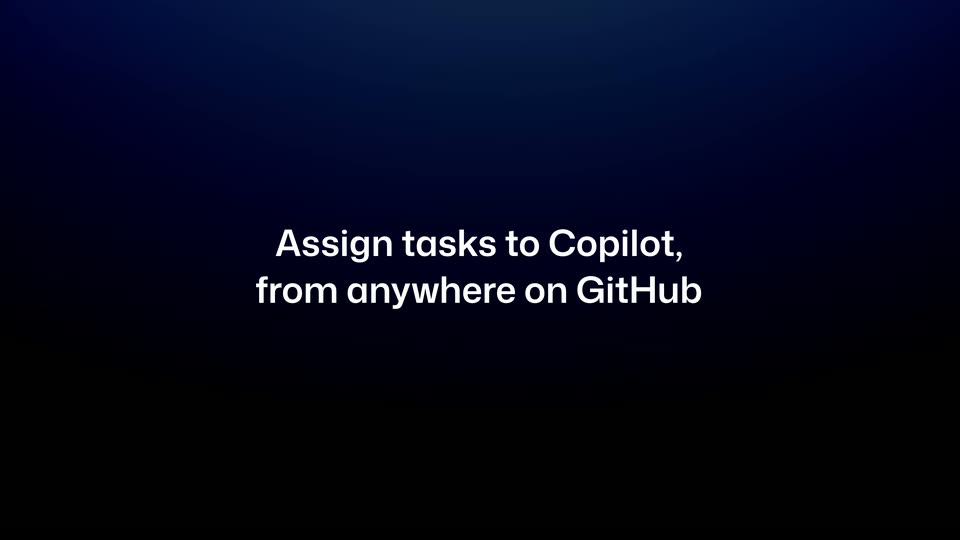
A deep blue radial gradient fills the frame with two centered lines of white text. The headline reads “Assign tasks to Copilot, from anywhere on GitHub,” easing in from a faint ghost to full brightness, then holding still on a locked-off frame.
On-screen text: “Assign tasks to Copilot,”, “from anywhere on GitHub”
Camera: Static
A dark GitHub repository page shows the Agents dialog centered on screen. The frame zooms in on the dialog as a task description types itself into the input field, then the field clears and a Recent sessions line appears beneath it. A mouse cursor rests at the dialog's top-right corner.
On-screen text: “Assign tasks to Copilot,”, “from anywhere on GitHub”
Techniques: Cursor demo, UI zoom
Camera: Push in
A centered two-line white headline fades in over a dark blue gradient background, rising from low opacity to full strength, then holds static in a locked-off frame.
On-screen text: “Delegate your task to Copilot right in VS Code”
Techniques: Kinetic type
Camera: Static
A dark VS Code chat panel shows the Copilot cloud logo and a 'Delegate to @copilot' prompt; a faint two-line headline overlays the center and fades. The view then zooms into the bottom input field, which reads 'Chat with GitHub Copilot coding agent' with a blinking cursor.
On-screen text: “Delegate your task to Copilot right in VS Code”
Techniques: UI zoom
Camera: Push in
A dark chat input field with a blue outline sits at the bottom of the screen. The prompt text swaps between “Chat with GitHub Copilot coding agent” and “Add comprehensive unit and integration tests for the app”, then a panel shows a spinner and “Delegating to coding agent”.
Techniques: Kinetic type
Camera: Static
A dark chat panel in a code editor shows a user prompt bubble at the top right. The Copilot coding agent reply streams in: two checkmark lines appear, a sentence types out, and a terminal command block slides in below.
Camera: Static
A deep blue gradient background fades to black toward the bottom. Two centered lines of white text fade in from dim to full brightness, then hold on a locked-off frame.
On-screen text: “Let the agent finish a task directly”, “from the terminal with Copilot CLI”
Camera: Static
A black terminal window boots the GitHub Copilot CLI. A pixelated cyan COPILOT wordmark and a pink pixel octocat assemble letter by letter, then status lines type in below the prompt while help text stays fixed.
On-screen text: “Let the agent finish a task directly”, “from the terminal with Copilot CLI”
Techniques: Kinetic type, Particles
Camera: Static
A black terminal scrolls upward past the pixelated Copilot logo and welcome text, while a block cursor types the /delegate command at the prompt and a cyan help line appears below.
Techniques: Cursor demo
Camera: Push in
A black terminal shows white and green monospace text. A green command line types out character by character behind a block cursor, then a thin bordered dialog appears with a question and a status line.
Techniques: Cursor demo
Camera: Static
A black terminal screen shows a monospace log in white, green and blue. A bordered prompt box asks to delegate the session, with a green prompt line and a yes/no list where an arrow highlights the first option.
Techniques: Cursor demo
Camera: Static
A black terminal shows a green-bordered log box titled 'Delegating session to Copilot Coding Agent' with a timer counting up from 4s to 14s. Green checkmark lines appear one by one, the third swapping to a PR link, ending on a waiting line with a spinner.
Techniques: Kinetic type
Camera: Static
Two lines of white text fade in at the center of a dark blue gradient background, reading “Monitor or start new tasks on-the-go in GitHub Mobile.” The frame stays locked off as the words settle into place.
On-screen text: “Monitor or start new tasks”, “on-the-go in GitHub Mobile”
Techniques: Kinetic type
Camera: Static
A phone mockup on a dark blue gradient shows the GitHub mobile home screen, which slides to an Agent Tasks list and back. The camera then zooms into the top of the home screen as a plus menu with New Issue and New Agent Task opens.
On-screen text: “Monitor or start new tasks”, “on-the-go in GitHub Mobile”
Techniques: UI zoom
Camera: Push in
A dark phone mockup on a deep blue background. A New Agent Task sheet slides up over the home screen, and a prompt line types out Allow downloading wallpapers in mobile sizes with a blue caret, while the send button lights up.
Techniques: 3D mockup
Camera: Static
A deep blue gradient fills the frame as a two-line white headline fades in at center, holds, then fades out. The text is the only element, and the background stays still throughout.
On-screen text: “Orchestrate your tasks from”, “your very own mission control”
Techniques: Kinetic type
Camera: Static
A dark GitHub Copilot Agents screen shows the full layout, then the view zooms into the Recent agent sessions list, where four [WIP] rows sit with status dots and timestamps that tick forward.
On-screen text: “Orchestrate your tasks from”, “your very own mission control”
Techniques: UI zoom
Camera: Push in
A two-line white headline fades in at center on a dark blue gradient that lightens toward the top, holds steady, then fades to black. The frame stays locked off throughout the clip.
On-screen text: “Assign tasks, track progress, and course-correct agents anytime”
Camera: Static
A dark dashboard opens on a list of agent sessions, then zooms out to reveal a three-panel interface with a sidebar, chat, and overview checklist. A cursor selects a session and hovers a checklist item as the view zooms into the chat.
On-screen text: “Assign tasks, track progress, and”, “course-correct agents anytime”
Techniques: UI zoom, Cursor demo
Camera: Push in
Close-up of a dark chat panel: a cursor hovers over the input box while a prompt types in and the reply scrolls. The view pulls back to a split screen of the chat and a pull request overview, whose summary updates with a new requirement and plan.
Techniques: Cursor demo, Kinetic type, UI zoom, Split screen
Camera: Pull out
On a dark navy gradient, a white sentence builds up in the center, words added one by one until it reads “Build with any agent, anytime, anywhere.” A blurred blue-purple glowing shape streaks across the upper left near the end.
On-screen text: “Build with any agent, anytime, anywhere”
Techniques: Kinetic type
Camera: Static
A purple 3D robot head tumbles in over a dark blue field, the headline “Build with any agent, anytime, anywhere” above it. The head settles center and flattens into the white Copilot mark as the “GitHub Copilot” wordmark and a “gh.io/agents” pill fade in below, then hold.
On-screen text: “Build with any agent, anytime, anywhere”, “gh.io/agents”, “GitHub Copilot”
Techniques: Morph
Camera: Static