
1:23
Explore
00:00:00 / 01:11:19
- Length
- 1:11
- Scenes
- 54 · 1.3 s avg
- Product on screen
- 0:00
- Features shown
- 8
- Call to action
- 1:05 · 92%
- Voiceover
- No
- Views
- 212K on YouTube
as of November 25, 2026
Fitbit’s 1:11 launch film runs 54 scenes, about 1.3 s each. The product is on screen from the first frame and 8 features are revealed. The call to action lands at 1:05 (92% in). The video is built as a chain of short centered title cards, each followed by a one to two second UI or graphics demo of a single feature, cut at about 17 cuts per minute. Its signature moves are headlines scaling in from the center, the teal progress ring sweeping around icons, and phone mockups that expand into full-frame screens, with the palette flipping between white and dark charcoal to separate sections.
Footage neededEstimated needs: 8 capture groups — your screens or recordings · 1 official logo — reused across the film · 1 filmed passage — shoot, supply or replace · 17 graphic passages — draw or supply · 7 3D passages — build or supply
Is this your launch? to your site or press kit.
More like this


Similar soundtrack
Films whose music sounds like this one, voice left out
3:06
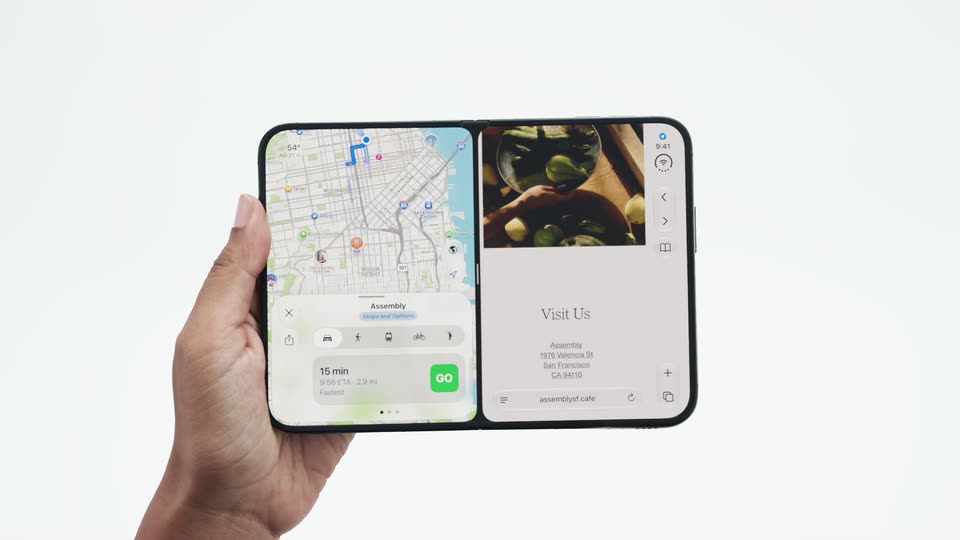

Introducing the new iPhone Duo
Apple · Modern electronic, upbeat
2:15


Introducing Galaxy Tab S12 Ultra | Samsung
Samsung · Modern instrumental rock, funk, and electronic fusion
0:55


ChatGPT Computer Use: Now faster with Live Picture-in-Picture
OpenAI · Electronic dance / Funk
Meet the New Fitbit App, scene by scene
· 54 scenes as text
01 · Product intro · 0:00–0:01
On a plain white background, the word The appears center frame, then all-new joins it. The full line The all-new Fitbit app sweeps left across the frame at large scale and settles centered, as fine-print legal text fades in along the bottom.
On-screen text: “The”, “The all-new”, “The all-new Fitbit app”, “Google or Fitbit account will be required. Content & features are subject to change. Access these services in the Fitbit app. The Fitbit app is only available f”
Techniques: Kinetic type
Camera: Push in
02 · Product intro · 0:01–0:02
On a white background, the gray headline “The all-new Fitbit app” slides up from the center, and a dark teal circle with a teal vertical bar rises below it, forming a simple figure. Small gray legal text stays locked at the bottom.
On-screen text: “The all-new Fitbit app”, “Google or Fitbit account will be required. Content & features are subject to change. Access these services in the Fitbit app.”, “The Fitbit app is only available for compatible Android and iOS devices - fitbit.com/devices.”
Techniques: Kinetic type
Camera: Static
03 · Demo · 0:02–0:03
On a white field, a black circle and a teal band form an abstract figure; the band curls leftward and thins while the circle arcs up and to the right. A small gray disclaimer line stays fixed at the bottom.
On-screen text: “Google or Fitbit account will be required. Content & features are subject to change. Access these services in the Fitbit app.”, “The Fitbit app is only available for compatible Android and IOS devices - fitbit.com/devices.”
Camera: Static
04 · Demo · 0:03–0:04
A tight crop on a thick teal arc with a black dot at its tip pulls back to a centered circular gauge. A teal shoe outline and a counting step total sit under Today, a gray track completes the ring, and two lines of fine print appear at the bottom.
On-screen text: “Google or Fitbit account will be required. Content & features are subject to change. Access these services in the Fitbit app.”, “The Fitbit app is only available for compatible Android and IOS devices - fitbit.com/devices.”
Techniques: UI zoom, Kinetic type
Camera: Static
05 · Demo · 0:04–0:06
A tilted smartphone mockup floats on a teal background, showing the Fitbit Today screen. The phone scales down as the step ring fills and the counter climbs from 8,910 to 10,000, with a checkmark popping in.
On-screen text: “Google or Fitbit account will be required. Content & features are subject to change. Access these services in the Fitbit app.”
Techniques: 3D mockup
Camera: Pull out
06 · Feature reveal · 0:06–0:07
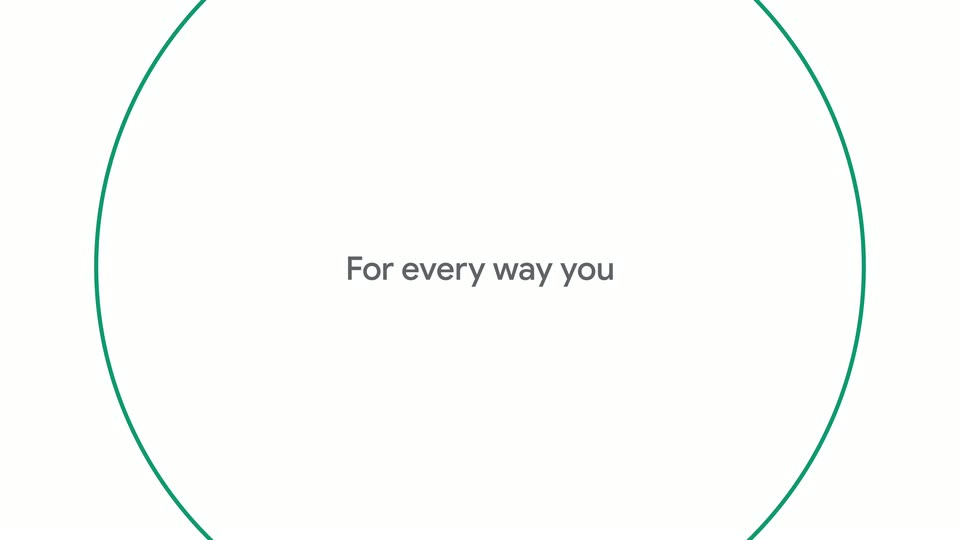
On a plain white field, the word For appears centered in dark gray, then the line extends to For every way you as two thin teal arcs sweep in from the left and right edges, framing the text.
On-screen text: “For every way you”
Techniques: Kinetic type
Camera: Pull out
07 · Feature reveal · 0:07–0:08
A black running figure morphs into a figure pedaling an exercise bike at center on a white background. The teal ring around the icon shrinks from a near-full circle to a short arc that ends in a black dot marker.
Techniques: Morph
Camera: Static
08 · Feature reveal · 0:08–0:09
A black pictogram of a person on a stationary bike holds the center of a white frame. A teal arc extends clockwise along a pale gray ring, a black dot riding its leading edge, while the cycling figure stays still.
Camera: Static
09 · Feature reveal · 0:09–0:11
A green arc sweeps around a central black icon that cycles through activity poses. The arc closes into a circle that fills with a grid of exercise figures, then inverts to a white disc on a black background.
Techniques: Masking
Camera: Pull out
10 · Feature reveal · 0:11–0:12
The word Move in white sans-serif sits on a near-black green field and scales up from a small size to fill the frame, then holds still on a locked-off shot.
On-screen text: “Move”
Techniques: Kinetic type
Camera: Static
11 · Feature reveal · 0:12–0:13
The tagline “Find your focus” with a sun icon in a mint pill holds centered and still. A white circle expands from the lower half of the frame while mint triangles and bands scale in from the corners and bottom edge around it.
On-screen text: “Find your focus”, “Move”
Techniques: Masking
Camera: Static
12 · Feature reveal · 0:13–0:14
On a white background, two rounded pill buttons stack vertically. The top light-blue pill reads Improve heart health with a dark heart icon; the bottom gray pill reads Sleep better with a crescent moon and spark icon. Both pills scale up from a smaller size into place.
Camera: Static
13 · Feature reveal · 0:14–0:15
A locked-off close-up of a vertical list of rounded goal buttons scrolls upward on white. The lavender “Sleep better” pill scales down to gray as “Manage stress” scales up with a peach highlight, and “Get more active” slides in from the bottom edge.
Camera: Static
14 · Feature reveal · 0:15–0:16
A vertical list of rounded pill buttons on white. A blue highlight pill steps down the list, turning each label white, while the list scrolls up to follow it. Unselected labels sit in light gray pills with line icons and a chrome 3D text effect.
Camera: Static
15 · Feature reveal · 0:16–0:17
A blue pill with a white heart outline and three gray pills carrying moon, person, and shoe icons slide across a plain white background. The blue pill eases from left toward center while the gray rows shift right, and three short captions scale in beside them.
On-screen text: “Improve heart health”, “Manage stress”, “Get more active”
Techniques: Kinetic type
Camera: Static
16 · Feature reveal · 0:17–0:19
A white health dashboard shows a heart-rate ring and three metric rings; the bpm and Zone Min values tick up while a gray pill slides across the left icon. Then the large gray word Progress scales in at center over the dimming interface.
On-screen text: “Progress on the go”
Techniques: Kinetic type
Camera: Static
17 · Feature reveal · 0:19–0:20
On a near-white background, the dark gray word “Progress” scales up from the center as the lighter gray words “on the” and then “go” fade in beside it, settling into the full centered phrase.
On-screen text: “Progress on the go”
Techniques: Kinetic type
Camera: Static
18 · Feature reveal · 0:20–0:21
On a black background, a peach heart icon sits above a bold white number that ticks up from 65 to 68 while a thin gray ring draws itself into a full circle around the digits. The caption “Progress on the go” scales in as the counter lands.
On-screen text: “Progress on the go”, “68”
Camera: Static
19 · Feature reveal · 0:21–0:23
A gray-banded smartwatch with a black analog face holds center on a plain beige background. The watch turns a few degrees, keeping the peach hour hand, white minute hand, and a heart rate readout in view.
Techniques: 3D mockup
Camera: Static
20 · Feature reveal · 0:23–0:24
A dark gray headline reads “Your trends over time” centered on a plain white background. The text scales down from a larger size to a smaller one over the shot, with a brief motion blur at the start.
On-screen text: “Your trends over time”
Techniques: Kinetic type
Camera: Static
21 · Feature reveal · 0:24–0:26
A teal bar chart on a pale gray field switches between Day, Week, Month and Year tabs, the underline jumping to each label as the bars and axis letters redraw; a small headline scales in above and white checkmarks mark the tallest bars.
On-screen text: “Your trends over time”
Techniques: Morph
Camera: Pull out
22 · Feature reveal · 0:26–0:28
A flat phone screen on a mint background shows a yearly statistics view. The frame zooms out from a tight crop on the average figure to reveal the full bar chart with monthly bars and the top tab bar.
Techniques: UI zoom
Camera: Pull out
23 · Feature reveal · 0:28–0:30
On a white background, the word “Get” scales up from the center, then “motivated” appears at the right while a pale teal pill expands between the two words and a dark clipboard icon pops in inside it. Small gray legal text sits at the bottom.
On-screen text: “Get”, “motivated”, “A Fitbit Premium subscription is required to access the full content library. Fitbit Premium content and features may change.”
Techniques: Kinetic type
Camera: Static
24 · Feature reveal · 0:30–0:31
A phone mockup of the Fitbit app turns in 3D against a flat lavender backdrop, the home screen showing a workout video card and collection tiles. Two small gray disclaimer lines sit below the device.
On-screen text: “A Fitbit Premium subscription is required to access the full content library.”, “Fitbit Premium content and features may change.”
Techniques: 3D mockup
Camera: Static
25 · Feature reveal · 0:31–0:32
A phone mockup of the Fitbit app sits centered on a lavender field. It slides left and shrinks as the app's workout card grid expands to fill the frame, showing titles like 30 min Cardio and 20 min Mindfulness.
Techniques: Morph
Camera: Static
26 · Feature reveal · 0:32–0:35
A horizontal carousel of workout video cards with duration labels scrolls left on a white background. The view then zooms into the cardio card, which expands to fill the frame while the neighboring cards shrink and slide to the edges.
Techniques: UI zoom
Camera: Pan
27 · Feature reveal · 0:35–0:37
A grid of rounded video tiles on a white background shuffles and resizes; a central tile showing two people running in a studio grows larger while surrounding tiles of yoga and running footage slide and reflow.
Camera: Push in
28 · Feature reveal · 0:37–0:38
A man and a woman jump and march in a bright studio with mats and dumbbells, a three-stat panel fixed at right. The footage then crops into a rounded card as a class title and duration line fade in at the bottom.
Techniques: Masking
Camera: Static
29 · Feature reveal · 0:38–0:39
A front-facing phone mockup on a lavender background shows a fitness app screen scrolling upward, revealing a workout card, a row of three collection tiles, and a bottom tab bar.
Camera: Push in
30 · Feature reveal · 0:39–0:41
On a white field, a mint-green pill with a dark four-square mark starts large at center, then shrinks as the words Hit and goals fade in on either side, settling into a small centered logo lockup.
On-screen text: “Hit”, “goals”
Techniques: Kinetic type
Camera: Static
31 · Feature reveal · 0:41–0:43
A fitness app screen shows a large number counting up from 3 to 5 above the label exercise days, with minus and plus buttons and a teal Set goal button below. The view then transitions to a white card titled Exercise days, where five day pills labeled M through F fade in.
Camera: Static
32 · Feature reveal · 0:43–0:44
A white rounded card on a light gray background shows an exercise tracker: a large counter, a row of seven pill slots, and day letters. The counter counts up from 0 to 3 as the first four pills fill green with white checkmarks, and the card slides horizontally, the first pill enlarging and pulling out to the left at the end.
Camera: Static
33 · Feature reveal · 0:44–0:46
On a dark green field, mint pill shapes with dark checkmarks pop in one by one, shrinking from large to uniform size as they align into a horizontal row of seven. The last pill stays dim and empty while the others carry checks.
On-screen text: “M T W T F S S”, “0000000”
Camera: Static
34 · Feature reveal · 0:46–0:47
A dark gray sans-serif line builds word by word in the center of a plain off-white background, spelling out a short phrase. The frame stays locked off throughout.
On-screen text: “Track and log with a single”
Techniques: Kinetic type
Camera: Static
35 · Feature reveal · 0:47–0:48
On a white field, the dark gray line “Track and log with a single” holds center, the final word easing in. It is replaced by a light green rounded square bearing a dark green plus sign, which settles into the middle with a soft drop shadow.
On-screen text: “Track and log with a single”
Techniques: Kinetic type
Camera: Static
36 · Feature reveal · 0:48–0:49
A white rounded square holding a green plus sign sits centered on a pale green field. The square wobbles into an irregular blob while the plus tilts, the outline morphing continuously through the short clip.
Techniques: Morph
Camera: Static
37 · Feature reveal · 0:49–0:51
Centered on white, a light green circle with a dark teal ring shows 3 while the word Start sits above. The word expands to Start running in as the count drops to 1 and the circle shrinks to a dot.
Techniques: Kinetic type
Camera: Static
38 · Feature reveal · 0:51–0:52
A top-down view of a small green cone on a white field tilts down, revealing a perspective grid of pale green and blue panels receding to a horizon line. The cone stretches tall, its tip a dark green circle.
Techniques: Parallax
Camera: Static
39 · Feature reveal · 0:52–0:53
A first-person view down a stylized road with a teal marker and a green direction cone quickly reframes into a 3D city map, where a black route outline with yellow and teal segments links to the marker.
Techniques: 3D mockup
Camera: Pull out
40 · Feature reveal · 0:53–0:54
A 3D isometric city map of pale extruded buildings, green parks, and blue water. A dark teal route with olive segments crosses the streets, marked by a pulsing teal dot and two white distance bubbles. The view pans slowly to the right.
Techniques: 3D mockup
Camera: Pull out
41 · Feature reveal · 0:54–0:54
A black-framed phone floats on a pale lavender backdrop, rotating from a tilted 3D angle to a flat front view. On its screen a running map stays put while the duration and distance figures count up.
Techniques: 3D mockup
Camera: Static
42 · Feature reveal · 0:54–0:55
A front-facing phone mockup on a lavender field displays a fitness app map with a multicolored running loop and a pace legend. A teal ring pulses outward from the center pin, expanding into concentric ripples.
Camera: Static
43 · Feature reveal · 0:55–0:56
A mint scalloped badge with a line-art shoe sits at the center of dark teal concentric rings, dotted with small yellow and teal blobs. The rings slowly expand outward as the frame tightens, while the white headline holds still at the top.
On-screen text: “Steps goal complete!”
Camera: Static
44 · Feature reveal · 0:56–0:57
A line-art mountain icon in orange and blue sits inside a teal ring on a dark field. Concentric teal rings pulse outward from the center as the icon shrinks into a small circular badge. A static caption reads the goal message.
On-screen text: “Steps goal complete!”
Camera: Static
45 · Feature reveal · 0:57–0:58
Two circular line-art badges, a mountain and sun drawn in teal, orange and blue, slide out to the left on a dark background. The white headline reveals word by word in the center as the icons clear the frame.
On-screen text: “Celebrate your journey”
Techniques: Kinetic type
Camera: Static
46 · Feature reveal · 0:58–0:59
A static white headline sits centered on a flat dark charcoal background. The frame is locked off with no motion or additional elements.
On-screen text: “Celebrate your journey”
Camera: Static
47 · Feature reveal · 0:59–0:59
Two circular line-art icons of mountains, sun, palm and waves sit on a dark background, a white caption centered over the left one. The icons slide left to bring a winding-road icon to the edge.
On-screen text: “Celebrate your journey”
Camera: Static
48 · Other · 0:59–1:01
On a dark charcoal field, the white word Powered opens large at center, then shrinks as the line Powered by what moves you completes. Circular line-art travel badges in teal and orange drift into two rows around the text, rotating gently.
On-screen text: “Powered”, “Powered by what moves you”
Techniques: Kinetic type
Camera: Pull out
49 · Other · 1:01–1:02
Line-art icons in green, teal, blue and orange circles drift right at varying speeds across a near-black field, some ringed with ripples. The centered white tagline scales down and drifts left.
On-screen text: “Powered by what moves you”
Techniques: Kinetic type, Parallax
Camera: Static
50 · Other · 1:02–1:03
A dark frame holds the centered tagline and floating circular line-art badges in green and blue. A light mint UI card with a weekly mindful-days tracker rotates in from the front to fill the frame, its top edge tilted in perspective.
On-screen text: “Powered by what moves you”
Techniques: Kinetic type, 3D mockup
Camera: Pan
51 · Demo · 1:03–1:04
A close-up of a health app interface showing sleep and mindfulness data zooms out to reveal three smartphone screens side by side on a teal background.
Techniques: UI zoom
Camera: Pull out
52 · Demo · 1:04–1:05
A grid of flat phone mockups on a mint green field shows different Fitbit app screens, including a dashboard, badges, sleep, a workout video and a story card. The grid pans slowly left while the step count on the central dashboard ticks upward from 8,303 to 9,074.
Techniques: Split screen
Camera: Pull out
53 · CTA · 1:05–1:07
The Fitbit dot cluster and lowercase wordmark hold centered on a white field, sharpening from a brief horizontal blur at the start. The by Google caption sits below, and a Learn more fitbit.com/app line rests at the bottom; the frame stays locked off.
On-screen text: “by Google”, “Learn more fitbit.com/app”
Camera: Static
54 · CTA · 1:07–1:11
A small gray sans-serif line reads 'Learn more fitbit.com/app' centered on a plain off-white field. It holds still for the first three seconds, then fades out to a blank white frame.
On-screen text: “Learn more fitbit.com/app”
Camera: Static