0:52

Biolevate launch film
Biolevate · Dec 2025
ChatGPT’s 0:55 launch film runs 16 scenes, about 3.5 s each. The product is on screen from the first frame and 3 features are revealed. There is no explicit call to action; a voiceover carries the film. The video is built as a promise card, three feature demos, and a logo close, cutting between full-bleed night lake backdrops, flat floating UI panels, and plain off-white text cards at a steady 118 bpm. Signature moves are the slide-in text reveal, the glowing triangle that becomes the cursor, 3D window tilts over the water, and the pixel pet that stands guard over each demo.
Is this your launch? to your site or press kit.
Biolevate · Dec 2025
Perplexity · AI · Feb 2026
Films whose music sounds like this one, voice left out
Google · Upbeat electronic dance music
Adobe · Electronic dance music, house, deep house, and pop-rap crossover.
A1Zap · Upbeat electronic
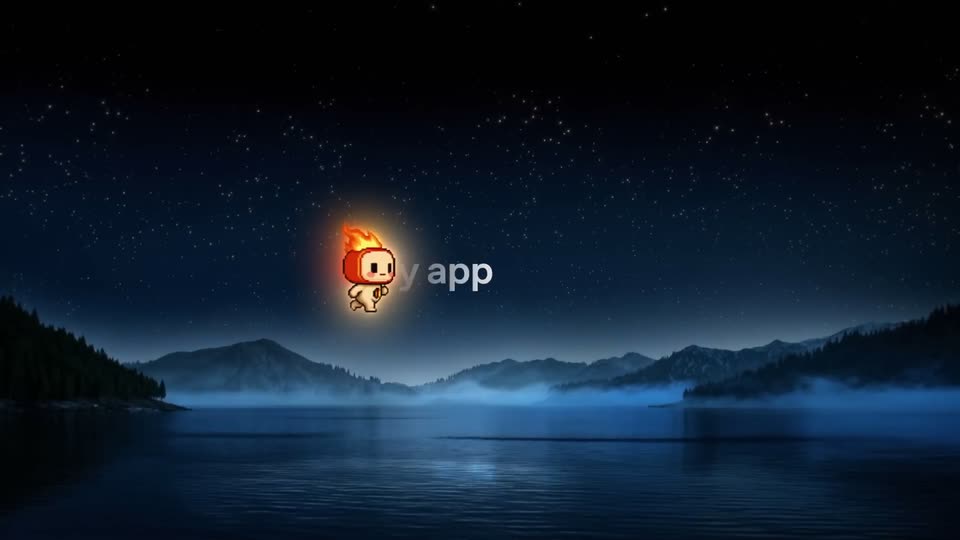
A misty night lake under a starry sky. The line “Computer use lets ChatGPT use any app” slides in from the left, then a glowing pixel robot with a flame head slides in, passes the text and stops at center as the text fades out.
On-screen text: “Computer use lets ChatGPT use any app”
Techniques: Kinetic type
Camera: Pull out
A small flame-headed mascot glows at the center of a starry night lake scene. A bright white triangular outline drifts across the frame, passing left, right and over the water, while the character hovers in place.
Camera: Static
A glowing triangle outline begins large and blurred in the upper left, then shrinks and recedes across a starry night lake, ending as a small light above the water with a faint reflection. Mist drifts over dark mountains under a star-filled sky.
Techniques: Parallax
Camera: Pan
A glowing cursor arrow flies right across a starry night landscape above a misty lake. A white prompt window fades in on the left with the heading “What should we work on?” and a model selector row.
Techniques: Cursor demo
Camera: Static
Two floating interface windows hang over a starlit lake at night. The left project panel shrinks and drifts left while the right article window, showing a potato illustration, expands and tilts into 3D perspective. A glowing cursor hovers over it, then a small robot mascot pops up at the waterline.
Techniques: 3D mockup, UI zoom
Camera: Static
Two flat interface panels float over a starry night lake: a chat window on the left and a keynote viewer on the right showing a potato slide. Text types into the left input field while the camera zooms in on that window, sliding the right panel off-frame.
Techniques: UI zoom
Camera: Push in
A white chat window floats over a blurred dark night backdrop. A prompt to add Keynote slides sits above a Thinking status that switches to Working as response text and a tool call with a Keynote slide thumbnail appear. The camera then zooms into the lower half of the window.
Techniques: UI zoom
Camera: Push in
A white assistant panel shows a prompt about using the Computer Use skill to operate Notes and Keynote, beside a floating Keynote window with a slide of a potato plant. A voice bar with mic and record button sits below, over a dark blurred night backdrop. The shot holds still.
Camera: Static
A light gray background holds a two-line black headline. The first line, Computer use is now faster, lands first, then the second line fills in word by word until the full sentence sits centered and still.
On-screen text: “Computer use is now faster and has live picture-in-picture”
Techniques: Kinetic type
Camera: Static
Over a blurred night-lake backdrop, a white notes panel slides out left, revealing a centered Keynote window. A cursor clicks its toolbar as the slide title and bullets type in, while a webpage panel scrolls above. A flame-headed mascot with a 1 badge stands bottom right.
On-screen text: “Computer use is now faster”, “and has live picture-in-picture”
Techniques: Cursor demo, Split screen
Camera: Push in
On a plain off-white background, a two-line sentence builds word by word, each word fading from gray to black as it lands, settling into the full statement.
On-screen text: “You can multitask while your pet keeps an eye on computer use”
Techniques: Kinetic type
Camera: Static
A starry night lake forms the backdrop as two flat app windows, a chat and a spreadsheet, hover at center and trade places in front. A pixel-art flame-headed pet and a small numbered ring stand to the right.
On-screen text: “You can multitask while your pet”, “keeps an eye on computer use”
Camera: Static
Two overlapping application windows, a spreadsheet and a browser, float in 3D perspective against a starry night background. A small cartoon character with a flame head stands in the lower right.
Techniques: 3D mockup
Camera: Static
Three tilted browser windows fan out in 3D perspective over a starry night lake, the front window switching from a Bicycling site to a bike comparison spreadsheet. A flame-headed pixel mascot stands at the lower right, briefly sitting at a desk, as a green checkmark pops over the sheet.
On-screen text: “1”
Techniques: 3D mockup
Camera: Static
Three fanned browser windows float in 3D over a blurred night backdrop, a pixel flame character stands at the right. The view then rushes into the green checkmark badge, motion blur swallowing the frame as it zooms.
Techniques: 3D mockup, Speed ramp, UI zoom
Camera: Push in
A pink circle contracts to a small dot at center. The black word OpenAI builds letter by letter, then the letters fold and morph into the OpenAI knot mark, which holds centered on the white field.
On-screen text: “OpenAI”
Techniques: Kinetic type, Morph
Camera: Static