1:11

A new day for work, powered by AI
Slack · Productivity · Sep 2023
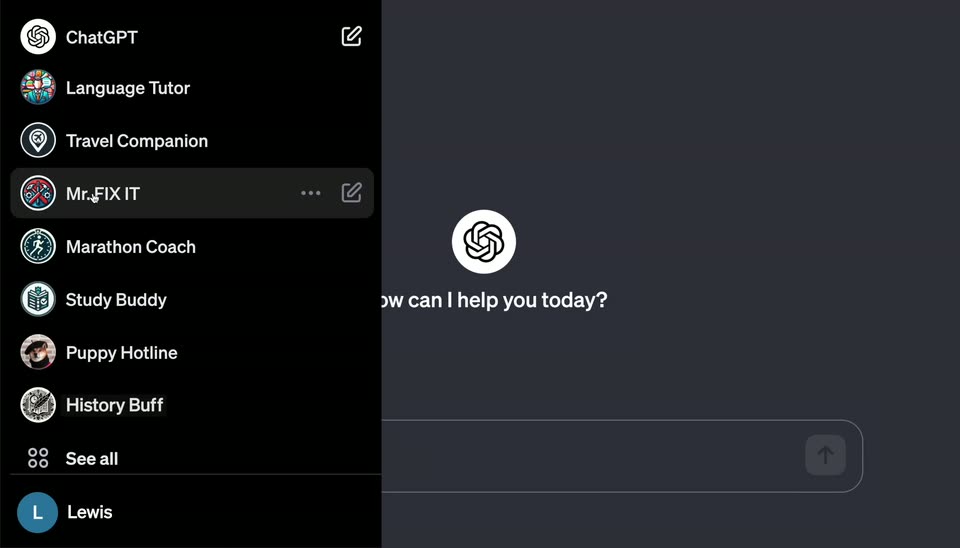
OpenAI’s 1:10 launch film runs 22 scenes, about 3.2 s each. The product is on screen from the first frame. There is no explicit call to action. The video is built as a single continuous screen-recording of the ChatGPT interface, where a sidebar of custom GPTs slides in and a cursor walks down the rows to pick Puppy Hotline, then a long conversation with the bot types itself out word by word while real dog photos load as attachments. Pacing is steady and conversational, with the camera slowly zooming and scrolling to follow the typing, and the only set pieces are a purple tagline card and a pull-back to a wall of GPT tiles before the log
Is this your launch? to your site or press kit.
Slack · Productivity · Sep 2023
Anthropic · AI · Feb 2025
Alex · B2B · Jan 2025
Films whose music sounds like this one, voice left out
Duolingo · Upbeat pop and electronic
Syncere · Lo-fi hip-hop, chillhop, indie folk
Quivly AI · Upbeat electronic
A dark chat screen centers a white knot logo above the greeting 'How can I help you today?', with an input bar holding a mic and send icon at the bottom. The frame pans left, revealing a sidebar with a compose icon.
Camera: Static
A dark two-panel chat interface holds steady. The left sidebar list of named GPTs slides into place while a white cursor hovers down the rows. The right panel keeps the white ChatGPT mark above the greeting line and an empty input bar.
Techniques: Cursor demo
Camera: Static
A dark app interface shows a vertical list of named entries with round icons on the left and a gray panel on the right holding a white circular logo with a black knot and a greeting line. A hand cursor slides down the list, highlighting each row.
Techniques: Cursor demo
Camera: Static
A dark two-pane interface lists AI personas on the left with a cursor hovering over Puppy Hotline, then fades to a centered chat view showing a dog avatar in a beret and an empty input bar at the bottom.
Techniques: Cursor demo
Camera: Pan
Dark chat screen with a dog avatar and the name Puppy Hotline above an empty message bar. The view zooms in as meet Cowboy! is typed, then a photo of a dachshund on grass loads into the attachment thumbnail.
Techniques: Cursor demo, UI zoom
Camera: Static
A dark chat screen shows a message from Lewis with two table photos on grass; the list scrolls up, then cuts to a full-screen photo of a dachshund puppy resting a paw on a chair.
Techniques: UI zoom
Camera: Pan
A brown and black puppy stands on grass, looking up at the camera with an open mouth, one paw resting on a chair frame. The vertical shot sits in a dark letterbox. The handheld camera tilts down toward the dog as a small Puppy Hotline tag appears bottom left.
On-screen text: “Puppy Hotline”
Camera: Pan
A dark comment card shows a photo of a brown and black puppy on grass, one paw resting on a chair frame. Below, the username Puppy Hotline scales in, then a comment types out word by word with a small white dot cursor. The frame stays locked off.
Techniques: Kinetic type
Camera: Static
A dark chat thread shows the Puppy Hotline bot reply beneath a cropped dog photo. The frame zooms out and scrolls to the input bar, where a message types in word by word and a puppy photo attachment fades in with a loading ring.
Techniques: UI zoom, Kinetic type
Camera: Push in
A wet brown puppy is cradled in a tattooed arm, looking up at the camera with wide eyes. A dark caption bar slides up from the bottom edge, then the frame wipes diagonally to black.
On-screen text: “Well... it seems Cowboy is a bit afraid of ba”, “Any advice?”
Camera: Pan
A dark social post card: a wet puppy held in a tattooed arm fills the top, while a comment from Puppy Hotline types out line by line below, a small dot marking each pause.
Techniques: Kinetic type
Camera: Push in
A dark chat view in close-up: a reply about dog shampoo and treats sits at the top while a user's question, “My daughter has a question... why does Cowboy do this?”, types itself into the input box letter by letter. The frame slowly zooms in on the input field.
Techniques: Kinetic type, UI zoom
Camera: Static
A brown and black puppy lies on its back in green grass, head turned to the right, while the camera slowly pushes in. Lines of caption text appear at the bottom of the frame.
On-screen text: “Oh, Cowboy! Make sure to use dog-safe shampoo, warm water,”, “and give lots of positive reinforcement!”, “A few treats should also make him happy and comfortable.”, “0”, “My daughter has a question...”
Camera: Static
A YouTube-style post on a dark background. A top-down clip of a dog lying in grass fills the upper frame. Below, the channel name sits over a comment that types out letter by letter, then a row of reaction icons fades in.
Techniques: Kinetic type
Camera: Push in
A dark chat screen shows a post above a rounded input field. A reply types itself into the field, the box expanding to two lines with emojis, while the frame slowly zooms in on the message.
Techniques: Kinetic type, UI zoom
Camera: Static
A golden retriever in a red knit sweater rests on a white pillow, tucked under a dark gray blanket with its head on its paws. The locked-off shot holds still while caption lines scale in over the frame.
On-screen text: “Good question! “Splooting” can help Cowboy cool down, stretch”, “out his legs, or even just help him relax.”, “0”, “Great... now my kids are trying to sploot!”, “But we're making progress...”
Techniques: Kinetic type
Camera: Static
On a solid purple background, a light-blue sans-serif headline types itself out word by word: “The best version of ChatGPT is tailored for you,” with “you” in italic bold. A handwritten-style add-on “*and Cowboy” with paw-print emojis is then appended. Locked-off frame.
On-screen text: “The best version of ChatGPT is tailored for you *and Cowboy”
Techniques: Kinetic type
Camera: Static
A grid of dark rounded cards sits on a black background. The central card holds a circular photo of a corgi in a beret and turtleneck above the label Puppy Hotline. The view pans down to reveal a neighbor card with a stopwatch runner icon and a partial card at the top.
Camera: Static
A dark grid of app cards holds in frame as the center card brightens and the Puppy Hotline label scales up slightly.
Techniques: Kinetic type
Camera: Pull out
A dark grid of app tiles opens in close-up on the Puppy Hotline card, then pulls back to reveal a full wall of many labeled app icons.
Techniques: UI zoom
Camera: Pull out
On a flat purple field, the light-blue ChatGPT wordmark holds center as its trailing O scales up into a large disc, and the PT letters morph into purple nAI inside it. A small Puppy Hotline caption scales in nearby.
On-screen text: “Puppy Hotline”, “ChatGPTO”
Techniques: Morph, Kinetic type
Camera: Static
Centered on a flat light-cyan field, the purple OpenAI lockup, knot mark and wordmark, holds in place and scales gently. A purple curved band wipes off the left edge in the first second, clearing the frame.
Camera: Static