1:31


Introducing Personal Finance in Claude
Anthropic · AI · Nov 2026
Meridian · Oct 2025 · 1:38 · AI-annotated
Meridian’s 1:38 launch film runs 42 scenes, about 2.4 s each. The product shows up at 0:19 and 2 features are revealed. The call to action lands at 1:21 (82% in), over a voiceover. A comedic live-action skit leads into a talking-head pitch, then a fast run of 3D-tilted dashboard mockups on white that flatten to face camera, closing on a social CTA. Signature moves: focus-pull whip transitions, orange accent animations like the node network and bar fills, and bottom-anchored subtitle captions throughout.
Is this your launch? to your site or press kit.
Anthropic · AI · Nov 2026
Figma · Design · Jun 2026
A man in an olive polo sits centered in a bright white room with tall windows, speaking to camera. On the left a chat overlay builds: a name label with a heart, a round avatar, then a blue message bubble that scales in. A subtitle runs along the bottom.
On-screen text: “Hi, I'm Alex and today.”, “Amy my gf”, “your dog shit on my moms bed wtf”
Camera: Push in
A blond man in a green shirt looks downward in a bright, white room. The shot then loses focus on a plain white background as he exits the frame, and a small caption appears at the bottom.
On-screen text: “We are still rolling”
Camera: Static
A focus pull resolves a blurry close-up into a medium shot of a man in headphones at a film set, a man in a maroon shirt holding a rig behind him. White subtitles caption the dialogue at the bottom.
On-screen text: “We are still rolling”, “Yeah, just give me a second.”
Camera: Pull out
A man in an olive polo sits in a bright white room, holding a small black device to his mouth as he speaks. A translucent pill-shaped UI bar with a waveform and icons floats to his left. Subtitles appear at the bottom of the frame.
On-screen text: “Yeah, just give me a second.”, “Hey ChatGPT what's a nice restaurant in Brooklyn”, “that says I'm sorry.”, “And also, where can I buy flowers?”
Camera: Push in
A man in an olive polo holds a phone in a sunlit room, glancing up at the camera. A floating ChatGPT card on the right types its answer word by word above a map that pans between two red pins. Bottom subtitles caption the spoken line.
On-screen text: “Roses at Bloom and Co,”, “then dinner at Le Petit Bistro.”
Techniques: UI zoom
Camera: Push in
A man in an olive polo sits on a stool in a bright white room, holding a smartphone to his ear. He lowers the phone and turns to face the camera while bottom-anchored subtitles caption the exchange.
On-screen text: “Roses at Bloom & Co.,”, “then dinner at Le Petit Bistro.”, “Great. Thanks, ChatGPT.”, “That wasn't real”, “But you get the point.”
Camera: Pan
A man in an olive polo sits centered in a bright white room with tall windows, speaking to camera. The camera slowly pulls back from a medium shot to a wider frame. White subtitle captions appear line by line along the bottom.
On-screen text: “But you get the point.”, “Every day,”, “billions of decisions are being made”, “by AI”, “and if AI doesn't say”, “your brand”, “you are losing sales.”, “introducing Meridian.”, “We make ChatGPT, Google AI”, “and every leading AI platform”
Camera: Pull out
A man in an olive polo shirt sits centered in a bright white room with built-in shelving and a large window, speaking to camera. He points down with his right hand as the bottom subtitle switches from a ranking line to a transition line.
On-screen text: “and every leading AI platform”, “rank your brand number one.”, “Let me show you how it works.”
Camera: Static
A man in an olive polo shirt and dark jeans sits on a stool in a bright white room with tall windows, facing the camera. He speaks directly to the viewer in a locked-off medium shot, hands resting on his knees.
On-screen text: “Let me show you how it works.”
Camera: Static
A man peeks over a white surface holding a black circular Runners badge; the badge then tilts into 3D perspective, settling onto a slanted Analytics dashboard mockup.
On-screen text: “Let me show you how it works.”, “Let's say”
Techniques: 3D mockup
Camera: Static
A 3D-tilted interface mockup on a white background. A large black RUNNERS logo hovers over the top, then shrinks and docks into the top-left corner as the camera pulls back to reveal the full Analytics prompts table. The list of trail-running prompts scrolls.
On-screen text: “that wants to get more customers”, “from AI search,”
Techniques: 3D mockup, UI zoom
Camera: Pull out
A white table of search terms, set in 3D perspective, tilts and scales up, then clears to a white field of drifting orange and gray dashes. A dark gray caption box at the bottom center reads Every day.
On-screen text: “Every day”
Techniques: 3D mockup, Particles
Camera: Static
A cursor glides over a white field of scattered pill-shaped tags, some filled orange, as the camera slowly pushes in and the tags drift at different depths. An orange panel then wipes up the frame, leaving the final caption over a small spark.
On-screen text: “Meridian runs”, “thousands of prompts”, “to understand”, “how the AIs are talking about”, “your company.”
Techniques: Cursor demo, Parallax, Masking
Camera: Push in
On a flat orange field, a thin burst of light streaks radiates from the center and fades. A white stadium-shaped card scales up from the middle, then a chart panel with a percentage axis fades in inside it.
On-screen text: “your company.”, “Each prompt”
Techniques: Masking
Camera: Static
A light dashboard with three tabs shows a vertical bar chart of six colored bars, then a cursor clicks the Competitor tab and the panel switches to a horizontal orange bar chart of brand logos with percentages. A slow push-in frames the view; captions run along the bottom.
On-screen text: “gives you visibility”, “into how frequently your brand”, “is appearing in AI search,”, “against your competitors,”
Techniques: Cursor demo
Camera: Static
A tilted sentiment dashboard fills the frame, its orange bars and percentages animating upward as a flat cursor rests on the Sentiment tab. Subtitle captions roll along the bottom.
On-screen text: “against your competitors,”, “and how AI's are describing”
Techniques: 3D mockup, Cursor demo
Camera: Push in
A white analytics dashboard with orange horizontal bars tilts in 3D perspective, comparing platform and competitor scores across categories like Quality and Price. A cursor rests at the top edge and a black caption bar sits at the bottom.
On-screen text: “and how AI's are describing”, “your brand across pricing,”
Techniques: 3D mockup
Camera: Push in
Orange 3D bars rise on a white background as the camera glides over them, revealing white labels for Pricing, Features, Cushioning, Traction and more. The bars then fan out to the right, uncovering a white card showing a Visibility Score of 10.8%.
On-screen text: “your brand across pricing,”, “features, and quality.”, “But visibility is just the start.”
Techniques: 3D mockup, Parallax, Masking
Camera: Pull out
A white metric card sits on a light gray field. The percentage counts up from 40.5% to 75.6% while an orange line chart draws in left to right with square markers. A bottom caption reads “But visibility is just the start.”
On-screen text: “But visibility is just the start.”
Camera: Pull out
A dense grid of dark and white dashboard cards, with line charts and metric labels, fills the frame on a plain white background and holds perfectly still. A white caption line at the bottom swaps from one sentence to the next as the scene plays.
On-screen text: “But visibility is just the start.”, “Here Meridian found that”
Camera: Pull out
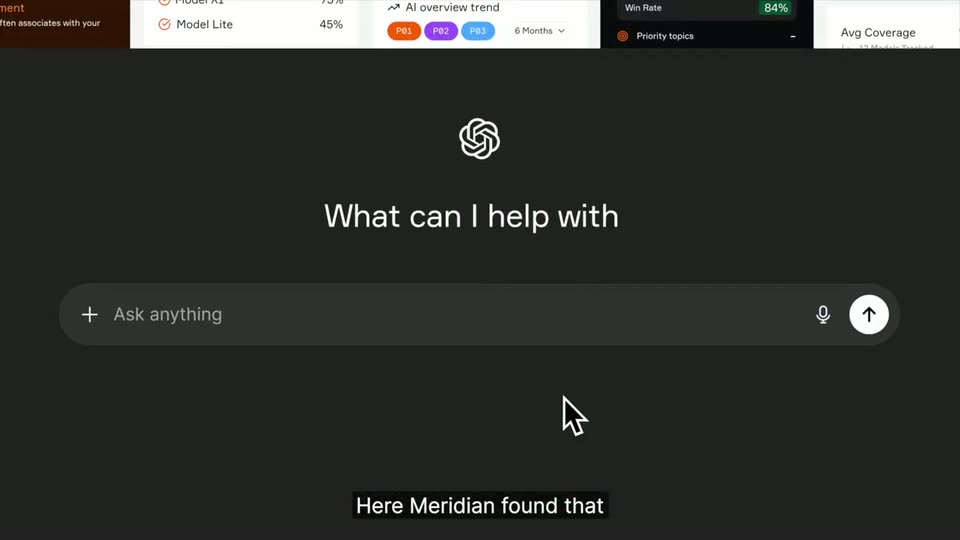
A dark chat screen shows a white interlocking knot logo above the heading “What can I help with” and an “Ask anything” input bar with a mic and up-arrow. The interface slides upward as the top dashboard panel scrolls out, and a cursor hovers over the input. A bottom subtitle reads “Here Meridian found that”.
On-screen text: “Here Meridian found that”
Techniques: Cursor demo
Camera: Static
A dark prompt screen shows the OpenAI logo and the header “What can I help with” above an input bar. A cursor hovers at the bar's left edge while the query “Best marathon running shoes” types in, and a bottom caption carries the narration.
On-screen text: “Here Meridian found that”, “when someone searches for”
Techniques: Cursor demo
Camera: Pull out
A dark interface shows the OpenAI logo above a search bar with “Best marathon running shoes” typed in, then the view rotates into 3D as a field of result cards, including a white Nike shoe and web pages, fans out around the bar.
On-screen text: “best marathon running shoes”
Techniques: 3D mockup
Camera: Pull out
A cluster of marathon-shoe webpage mockups floats in 3D space on a black background, orbiting and then flattening to face the camera. A white caption line updates at the bottom.
On-screen text: “best marathon running shoes”, “you see they have specific contents”, “because they have specific contents.”
Techniques: 3D mockup, Parallax
Camera: Pull out
A cluster of tilted browser windows, each showing marathon shoe articles and search-result lists, floats in 3D depth on a black background. The windows drift slowly while a white caption sits centered at the bottom.
On-screen text: “because they have specific contents.”
Techniques: 3D mockup
Camera: Pan
Tilted 3D cards of search results for marathon shoes drift up and exit the top of the frame while a white panel slides in from the bottom, covering the screen. A white caption reads “because they have specific contents.”
On-screen text: “because they have specific contents.”
Techniques: 3D mockup
Camera: Static
A rounded Content Gaps panel sits on a white background; the frame opens cropped on its header and pulls back to reveal a five-row table of content-gap recommendations with status pills and citation icons. White caption pills at the bottom narrate the voiceover.
On-screen text: “Meridian understands”, “that you're losing customers”, “and gives you these five recommendations”
Techniques: UI zoom
Camera: Push in
A light dashboard panel titled Content Gaps shows a five-row table of content recommendations, each with a colored status pill and citation icons. The panel eases in from a soft double-exposure, then holds while a dark caption bar at the bottom swaps its line.
On-screen text: “and gives you these five recommendations”, “to get you mentioned here.”
Camera: Push in
A content-gaps table crossfades into a running-shoe website mockup; the teal hero circle and blue sneaker with orange laces fade in on the right. A dark caption bar at the bottom carries the line.
On-screen text: “to get you even more cited here.”, “Every week”
Camera: Pull out
A shoe-store webpage sits in tilted 3D perspective on a white grid. Pink bounding boxes and coordinate tags frame each element as the page scrolls down past the hero, a footer with an alert popup, and a code block at the bottom.
Techniques: 3D mockup
Camera: Pan
A webpage mockup with a sneaker photo, headline and red Shop Now button tilts in 3D space, rotating away to expose a dark HTML code panel beneath. A short caption scales in at the bottom edge.
On-screen text: “understand your content.”
Techniques: 3D mockup, Kinetic type
Camera: Pull out
A green circle with a white checkmark holds center over a blurred product screen; the screen fades out to plain white, leaving the badge alone as the bottom caption switches text.
On-screen text: “understand your content.”, “And for launch,”
Camera: Static
A man in an olive polo sits centered in a bright white loft, hands on his knees, speaking to camera. Subtitles cycle along the bottom as he talks, then a step graphic with the number two and the line understand your content. scales in.
On-screen text: “And for launch,”, “we're giving away the fastest way”, “to check your AI search score.”, “Type in your domain in seconds.”, “2”, “understand your content.”
Camera: Static
On a soft peach gradient, a URL field assembles as the https:// prefix slides in and runinrabbit.com types out; a cursor glides to the orange arrow button and clicks it, with the caption Type in your domain in seconds. below.
On-screen text: “Type in your domain in seconds.”, “https://”, “runinrabbit.com”
Techniques: Cursor demo
Camera: Push in
A solid orange circle slides in from the left edge and grows toward the center of a plain off-white field, then eases to a steady mid size. A small dark tag beneath it falls away as the circle settles.
On-screen text: “Anyone analyze thousands of data points”
Camera: Static
A glowing orange node sits at the center of a white field, then the view pulls back to reveal a web of thin lines linking it to scattered orange dots of varying sizes, with large blurred dots drifting in the foreground.
On-screen text: “Anyone analyze thousands of data points”
Techniques: Parallax
Camera: Static
A central orange node with a dotted ring sits on a white background, linked by thin lines to scattered orange dots of varying sizes that drift gently. Subtitles run along the bottom.
On-screen text: “Anyone analyze thousands of data points”, “and show you your exact AI search score”
Camera: Pull out
On a white field, an orange node network radiates from a central hub, then drifts right and condenses into a single hub with fanning lines. On the left, 'results for runinrabbit.com' and 'Visibility Score 249%' slide in, while a caption stays at the bottom.
On-screen text: “and show you your exact AI search score”
Techniques: Particles
Camera: Static
A white score card with an orange dot and radiating lines sits on a plain peach field, the score reading 60%. The card shrinks as a blurred Twitter post fades in behind it, a cursor hovering over the retweet icon, the score now 68%.
On-screen text: “and show you your exact AI search score”, “Retweet and comment AI,”
Techniques: Cursor demo
Camera: Static
A close-up of a Twitter post shows a reply box under the engagement icons. A cursor clicks into the field, types the word AI, then hits the blue Reply button. The box refreshes into the posted reply from Sandra Hefner. Subtitles run along the bottom.
On-screen text: “Retweet and comment AI,”, “and I'll send you a link”
Techniques: Cursor demo
Camera: Static
A Twitter post with a gray image block and a reply reading AI sits on a white background, with a dark caption box at the bottom. The interface fades out to white over the clip.
On-screen text: “to see your visibility.”
Camera: Pull out
On a plain white background, the orange Meridian logo, a ring of small dashes, sits left of the orange wordmark. The frame starts soft and out of focus, then sharpens to a clean lock-off.
Camera: Static