0:52


Launch film
Biolevate · Dec 2025
Perplexity · Feb 2026 · 0:41 · AI-annotated
Perplexity’s 0:41 launch film runs 14 scenes, about 3.0 s each. The product is on screen from the first frame and 1 feature is revealed. There is no explicit call to action. The video opens on a dark void with a refracting glass cube and a serif title, then settles into a flat off-white interface where a cursor walks through the Model Council flow: toggling three models, typing a query, and watching the thinking panel resolve into agreement, disagreement, and discovery tables. Pacing is deliberate at about three cuts per minute, with soft crossfades between report views and a single logo lockup that blurs out to white.
Is this your launch? to your site or press kit.
Biolevate · Dec 2025
Cursor · Developer tools · Oct 2026
White Circle · Sep 2026
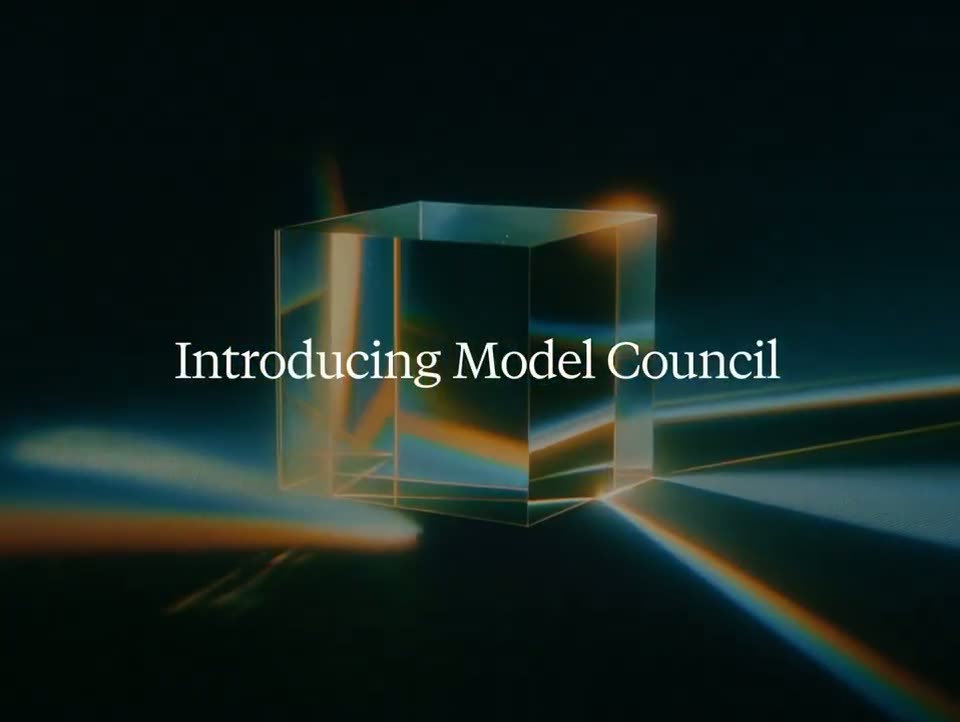
A glass cube sits centered in a dark void, refracting animated beams of blue and amber light that sweep across its faces. The white serif title fades in across the center and holds still.
On-screen text: “Introducing Model Council”
Techniques: Kinetic type, Light sweep
Camera: Static
A flat white screen shows a prompt box; an outlined cursor slides up to the plus button, a dropdown menu opens with a black tooltip beside the Model council row, the cursor hovers it, then a green check and a matching pill fill the input bar.
Techniques: Cursor demo
Camera: Static
A white chat input field with a Model council pill and a 3 models dropdown. The model list opens with toggle switches, a cursor hovers the dropdown, then it closes and a query is typed while autocomplete suggestions update below, before the frame fades to white.
Techniques: Cursor demo
Camera: Static
A light chat interface shows a question bubble above a Thinking panel with three model cards. Status lines type out, step counts tick up to 18, checkmarks mark each card Completed, and a dashed Synthesizing card appears at the bottom as the view scrolls up.
Camera: Static
A crossfade resolves into a flat comparison table titled Where Models Agree. Six inflation findings fill the rows, each marked with checkmarks under three model icons beside an evidence column. The table holds static once the dissolve completes.
Camera: Pull out
A white comparison table titled Where Models Disagree settles into place out of a brief crossfade, laying out four topic rows across five columns on a plain background.
On-screen text: “Where Models Disagree”
Camera: Pull out
A white comparison table titled Where Models Disagree holds static in frame. Five columns span the width: Topic, three model headers, and Why They Differ. Four rows detail inflation framing, labor costs, shutdown impact and tariff characterization.
On-screen text: “Where Models Disagree”
Camera: Static
A white report document scrolls downward, rows sliding up to bring a second table, 'Unique Discoveries', into view below the 'Where Models Disagree' comparison. Text layers overlap and ghost during the scroll.
Camera: Pan
A document view with a three-column comparison table and a summary paragraph zooms in slightly. A right-hand panel then slides open over the page, revealing a numbered, bulleted analysis list with a Share button at the top.
Techniques: UI zoom
Camera: Static
A light chat window labeled GPT-5.2 Thinking shows a bulleted report on U.S. inflation with small source tags, then the document content switches to a second section on tariffs and housing costs.
Camera: Static
A close-up of the product interface holds on a document titled “Main Factors Driving U.S. Inflation in 2025”, with body paragraphs and small citation tags beneath a header reading “Claude Opus 4.5 Thinking”. The view stays static.
Camera: Static
A flat, full-frame view of the Gemini 3 Pro app window holds a white document panel showing a research report on United States inflation drivers. A teal Share button sits top left and a close icon top right. The body text stays static with no motion.
Camera: Static
On a plain white field, the Perplexity line-art star mark assembles in the center and the gray lowercase wordmark settles in beside it. The lockup holds sharp for a beat, then blurs and fades out to white.
Camera: Static
A faint blurry gray shape at center-left on a plain white background dissolves over the first half second, then the frame stays empty white for the remainder.
Camera: Static