2:44
Explore
The ARES Trinity of CAD Software | Create and Modify DWG Files With Modern Collaboration Tools
Graebert · Apr 2021 · 1:39 · Full motion · AI-annotated
studio WowMakers
- Length
- 1:39
- Scenes
- 18 · 5.5 s avg
- Product on screen
- 0:13
- Features shown
- 4
- Call to action
- 1:30 · 92%
- Voiceover
- Yes
- Views
- 2.4M on YouTube
as of November 25, 2026
00:00:00 / 01:39:02
- Length
- 1:39
- Scenes
- 18 · 5.5 s avg
- Product on screen
- 0:13
- Features shown
- 4
- Call to action
- 1:30 · 92%
- Voiceover
- Yes
- Views
- 2.4M on YouTube
as of November 25, 2026
Graebert’s 1:39 launch film runs 18 scenes, about 5.5 s each. The product shows up at 0:13 and 4 features are revealed. The call to action lands at 1:30 (92% in), over a voiceover. The video is a flat vector illustration piece built beat by beat: a problem setup, a logo title card, then one feature per beat (desktop, cloud sync, Kudo, Touch, sharing) shown with simple sliding and popping icons. Pacing is steady at about five cuts per minute, with signature moves like icons sliding into place, the wing logo drawing in, and panels opening from white masks.
No filming indicatedEstimated needs: 1 capture group — your screens or recordings · 1 official logo — reused across the film · 12 graphic passages — draw or supply · 1 3D passage — build or supply
Is this your launch? to your site or press kit.
More like this



Similar soundtrack
Films whose music sounds like this one, voice left out
0:39

Flott HQ - AI Operating System for Fleet Management
Flott HQ · Upbeat corporate electronic
1:29
Hilbert - We’re announcing our Series A led by @a16z. Hilbert builds the infra
Hilbert · Corporate / Tech Launch
1:22

Notte - Reliable Web Agent Workflows
Notte · Modern electronic
The ARES Trinity of CAD Software | Create and Modify DWG Files With Modern Collaboration Tools, scene by scene
· 18 scenes as text
01 · Problem · 0:00–0:06
A man in a red shirt sits at a white desk; his monitor cycles from a document to a pie chart, then a wireframe tower, mirrored on a tablet. The camera pans right to reveal a colleague with a tablet and a whiteboard sketch.
Camera: Pan
02 · Problem · 0:06–0:13
Flat vector illustration in three side-by-side panels: a woman on a laptop by a window, a man in red at a monitor with a wireframe building, a bearded man tapping a tablet before a whiteboard sketch. The screens update with the tower wireframe as he taps.
Techniques: Split screen, Morph
Camera: Pull out
03 · Product intro · 0:13–0:18
A red wing logo draws in at the center of a white background with faint blue corner shapes. The headline fades in below it, then a gray subline scales in. The lockup shrinks into the screen of a line-art monitor.
On-screen text: “The ARES® Trinity of CAD Software”, “Desktop, Mobile & Cloud”
Techniques: Kinetic type
Camera: Static
04 · Product intro · 0:18–0:23
Three vertical panels open from white masks, each pairing OS icons (Apple, Android, Windows, Linux) or browser icons with flat device illustrations. The red Grabert ARES logos fade in beneath each panel: Touch, Commander, Kudo.
On-screen text: “ARES® Touch”, “ARES® Commander”, “Grabert”, “ARES® Kudo”
Techniques: Masking
Camera: Pull out
05 · Demo · 0:23–0:29
A flat vector illustration shows a man in a red shirt at a white desk, seen from behind, facing a monitor that cycles between a colorful 3D pavilion and a wireframe tower. A tablet and phone on the desk mirror the model. The camera slowly pushes in.
On-screen text: “ARES® Touch”, “ARES® Commander”, “Grabert”, “ARES® Kudo”
Camera: Static
06 · Feature reveal · 0:29–0:31
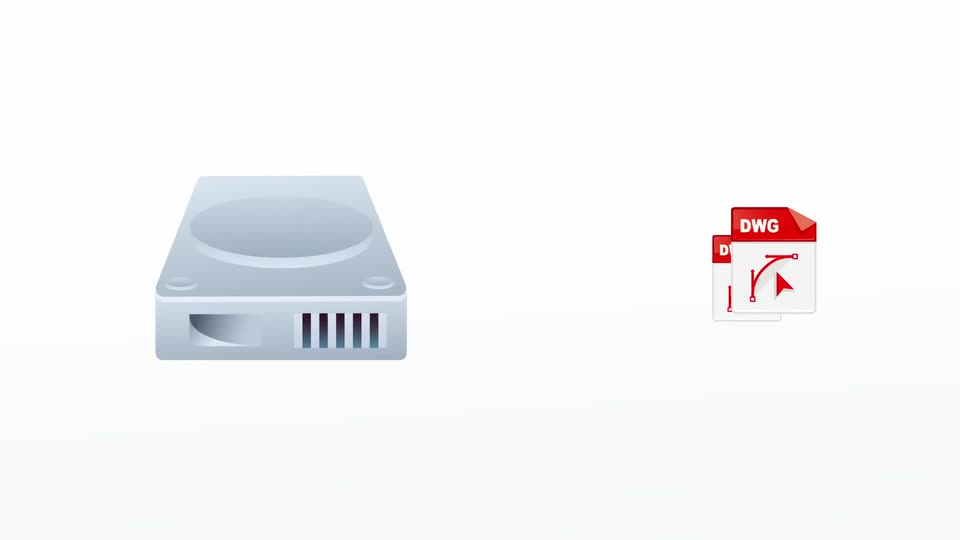
A pale blue hard drive mockup fades into view on the left while two red DWG file icons slide together on the right and overlap into a single icon.
Techniques: 3D mockup
Camera: Static
07 · Feature reveal · 0:31–0:36
Two red DWG file icons on the left; a white cloud on the right fills with cloud service logos, Dropbox, OneDrive, AWS, Google Drive and Box, popping in one by one, while a file icon slides in behind the cloud's left edge.
Camera: Static
08 · Feature reveal · 0:36–0:40
A flat monitor illustration with a CAD drawing and a Save as dialog slides left, revealing a white cloud with a red swoosh mark. A red DWG file icon slides out from behind the cloud toward a browser window on the right as typing dots pulse.
Camera: Push in
09 · Feature reveal · 0:40–0:45
A white cloud carrying a red feather mark morphs into a flat browser window mockup that scales up; the URL is then typed character by character into the address bar, caret blinking.
On-screen text: “https://kudo.graebert.com”
Techniques: Morph, Kinetic type
Camera: Push in
10 · Feature reveal · 0:45–0:46
A tight close-up on a browser address bar zooms out to reveal the full window on the right, beside a flat illustration of a woman at a laptop and a white cat on a shelf. The ARES Kudo logo fades into the page area.
Techniques: UI zoom
Camera: Pull out
11 · Feature reveal · 0:46–0:53
A flat illustration shows a woman at a desk with a laptop and a white cat, while a browser window on the right loads a CAD panel and then zooms into a twisting tower model. The cat's tail and the woman's pose shift gently.
Techniques: UI zoom
Camera: Static
12 · Feature reveal · 0:53–0:59
A flat illustration shows a worker in a red hard hat tapping his phone at a construction site. A large phone mockup beside him displays the app icon, then a dark interface with a loading spinner, then a white wireframe of a tower.
Camera: Static
13 · Feature reveal · 0:59–1:03
On a blue-to-purple gradient, a tilted photo placeholder slides up from the bottom left, a second photo icon pops in beside it, then an audio bar with a play button and headphone icon and two chat bubbles with gray lines appear in turn.
Camera: Static
14 · Feature reveal · 1:03–1:08
A flat illustration of a man in a red jacket types at a desktop computer in a bright room. A white speech bubble with an envelope and a red 1 badge pops in at the upper right, then a dark panel with a circular loading spinner takes its place.
Camera: Static
15 · Feature reveal · 1:08–1:23
An illustrated man works at a desk while a floating screen beside him shows a 3D model cycling through colored points, wireframe, and white solid, then a share dialog with a link and password. The frame widens to a woman at a laptop; two chat bubbles pop up.
On-screen text: “Changes done.”, “Looks good. Approved.”
Techniques: Split screen
Camera: Pan
16 · Other · 1:23–1:30
A red wing mark in a white circular button holds center on a pale background with diagonal blue shapes. Seven flat icons in circles (factory, blueprint, car, documents, worker, building, rig) pop in around it, then fade out as a gray headline appears above.
On-screen text: “Changes done.”, “Looks good.”, “Approved.”, “The ARES® Trinity of CAD Software”
Camera: Pull out
17 · CTA · 1:30–1:33
A white title card with faint blue diagonal shapes in the corners. The black headline holds at the top while the gray subtitle fades in, then three red-feathered logos fade in: ARES Commander centered, ARES Touch and ARES Kudo below it.
On-screen text: “The ARES® Trinity of CAD Software”, “Desktop, Mobile & Cloud”, “Grabert ARES® Commander”, “Grabert ARES® Touch”, “Grabert ARES® Kudo”
Camera: Static
18 · CTA · 1:33–1:39
The Gräbert wordmark with a yellow plus mark darkens from gray to black, centered on white, the URL below it, then the tagline “Activate a free 30-day trial today” fades in underneath.
On-screen text: “www.graebert.com”, “Activate a free 30-day trial today”
Camera: Static