3:35

Meet DJI RS 4 Mini: Compact and Lightweight Gimbal Designed for Creators
DJI · Hardware · Feb 2025
GitHub · Apr 2024 · 1:12 · Full motion · AI-annotated
GitHub’s 1:12 launch film runs 34 scenes, about 2.1 s each. The product shows up at 0:06 and 7 features are revealed. The call to action lands at 1:06 (92% in), over a voiceover. Tone is confident and sleek, built on a black-and-violet palette with a blue-to-teal gradient for the UI sections. The video is structured as a hook question, a 3D logo reveal, then a single continuous pong-game walkthrough broken into feature captions, and a logo-plus-waitlist close. Pacing is steady at about 140 bpm with quick cuts, and the signature moves are word-by-word type reveals, 3D device mockups tilting into flat UI, and a recurring purple robot head that morphs into the brand mark.
Is this your launch? to your site or press kit.
DJI · Hardware · Feb 2025
Kiwi · B2B · Oct 2026
Films whose music sounds like this one, voice left out
Telamont · Lo-fi hip-hop, chillwave
Apple · Electronic dance music
Samsung · Electronic (future bass, trap, lo-fi hip-hop)
On black, a white letter W expands into the line What if Copilot could help. The line then scales down and its tail cycles through three gradient phrases: fix a bug, improve a pull request, implement a feature.
On-screen text: “What if Copilot could help fix a bug?”, “What if Copilot could help improve a pull request?”, “What if Copilot could help implement a feature?”
Techniques: Kinetic type
Camera: Static
A centered sentence on black, white lead-in with a blue-teal gradient tail, swaps from 'implement a feature?' to 'start a codebase?' while a dark dome with a bright top light fades in behind.
On-screen text: “What if Copilot could help implement a feature?”, “What if Copilot could help start a codebase?”
Techniques: Kinetic type
Camera: Static
A rounded, glossy dark 3D form with two top lobes is revealed by rim light on a navy background. The line 'What if Copilot could help start a codebase?' scales out as the 'Introducing' pill, the GitHub Copilot logo and a large 'Workspace' slide in over the shape.
On-screen text: “What if Copilot could help start a codebase?”, “Introducing”, “GitHub Copilot”, “Workspace”
Techniques: Kinetic type, 3D mockup
Camera: Pull out
A glossy purple 3D robot head with glowing blue eyes sits on a black field of teal specks, then shrinks as neon warp streaks radiate behind it. The head tilts and flies right through the light tunnel, cutting to a black card where bold white sans text reveals line by line.
On-screen text: “A Copilot-native dev environment, des”
Techniques: 3D mockup, Particles, Kinetic type
Camera: Pull out
A centered white headline on a near-black background builds up line by line, the last line typing in character by character until the full sentence reads out. The frame stays locked off while the text completes.
On-screen text: “A Copilot-native dev environment, designed for everyday tasks”
Techniques: Kinetic type
Camera: Static
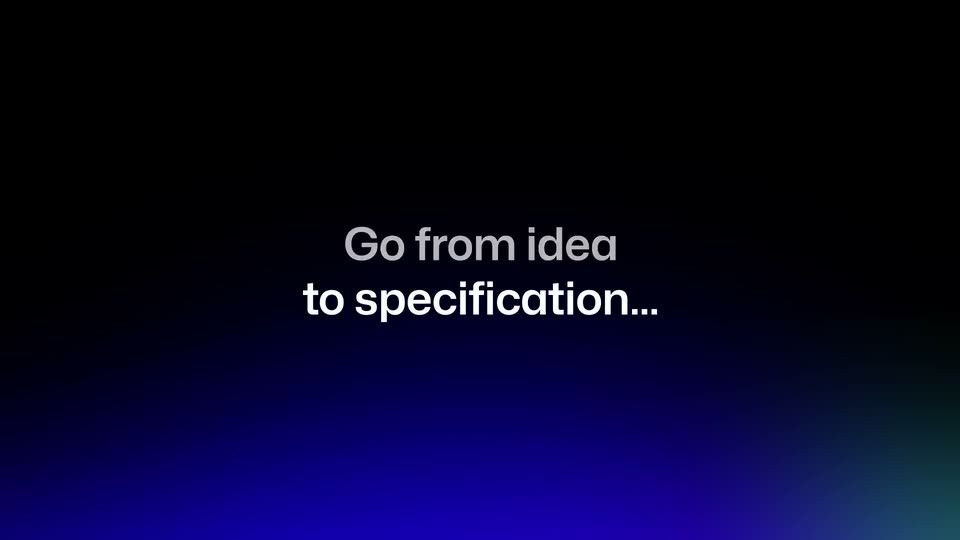
On a near-black backdrop with a soft blue glow at the bottom, a small gray word 'Get' fades out as the white headline 'Go from idea to specification...' fades in on two centered lines, holds briefly, then fades to black.
On-screen text: “Get”, “Go from idea”, “to specification...”
Camera: Static
A dark issue panel shows a cursor clicking the Open in Workspace button. The view reframes onto the sidebar, then the panel slides left to reveal a light violet code-generation window centered on a blue-purple gradient, with the caption with a single click on the right.
On-screen text: “with a single click”
Techniques: Cursor demo, UI zoom
Camera: Push in
A tilted 3D mockup of a repository interface floats on a purple-to-teal gradient. Inside, a white card types out a question and answer about an AI player in a pong game while skeleton bars load below. The window eases from a strong tilt toward a flatter angle.
Techniques: 3D mockup
Camera: Push in
A frosted glass panel fades in over a purple-to-teal gradient, showing a vertical timeline with Issue and Specification nodes. A white card lists a pong-game question, while the Stop and Generate plan buttons slide into place at the right and bottom.
Camera: Pan
A white headline appears word by word over a purple gradient as a flat product panel slides up. The shot zooms into the specification list, a text cursor sits in an empty field, then the view scrolls up to a green Generate plan button that the hand cursor approaches.
On-screen text: “Edit the details of any step...”, “before generating a plan”
Techniques: Kinetic type, UI zoom, Cursor demo
Camera: Push in
On a blue-to-teal gradient, a centered white headline builds line by line. The first line, See how Copilot, holds while the next two lines fade in below it, completing the sentence. The frame stays locked.
On-screen text: “See how Copilot”, “plans to implement”, “the changes”
Techniques: Kinetic type
Camera: Static
A light UI panel showing a three-step timeline and a plan card sits on a blue-to-teal gradient. The card fills with two file tasks, then the panel slides right as white words type in on the left.
On-screen text: “and let it”
Techniques: Kinetic type
Camera: Pan
A purple backdrop carries white headline text that swaps from “and let Copilot generate code” to “you can be confident in” while a product interface panel with a plan checklist sits at right, then slides to center as the text clears.
On-screen text: “and let Copilot generate code”, “you can be confident in”
Techniques: Kinetic type, UI zoom
Camera: Pan
A flat code-editor window floats on a purple-to-blue gradient. The left plan panel shows two checked files and a green implement button, while a red-and-green code diff fills the right. The window then scales down and slides up, leaving a large white Try in the lower center.
On-screen text: “Try”
Techniques: UI zoom
Camera: Pull out
A blue-to-green gradient fills the frame while two centered lines of white text fade in word by word. The first line completes before the second line begins its staggered reveal.
On-screen text: “Try out your changes”, “in a live preview...”
Techniques: Kinetic type
Camera: Pan
A split interface shows a green step list with an open dropdown menu on the left and a code diff on the right. A cursor hovers over Open live preview while the sidebar scrolls up a few items.
Techniques: Cursor demo
Camera: Static
A code editor diff view with an open dropdown menu and a hand cursor hovering the live preview item, then the whole interface blurs and recedes as a large 0 : 0 score pops in centered at the bottom.
On-screen text: “0 : 0”
Techniques: Cursor demo
Camera: Static
A dark browser window runs a Pong game with purple and white paddles while it drifts upward over a blurred list panel. The white headline builds word by word above it against a blue-green gradient.
On-screen text: “right inside the”, “workspace”
Techniques: Kinetic type, Parallax
Camera: Static
A lavender code editor window slides up from the bottom left over a blue-purple gradient, with a white headline on the right. A hand cursor clicks the share icon in the window's top corner, and a dark Share tooltip pops up above it.
On-screen text: “A workflow that's collaborative by default...”
Techniques: Kinetic type, Cursor demo
Camera: Static
A light-purple board panel with a hovered Share button and black tooltip sits left of a white headline on a blue gradient. The camera pans right past the button, then reframes onto a white card where a line is typed, the headline ghosting behind it.
On-screen text: “A workflow”, “that's collaborative”, “by default...”
Techniques: Kinetic type, UI zoom
Camera: Static
A close-up of a chat bubble with a blinking cursor pulls back to reveal a full chat card on a purple gradient, titled #project-octoinvaders, with two avatars and three message bubbles. A hand cursor clicks the Open workspace link at the bottom.
Techniques: UI zoom, Cursor demo
Camera: Pull out
A tilted chat card titled #project-octoinvaders hovers over a code diff panel in 3D perspective. The view zooms into the panel; the cursor leaves the chat and clicks the green Create pull request button, and the interface scrolls down to show the new pull request.
Techniques: 3D mockup, UI zoom, Cursor demo
Camera: Push in
A close-up of a plan interface on a purple background zooms out to reveal the full card. The left timeline highlights the Implement selected files button, and the right side shows a green code diff above a file card.
Techniques: UI zoom
Camera: Pull out
A tilted smartphone mockup on a violet-to-teal gradient shows a file list and a pull request line. On the right, large white text reads “Build from here”, assembling letter by letter.
On-screen text: “Build from here”
Techniques: 3D mockup, Kinetic type
Camera: Static
A purple-to-teal gradient fills the frame. On the left, a tilted smartphone mockup shows a code plan and a GitHub address; on the right, the white headline sits. The phone drifts downward and the headline fades out.
On-screen text: “Build from here”
Techniques: 3D mockup
Camera: Static
A 3D laptop mockup of a code review screen sits on a blue gradient with the headline Or here above it; a flat detail panel slides in from the right and grows to fill the frame while the laptop shrinks to a small tab on the left.
On-screen text: “Or here”
Techniques: 3D mockup
Camera: Push in
A product interface zooms in from a wide view with an open dropdown and a code diff panel to a tight framing of a vertical timeline. Two green circular icons, a code bracket and a branch symbol, sit beside the entries Implementation and mayapolarbear created a pull request #7.
Techniques: UI zoom
Camera: Push in
A GitHub activity timeline fills the frame with green circular icons on a vertical line. The view zooms in on the pull request line, then the list scrolls down to reveal a merged entry with a check icon. A small white caption flashes briefly under the pull request line.
On-screen text: “8”
Techniques: UI zoom
Camera: Pan
On a black background, a centered line of white text assembles in sequence, the first two words appearing before the rest complete the line. The frame stays locked off with no camera movement.
On-screen text: “Task, spec, plan, code”
Techniques: Kinetic type
Camera: Static
Centered white text reads “Welcome to a new” on a black field; a dimmer gray line “dev environment” fades in below it. At the close, a blurred blue and purple orb with diagonal light streaks sweeps in from the top-left corner.
On-screen text: “Welcome to a new”, “dev environment”
Camera: Static
A blue glowing shape streaks in from the top left with heavy motion blur, then slows to a centered purple 3D orb with bright cyan spots and a thin ring, on a black background.
Techniques: Speed ramp
Camera: Static
A blue 3D face with teal eyes floats on black, then shrinks and flattens into the white GitHub Copilot mark. The large word Workspace fades in below it, and the smaller line GitHub Copilot appears above, settling into a centered lockup.
On-screen text: “Workspace”, “GitHub Copilot”
Techniques: Morph
Camera: Static
A black card shows the GitHub Copilot logo and Workspace in dark gray, then centered join the waitlist and the gray URL appear. The frame stays static and locked off.
On-screen text: “GitHub Copilot”, “Workspace”, “join the waitlist”, “gh.io/copilot-workspace”
Camera: Static
On a plain black background, two centered lines of white text hold a sign-off: a small 'join the waitlist' above a larger URL. The type starts slightly blurred and offset, then sharpens into focus within the first second and stays locked off.
On-screen text: “join the waitlist”, “gh.io/copilot-workspace”
Camera: Static