0:14
Explore
Introducing DRAMA | The AI Emotion Expression Editor
SyncMonster.AI · Apr 2026 · 1:09 · AI-annotated
- Length
- 1:09
- Scenes
- 30 · 2.3 s avg
- Product on screen
- 0:00
- Features shown
- 5
- Voiceover
- No
- Views
- 145 on YouTube
as of November 25, 2026
00:00:00 / 01:09:26
- Length
- 1:09
- Scenes
- 30 · 2.3 s avg
- Product on screen
- 0:00
- Features shown
- 5
- Voiceover
- No
- Views
- 145 on YouTube
as of November 25, 2026
SyncMonster.AI’s 1:09 launch film runs 30 scenes, about 2.3 s each. The product is on screen from the first frame and 5 features are revealed. There is no explicit call to action. The video opens with the product name on a black field, then alternates locked-off title cards that highlight a single word in red with live-action expression demos shown as split and multi-panel comparisons. Pacing is fast at 164 BPM, built on quick scale-in text, motion-blur transitions, and a closing DRAMA wordmark that cycles through display typefaces.
Footage neededEstimated needs: 1 official logo — reused across the film · 11 filmed passages — shoot, supply or replace
Is this your launch? to your site or press kit.
More like this

0:21
Stability AI - Today, we’re thrilled to announce the open weights for Stable Diffusi
Stability AI · Jun 2024
1:19


All New Uniswap Extension and More Tools for Users to Swap Smarter
Uniswap · Feb 2024
Similar soundtrack
Films whose music sounds like this one, voice left out
1:04

Introducing Actions for your Google Assistant
Google · Rock
0:47
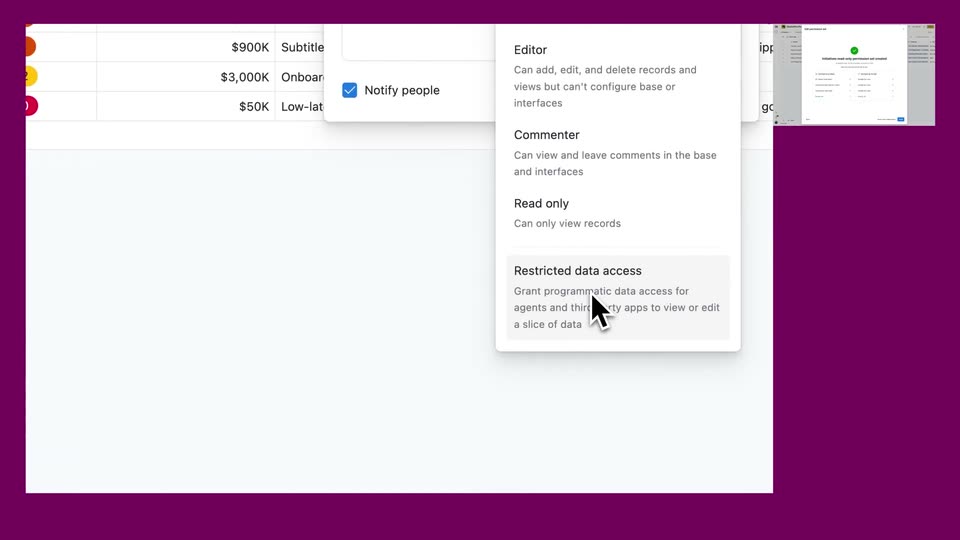

October 2026 Launch: Governance
Airtable · Funk-rock / Indie rock / Electronic dance
0:55

Bluejay: Quality Assurance for AI Voice Agents
Bluejay · Pop-rock, Eurodance, and funk
Introducing DRAMA | The AI Emotion Expression Editor, scene by scene
· 30 scenes as text
01 · Product intro · 0:00–0:05
On a near-black field, “Meet” slides in white and “DRAMA” resolves in red beside it. A bracketed caption line fades in below. The title block then fades out as “The AI Expression Editor” scales in, with “AI Expression” in red.
On-screen text: “Meet DRAMA”, “[ Director Ready Articulation Manipulation Algorithm ]”, “The AI Expression Editor”
Techniques: Kinetic type
Camera: Static
02 · Product intro · 0:05–0:06
A centered line of text sits on a near-black background. The words AI and Expression are red, the rest white. The whole line scales up slightly over the short clip, holding a locked-off frame.
On-screen text: “The AI Expression Editor”
Techniques: Kinetic type
Camera: Static
03 · Product intro · 0:06–0:07
On a black background, centered sans-serif text cycles through short phrases, each scaling up and brightening from dark gray to white, settling on the final line.
On-screen text: “Editor”, “Imagine one video”, “The AI Expression Editor”
Techniques: Kinetic type
Camera: Static
04 · Product intro · 0:07–0:10
A dark charcoal card holds the centered line Imagine one video, its second half shifting from pale pink to red, then a cut to Directed to look different every time with the last three words in red.
On-screen text: “Imagine one video”, “Directed to look different every time”
Camera: Static
05 · Product intro · 0:10–0:11
On a near-black background, the centered line reads “to look different every time,” with “different” and “early time” in red. “Directed” fades in at the left to complete the phrase. Locked-off frame, no other motion.
On-screen text: “Directed to look different every time”
Techniques: Kinetic type
Camera: Static
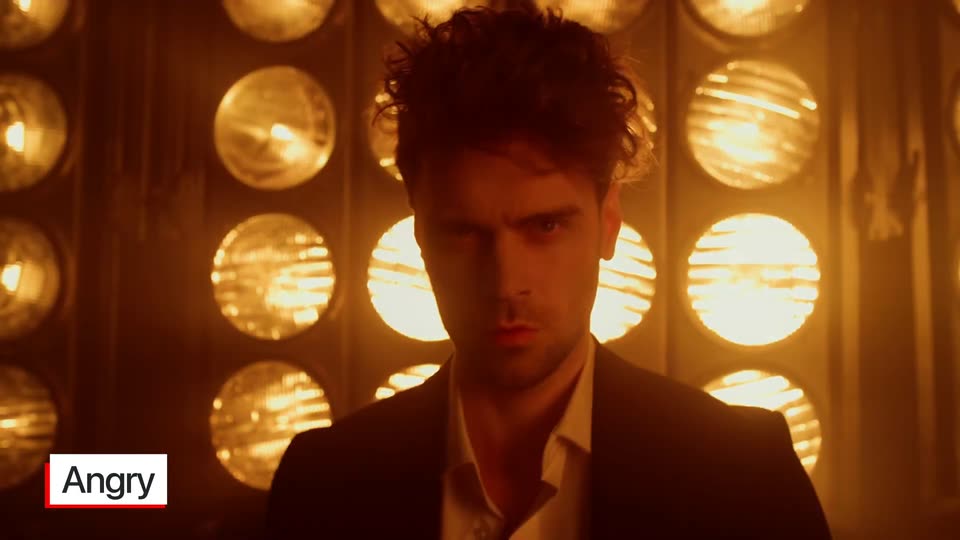
06 · Feature reveal · 0:11–0:19
A man in a dark suit and open white shirt stands before a wall of glowing amber round lights. He shifts from a neutral face to a smile, then a scowl, as a lower-left label changes from Original to Happy to Angry. The camera slowly pushes in.
On-screen text: “Original”, “Happy”, “Angry”
Camera: Pull out
07 · Feature reveal · 0:19–0:21
On a flat black field, the white headline builds word by word in the center: “Take” lands first, “your” fades up beside it, then “video” completes the line. The frame stays locked off while the phrase settles into place.
On-screen text: “Take your video”
Techniques: Kinetic type
Camera: Static
08 · Feature reveal · 0:21–0:21
A black frame holds the staggered phrase Take your video in white and gray, then swaps to the centered line And just add DRAMA, the last word in red.
On-screen text: “Take your video”, “And just add DRAMA”
Camera: Static
09 · Feature reveal · 0:21–0:23
A plain black background holds a centered caption, white 'And just add' followed by red 'DRAMA'. The red final A scales up and down while the rest of the line stays fixed.
On-screen text: “And just add DRAMA”
Techniques: Kinetic type
Camera: Static
10 · Feature reveal · 0:23–0:27
A locked-off split screen compares the same blonde woman on a white background; the left panel holds a neutral face while the right plays a smiling, brighter take, each tagged with a caption. The shot ends on a black frame.
On-screen text: “Original”, “Happy”, “And just add DRAMA”
Techniques: Split screen
Camera: Static
11 · Feature reveal · 0:27–0:29
On a near-black background, the white word Direct holds left of center as your masterpiece fades in red beside it, completing the line. The full headline holds briefly, then fades to black.
On-screen text: “Original”, “Happy”, “Direct your masterpiece”
Techniques: Kinetic type
Camera: Static
12 · Feature reveal · 0:29–0:32
A close-up of a woman with curly hair, lit in warm red against a dark background, shifts her gaze up and down. The white phrase scales in word by word across the center of her face and holds.
On-screen text: “control the narrative”
Techniques: Kinetic type
Camera: Static
13 · Feature reveal · 0:32–0:36
Centered taglines on a near-black background. 'Refine the performance' builds word by word, 'performance' in red, then 'Reimagine your shot' types in with 'Reimagine' in red, which drops away leaving 'your shot'. A final tagline 'control the narrative' scales in to close the scene.
On-screen text: “Refine the performance”, “Reimagine your shot”, “control the narrative”
Techniques: Kinetic type
Camera: Static
14 · Feature reveal · 0:36–0:39
Low-angle shot of a performer with round glasses, white cravat and dark velvet jacket on a dim stage lit in purple, a bright spotlight at left. The person looks up and gestures with one hand while a white Original tag sits in the lower-left corner.
On-screen text: “Original”, “Reimagine your shot”
Camera: Pull out
15 · Feature reveal · 0:39–0:42
Low-angle shot of a performer in a white cravat, black bow tie and dark jacket, round glasses, lit by pink stage light and a bright backlight. A foreground hand holds a pink flower. A white caption box with red border reading Happy sits lower left.
On-screen text: “Original”, “Happy”
Camera: Pull out
16 · Feature reveal · 0:42–0:43
A dark background displays the text “Auto-tune of expressions” fading in. The words “Auto-tune of” are in white, while “expressions” is in red.
On-screen text: “Auto-tune of expressions”
Techniques: Kinetic type
Camera: Static
17 · Feature reveal · 0:43–0:45
On a near-black background, the line “Just fix it in post” sits centered, “post” in red. A faint remnant of the previous line, “expressions,” fades out over it, then the whole frame dissolves to black.
On-screen text: “Auto-tune of expressions”, “Just fix it in post”
Camera: Static
18 · Feature reveal · 0:45–0:48
A dark frame opens into a side-by-side split of the same woman in a warm room. The left copy stays neutral under a Happy tag, the right copy smiles under Happy++.
On-screen text: “Happy”, “Happy++”
Techniques: Split screen
Camera: Pan
19 · Feature reveal · 0:48–0:49
Two vertical panels of a smiling woman with tortoiseshell glasses slide left, each carrying a white caption tag with a red underline. A black panel on the right uncovers as the footage moves, revealing the word Create.
On-screen text: “Happy”, “Happy++”, “Create”
Techniques: Split screen, Masking
Camera: Pan
20 · Feature reveal · 0:49–0:52
Two centered headline cards on a near-black background. The first reads Create in white and multiple variations in red, then cuts to Retain in white and cinematic quality in red, both locked off.
On-screen text: “Create multiple variations”, “Retain cinematic quality”
Camera: Static
21 · Feature reveal · 0:52–0:52
The line “Retain cinematic quality” holds on a dark background, then cuts to a close-up of a man’s face in a dim, bokeh-lit scene. Vertical bars slice across the footage while tag chips reading Sad, Happy and Angry sit along the bottom edge.
On-screen text: “Retain cinematic quality”
Techniques: Masking
Camera: Pan
22 · Feature reveal · 0:52–0:56
A three-panel split screen shows the same man in a dark corridor, each with a different expression, tagged Sad, Happy, Angry. The shot pulls back from his face to a medium view, then the panels whip together into one centered frame.
On-screen text: “Sad”, “Happy”, “Angry”
Techniques: Split screen, Speed ramp
Camera: Push in
23 · Feature reveal · 0:56–0:57
A dim room holds a man in dark shorts standing center frame as the white word Now floats over his chest. The shot cuts to black and the gray words Just say slide in to the left of Now, which gains a red offset edge.
On-screen text: “Now”, “Just say”
Techniques: Kinetic type
Camera: Static
24 · Feature reveal · 0:57–0:59
A black screen holds a centered headline. “Just say” appears in light gray, while “no to reshoots” appears in red. The line stays static in the middle of the frame.
On-screen text: “Just say no to reshoots”
Camera: Pan
25 · Feature reveal · 0:59–1:02
A man in a checkered suit and dark tie stands before a red stage curtain. The frame opens soft and racks into focus as he tilts his head up and gestures with an open palm, presenting something above him.
Camera: Pan
26 · Outro · 1:02–1:03
A blurred man in a suit against a red curtain dissolves to black as the white headline scales up in the center. The frame stays locked off while the text grows.
On-screen text: “Make everything”
Techniques: Kinetic type
Camera: Static
27 · Outro · 1:03–1:05
Centered white text “Make everything” scales in on a near-black field, then blurs out as “More DRAMAtic” forms, with DRAMA in red. Locked-off frame; each phrase enters with a quick scale and brief motion blur.
On-screen text: “Make everything”, “More DRAMAtic”
Techniques: Kinetic type
Camera: Static
28 · Outro · 1:05–1:06
On a black background, the centered line “More DRAMAtic” in white and red scales, then is replaced by the larger line “with DRAMA”.
On-screen text: “More DRAMAtic”, “with DRAMA”
Techniques: Kinetic type
Camera: Static
29 · Outro · 1:06–1:08
On a black background, the white word with holds still while the red word DRAMA cycles through several font styles, from a glitchy layered form to a brush script, an outline, and a solid serif, then the line disappears leaving the sync monster logo.
On-screen text: “with DRAMA”
Techniques: Morph, Kinetic type
Camera: Static
30 · Outro · 1:08–1:09
A solid black frame holds for the full duration of the scene. No elements, text, or motion are visible; the screen stays uniformly dark.
Camera: Static