0:45
Explore
Kimi.ai - Kimi K2.5 has arrived! 🥝 Here are 2 things to know: Aesthetic Coding
Kimi · Jan 2026 · 0:59 · AI-annotated
- Length
- 0:59
- Scenes
- 38 · 1.6 s avg
- Product on screen
- 0:00
- Features shown
- 2
- Call to action
- 0:56 · 94%
- Voiceover
- No
00:00:00 / 00:59:20
Kimi’s 0:59 launch film runs 38 scenes, about 1.6 s each. The product is on screen from the first frame and 2 features are revealed. The call to action lands at 0:56 (94% in). The video is built from black title cards and rapid 3D interface demos. White sans-serif type and sliding UI panels define its pacing and visual identity.
Footage neededEstimated needs: 2 capture groups — your screens or recordings · 1 official logo — reused across the film · 1 filmed passage — shoot, supply or replace · 4 graphic passages — draw or supply · 6 3D passages — build or supply
Is this your launch? to your site or press kit.
More like this
1:52

Phone (3a) Series: Power in Perspective
Nothing · Hardware · Mar 2025
0:47

Sonos - A fresh look. Quicker access to your music. Easier control. The Sonos
Sonos · Hardware · Apr 2024
Kimi.ai - Kimi K2.5 has arrived! 🥝 Here are 2 things to know: Aesthetic Coding, scene by scene
· 38 scenes as text
01 · Product intro · 0:00–0:01
On a black background, the white word Meet scales up at center, then Kimi K2.5 fades in beneath it with K2.5 set in gray. A faint rounded panel with a soft blue edge glow materializes behind the text.
On-screen text: “Meet”, “Kimi K2.5”
Techniques: Kinetic type
Camera: Static
02 · Product intro · 0:01–0:02
A glowing white Kimi K2.5 title holds center on a black field while a cluster of UI cards, app screens and interface chips drifts slowly in 3D perspective around it, each layer sliding at its own depth.
On-screen text: “Kimi K2.5”
Techniques: 3D mockup, Parallax
Camera: Pull out
03 · Feature reveal · 0:02–0:04
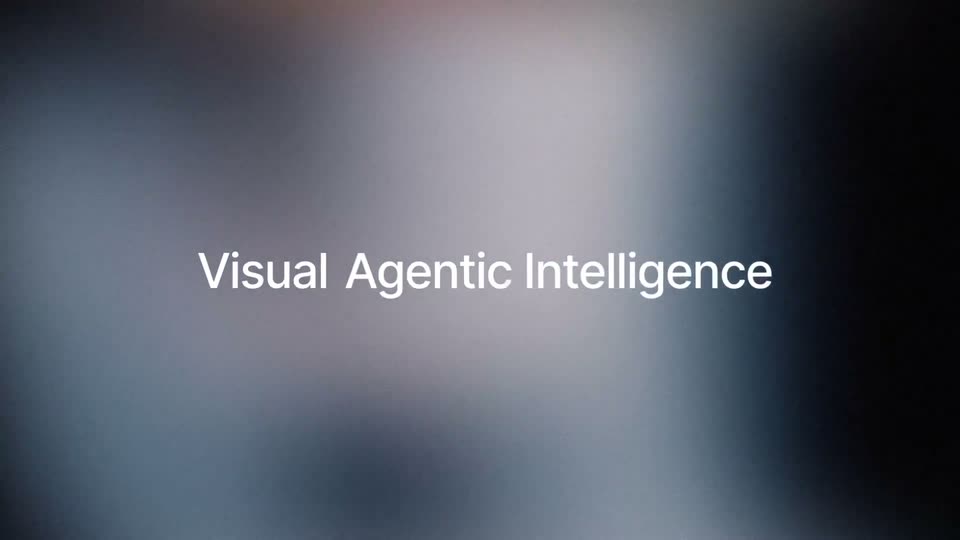
A soft out-of-focus gradient background, dark at the edges and pale at the center with a warm orange glow top-left. The phrase “Visual Agentic Intelligence” appears in white sans-serif, word by word, left of center. The frame stays locked off and still.
On-screen text: “Visual Agentic Intelligence”
Techniques: Kinetic type
Camera: Static
04 · Feature reveal · 0:04–0:05
A large painting of nude dancers in a ring hovers over a period classroom, the set blurring out as the artwork gains opacity and centers. A rounded control bar with a plus icon and an agent dropdown fades in along the bottom edge.
On-screen text: “Visual Agentic Intelligence”
Camera: Static
05 · Feature reveal · 0:05–0:07
A dark chat input panel floats over a blurred warm room. The panel scales up as a prompt line types in, the send button rings blue, then a code window slides in from the lower right showing generated HTML while the button spins.
Techniques: UI zoom
Camera: Pull out
06 · Feature reveal · 0:07–0:08
A code editor window over a blurred video-call backdrop slides down and dissolves, revealing a dark prompt bar with the typed prompt and a centered Kimi Universe play control that scale into place.
Camera: Pan
07 · Feature reveal · 0:08–0:10
A flat browser window labeled HTML with Code and Preview tabs holds a black canvas where colorful illustrated face cards burst outward from the center, rotating in 3D. The title Kimi Universe sits mid-frame while a white headline Code with Vision fades in on the right.
On-screen text: “Code with Vision”
Techniques: 3D mockup
Camera: Pull out
08 · Feature reveal · 0:10–0:11
On a black field, a horizontal carousel of rounded cards scrolls left, passing a turntable player UI, a green particle-line card, and a rainy city illustration with small photos of people. The words Turn and Everything slide in at the top left and bottom right.
On-screen text: “Turn”, “Everything”, “Journey Through Dimensions”
Techniques: Kinetic type
Camera: Pull out
09 · Feature reveal · 0:11–0:12
On black, a four-panel collage slides diagonally: a brown ribbed 3D object with green wireframe, a teal rainy cityscape with a live-action inset of a woman in yellow, and a website mockup with a metallic spiky sculpture. White words Turn, Into, Everything slide across the corners.
On-screen text: “Turn”, “Everything”, “Into”
Techniques: Split screen, Kinetic type
Camera: Pull out
10 · Feature reveal · 0:12–0:13
A tilted browser window on a black background displays a virtual gallery interface. Inside, a metallic spiky sculpture morphs into a moon sphere. A white three-line headline sits to the right, flickering with an offset echo before settling.
On-screen text: “Into Aesthetic Websites”
Techniques: 3D mockup, Morph
Camera: Pan
11 · Feature reveal · 0:13–0:14
A pink browser window tilted in 3D perspective brightens on the right, revealing a grid of colorful portfolio cards, while the white headline Into Aesthetic Websites fades in line by line on the left against black.
On-screen text: “Into Aesthetic Websites”
Techniques: Kinetic type, 3D mockup
Camera: Pull out
12 · Feature reveal · 0:14–0:18
A flat grid mockup of a site labeled DARE cycles its tiles on a black background, showing a grayscale hand holding a phone, pink tiles with product words, then a dark panel where the words SCALE and OUT scale in. The static white text With and Expressive Motion stay fixed at the top left and bottom.
On-screen text: “With”, “Expressive Motion”
Camera: Push in
13 · Feature reveal · 0:18–0:19
A field of red, blue, yellow and gray rectangular blocks fills the frame, brightening from dark to full color. The white headline INTRODUCING AGENT SWARM holds center, with tiny category labels beneath.
On-screen text: “INTRODUCING AGENT SWARM”
Camera: Push in
14 · Feature reveal · 0:19–0:20
A flat website hero screen fills the frame: a black field packed with red, yellow, blue and grey rectangles that shuffle position, with a bold white two-line headline centered and a row of small feature pills beneath it. Corner labels and a floating widget sit at the edges.
On-screen text: “INTRODUCING”, “K2.5 Agent Swarm”
Camera: Static
15 · Feature reveal · 0:20–0:22
On a black field, the oversized white word “Swarm” blurs and scales down to center, resolving into a small lockup with a white node-graph icon left of the title “Agent Swarm”. The motion eases out and holds still.
On-screen text: “INTRODUCING”, “K2.5 Agent Swarm”
Techniques: Kinetic type
Camera: Static
16 · Feature reveal · 0:22–0:25
A dim studio room with audio gear and guitars sits behind a tilted chat card. The prompt types out word by word, the card rotates flat, and a blue highlight selects “Linear Attention.” Then a cut to a black screen with “I’ll create” at the bottom left.
On-screen text: “I'll create”
Techniques: 3D mockup, Kinetic type
Camera: Pull out
17 · Feature reveal · 0:25–0:28
On a dark background, three white text lines appear in sequence beside a small blue dot icon. The text gives way to a Create Subagent input bar, from which a fan of tilted ID-badge cards with pixel-art avatars hangs down.
On-screen text: “I'll create”, “sub-agents team”, “to search and collect data”
Techniques: Kinetic type
Camera: Pan
18 · Feature reveal · 0:28–0:30
A dark screen shows a pill bar reading Create Subagent above a row of white ID-badge cards hanging from clips, each with a pixel avatar, name, role and KIMI mark. The view pans down to reveal a second row of badges. A blue circular button sits at the right edge.
Camera: Pull out
19 · Feature reveal · 0:30–0:31
A static grid of white name-tag cards on a black field, each with a line-drawn avatar, role title and KIMI logo, fills the frame. A glossy blue ball with two white eyes glides left to right across the middle row.
Camera: Pan
20 · Feature reveal · 0:31–0:33
A dark grid of rounded contact cards, each with a line-art avatar, name and role. Four cards flash a blue gradient glow, scale up and float into a horizontal row at the front while the rest dim and recede.
Techniques: Parallax
Camera: Static
21 · Feature reveal · 0:33–0:35
Four dark rounded cards with avatars, names and dot grids sit in a row on a black field with a soft blue glow. The camera slowly pushes in, enlarging the cards until the rightmost one leaves the frame, while green cells light up in the grids.
Techniques: UI zoom
Camera: Static
22 · Feature reveal · 0:35–0:36
Three Kimi's Computer windows sit side by side on a black field, the center pane lit while the flanking ones fade to gray. The center shows a research paper with spectral plots and equations, its task counter stepping through the eleven-step sequence.
Techniques: Split screen
Camera: Push in
23 · Feature reveal · 0:36–0:37
Three dark app windows sit side by side on black. The center window rapidly cycles through Python code, a heatmap, a bar chart, a metadata table, and a PDF page, while the outer windows fade between dim and bright.
Techniques: Split screen
Camera: Static
24 · Feature reveal · 0:37–0:39
Three dark UI cards labeled Kimi's Computer sit side by side on black, the center listing completed agent tasks with green checkmarks. They crossfade into three new cards titled Agent Swarm, Dr. Li and Timeline, each with a green dotted progress bar.
Techniques: Split screen
Camera: Pull out
25 · Feature reveal · 0:39–0:40
A dark UI panel labeled “Agent Swarm” slides up on a black background, its text resolving from a blur. The panel contains four cards with agent names and green status indicators.
Camera: Static
26 · Feature reveal · 0:40–0:40
A dark “Agent Swarm” dashboard panel shows rows of agent cards, each with an avatar, name, task label and a green dot progress bar. A second panel of cards slides in below as the whole stack shifts vertically, briefly revealing a lower row of two cards.
Camera: Pan
27 · Feature reveal · 0:40–0:41
A dark dashboard stacks several 'Agent Swarm' panels vertically, each a row of agent cards with a name, a task label and a green progress bar. The panels drift upward as the bars fill, and a thin white glow outlines the active row.
Camera: Static
28 · Feature reveal · 0:41–0:42
A 3D field of dark Agent Swarm panels, each listing agent cards with names, actions and green dot grids, tilts and pulls back. The camera zooms out to reveal a central Agent Swarm wordmark with a node icon as the cards drift to the frame edges.
Techniques: 3D mockup, UI zoom, Parallax
Camera: Pull out
29 · Feature reveal · 0:42–0:43
On a black field, the white title Agent Swarm with a small node icon sits centered and static while dark task cards, each with an avatar, a name, a verb and a green dot grid, drift around it and new cards slide in from the edges.
On-screen text: “Agent Swarm”
Camera: Pull out
30 · Feature reveal · 0:43–0:44
A black frame holds the white title “Agent Swarm” with a small node icon at center. Dark task cards with avatars and names float around the edges, their status lines flipping to “Completed” with green checkmarks as the clip plays.
On-screen text: “Agent Swarm”
Camera: Pull out
31 · Feature reveal · 0:44–0:45
A white node logo and the wordmark Agent Swarm hold the center of a black field. Tilted cards holding code editors, papers, charts and photos drift slowly downward in a loose ring around the title, framing it on all sides.
On-screen text: “Agent Swarm”
Techniques: Parallax
Camera: Pan
32 · Feature reveal · 0:45–0:46
A white page builds a document layout. The gray serif heading “1 Introduction” slides in over a light blue rule, then turns navy as a bold subheading and a smaller section title appear with matching rules, and a paragraph of gray body text fills the lower half.
On-screen text: “1 Introduction”, “Introduction and Motivation”, “1.1 The Transformer Revolution and Its Computational Bottleneck”
Techniques: Kinetic type
Camera: Static
33 · Feature reveal · 0:46–0:48
A white report page scrolls down, a results table and blurred body copy giving way to a section heading with a heatmap, a network diagram and bar charts. The '1 Introduction' title slides in over the page.
On-screen text: “1 Introduction”
Camera: Pull out
34 · Feature reveal · 0:48–0:51
A dark file-summary table card sits on black. A bright vertical band wipes left to reveal the panel, while a blurred document page with small charts slides in at the left edge. The row values tick upward as the wipe clears.
Techniques: Masking
Camera: Pull out
35 · Feature reveal · 0:51–0:53
A dark file-summary interface sits tilted in 3D perspective on a black background. A large blurred K logo drifts at the left edge while a giant ghosted INFO wordmark fades in behind the panel.
On-screen text: “INFO”
Techniques: 3D mockup, Parallax
Camera: Pull out
36 · Other · 0:53–0:54
On a black background, the word Vision glows in white with soft vertical light streaks behind it, then scales down and fades. The word Agentic follows the same pattern, appearing small and dim before fading out.
On-screen text: “Vision”, “Agentic”
Techniques: Kinetic type
Camera: Static
37 · Other · 0:54–0:56
A white sans-serif headline scales up on a black background with faint vertical light streaks.
On-screen text: “All-in-one Unified Model”
Techniques: Kinetic type
Camera: Static
38 · CTA · 0:56–0:59
Out-of-focus white and gray text reading Now Live on Kimi.com, Kimi App, Kimi API and Kimi Code. sharpens into view on black, the KIMI logo and App Store and Google Play badges fade in below, and a dark cratered moon creeps up from the bottom edge.
On-screen text: “Now Live on Kimi.com, Kimi App, Kimi API and Kimi Code.”
Camera: Static