
0:51
Explore
Bluejay: Quality Assurance for AI Voice Agents
Bluejay · May 2025 · 0:55 · Full motion · AI-annotated
- Length
- 0:55
- Scenes
- 28 · 2.0 s avg
- Product on screen
- 0:12
- Features shown
- 3
- Call to action
- 0:52 · 95%
- Voiceover
- No
- Views
- 700 on YouTube
as of November 23, 2026
00:00:00 / 00:55:05
- Length
- 0:55
- Scenes
- 28 · 2.0 s avg
- Product on screen
- 0:12
- Features shown
- 3
- Call to action
- 0:52 · 95%
- Voiceover
- No
- Views
- 700 on YouTube
as of November 23, 2026
Bluejay’s 0:55 launch film runs 28 scenes, about 2.0 s each. The product shows up at 0:12 and 3 features are revealed. The call to action lands at 0:52 (95% in). A 55 second launch film built on a near-white field with one electric blue accent, where bold italic sans-serif type builds line by line and the blue jay mascot anchors the brand beats. Pacing is fast at 160 bpm with short kinetic-type cards, a 3D cursor and a tilted dashboard for the demo, then a clean logo-and-URL sign-off.
No filming indicatedEstimated needs: 1 capture group — your screens or recordings · 1 official logo — reused across the film · 8 graphic passages — draw or supply · 2 3D passages — build or supply
Is this your launch? to your site or press kit.
More like this


Similar soundtrack
Films whose music sounds like this one, voice left out
0:30

Synthesia 🎥 - Out now: Interactive Avatar API 🗣️ Real-time Avatars that listen, ta
Synthesia · Electronic dance, synth-pop
1:15

Unitree Go2 New Upgrade
Unitree · High-energy instrumental funk-rock and electronic fusion
2:12

Introducing Craft for iPhone, iPad, and Mac
Craft · Indie rock / Alternative rock
Bluejay: Quality Assurance for AI Voice Agents, scene by scene
· 28 scenes as text
01 · Hook · 0:00–0:00
On a white background, blue text QA testing holds at left while black lines for voice agents and italic is hard stack beneath it line by line. A small voice-player card with a blue avatar, waveform and green play button sits in the bottom-right corner.
On-screen text: “QA testing”, “for voice agents”, “is hard”
Techniques: Kinetic type
Camera: Pull out
02 · Hook · 0:00–0:02
A bold italic headline sits left of center on a white field as a column of rounded voice-message cards, each with an avatar circle, blue waveform and green play icon, drifts upward on the right, some cards blurred for depth.
On-screen text: “QA testing”, “for voice agents”, “is hard”
Techniques: Parallax
Camera: Pan
03 · Problem · 0:02–0:04
A centered italic headline sits on a plain white background while a gray sound wave of vertical bars sweeps from left to right behind it. The words QA and scenario are tinted blue, the rest dark gray.
On-screen text: “Manual QA cannot cover”, “every scenario”
Camera: Pan
04 · Problem · 0:04–0:05
On a white background a blue line draws across with a glowing dot traveling right, two stat cards fade in showing 67% success and 33% hallucination with task counts, and the headline Traditional software slides in from the right.
On-screen text: “Traditional software”, “Success Rate”, “67%”, “2/3 Tasks”, “Hallucination”, “33%”, “1/3 Tasks”
Camera: Pull out
05 · Problem · 0:05–0:08
A bold headline sits above a horizontal row of stat cards joined by dashed blue lines. The view pans right, sliding cards for success rate, hallucination, latency and duration across the frame, each showing a colored pill label and a large black figure.
On-screen text: “Traditional software has automated E2E test suites...”
Camera: Pan
06 · Problem · 0:08–0:09
A dashboard of metric cards under a headline clears away to a plain light background, where the blue italic word pair “What if” sits centered and static.
On-screen text: “as automated E2E test suites...”, “What if”
Camera: Pan
07 · Problem · 0:09–0:11
A solid blue field holds the white italic wordmark “Voice AI” centered, which appears and holds still. The phrase “What if” then appears on the same locked-off frame.
On-screen text: “Voice AI”, “What if”
Camera: Static
08 · Problem · 0:11–0:12
On a plain white background, the blue italic phrase builds in left to right. It first appears two-toned, a darker blue on the left fading to light blue on the right, then settles into uniform blue as the question mark lands.
On-screen text: “had the same?”
Techniques: Kinetic type
Camera: Static
09 · Product intro · 0:12–0:17
A circular blue bird logo scales up from a dot to full size at center on an off-white background, the wordmark Bluejay scaling in beneath it. It cuts to a two-line italic headline, end to end set in blue.
On-screen text: “Bluejay”, “Bluejay is the end to end testing platform”
Techniques: Kinetic type
Camera: Static
10 · Product intro · 0:17–0:17
A centered two-line headline on a plain white background reads “Bluejay is the end to end testing platform”, with “end to end” in blue. The whole line scales up smoothly from the middle of the frame.
On-screen text: “Bluejay is the end to end testing platform”
Techniques: Kinetic type
Camera: Static
11 · Product intro · 0:17–0:18
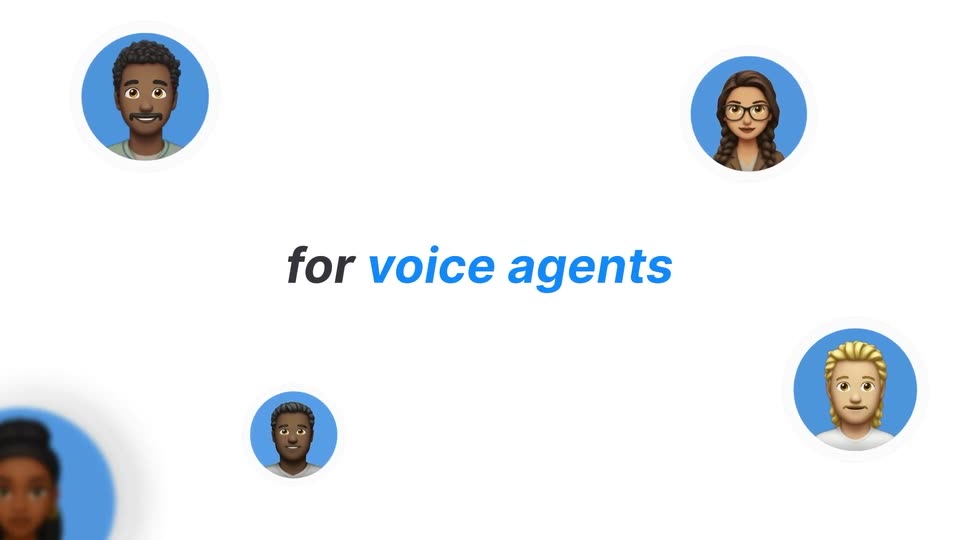
On a white background, the line “for voice agents” sits centered, “for” in black and “voice agents” in blue. Circular illustrated avatars of people on blue discs pop in from the top corners, then a third enters from the bottom edge.
On-screen text: “Bluejay”, “testing platform”, “for voice agents”
Techniques: Kinetic type
Camera: Pull out
12 · Feature reveal · 0:18–0:20
White background with 3D avatar heads in blue circles drifting slowly around the frame edges. The centered headline reads “for voice agents” and swaps to “We did your customers” near the end.
On-screen text: “for voice agents”, “We did your customers.”
Camera: Push in
13 · Feature reveal · 0:20–0:25
On a plain off-white card, the italic line 'We model your customers.' holds, 'customers' in blue, then slides out as 'and simulate one' enters left. A vertical stack of blue words, Hour, Day, Week, Month, slides up on the right, highlighting the active one, before 'of' appears at center.
On-screen text: “We model your customers.”, “and simulate one”, “Hour”, “Day”, “Week”, “Month”, “of”
Techniques: Kinetic type
Camera: Pan
14 · Feature reveal · 0:25–0:26
The phrase “customer interaction” slides horizontally into the center of a solid blue background.
On-screen text: “customer interaction”
Techniques: Kinetic type
Camera: Static
15 · Feature reveal · 0:26–0:27
On a flat light gray field, the italic blue tagline shrinks toward the center while a thin vertical line drops in from the top edge. A new caption fades in along the bottom as the tagline settles into a small centered line.
On-screen text: “in five minutes.”, “Step 3: Click Simulate”
Techniques: Kinetic type
Camera: Pull out
16 · Demo · 0:27–0:31
A vertical three-step timeline with a glowing blue line scrolls down on a light gray background. A glossy 3D blue cursor arrow glides along the right side and lands on the blue Simulate button at the bottom.
On-screen text: “Step 1: Describe your voice agent”, “Step 2: Describe your customers”, “Step 3: Click Simulate”
Techniques: Cursor demo, UI zoom
Camera: Pull out
17 · Demo · 0:31–0:32
A blue Simulate button with a cursor sits centered under a small caption, then the view pulls back to the full Bluejay dashboard as a large headline types in above the Simulations panel.
On-screen text: “Step 3: Click Simulate”, “Simulate hundreds of unique”
Techniques: UI zoom, Cursor demo
Camera: Pull out
18 · Feature reveal · 0:32–0:35
A tilted Simulations dashboard rotates from a 3D angle to a flat front view as worker rows with avatars and Passed or Failed badges populate the table. The static headline Simulate hundreds of unique customers sits above on a white background.
On-screen text: “Simulate hundreds of unique customers”
Techniques: 3D mockup
Camera: Pull out
19 · Feature reveal · 0:35–0:36
A tilted 3D simulations dashboard sits below a bold two-color headline, then the frame clears to white as the line 'each with unique' slides in centered, the last word fading up from light gray.
On-screen text: “Simulate hundreds of unique customers”, “each with unique”
Techniques: 3D mockup, Kinetic type
Camera: Static
20 · Feature reveal · 0:36–0:40
On a plain off-white background, the dark italic phrase each with unique slides left from center while a vertical list of blue words, Personalities, Languages, Accents, Emotions, scrolls up on the right, each word brightening and dimming as it passes.
On-screen text: “each with unique”, “Personalities”, “Languages”, “Accents”, “Emotions”
Techniques: Kinetic type
Camera: Static
21 · Feature reveal · 0:40–0:41
On a plain off-white field, the headline scales up from the center, the word 'parallel' set in blue against the dark gray 'All in'. The frame stays locked off as the type settles at full size.
On-screen text: “All in parallel”
Techniques: Kinetic type
Camera: Static
22 · Feature reveal · 0:41–0:42
On a white background, the italic headline “All in parallel” scales in, with “parallel” in blue. It cuts to a blue cartoon agent with a headset and chat bubbles on the left, while “Hyper-realistic customer simulations” scales in beside it.
On-screen text: “All in parallel”, “Hyper-realistic customer simulations”
Techniques: Kinetic type
Camera: Static
23 · Feature reveal · 0:42–0:42
A blue cartoon avatar with a headset, sunglasses and crossed arms sits left of the headline, which scales up from small to full size. Chat bubbles and a waveform icon flank the avatar. A second avatar begins to appear at the bottom edge.
On-screen text: “Hyper-realistic customer simulations”
Techniques: Kinetic type
Camera: Static
24 · Feature reveal · 0:42–0:45
A vertical list of feature rows, each pairing a blue cartoon agent icon with a label, scrolls up off the frame on a white background, then cuts to the centered tagline All in one place.
On-screen text: “Hyper-realistic customer simulations”, “Continuous Monitoring”, “A/B Testing”, “All in one place”
Techniques: Kinetic type
Camera: Pan
25 · Other · 0:45–0:48
On a white background, the italic line All in one place reveals left to right in dark gray, then the frame cuts to a two-line headline that fades in from light gray: Simulate reality so your AI agents are ready for it, with AI agents in blue.
On-screen text: “All in one place”, “Simulate reality so your”, “AI agents are ready for it”
Techniques: Kinetic type
Camera: Static
26 · Other · 0:48–0:52
A blue cartoon bird logo with sunglasses draws itself in the center of a white frame, the wordmark Bluejay scales in beneath it, then the tagline slides in word by word below.
On-screen text: “Bluejay”, “Stop vibe testing. Quality is engineered.”
Techniques: Kinetic type
Camera: Static
27 · CTA · 0:52–0:53
The Bluejay wordmark and logo sit at the top while the tagline slides in at the bottom edge. The frame then settles on a centered call to action, “Try it now: getbluejay.ai,” with the URL in blue on a plain off-white background.
On-screen text: “Try it”, “Stop vibe testing. Quality is engineered.”, “Try it now: getbluejay.ai”
Techniques: Kinetic type
Camera: Static
28 · CTA · 0:53–0:55
A centered call-to-action line holds still on a plain backdrop that fades from white to gray to black. The text reads 'Try it now:' in dark gray, followed by 'getbluejay.ai' in bold blue, staying fixed as the background darkens to a sign-off.
On-screen text: “Try it now: getbluejay.ai”
Camera: Static