1:59
Explore
Rork - Introducing Rork Max AI that one-shots almost any app for iPhone,
Rork Max · Feb 2026 · 1:00 · AI-annotated
- Length
- 1:00
- Scenes
- 25 · 2.4 s avg
- Product on screen
- 0:00
- Features shown
- 11
- Call to action
- 0:55 · 92%
- Voiceover
- No
00:00:00 / 01:00:03
Rork Max’s 1:00 launch film runs 25 scenes, about 2.4 s each. The product is on screen from the first frame and 11 features are revealed. The call to action lands at 0:55 (92% in). The video opens with a title card and logo sting, then runs a rapid montage of one-app-per-beat demos, each laid out as a two-line caption beside a floating, 3D-tilted device mockup on white, before closing on workflow claims, a capability grid, and a URL card. Signature moves: the caption-plus-mockup split layout, scramble-decode text reveals, and quick device-to-device cuts that keep the pace near 130 bpm.
Footage neededEstimated needs: 5 capture groups — your screens or recordings · 1 official logo — reused across the film · 1 filmed passage — shoot, supply or replace · 2 graphic passages — draw or supply · 10 3D passages — build or supply
Is this your launch? to your site or press kit.
More like this

1:05

Introducing Zapier Tables
Zapier · Productivity · May 2023
1:36
ben - Introducing Contra Payments. The first payments platform that lets y
Contra Payments · Feb 2026
Rork - Introducing Rork Max AI that one-shots almost any app for iPhone, , scene by scene
· 25 scenes as text
01 · Product intro · 0:00–0:03
White title card: bold black and orange sans headline appears at top, then a two-line subhead and a small Powered by Swift badge fade in beneath it. Three iPhone mockups slide up from the bottom edge, each showing a Pokémon Go screen: a battle, an AR creature in a garden, and a map.
On-screen text: “Introducing Rork Max”, “The most powerful AI that can one-shot almost any app even Pokémon Go”, “Powered by Swift”
Techniques: Kinetic type, 3D mockup
Camera: Push in
02 · Product intro · 0:03–0:05
A dark gray pill button sits on a light background, a cursor resting beneath it. The cursor vanishes as the circular bird logo slides right and the gray text Rork Max slides left, swapping places, while an orange glow blooms around the logo.
Techniques: Cursor demo
Camera: Static
03 · Product intro · 0:05–0:06
A peach gradient field holds a brown pill badge with cream “Rork Max” text and an orange circle bearing a dark bird mark. The badge dissolves as the word “Max” scales up to center, its fill easing from a yellow-to-orange gradient to flat orange.
Techniques: Kinetic type
Camera: Static
04 · Feature reveal · 0:06–0:07
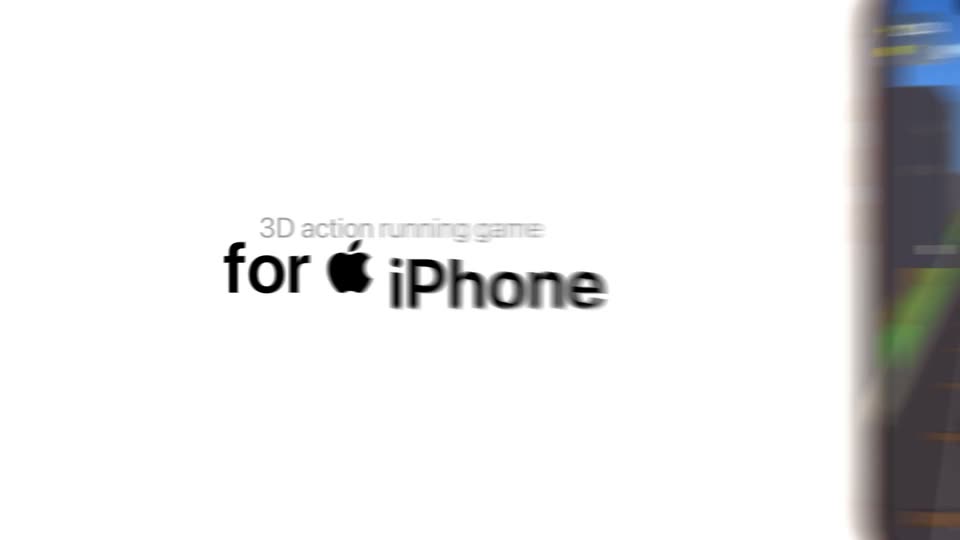
A bold black word slides off the left edge on a white field, then the line builds to read for iPhone with the Apple logo, a small caption above, and a flat phone mockup on the right showing a 3D running game.
On-screen text: “for iPhone”, “3D action running game”
Techniques: Kinetic type
Camera: Pull out
05 · Feature reveal · 0:07–0:10
A copper-framed iPhone mockup floats in 3D perspective on the right, its screen running an endless-runner game as a character sprints down train tracks past red, green and orange trains. On the left, a small gray caption sits above a large black headline, both held static on a white background.
On-screen text: “3D action running game”, “for iPhone”
Techniques: 3D mockup
Camera: Static
06 · Feature reveal · 0:10–0:13
Black headline text sits left of an orange iPhone on a white background. The phone's flight app scrolls from the details card to a map, which unfolds into a 3D globe tracing the SFO to JFK route, then zooms in over North America.
On-screen text: “Flight tracker with 3D map”, “for iPhone”
Techniques: 3D mockup, UI zoom
Camera: Static
07 · Feature reveal · 0:13–0:16
A white background holds a black two-line headline on the left, while an orange iPhone mockup on the right shows a dark habit tracker sheet. A widget card with a 60 percent ring and a habit list slides horizontally inside the app.
On-screen text: “Habit tracker with widgets”, “for iPhone”
Camera: Static
08 · Feature reveal · 0:16–0:18
A white frame holds a left-aligned headline reading Tamagochi with Live Activities for iPhone beside an orange iPhone mockup in 3D angle. The phone shows a pixel-cat Tamagotchi app with status bars and action buttons, then recedes and blurs toward the center as the clip ends.
On-screen text: “Tamagochi with Live Activities”, “for iPhone”
Techniques: 3D mockup
Camera: Static
09 · Feature reveal · 0:18–0:19
Black text on a white background reads Tamagochi with Live Activities for iPhone beside an orange iPhone mockup. The phone screen shows a home screen, and the top Dynamic Island expands to reveal a Live Activity with a dog icon and stats.
On-screen text: “Tamagochi with Live Activities”, “for iPhone”
Techniques: Morph
Camera: Push in
10 · Feature reveal · 0:19–0:25
A black Apple Watch mockup on a white frame rotates from a slight angle to face-on. Its screen plays a chat exchange, then cuts to a first-person 3D game with a red enemy. Left black text swaps from “ClawdBot chat app” to “Doom-like 3D game” above a fixed “for Watch” line.
On-screen text: “ClawdBot chat app”, “for Watch”, “Doom-like 3D game”
Techniques: 3D mockup
Camera: Static
11 · Demo · 0:25–0:25
A rapid sequence of Apple devices, starting with a 3D Apple Watch, cutting to a flat iPad mockup, and ending on an iPhone, each displaying a dark app interface. Text labels identify the device and app type, shifting layout from left-aligned to top-center.
On-screen text: “Doom-like 3D game”, “for Apple Watch”, “Miro style notebook app”, “for Apple iPad”, “Doom-like 3D game”, “for iPhone”
Techniques: 3D mockup, Kinetic type
Camera: Push in
12 · Feature reveal · 0:25–0:28
A flat iPad mockup sits centered on white while its screen plays a mind map demo, sticky notes and handwriting shuffling then clearing to blank. Above, a gray caption crossfades from Miro style notebook app to AR Furniture Planner over a fixed bold for iPad line.
On-screen text: “Miro style notebook app”, “for iPad”, “AR Furniture Planner”
Techniques: 3D mockup
Camera: Static
13 · Feature reveal · 0:28–0:30
A white frame holds a black headline above an iPad mockup, tilted slightly in 3D. Inside, the app's AR camera pans across a wooden dining room, tilting down to the floor and back up as a tan coffee table model slides into place between the chairs.
On-screen text: “AR Furniture Planner”, “for iPad”
Techniques: 3D mockup
Camera: Static
14 · Feature reveal · 0:30–0:31
A white background holds a black two-line headline above an iPad mockup tilted in 3D. The tablet screen cross-dissolves from an AR room showing a coffee table on a wood floor to a movie-pick list with a drama card.
On-screen text: “AR Furniture Planner”, “for iPad”
Techniques: 3D mockup
Camera: Static
15 · Feature reveal · 0:31–0:32
A white top band holds the static headline “Tinder for movies for Apple TV” above a dark Apple TV screen. The screen’s movie card swaps from Forrest Gump to The Matrix while the progress counter ticks from 4 of 10 to 5 of 10.
On-screen text: “Tinder for movies”, “for Apple TV”
Camera: Static
16 · Feature reveal · 0:32–0:33
A dark movie-picker screen, with a heart on the Matrix card and a tilted 3D card at right, fades and slides down, revealing a white panel where a Pulp Fiction card with a heart sits above a row of small posters under the new headline.
On-screen text: “Tinder for movies”, “for Apple TV”, “A movie that you'll love”
Techniques: 3D mockup
Camera: Pull out
17 · Feature reveal · 0:33–0:36
A white card crossfades the headline 'VR basketball for Vision Pro' in over a rounded visionOS window. The window holds a first-person room view with a floating hoop and a red ball in motion.
On-screen text: “VR basketball”, “for Vision Pro”
Camera: Static
18 · Feature reveal · 0:36–0:38
A Rork browser window with a phone preview scales up from small and centered to fill the lower half of the frame. A bold black headline slides in above it on two lines.
On-screen text: “One click to install apps on your device”
Techniques: Kinetic type
Camera: Push in
19 · Feature reveal · 0:38–0:40
Two lines of dark text fade in above a dark web interface panel. The panel shows a toolbar with a highlighted Publish button, and the device label switches from Peter's iPhone to Signing. Blurred iPhone mockups slide across the foreground and background at different speeds.
On-screen text: “no 99$ dev account”, “no Xcode”
Techniques: Kinetic type, Parallax
Camera: Push in
20 · Feature reveal · 0:40–0:41
A dark share panel on the left changes its status from Installing to Peter's iPhone and shows an install-complete toast at the bottom. Beside it, an orange iPhone mockup in 3D switches from its app grid to a lock screen.
Techniques: 3D mockup
Camera: Static
21 · Feature reveal · 0:41–0:44
A dark desktop panel with a Publish button and a device toast sits left of an orange-framed iPhone on white. The phone screen changes from a 25:00 timer to a February calendar as a second phone enters at the bottom right.
Camera: Push in
22 · Feature reveal · 0:44–0:47
A dark app-preview panel sits under a white heading. A cursor clicks the white Publish button, a share dropdown opens below it, then the cursor moves down and presses the Publish 3 changes button, which darkens on click.
On-screen text: “Two clicks to ship to the App Store”
Techniques: Cursor demo
Camera: Static
23 · Other · 0:47–0:50
A centered two-line headline sits on a white field, the first line scaling up from a soft blur. A grid of rounded feature tiles with icons and small labels fades in behind the text.
On-screen text: “If your device can do it,”, “Rork Max can build it”
Techniques: Kinetic type
Camera: Push in
24 · Other · 0:50–0:55
A centered grid of white rounded cards on a light gray background pairs feature labels with icons and device mockups. The labels decode from scrambled characters into place, while the Siri orb and orange wave lines loop in place.
On-screen text: “For any device”, “AR & LiDAR”, “3D Games”, “NFC”, “Screen Time”, “HealthKit”, “HomeKit”, “Camera & Vision AI”, “iMessage Apps”, “Widgets', 'Dynamic Island', 'Siri Actions', 'Animations', 'Background Tasks”
Techniques: Kinetic type
Camera: Static
25 · CTA · 0:55–1:00
On a plain white background, the bold black headline “Start the next App Store hit with Rork Max” fades in centered, and the thin URL scales in below it. The headline then fades out, leaving the black dot mark and the URL centered.
On-screen text: “Start the next App Store hit”, “with Rork Max”, “rork.com/max”
Techniques: Kinetic type
Camera: Static