1:28
Explore
Synthesia 🎥 - Out now: Interactive Avatar API 🗣️ Real-time Avatars that listen, ta
Synthesia · Sep 2026 · 0:30 · AI-annotated
- Length
- 0:30
- Scenes
- 22 · 1.4 s avg
- Product on screen
- 0:01
- Features shown
- 2
- Call to action
- 0:26 · 90%
- Voiceover
- Yes
00:00:00 / 00:30:02
Synthesia’s 0:30 launch film runs 22 scenes, about 1.4 s each. The product shows up at 0:01 and 2 features are revealed. The call to action lands at 0:26 (90% in), over a voiceover. Clean, light product film that alternates centered kinetic type with 3D interface mockups and orbiting avatar tiles, all cut on a steady 112 bpm pulse. Its signature moves are the rounded video-call card that rotates, orbits and grids, plus blur-to-focus and split-reveal type on a cream and soft-blue palette.
No filming indicatedEstimated needs: 2 capture groups — your screens or recordings · 1 official logo — reused across the film · 2 graphic passages — draw or supply · 7 3D passages — build or supply
Is this your launch? to your site or press kit.
More like this

0:40

Devin Developers - Introducing Devin Desktop: the next generation of Windsurf Manage fl
Windsurf · Developer tools · Jun 2026
0:57
Synthesia 🎥 - Out now: Interactive Avatar API 🗣️ Real-time Avatars that listen, ta, scene by scene
· 22 scenes as text
01 · Hook · 0:00–0:01
A laptop on a wooden desk displays the FinBit dashboard, its stat cards and green header animating in as the numbers scale up. A video-call tile with a smiling woman sits at the right edge while the camera slowly pushes in.
On-screen text: “AI GENERATED”
Techniques: 3D mockup
Camera: Push in
02 · Product intro · 0:01–0:03
A video card of a woman speaking rotates from a tilted 3D angle to face the camera as the word Introducing scales up. The words Interactive and Avatar API slide in from the left and right sides.
On-screen text: “AI GENERATED”, “Introducing”, “Interactive”, “Avatar API”
Techniques: Kinetic type, 3D mockup
Camera: Push in
03 · Feature reveal · 0:03–0:05
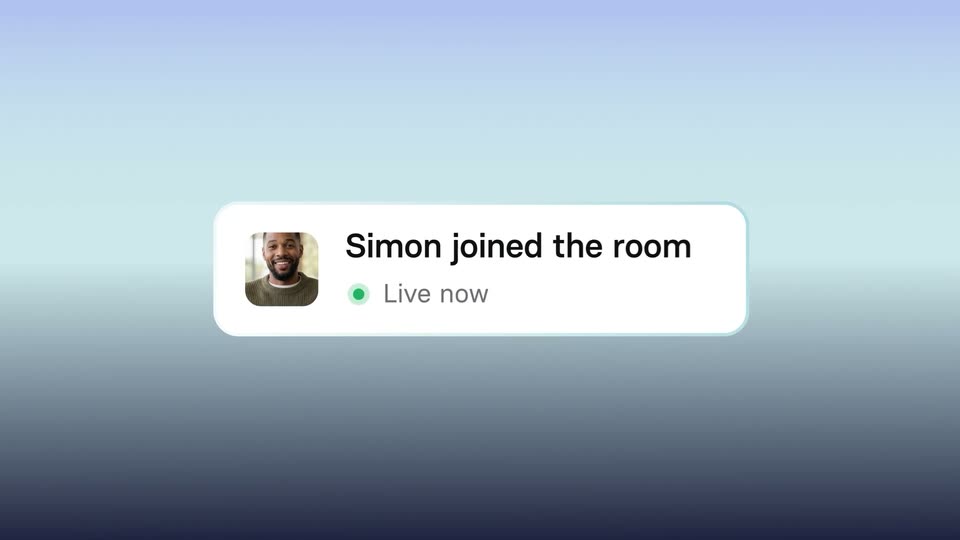
Two chat bubbles float on a soft blue gradient. The dark bubble reading 'Your product deserves' slides up and fades out while the light bubble centers and swaps its 'More than a chatbot.' line for a card with a man's photo, 'Simon joined the room' and a green 'Live now' dot.
On-screen text: “Interactive”, “Avatar API”, “Your product deserves”, “More than a chatbot.”, “Simon joined the room”, “Live now”
Camera: Push in
04 · Feature reveal · 0:05–0:06
A white “Simon joined the room” notification card with a green “Live now” dot scales up into a wide panel. The left side holds a video of a laughing man in a green sweater over mic and end-call buttons; the right side is an empty white box reading “Embed”.
On-screen text: “Embed a real-time”
Techniques: Morph
Camera: Push in
05 · Feature reveal · 0:06–0:07
A video call tile on the left plays footage of a smiling man in a green sweater, with a name label and mute and hang-up buttons. On the right, a black headline sits on a plain white background.
On-screen text: “Embed a real-time”
Camera: Static
06 · Feature reveal · 0:07–0:08
A video-call tile of a man in a green sweater holds the left, then shrinks and drops to the bottom as six other participant tiles, one a blue fantasy figure, fade in around it on white. The headline swaps from Embed a real-time to talking avatar.
On-screen text: “Embed a real-time”, “talking avatar”
Techniques: Kinetic type
Camera: Pull out
07 · Feature reveal · 0:08–0:10
Black centered text swaps from “talking avatar” to “into your own product” while a ring of rounded video clips, mixing live people and animated characters, orbits the white frame.
On-screen text: “talking avatar”, “into your”, “own product”
Techniques: Kinetic type
Camera: Pull out
08 · Feature reveal · 0:10–0:11
A dark monitor mockup shows black over-ear headphones in 3D, with a white assistant card of a man sliding in over it. On the right, use case labels fade in on a light blue gradient, “Customer support” underlined, then “into your own product” slides in.
On-screen text: “Kiosk welcome”, “Customer support”, “Conversation practice”, “AI tutors”, “Internal assistant”, “Lead generation”, “into your”, “own product”
Techniques: 3D mockup, Kinetic type
Camera: Static
09 · Feature reveal · 0:11–0:12
A two-person video call interface sits on the left against a soft blue gradient, while a vertical list of use-case labels on the right keeps Conversation practice in dark and the rest faded. The older woman speaks as a transcript line updates above the call.
On-screen text: “Kiosk welcome”, “Customer support”, “Conversation practice”, “AI tutors”, “Internal assistant”, “Lead generation”
Camera: Static
10 · Feature reveal · 0:12–0:13
A laptop mockup in 3D perspective shows a split interface: a research document with flowcharts on the left and a video call with a woman named Michelle on the right. A list of use-case labels fades in beside the screen.
On-screen text: “Kiosk welcome”, “Customer support”, “Conversation practice”, “AI tutors”, “Internal assistant”, “Lead generation”
Techniques: 3D mockup
Camera: Static
11 · Feature reveal · 0:13–0:14
A flat banking app dashboard with a chat assistant panel fills the left two-thirds over a blue gradient. A vertical list of use-case labels, from Kiosk welcome to Lead generation, sits on the right edge. The interface and labels hold still.
On-screen text: “Kiosk welcome”, “Customer support”, “Conversation practice”, “AI tutors”, “Internal assistant”, “Lead generation”
Camera: Pull out
12 · Feature reveal · 0:14–0:16
A gray-blue gradient holds the headline “Simply bring your own LLM”, sliding from blur into focus, then a 3D diagram slides in: teal LLM and STT cards with small captions, connector lines, and a browser window, the view panning right to settle.
On-screen text: “Simply bring your own LLM”, “LLM”, “REASONING / KNOWLEDGE”, “STT”, “SPEECH-TO-TEXT”
Techniques: Kinetic type, 3D mockup
Camera: Static
13 · Feature reveal · 0:16–0:17
A dark code editor window floats on a soft blue gradient, a thin cyan waveform line drifting at its left edge. Monospace code types in line by line, building a Synthesia agent session, with a cyan glow tracing the window's left border.
Techniques: 3D mockup
Camera: Pan
14 · Feature reveal · 0:17–0:19
A rounded dark code panel with teal syntax glides left over a blurred blue gradient while the headline “Connect via API + LiveKit” slides left faster beside it, the two layers drifting at different speeds.
On-screen text: “Connect via API + LiveKit”
Techniques: Parallax
Camera: Pan
15 · Feature reveal · 0:19–0:20
A pale off-white frame holds a centered line of dark blue sans-serif text. The words settle from a brief overlap into the final phrase, while the camera stays locked.
On-screen text: “and synthesia renders the Avatar”
Techniques: Kinetic type
Camera: Static
16 · Feature reveal · 0:20–0:20
A 4x3 grid of rounded square tiles fills a light background. The tiles change from soft gray gradients to blurred clips of people, while centered black text reads 'and synthesia renders the Avatar'.
On-screen text: “and synthesia renders the Avatar”
Camera: Static
17 · Feature reveal · 0:20–0:22
A 4 by 3 grid of video call tiles fills the frame on a white background, mixing live-action people with animated characters: a cat in a brown sweater, a red-haired woman, an alien and a fox, each in a home setting. The lower rows begin blurred and fade into sharp focus.
Camera: Push in
18 · Other · 0:22–0:25
A pale background centers the line Full control of your stack. as small video-call windows drift in 3D around the edges. A second line scales in below, then the frame clears and the italic word Interactive appears.
On-screen text: “Full control of your stack.”, “A natural, real-time conversation on top.”, “Interactive”
Techniques: Kinetic type, 3D mockup, Parallax
Camera: Pan
19 · Other · 0:25–0:26
On a light off-white background, 'Interactive' sits left and 'Avatar API' right of a central rounded card. The card opens as a diagonal split, then a mask wipe reveals a photo of a smiling woman with glasses. Near the end the card shrinks and an italic 'Try' overlaps the left word.
On-screen text: “Interactive”, “Avatar API”
Techniques: Masking
Camera: Static
20 · CTA · 0:26–0:28
On a cream field, the black phrase “Try it today” holds center. The word “today” swings down from a tilted angle to lock into the straight line.
On-screen text: “Try it today”
Techniques: Kinetic type
Camera: Static
21 · CTA · 0:28–0:28
A black URL sits centered on a pale off-white background. The locked-off frame holds, then the text blurs and fades out over the final half second.
On-screen text: “synthesia.io/interactive-avatars”
Camera: Static
22 · Outro · 0:28–0:30
The lowercase wordmark synthesia in dark navy sits centered on a plain off-white background, static and locked-off for the full shot.
On-screen text: “synthesia”
Camera: Static