0:45

Introducing SFX v3
ElevenLabs · AI · Oct 2026
Windsurf · Jun 2026 · 0:40 · AI-annotated
Windsurf’s 0:40 launch film runs 19 scenes, about 2.1 s each. The product is on screen from the first frame and 4 features are revealed. The call to action lands at 0:37 (93% in). The video is built as a chain of locked-off white text cards, each naming one feature, answered by a full-frame UI demo that sharpens in from blur. Pacing is steady and even, with sliding and crossfading centered type, a count-up number, and blur-to-focus reveals as the recurring moves on a plain white field.
Is this your launch? to your site or press kit.
ElevenLabs · AI · Oct 2026
Help Scout · Oct 2026
Canva · Design · Aug 2024
A black wavy W line draws itself at center on a white background, then morphs into a three-hexagon cluster logo that shifts left as the words “Windsurf is” fade in to its right.
On-screen text: “Windsurf is”
Techniques: Masking, Morph
Camera: Static
A black hexagonal logo holds left of center on a plain white background. A single line of black sans-serif text sits to its right. The frame is locked-off; the line settles from a brief crossfade of overlapping letters.
On-screen text: “Windsurf is now Devin Desktop”
Camera: Static
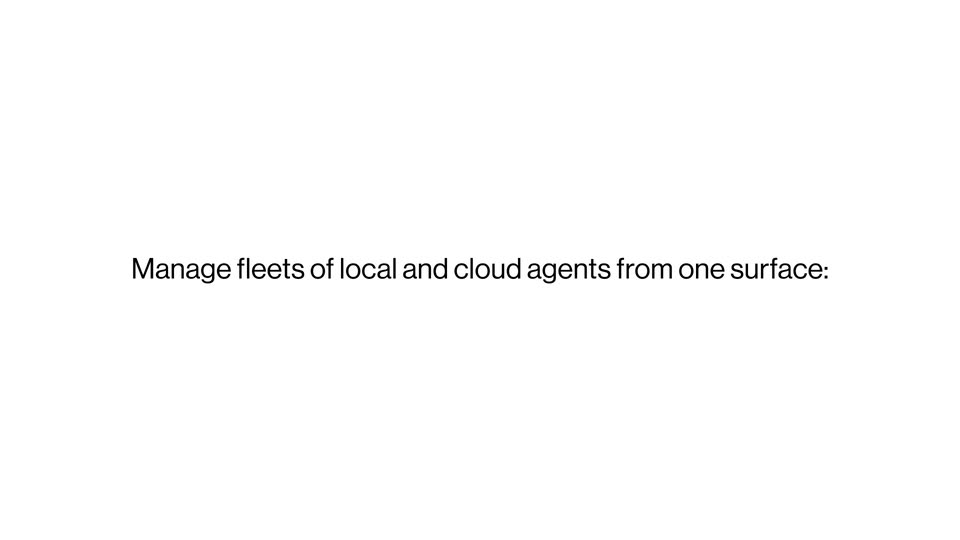
A single line of text fades in from light gray to dark gray on a plain white background. The frame is locked-off.
On-screen text: “Manage fleets of local and cloud agents from one surface:”
Camera: Static
A locked-off off-white card centers the bold sans-serif headline “The Agent Command Center”. The line eases from light gray to near-black across the shot, with a smaller static caption line held in the same lockup.
On-screen text: “The Agent Command Center”, “Manage fleets of local and cloud agents from one surface:”
Camera: Static
A light-themed project board with three columns of task cards fills the frame, softening from a blur into sharp focus. The light gray headline “The Agent Command Center” holds steady at center.
On-screen text: “The Agent Command Center”
Camera: Push in
A light kanban board fills the frame with a left sidebar listing sessions. Task cards glide from the Running column into the Ready column, one at a time, until all five land in Ready and the column counts update to zero.
Camera: Static
The text 'The full power of an IDE' appears in the center of a plain white background.
On-screen text: “The full power of an IDE”
Camera: Static
On a near-white field, a centered line of thin gray sans reads “The full power of an IDE.” It is cut for a second centered line, “Exactly when you need it,” with “Exactly” in bold dark type and the line sliding in from the side.
On-screen text: “The full power of an IDE”, “Exactly when you need it”
Techniques: Kinetic type
Camera: Static
A code editor window with file explorer and TypeScript source slides up and right, leaving a duplicate copy behind for depth, as the code scrolls and the cursor moves. The caption slides in, then the frame fades to white.
On-screen text: “Exactly when you need it”
Techniques: Cursor demo, Parallax
Camera: Pull out
A plain white background holds a centered line of text. The word Including starts in light gray and darkens to black as Devin Local slides in from the right with a brief motion blur.
On-screen text: “Including Devin Local”
Techniques: Kinetic type
Camera: Static
Centered black text reads “Including Devin Local” and holds perfectly still. A plain white field behind it softens into a blurred interface, with a faint green dot at the top right, while the headline stays fixed in the middle.
On-screen text: “Including Devin Local”
Camera: Push in
A light UI screen sharpens from a blur as a cursor clicks the agent field, opening a dropdown that lists Cascade, Devin Cloud and Devin Local, the hand pointer resting on the checked Devin Local row.
Techniques: Cursor demo
Camera: Push in
A blurred product interface with an open agent menu sits behind a centered black headline reading 15% more token efficient; the interface fades to white as the number counts up to 30%.
On-screen text: “30% more token efficient”
Techniques: Kinetic type
Camera: Static
Black text sits centered on a plain white background. The line '30% more token efficient' holds, then is replaced by 'Devin Desktop supports the Agent Client Protocol', which fades out. The frame stays locked off throughout.
On-screen text: “30% more token efficient”, “Devin Desktop supports the Agent Client Protocol”
Camera: Static
Centered dark gray text on a white background. A second line slides in below the first. A blurred, light-colored UI window mockup fades in behind the text, then fades out.
On-screen text: “Devin Desktop supports the Agent Client Protocol”, “For even more agents”
Techniques: Kinetic type
Camera: Static
A settings window fades in from a translucent offset duplicate. The Agents list then scrolls upward, carrying entries from Amp to Cortex Code past a stationary cursor arrow.
Camera: Push in
A settings UI blurs and fades to white as the headline types in across the center. The line then slides to the top while a vertical stack of feature labels, each in dark sans, slides up through the middle one after another, the outgoing word rising and fading as the next arrives.
On-screen text: “With all the features you know and love built in”, “Agent Mode”, “Devin Review”, “Editor”, “Extensions”, “Keybindings”, “LSPs”, “Cascade”, “ACP”, “Devlocal”
Techniques: Kinetic type
Camera: Static
On a white background, a black hexagonal logo mark builds up at center as the wordmark Devin Desktop slides in beside it, while the URL devin.ai/desktop fades from gray to black below.
On-screen text: “devin.ai/desktop”, “Devin Desktop”
Camera: Static
The black Devin mark and the wordmark Devin Desktop sit on a light gray field, with the URL devin.ai/desktop centered below; the lockup holds, then the frame goes black.
On-screen text: “devin.ai/desktop”
Camera: Static