0:27
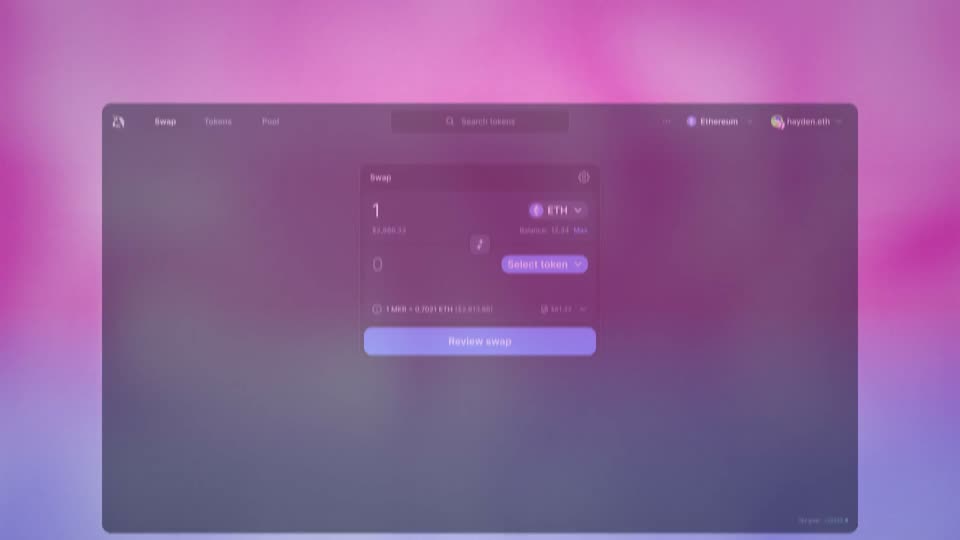

Introducing the Refreshed Uniswap Web App
Uniswap · Feb 2023
GitHub · May 2025 · 2:56 · Full motion · AI-annotated
GitHub’s 2:56 launch film runs 15 scenes, about 12 s each. The product is on screen from the first frame and 3 features are revealed. The call to action lands at 2:52 (97% in), over a voiceover. One continuous screen-recording walkthrough that strings feature demos (completion, ask, edit, agent) together with soft zoom-and-blur transitions instead of hard cuts, letting streaming ghost code and chat text carry the motion. Pacing is unhurried at roughly one cut per minute, with the camera gliding between editor states and a 3D logo sting plus a URL card closing the piece.
Is this your launch? to your site or press kit.
Uniswap · Feb 2023
Replit · Developer tools · Jul 2024
dari.dev · B2B · May 2026
Films whose music sounds like this one, voice left out
Pinch · Speech with electronic sound effects
A dark code editor window with a green-to-purple gradient border shows a Java file. A comment types in, ghost code fills the function, then the view dissolves to a second file where a highlighted line opens an inline Copilot chat that streams a javadoc block into the code.
Techniques: Cursor demo
Camera: Static
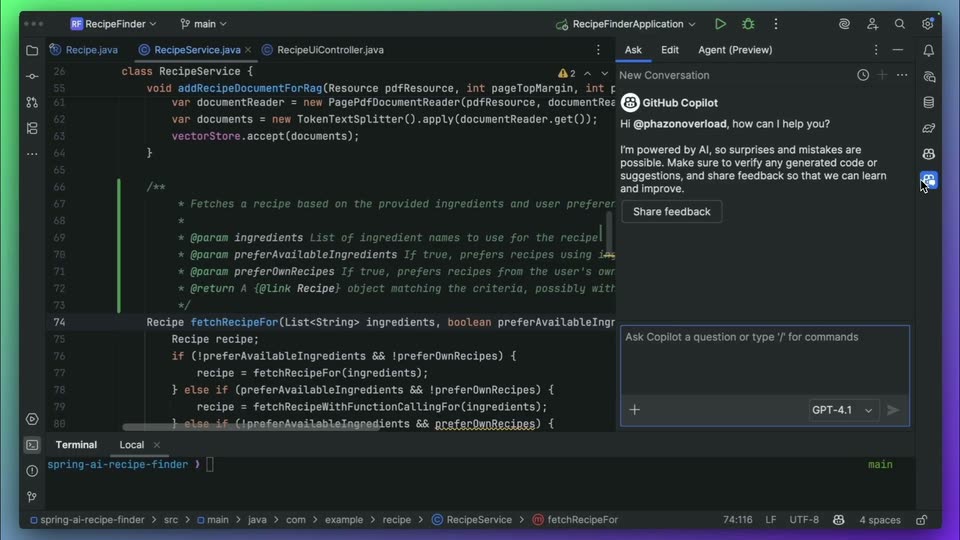
A dark IDE window shows Java code with a terminal below. A cursor moves to the right edge, a tooltip labels the icon, and the GitHub Copilot chat panel slides in from the right. The frame ends with a quick blur and zoom-out transition.
Techniques: Cursor demo
Camera: Push in
A dark IDE screen shows a cursor opening a file picker, typing a slash command that lists options, and choosing a model from a dropdown. The view then pulls back to the full window as the chat panel streams a code explanation.
Techniques: Cursor demo, UI zoom
Camera: Pull out
A VS Code window shows Java code left and a Copilot chat right. The cursor clicks the Edit tab, the panel swaps to a new edit session, then the view zooms in as the cursor types a prompt and adds two files to the working set before sending.
Techniques: UI zoom, Cursor demo
Camera: Static
A dark IDE fills the frame, code on the left, an AI assistant panel on the right. The assistant lists two changed files in a working set. A cursor clicks one file, and the left pane flips from plain code to a diff view with green and red lines.
Techniques: Cursor demo
Camera: Static
A dark VS Code window shows a side-by-side diff of Java code beside the GitHub Copilot panel. A mouse cursor glides to the Accept All button in the working-set list and clicks it. The diff tab closes and the plain editor reveals the updated code.
Techniques: Cursor demo
Camera: Static
A dark IDE window shows Java code on the left and a Copilot chat panel on the right. The cursor moves up and clicks the Agent (Preview) tab, swapping the panel to a new agent session with a greeting and an input field.
Techniques: Cursor demo
Camera: Static
A JetBrains IDE window holds static on a dark theme. The editor pane shows an mcp.json file with JSON code, while a right-hand panel displays a GitHub Copilot agent session with a greeting message and an empty input box. A terminal panel sits along the bottom.
Camera: Static
A VS Code window shows Java code on the left and the Copilot Agent chat on the right. A cursor clicks Continue on a tool-confirmation dialog, then chat replies stream in as Copilot reads files and edits code, with green diff lines appearing in the editor.
Techniques: Cursor demo
Camera: Static
A dark IDE fills the frame with an HTML file open in the editor, a terminal at the bottom, and an AI agent panel on the right showing a working session and a list of three changed files. The view holds steady with no motion.
Camera: Static
A dark code editor fills the frame, HTML source on the left and an AI agent panel on the right that streams update notes and a terminal command dialog. The view then zooms with motion blur into the right panel.
Techniques: UI zoom
Camera: Push in
A blurred close-up of the code editor sharpens as the cursor clicks Continue on the agent's terminal command card. The panel fills with the agent's summary, then the view zooms out to the full IDE window while the terminal runs the build.
Techniques: Cursor demo, UI zoom
Camera: Pull out
A JetBrains IDE screen: the editor scrolls through Java code with green-highlighted changes and inline accept buttons, the right agent panel appends a new status message, and the cursor moves over the file list while the terminal counter ticks up.
Techniques: Cursor demo
Camera: Static
On black, a purple 3D mask and a blue 3D skull with a glowing eye drift together and fuse into a single purple mask with cyan eyes. A rounded outline pill with the URL fades in beneath the centered object.
On-screen text: “gh.io/copilot”
Techniques: Morph
Camera: Static
On a black background, the white GitHub octocat mark and a pill-outlined URL sit centered. The GitHub Copilot wordmark fades in beside the mark to complete the lockup, which then holds still.
On-screen text: “gh.io/copilot”, “GitHub Copilot”
Camera: Static