0:58

SKUVE — AI Shopping Assistant for Shopify
SKUVE · Sep 2026
FrenchFry · Nov 2026 · 0:57 · AI-annotated
made Team: Addx Studio · studio Addx Studio | SaaS Video Production
FrenchFry’s 0:57 launch film runs 45 scenes, about 1.3 s each. The product shows up at 0:27 and 1 feature is revealed, with social proof. There is no explicit call to action; a voiceover carries the film. A bright, fast-cut launch film built on a flat off-white and saturated yellow palette, alternating typographic promise cards, abstract yellow-ribbon motion graphics and tilted 3D product mockups at a steady 131 bpm. Its signature moves are word-by-word type reveals, the snaking yellow ribbon that carries social icons, and the cartoon hand cursor driving the dashboard, all closing on a centered logo and tagline.
Is this your launch? to your site or press kit.
SKUVE · Sep 2026
Wondercraft · Jan 2026
Vellum · B2B · May 2026
Films whose music sounds like this one, voice left out
Riverside · Electronic, Retro-pop, Jazz
Sierra · Upbeat electronic
Nintendo · Upbeat, high-energy electronic and chiptune
A plain light background fills with rounded task cards, each outlined in gold with an icon, title and time, popping into a grid around the center. In the middle, the headline builds word by word.
On-screen text: “Welcome, these are your tasks for today.”
Techniques: Kinetic type
Camera: Static
A grid of task cards fills the frame as the centered welcome message fades out. Three large light-gray text lines then slide in over the list: a name at the top, a pricing question mid-frame, and a cut-off apology at the bottom.
On-screen text: “Pricing for 40 seats?”, “Sarah, apologies for the”, “Sarah Whitfield”
Techniques: Kinetic type
Camera: Pull out
Close-up of a chat app on a desktop. A message from Marcus Reed reads “????” while a reply types itself letter by letter in the input box, “On it, sending”, with a blinking cursor. Shallow focus blurs the purple sidebar and blue wallpaper.
Camera: Static
A close-up of a messaging app shows a reply being typed into the input field, the text 'Sorry, will send by EOD' filling in letter by letter. Above, two messages from a contact sit in the thread, and a blue desktop wallpaper stays blurred along the bottom edge.
Camera: Pull out
On a plain light gray background, a sentence types in word by word like a text cursor. Black text reads You didn't start, then a business slides in in yellow, with a thin yellow caret blinking at the end of the line.
On-screen text: “You didn't start a business”
Techniques: Kinetic type
Camera: Static
A yellow card holding app interfaces tilts from a 3D angle to flat front view. Black words build on the left and yellow words on the right around the card.
On-screen text: “You didn't start”, “to do this”, “all day.”
Techniques: Kinetic type, 3D mockup
Camera: Static
On a plain off-white background, the yellow phrase
On-screen text: “You started it to”, “runone.”
Techniques: Kinetic type
Camera: Static
A grid of colorful app icons sits on a white background divided by thin gray lines. The view pulls back to reveal the full three-by-three arrangement of messaging and social app logos, including Facebook, Gmail, Teams and WeChat.
Camera: Pull out
A grid of colorful social media app icons on a white background pans slowly diagonally. Icons at the edges fade in and out as the pattern shifts, thin gray lines dividing the cells.
Camera: Static
A grid of colorful social media icons fades out on a white field. The words What if fade in on the left while a vertical stack of three app icons, LinkedIn, Instagram and X, slides in on the right.
On-screen text: “What if”
Camera: Static
On a light gray field, a black headline builds word by word into “What if your best employee,” then “never clocked out.” in yellow. To the right, small social icons swap over a faint dot grid, the middle icon black.
On-screen text: “What if your best employee never clocked out.”
Techniques: Kinetic type
Camera: Static
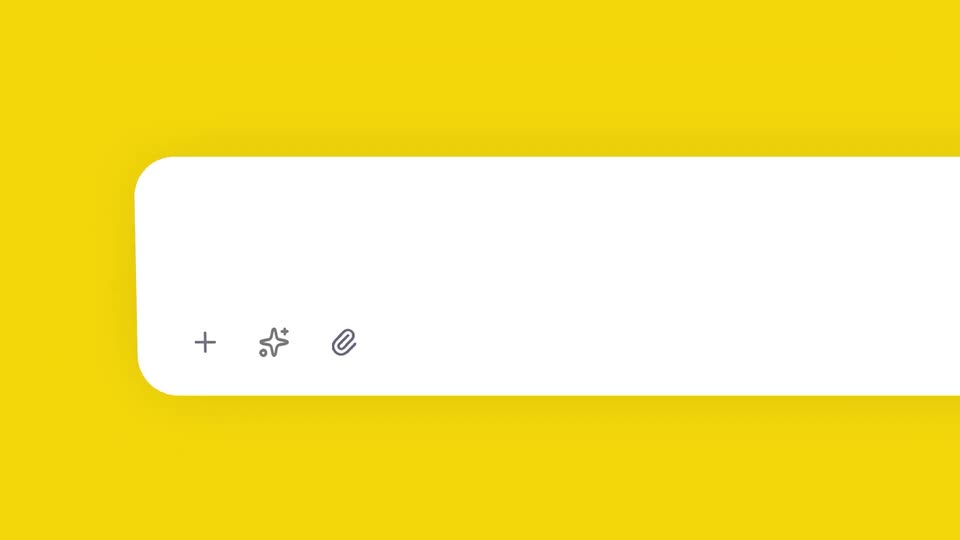
A white rounded chat input bar sits on a flat yellow circle with a blinking caret and three gray icons below. The frame pulls back slightly as the letter B types in after the caret, scaling in.
On-screen text: “What if your best employee never clocked out.”
Techniques: Kinetic type
Camera: Static
A white input bar with a thick yellow border sits on a faint grid. Text types out letter by letter, reading “Build a Sales agent to email”, with “Sales agent” in a yellow pill beside a robot icon; three small line icons sit below.
On-screen text: “Build a Sales agent to email”
Techniques: Kinetic type
Camera: Static
A yellow-bordered prompt box reads 'Build a Sales agent to email m' with a blinking cursor. It cuts to stacked document cards labeled NEW LEADS, PAST MEETINGS, BUSINESS DATA sliding in, a cursor resting on a green plus button.
Techniques: Cursor demo
Camera: Static
Three white folder tabs stacked in 3D perspective, the middle one filled yellow, labeled NEW LEADS, PAST MEETINGS, BUSINESS DATA. A black cursor and a green plus button glide across the tabs as the stack shifts left.
Techniques: 3D mockup
Camera: Static
A white rounded input bar with a soft yellow glow sits on a pale gray background. A black cursor taps a purple 'New Leads' chip, then a green plus button scales down as the prompt text types in, finishing with a green 'Los Angeles' location pill.
Techniques: Cursor demo
Camera: Static
A white prompt bar with colored pill tags (Sales agent, New Leads, Los Angeles) sits on a plain light background, then a yellow rounded badge with the text Build your AI agent scales up over a dotted grid.
On-screen text: “Build your AI agent”
Techniques: Kinetic type
Camera: Static
A white pill with a yellow border reading “Agent created” floats over a halftone dot grid. A yellow line grows from the left edge, carrying round Quora, Facebook and chat icons, and the camera pans right to follow it as the badge exits the frame.
On-screen text: “Build your AI agent”, “Agent created”
Techniques: Kinetic type
Camera: Pull out
A yellow squiggly tube snakes across a light gray field, carrying white circular badges of social media icons (Facebook, WhatsApp, Gmail, Instagram, LinkedIn, Slack, Telegram). The line loops and reshapes continuously, dragging the badges with it.
Techniques: Morph
Camera: Static
On a white field, tangled yellow lines link circular social app icons (Facebook, LinkedIn, Instagram, Gmail, WhatsApp, Telegram). Large flat gray shapes, an X, a notched circle and a V, scale in across the frame, partially covering the icons.
Camera: Push in
A heavy black word 'Your' slides across a light gray field, layered over a looping yellow ribbon. White circular badges carrying app icons drift and scale around the letters as the word moves.
On-screen text: “Your”
Techniques: Kinetic type
Camera: Pull out
On a flat yellow field, a white curved spike anchored at the left edge swells into a broad sweeping band. The black headline 'Your agents.' sits right of center, sliding in as 'agents.' joins 'Your'.
On-screen text: “in”, “Your agents.”
Techniques: Kinetic type
Camera: Static
A vertical column of dark social icons sits on a light background as yellow lines fan out from the Instagram mark to the right edge. The grey line
On-screen text: “Your agents.”, “every channel.”
Techniques: Kinetic type, Masking
Camera: Pull out
On a plain off-white background, the line “in every channel.” holds still at center while “Around the clock.” scales in over it, its letters resolving from an overlapping state by 0.3 s. The frame stays locked off.
On-screen text: “in every channel.”, “Around the clock.”
Techniques: Kinetic type
Camera: Static
A yellow vector wireframe with white control points and hatching morphs into a solid shape with a black border and a central black symbol. The text “Around the clock.” scales into the frame.
On-screen text: “Around the clock.”
Techniques: Morph, Kinetic type
Camera: Static
A black geometric logo mark sits centered on a flat yellow field. The yellow background contracts into a circle, revealing dark corners as the scene closes.
Techniques: Masking
Camera: Static
Two chat bubbles, a customer question and a yellow reply, scale and slide into place over a plain background. A 3D dashboard interface fades in behind them, then the bubbles fade out, leaving the tilted FrenchFry.ai interface in perspective.
On-screen text: “Hey! Can I change my delivery address?”, “Absolutely — send me the new address.”
Techniques: 3D mockup, Morph
Camera: Pan
The FrenchFry.ai Outbound Campaigns page zooms in toward the search bar, where a hand cursor hovers. Chat captions then appear: a customer question scales in, followed by a reply that slides in line by line.
On-screen text: “Hey! Can I change my delivery”, “address?”, “Absolutely — send me the new”, “address.”
Techniques: Kinetic type, UI zoom
Camera: Push in
A tilted 3D view of the FrenchFry.ai dashboard shows the Outbound Campaigns page. A cartoon hand cursor clicks the Conversations menu item, and the panel switches to the Conversations list, where the cursor hovers over a message row.
Techniques: 3D mockup, Cursor demo
Camera: Pull out
A tilted 3D mockup of the FrenchFry.ai Conversations screen floats over a soft yellow glow. The interface settles from a blurred, doubled state into focus, revealing a contact list with status tags and a hand cursor icon.
Techniques: 3D mockup
Camera: Pull out
A flat FrenchFry.ai dashboard shows the Conversations list; a hand cursor clicks the Take over button and the view swaps to a campaign overview with stat cards and charts. The screen then fades to a plain light card where the word It's sits at left.
On-screen text: “It's”
Techniques: Cursor demo
Camera: Pull out
A centered line of text sits on a plain light gray background. The words 'It's your' render in yellow and 'business.' in dark gray, both static and locked in place for the duration of the clip.
On-screen text: “It's your business.”
Camera: Static
A flat illustration of stacked folder tabs in white and yellow, labeled PAST MEETINGS, BUSINESS DATA and PAST LEADS, shifts downward on a light gray background as the tabs re-stack and slide into place.
Camera: Pan
A plain off-white field holds a centered yellow line. The phrase builds from left to right, the double l of call resolving from vertical bars into full letters, ending on the complete word with a period.
On-screen text: “Your call.”
Techniques: Kinetic type
Camera: Static
A yellow field holds white centered text reading “Go build.”, which swaps to “Go sell.” with a small logo between the words. Around the edges, a collage of short clips of people, phones and a laptop pops in one by one.
On-screen text: “Go build.”, “Go sell.”
Techniques: Kinetic type
Camera: Static
A collage of filmed clips and product screens surrounds a centered yellow headline. The panels show hands holding phones, people at desks, and laptops on laps displaying a colorful interface, arranged in a loose grid on a white background.
On-screen text: “Go grow.”
Camera: Static
Small live-action clips sit in a loose grid on a light gray field: a hand with a phone feed, a person at a desk, a person in purple with a food-app phone, a laptop on a beach. The clips drift and drop out while the yellow headline stays fixed.
On-screen text: “Go grow.”
Camera: Static
A flat product interface sits on the right while the headline 'We'll handle the messages.' holds on the left. The app switches from the Conversations list to the Outbound Campaigns view, and a yellow stat card with crop marks cycles through results at the bottom right.
On-screen text: “We'll handle the messages.”, “Gogrow.”
Camera: Pull out
A bold black and yellow headline sits on the left while an Outbound Campaigns list UI occupies the right, its rows scrolling up to reveal more entries. A yellow crosshair box at the bottom highlights a stat reading 'Solved 39 queries' as the layout shifts slightly.
On-screen text: “We'll handle the follow ups.”, “Solved 39 queries”
Techniques: Split screen
Camera: Static
A campaign dashboard sits in the background as a left-aligned headline reads “We’ll handle the busy work.”, the last word swapping from “busywork.” to “busy work.” Two yellow wireframe callouts, “Solved 39 queries” and “FrenchFry | Slack / Automated 3 systems”, settle over the charts.
On-screen text: “We'll handle the busywork.”, “Solved 39 queries”, “FrenchFry | Slack”, “Automated 3 systems”, “We'll handle the busy work.”
Techniques: Kinetic type
Camera: Pull out
A sentence builds word by word on a plain off-white background. The opening words are dark gray, then the closing words 'business to run.' appear in yellow, completing the line.
On-screen text: “You've got a business to run.”
Techniques: Kinetic type
Camera: Static
On a yellow grid backdrop, the black FrenchFry.ai logo scales up toward center while the white product interface slides down out of frame, its Good morning, Jordan greeting and chat box exiting at the bottom.
On-screen text: “FrenchFry.ai”, “You've got a business to run.”
Techniques: Masking
Camera: Pull out
On a yellow grid background, the black FrenchFry.ai wordmark scales up at the top while the product interface window slides up from below, revealing a sidebar and a Good morning, Jordan greeting with an input box.
On-screen text: “FrenchFry.ai”
Techniques: Kinetic type
Camera: Static
On a flat yellow grid, the black FrenchFry.ai wordmark holds center as a dashboard mockup slides out of the bottom edge. The logo scales down to settle, then the tagline builds in word by word beneath it and holds.
On-screen text: “FrenchFry.ai”, “Always on, so you don't have to be.”
Techniques: Kinetic type
Camera: Static
A black FrenchFry.ai wordmark with a small tagline sits centered on a mustard yellow background with a faint grid. The background darkens to near black and the logo and tagline fade out as a sign-off.
On-screen text: “FrenchFry.ai”, “Always on, so you don't have to be.”
Camera: Static