0:57

Creative SaaS Launch Video | FrenchFry
FrenchFry · Nov 2026
SKUVE · Sep 2026 · 0:58 · AI-annotated
SKUVE’s 0:58 launch film runs 34 scenes, about 1.7 s each. The product shows up at 0:50 and 2 features are revealed. There is no explicit call to action; a voiceover carries the film. Built as a typed-text narrative over a light gray and black field, with a lime green accent that carries every icon, tag and 3D highlight. Pacing is fast and rhythmic at roughly 137 bpm, alternating kinetic type, drifting product cards and short live-action cuts, then resolving on a black logo reveal and a single tagline card.
Is this your launch? to your site or press kit.
FrenchFry · Nov 2026
Vellum · B2B · May 2026
On a white field, the word Product builds left to right, the last three letters in green. A lamp object rotates from a tilted flat-green silhouette into an upright 3D form with a gold stem and stone base, settling at the right of the word.
On-screen text: “Product”
Techniques: Kinetic type, Morph
Camera: Static
On a white field, a 3D lamp with a green shade overlaps the black word Product, then shrinks into a floating product card. A search bar types out Product Sea next to a green magnifying glass icon as cards drift in 3D.
On-screen text: “Product”, “Sea”
Techniques: 3D mockup, Kinetic type
Camera: Static
A grid of numbered product cards (lamps, radio, chair, table, mixer, dripper) drifts on a light gray field while the black headline Product Search on white chips scales up in the center, a lime square with a magnifier icon sliding behind the words.
On-screen text: “Product Search”
Techniques: Kinetic type
Camera: Pull out
A person in a red striped tee sits cross-legged on a rumpled bed, typing on a silver laptop. Warm window light rakes across yellow pillows and beige linen. The framing crops the head, keeping focus on the hands and keyboard. A small caption '(11)' sits still in the frame.
On-screen text: “(11)”
Camera: Static
A person types on a silver laptop while seated on a rumpled beige bed, in a locked-off close-up on the hands and keys. The caption “They want” types in at center, then a search bar with a magnifying glass and “to find what fits” slides in.
On-screen text: “They want”, “to find what fits”
Techniques: Kinetic type
Camera: Static
On a light gray field, the line “You have ( ) ( ) ( ) the products” types in letter by letter over two lines while small product cutouts (backpack, shoe, tent) fade into the parentheses, then swap to a black pack, a rolled mat, and a coffee dripper.
On-screen text: “You have ( ) ( ) ( ) the products”
Techniques: Kinetic type
Camera: Static
A close-up of a browser window over a blurred landscape. The address bar types the word Backpack letter by letter with a green highlight on the matched letters and a blinking cursor, while the search field and navigation arrows sit above.
On-screen text: “You have the products”
Camera: Static
A white rounded search bar with a magnifying glass icon floats over a blurred mountain landscape. The query types out letter by letter, ending on the full phrase with a blinking caret.
Techniques: Kinetic type
Camera: Static
A white search card floats over a blurred mountain backdrop. A caret types letters into the search field, growing from B to Ba, while a row of circular recent-search thumbnails (tent, backpack, stove, sleeping bag) sits below the RECENT SEARCHES and EDIT labels.
Camera: Static
A search field types the query letter by letter beside a magnifier icon. Below, the active All tab and a PackFinder result card with a hiker avatar and blue link sit on a white panel, the list nudging up as the text fills in.
Techniques: Cursor demo
Camera: Static
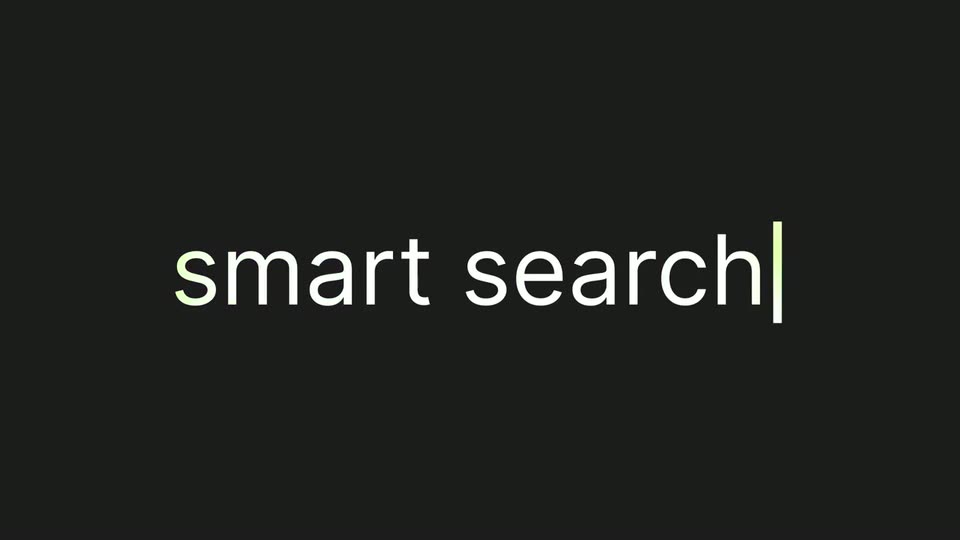
On a dark background, the words smart search type out in white with a green caret, then a rounded search bar slides in and the query Find me a green h types in next to a green send button.
On-screen text: “smart search”
Techniques: Kinetic type
Camera: Static
A white search bar on a dark background types a query as a hand cursor hovers the green arrow button, then clicks it. The frame cuts to a white product card on a green mountain backdrop, showing a backpack and a price.
Techniques: Cursor demo
Camera: Static
A flat product interface over a blurred green landscape shows a quiz panel and a backpack listing, resolving from a green wash to full color, then cuts to a woman typing on a laptop in front of a white wall with the large word Reth.
On-screen text: “Reth”
Camera: Static
A woman in a cream shirt types on a laptop at a white desk against a pale gray backdrop. Huge black text on the left gives way to a smaller line reading your customers shop, with a lime green rounded-square trash-can icon between the words.
On-screen text: “Rething”, “how”, “your customers shop”
Techniques: Kinetic type
Camera: Static
On a plain light background, the word Find types out letter by letter in the center, followed by a thin vertical cursor that holds position. The frame stays locked and the text remains static once complete.
On-screen text: “Find”
Techniques: Kinetic type
Camera: Static
A white search bar on a light gray background types out a query, a hand cursor clicks the up-arrow button, then the bar clears and a green 3D blob scales in at the center of the frame.
Techniques: Cursor demo
Camera: Static
Black over-ear headphones with a green headband turn in place on a plain light-gray backdrop. The 3D model rotates from a three-quarter angle to a front view, ear cups swinging toward camera, camera locked off.
On-screen text: “0”
Techniques: 3D mockup
Camera: Static
On a dark field, a white card holding black headphones sits at center. The card shifts left as a staggered grid of product cards scales in around it: a shoe, an amber jar, a helmet, two lamps, a chair and a pitcher on white, peach and beige squares.
On-screen text: “0”
Camera: Push in
A cream-colored interface shows a question heading above four rounded buttons in a two-by-two grid. A hand cursor taps the top-left button, which fills lime green to mark the selection.
Techniques: Cursor demo
Camera: Static
A cream interface lists backpack features in two columns; a hand cursor clicks the Ventilated back checkbox, then the view switches to a Price range slider with green tags at €99 and €343 above three range buttons.
Techniques: Cursor demo
Camera: Static
A pointing hand cursor drags the right handle of a lime price-range slider, the green value pill ticking up from €384 to €390. Three preset pills and a green arrow button sit on a pale cream background.
Techniques: Cursor demo
Camera: Static
A light survey screen fades in, showing activity rows and rating columns with pill buttons. A hand cursor taps the Neutral pill in the Trail Running row, filling it dark, while a green arrow button sits in the top right.
Techniques: Cursor demo
Camera: Static
A lime green rounded button with a black arrow sits centered on a cream background. A white cartoon hand cursor taps it, and the button stretches into a wide horizontal shape as the arrow tilts diagonally.
Techniques: Morph
Camera: Static
Three cream product cards holding backpack photos float over a misty mountain ridge, the center card tagged (2) and the right card (3). A white hand cursor hovers at the lower right of the center card as the row eases into alignment.
On-screen text: “(2)”, “(3)”
Techniques: Cursor demo
Camera: Static
Three white cards holding backpack photos slide right across a snowy mountain ridge, exposing a hiker on the crest. The hiker shot then frames into a rounded card on a yellow field and scales up to fill the frame.
On-screen text: “(2)”, “(3)”
Techniques: Masking
Camera: Pull out
Product cards with green pill labels and heart icons fly in and pan right across a soft green gradient, then the field clears and the two-tone headline “No guessing” slides in, swapping to “what”.
On-screen text: “No guessing”, “what”
Techniques: Kinetic type
Camera: Pan
On a pale gradient background with soft green corners, the phrase to search slides in, then a white and lime green bicycle helmet fades in at center, rotating slowly.
On-screen text: “to search”
Techniques: Kinetic type, 3D mockup
Camera: Static
A white product card sits centered on a blurred green background. The card scales in as the helmet photo and details panel fade in, then colour and size selectors appear below the price.
Camera: Static
Two white product cards, a helmet and a backpack, fill the frame, then the view zooms out to reveal a four-column grid of e-commerce cards with product photos and details on a blurred olive background.
Techniques: UI zoom
Camera: Pull out
A red-haired woman sits cross-legged on a living room floor with a laptop, a green “Personal” tag sliding across her chest. The frame splits vertically to reveal a man with a laptop on the right, a green tag sliding in beside him.
On-screen text: “Personal”, “Fast”
Techniques: Kinetic type, Split screen
Camera: Pull out
Split screen of two people using laptops on couches: a red-haired woman on the left, a man in a white tee on the right. Lime green rounded labels reading Personal and Fast slide into place over each side.
On-screen text: “Personal”, “Fast”
Techniques: Split screen
Camera: Pan
Three side-by-side live-action panels show a red-haired woman on a sofa with a laptop, a man typing on a laptop, and a person at an outdoor table. Lime-green pill labels reading Personal, Fast, and Built into slide in over each panel, with the Shopify logo in the lower right.
On-screen text: “Personal”, “Fast”, “Built into”, “shopify”
Techniques: Split screen, Kinetic type
Camera: Static
Four lime-green dots drift on black, then condense into a ring of vertical bars with a plus mark, while the wordmark SKUVE fades in letter by letter to its right.
On-screen text: “SKUVE”
Techniques: Morph, Kinetic type
Camera: Static
On a near-black background, “Find the right product (🪑)” types out word by word in white, then gives way to “rather than browse them all,” which appears word by word, its last words shifting from yellow to pink. Locked-off frame, even pace.
On-screen text: “Find the right product (🪑)”, “rather than browse them all”
Techniques: Kinetic type
Camera: Static