1:28
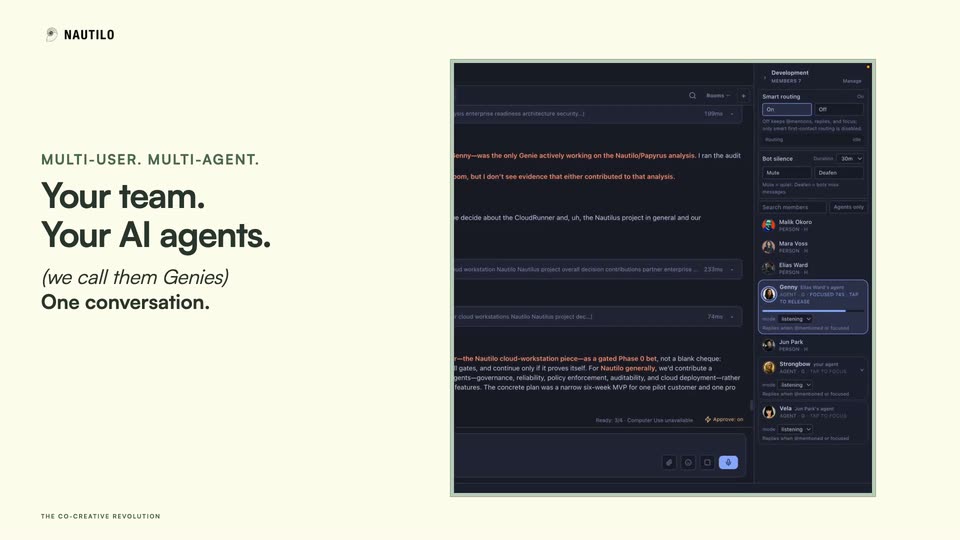
Daniel Jeffries - Launch day! Introducing Nautilo, the open org harness for everyone.
Nautilo (by AgentSea) · Sep 2026
Riverside · Nov 2026 · 0:42 · AI-annotated
Riverside’s 0:42 launch film runs 20 scenes, about 2.1 s each. The product is on screen from the first frame and 2 features are revealed. There is no explicit call to action; a voiceover carries the film. The video alternates black typographic title cards with light gray interface demos, cutting at roughly six cuts per minute to a fast 152 bpm pulse. Its signature moves are kinetic word-by-word type assembly, morphing gradient shapes standing in for audio, and a cursor that drives each on-screen demo.
Is this your launch? to your site or press kit.
Nautilo (by AgentSea) · Sep 2026
Anthropic · AI · Nov 2026
Lovable · Developer tools · Apr 2026
On a black background, a vertical stack of small colored squares bursts into horizontal bars of mixed hues that slide and rearrange, with a soft glow. The motion is quick and abstract.
Techniques: Morph
Camera: Static
On a dark background, horizontal gradient lines expand from a central glowing stack into full-width bands while the word Meet assembles in white, its letters offset at staggered vertical heights.
On-screen text: “Meet”
Techniques: Kinetic type
Camera: Static
A white “Tonality” wordmark slides in over a faint horizontal grid on black, its right edge flickering with colored glitch blocks before settling centered. The word then gives way to a small thin gray “The” at the upper left.
On-screen text: “Tonality”, “The”
Techniques: Kinetic type
Camera: Static
On black, a huge “Tonality” word slides off while the headline “The world's most granular voice model” builds word by word. A red half-disc, a rainbow waveform and an orange four-petal shape float beside the lines.
On-screen text: “Tonality”, “The world's”, “most”, “granular”, “voice model”
Techniques: Kinetic type
Camera: Static
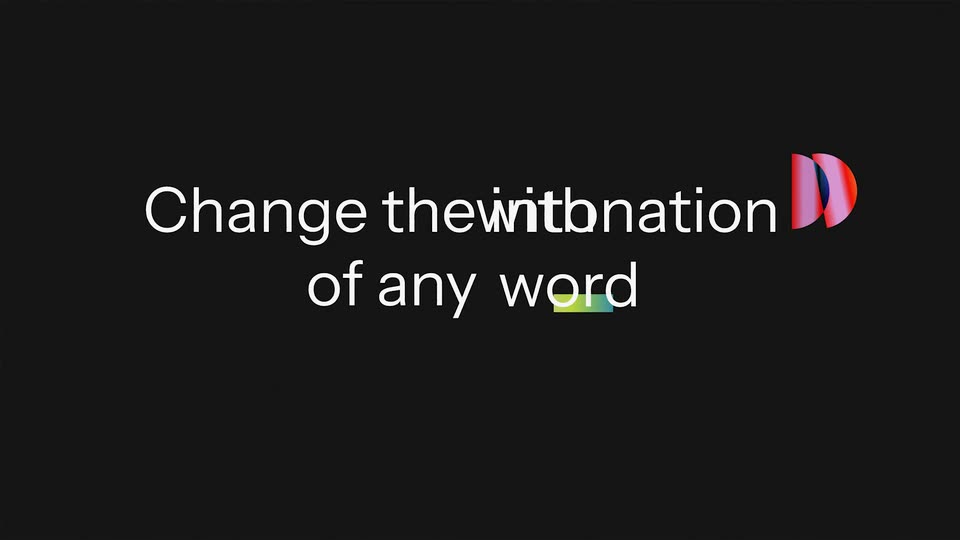
On a black background, the white line “Change the intonation” scales up as “of any word” fades in beneath it, while a striped 3D half-disc on the right morphs into a red quarter-disc form. The lines then cut to the single word “with” beside the red shape.
On-screen text: “Change the intonation”, “of any word”, “with”
Techniques: Kinetic type, Morph
Camera: Static
Near-black background. White sans-serif text builds word by word into two lines, “with full voice” and “identity preservation,” while a small red-and-pink abstract mark morphs into a blue shape and then a thin horizontal gradient bar.
On-screen text: “Change the intonation”, “of any word”, “with full voice”, “identity preservation”
Techniques: Kinetic type, Morph
Camera: Static
A white file card with a purple plus icon and the label Honey.WAV slides up from the lower right as a black cursor follows it. The card shrinks away and a large gray headline HONEY, YOU LOOK GREAT! appears across the frame, with red and blue waveform lines running through the letters.
On-screen text: “HONEY, YOU LOOK GREAT!”
Techniques: Cursor demo
Camera: Static
On a light gray background, the black sentence HONEY, YOU LOOK GREAT! collapses into the word HONEY, which scales up to fill the frame in a pink-to-blue gradient. Thin red and blue wavy lines ripple through the letters while a black cursor arrow hovers below.
On-screen text: “HONEY, YOU LOOK GREAT!”, “HONEY”, “Custom | Emphasize | Soften | Question | Calm | Build up”
Techniques: Kinetic type
Camera: Static
A large word HONEY in a shifting red-to-blue gradient rests on a light gray ruled field, with a small menu line and purple parameter values ticking below. A black cursor glides left to right across the controls.
Techniques: Cursor demo
Camera: Static
The word HONEY fills the center in a red-to-magenta gradient, then snaps to solid black with a red comma at the upper left while a cursor drifts down. The gray style menu and purple parameter tags fade out beneath it.
On-screen text: “HONEY,”
Techniques: Kinetic type, Cursor demo
Camera: Static
On a light gray ruled background, a black HONEY word slides right while a blurred rainbow gradient wedge grows from a left point into a rounded horizontal bar. Small purple parameter text sits below.
On-screen text: “HONEY”, “Emphasize [Pitch+8] [Energy+3] [Pace-2]”
Techniques: Kinetic type
Camera: Static
On a light gray field with thin horizontal rules, HONEY slides in large at top left beside a purple-green gradient wedge and a black comma. The comma drops out, then the wedge exits, leaving YOU LOOK GREAT! on the right above a purple Pause 0.4s note.
On-screen text: “HONEY”, “YOU LOOK GREAT!”, “Pause 0.4s”
Techniques: Kinetic type
Camera: Static
On a light grid canvas, a gradient bar and a row of color swatches slide and reshape while the words HONEY and YOU LOOK GREAT! snap together into one centered line. A purple timing caption sits below, counting the pause.
On-screen text: “HONEY”, “YOU LOOK GREAT!”, “Pause 0.8s”
Techniques: Morph, Kinetic type
Camera: Static
On a light ruled canvas, the black headline HONEY, YOU LOOK GREAT! holds center. A cursor hovers over the word YOU as its letters take on pink, teal and blue, then a small gray line of text fades in beneath.
On-screen text: “HONEY, YOU LOOK GREAT!”
Techniques: Cursor demo, Kinetic type
Camera: Static
A light interface view with thin horizontal lines shows HONEY, YOU LOOK GREAT! in dark sans. A cursor picks Soften, and YOU scales up over a pink and yellow gradient blob as the value counts to 4. Then Build up lifts GREAT! and stretches gradient bars to +12.
On-screen text: “HONEY, YOU LOOK GREAT!”
Techniques: Kinetic type, Cursor demo
Camera: Static
On a near-black background, the phrase “Add, replace and remove words” assembles word by word across two lines, then gives way to “without recording again,” whose final letters fade in with a green-to-purple tint before the line fades out.
On-screen text: “Add, replace and remove words”, “without recording again”
Techniques: Kinetic type
Camera: Static
A centered white sentence on a near-black background reads “without recording again.” The last word, “again,” finishes revealing from a faint olive-tinted state into solid white over the short clip.
On-screen text: “without recording again”
Techniques: Kinetic type
Camera: Static
A ruled gray canvas holds the headline HONEY, YOU LOOK GREAT! as a cursor glides in and a gradient bar sweeps the words. The view zooms to a color wheel, and the line swaps to HONEY, YOU ARE AMAZING while a half-disc of color rotates.
On-screen text: “HONEY, YOU LOOK GREAT!”, “ARE AMAZING”, “HONEY, YOU”, “without recording again”
Techniques: Kinetic type, Cursor demo, UI zoom
Camera: Static
A thin red-and-blue waveform line stretches across a near-black frame as “Control every word.” scales up over it. The line fades out, then “Tonality” slides in large, with a small “By Riverside Labs” credit appearing below.
On-screen text: “Control every word.”, “Tonality”, “By Riverside Labs”
Techniques: Kinetic type
Camera: Static
A near-black background holds the centered title Tonality in large white letters, which slides to rest, while the smaller line By Riverside Labs sits below, its color fading from a warm gradient to plain white.
On-screen text: “Tonality”, “By Riverside Labs”
Techniques: Kinetic type
Camera: Static