1:21
All the launches at Config 2025 | Figma
Figma · Design · May 2025
Lovable · Apr 2026 · 0:16 · AI-annotated
Lovable’s 0:16 launch film runs 9 scenes, about 1.8 s each. The product is on screen from the first frame and 1 feature is revealed. There is no explicit call to action. The video tells one feature story in a straight line: a typed prompt, three benefit cards, then a continuous demo of enabling payments, checking out and watching revenue climb, ending on a tagline and logo. It moves briskly at about 18 cuts per minute, with signature moves like the gradient border sweep, the zoom-out from cards to a full screen, and the cartoon hand cursor pressing every button.
Is this your launch? to your site or press kit.
Figma · Design · May 2025
Apple · Hardware · Oct 2026
A dark chat composer fills the frame with a gradient heart logo top-left. The line 'Add payments to my app' types out in large left-aligned sans-serif, then a hand cursor taps the glowing up-arrow button at the bottom right.
On-screen text: “Add payments to my app”
Techniques: Kinetic type, Cursor demo
Camera: Push in
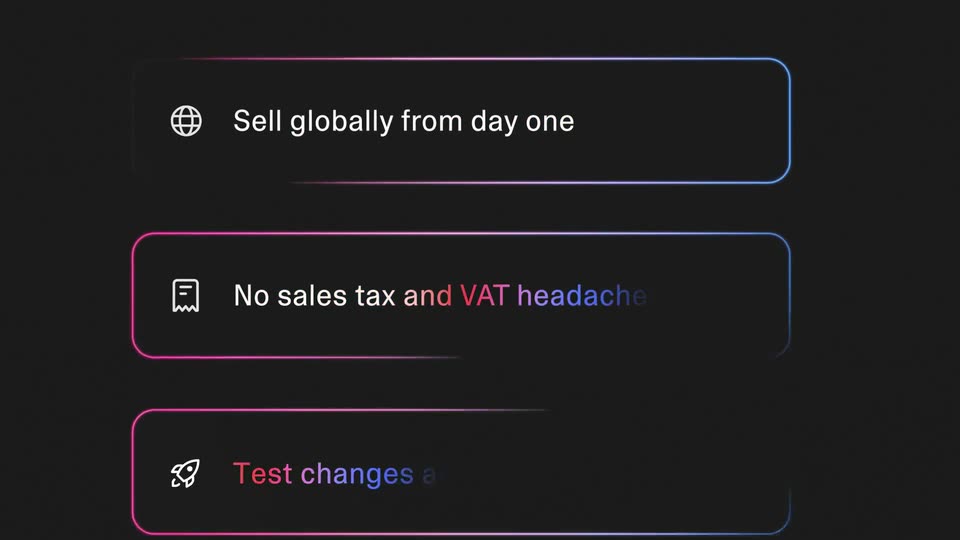
Three rounded cards with pink-to-blue gradient borders stack vertically on a dark gradient background, each with a line icon and a feature line that scales in as a bright horizontal sweep crosses the borders.
On-screen text: “Sell globally from day one”, “No sales tax and VAT headaches”, “Test changes and go live in one click”
Techniques: Kinetic type, Light sweep
Camera: Static
A dark onboarding screen zooms out from three feature rows, their pink-to-blue gradient borders fading to gray, until the Enable payments header and a blue Continue button appear, then a cursor clicks Continue.
Techniques: UI zoom, Cursor demo
Camera: Pull out
A tilted 3D browser window floats over a blue-to-pink gradient. It opens on the Athlo landing page with a phone mockup reading Generating Your Training Plan, then cuts to a checkout screen showing an order summary and a filled payment form. A hand cursor hovers over the Subscribe button, then the expiration field.
On-screen text: “Sell globally from day one”, “No sales tax and VAT headaches”, “Test changes and go live in one click”, “Enable payments”
Techniques: 3D mockup, Cursor demo
Camera: Pan
A purple Pay $29.00 button sits centered on a pale lavender field. A white cartoon hand cursor drops in from above, presses the button, and a white ripple flashes at the contact point as the button scales up.
Techniques: Cursor demo
Camera: Static
A white stat card on a lavender field counts its revenue from $9,725 to $11,377 as the transaction total ticks up and a green area chart fills in on the right. A hand cursor hovers under the card, then leaves.
Techniques: Cursor demo
Camera: Static
Over-the-shoulder shot of a person in an orange beanie seated on a gray sofa, a laptop on their lap showing an analytics dashboard with line charts and a total revenue figure. Hands rest on the trackpad as the dashboard numbers tick.
Camera: Static
White bold sans text “Getting paid” fades in word by word on a pink-to-blue gradient, then “has never been easier” slides in centered. A white heart and the “Lova” wordmark fade in as the sign-off.
On-screen text: “Getting paid”, “has never been easier”, “Lova”
Techniques: Kinetic type
Camera: Static
A white heart mark and Lovable wordmark sit centered on a soft gradient field, orange to pink to blue. The lockup slides slightly into place while the camera stays locked.
On-screen text: “Lovable”
Techniques: Kinetic type
Camera: Static