
0:41
Explore
New frame improvements in Figma
Figma · Jan 2025 · 3:33 · Full motion · AI-annotated
music Cafe core" by Miggi
- Length
- 3:33
- Scenes
- 10 · 21.4 s avg
- Product on screen
- 0:00
- Features shown
- 2
- Voiceover
- Yes
- Views
- 34K on YouTube
as of November 27, 2026
00:00:00 / 03:33:20
- Length
- 3:33
- Scenes
- 10 · 21.4 s avg
- Product on screen
- 0:00
- Features shown
- 2
- Voiceover
- Yes
- Views
- 34K on YouTube
as of November 27, 2026
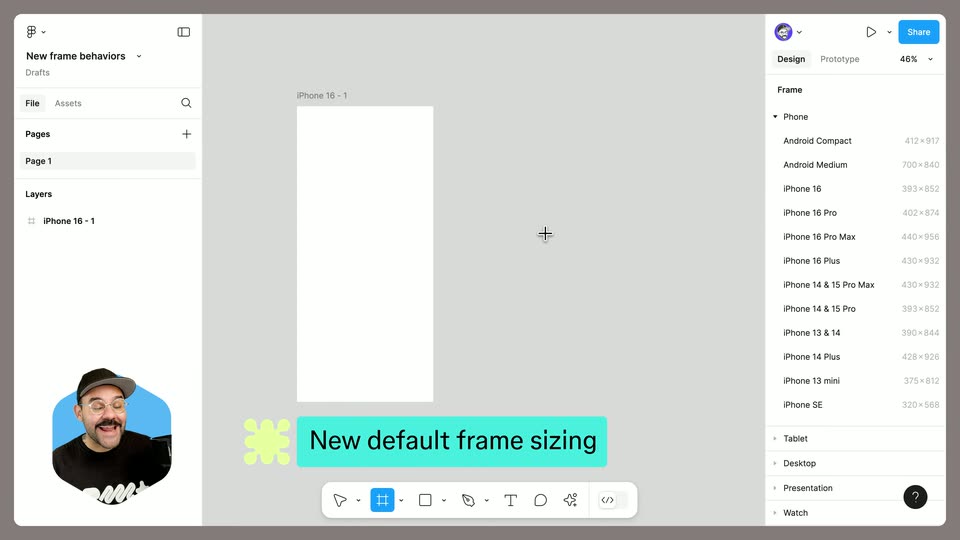
Figma’s 3:33 launch film runs 10 scenes, about 21 s each. The product is on screen from the first frame and 2 features are revealed. There is no explicit call to action; a voiceover carries the film. The video is built as one long screen recording: a mint title card and greeting, then three captioned frame updates demoed in turn, a fast recap, and a logo sting, with very few hard cuts. Its signature moves are teal highlight banners that wipe in under each update, the circular presenter webcam pinned in the corner, and a pixel-grid zoom that resolves into the Figma mark.
No filming indicatedEstimated needs: 5 capture groups — your screens or recordings · 1 official logo — reused across the film
Is this your launch? to your site or press kit.
More like this
0:25

Firecrawl - Introducing Universal Scrape. Give your agents context from web page
Firecrawl · Oct 2026
0:35
3D Transforms are now in Figma
Figma · Design · Nov 2026
Similar soundtrack
Films whose music sounds like this one, voice left out
3:34
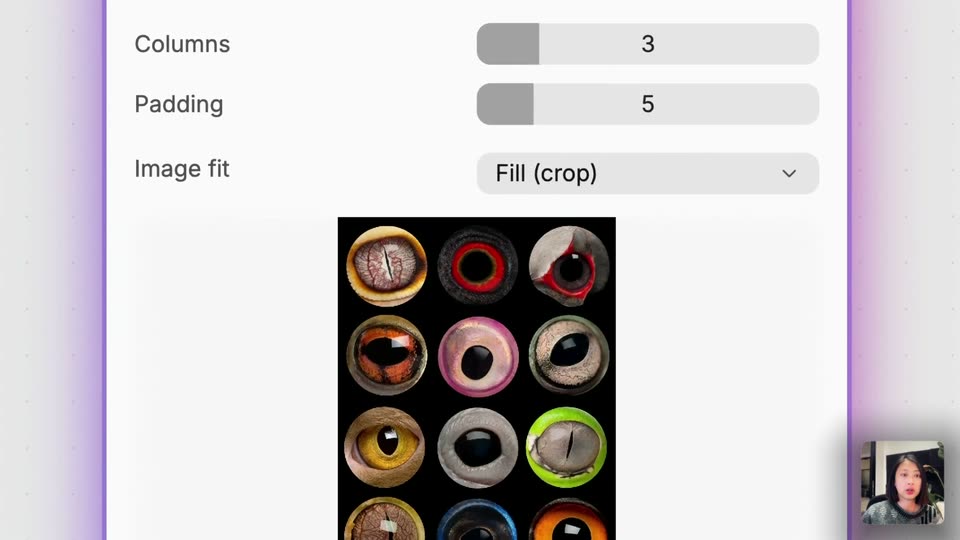
Fuser - We shipped Tools yesterday, and it’s one of our most exciting feature... #1
Fuser · Product demonstration / Tutorial
2:51


OpenClinic (YC F24) - Demo
FutureClinic · Corporate Tech / Ambient Electronic
1:52

Cocreate demo video
cocreate · Electronic
New frame improvements in Figma, scene by scene
· 10 scenes as text
01 · Product intro · 0:00–0:03
On a pale green field, a dark green asterisk sits top left and a black looped logo bottom right. A cyan box reading Frame and a green box reading improvements pop in on the left, then a dark red wavy line draws in beneath them.
On-screen text: “Frame”, “improvements”
Techniques: Kinetic type
Camera: Static
02 · Product intro · 0:03–0:04
A mint title card with a green asterisk, a cyan Frame tag, a green improvements bar and a red squiggle wipes away to reveal the Figma interface, where a presenter's avatar sits in the lower left corner.
On-screen text: “Frame”, “improvements”
Techniques: Masking
Camera: Static
03 · Feature reveal · 0:04–1:24
Figma canvas screen recording: the cursor draws frames, the first snapping to 0,0, then iPhone and landscape frames appear. Teal caption banners announce the new defaults, a circular webcam video of the presenter sits bottom-left, and a still Frame improvements title card closes the scene.
On-screen text: “First frame position defaults to (0,0)”, “New default frame sizing”, “Frame improvements”
Techniques: Cursor demo, UI zoom
Camera: Static
04 · Feature reveal · 1:24–2:29
Screen recording of a design tool: a cursor draws and duplicates phone frames on the canvas, the view zooms in, and a teal caption bar wipes in at the bottom. A small webcam of a presenter sits in the corner.
On-screen text: “Insert duplicate frame improvement”
Techniques: Cursor demo, Masking, UI zoom
Camera: Pan
05 · Feature reveal · 2:29–2:32
A Figma canvas centers on a selected blank frame, iPhone 16 - 5, outlined in blue with a 393 by 852 tag. A black cursor hovers beside it. The view then zooms out from 46 to 28 percent, revealing a row of neighboring phone mockups.
Techniques: Cursor demo, UI zoom
Camera: Static
06 · Demo · 2:32–2:35
A design-tool canvas shows five phone frames of an orange EPOCH app. A cursor drags a selection box over them, the right panel switches to frame properties, then the frames vanish, leaving an empty canvas.
Techniques: Cursor demo
Camera: Static
07 · Demo · 2:35–3:28
A screen recording of a design tool: a cursor draws phone-sized frames on a gray canvas, selects them, drops a gray rectangle into one, and duplicates frames until four line up in an auto-layout row. A presenter's webcam sits in a hexagon at the lower left.
Techniques: Cursor demo, UI zoom
Camera: Static
08 · Outro · 3:28–3:29
A Figma workspace fills the frame, sidebars and toolbars framing a gray canvas. The view zooms into the canvas as a green pixel grid expands across it, then a lavender card bearing a green icon settles in the center.
Techniques: UI zoom
Camera: Static
09 · Outro · 3:29–3:30
The Figma wordmark sits centered on white. A lavender selection rectangle scales in behind the letters, green corner handles snap on, and the multicolored Figma mark forms at the dot of the i.
On-screen text: “Figma”
Techniques: Morph
Camera: Static
10 · Outro · 3:30–3:33
A small multicolor logo mark sits centered on a pale background. Four dark green corner squares frame it, then fade out as the orange, purple, blue and green shapes tighten into a compact centered mark.
Camera: Static