0:28

Bilanc - AI for Engineering Management
Bilanc · B2B · Jan 2025
ElevenLabs · May 2025 · 3:01 · Full motion · AI-annotated
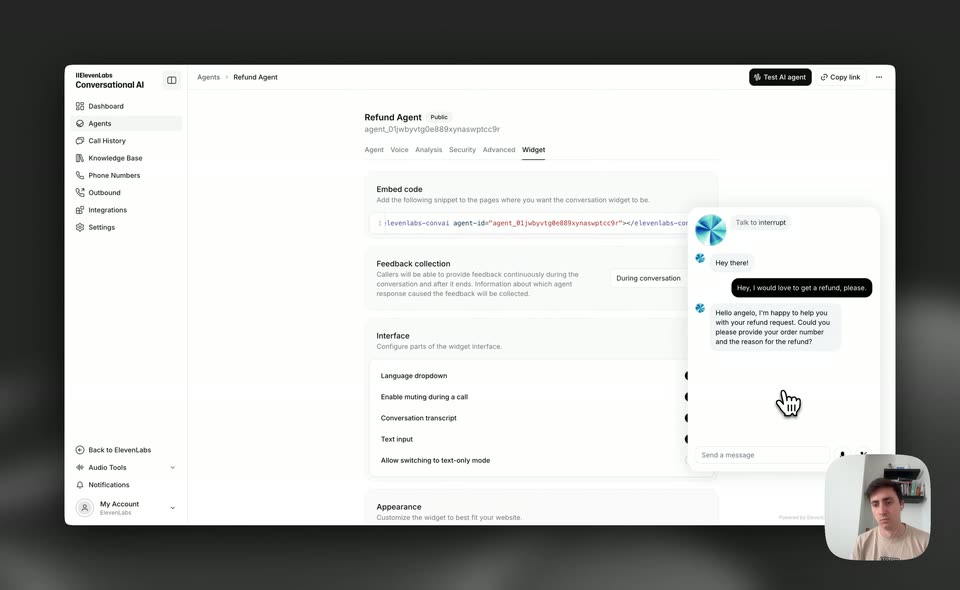
ElevenLabs’s 3:01 launch film runs 3 scenes, about 61 s each. The product is on screen from the first frame and 1 feature is revealed. There is no explicit call to action; a voiceover carries the film. A single uncut screen-recording take that tracks the cursor from the agent settings into the live chat widget, with the presenter's webcam pinned in the corner. Zooms and pans shift between the settings panel and the chat bubbles to keep each step legible while the voiceover narrates the setup.
Is this your launch? to your site or press kit.
Bilanc · B2B · Jan 2025
Magnitude · B2B · Sep 2026
dili · B2B · Aug 2024
A screen recording of the ElevenLabs agent dashboard: a cursor clicks the Widget tab and the view zooms into the settings, then pans right to a chat panel where text messages exchange with the voice agent. A presenter sits in a small corner webcam.
Techniques: Cursor demo, UI zoom
Camera: Push in
A chat widget on the right displays English and Italian message bubbles as a hand cursor taps a phone icon at its lower corner. A blurred settings table sits behind it and a small video thumbnail of a person anchors the bottom right.
Techniques: Cursor demo
Camera: Push in
A close-up of a chat widget plays an English and Italian exchange, a cursor resting on the New call button. The frame zooms out to the full Conversation AI dashboard, the agent settings beside the live widget, with a small presenter cam in the corner.
Techniques: Cursor demo, UI zoom
Camera: Pull out